Tech packs sit at the center of fashion product development.
They define how a style moves from idea to production, covering sketches, materials, measurements, and construction details used by fashion designers and production teams.
Different teams handle this work in different ways, which is why fashion tech pack software varies in structure and approach.
Workflows may begin with visuals or start directly from structured product data that supports tech pack creation from the start.
This guide compares the eight best tech pack software options by use case, so you can see how different tools fit real product work from design through development.
TL;DR
These are the top eight tech pack software options for fashion teams in 2026:
CLO 3D
Techpacker
WFX PLM
Bamboo Rose
Centric PLM
PTC FlexPLM
How to Choose Tech Pack Software (Quick Filters)
Choosing tech pack software starts with how your team works during the development process and what needs to happen inside the tool.
First, look at how your team is creating tech packs. Some designers start with sketches in Adobe Illustrator, while other teams build from structured inputs in Excel or Google Sheets. The right setup should fit the way product information enters your workflow.
Next, check how updates are handled once development starts. Compare key features for managing measurements, materials, construction details, revisions, and other product data as styles change.
Supplier access is another practical filter. Some teams send exported files back and forth, while others need collaboration tools that let vendors review current product information and respond within a shared workspace.
Your team size also affects what makes sense. An independent designer may need a focused tool for building tech packs, while a larger product team may need permissions, shared data, and structured handoffs between design, development, and production.
Finally, consider where the tool fits in your product process. Design-led software can suit early concept work, while production-focused systems are built for structured development and factory handoffs.
8 Best Fashion Tech Pack Software by Use Case in 2026
Tech pack software can support different parts of fashion product development, from early design work to structured product development and production handoffs.
Standalone tech pack tools focus more directly on building and managing tech packs, while broader systems connect that work with other stages of product development.
The sections below group tools based on how professional fashion teams actually use them in real workflows.
Design-Led Tech Pack Creation
Tech packs often begin in the design phase, when ideas are still taking shape, and visuals carry much of the direction. Designers may start with sketches, rough drawings, or early concepts before adding structured product information.
At this stage, design tools help turn visual ideas into flat sketches, fashion illustrations, or AI- and 3D-generated visuals that can guide early development. This gives designers more creative control over shapes, proportions, and garment details before the technical information is built out.
For freelance designers, having full creative control during this stage can also make it easier to develop and refine concepts before handing them off to a client or production team.
These early visuals can then become the starting point for professional tech packs, where measurements, materials, construction details, and other production information are added.
1. Onbrand AI Design
Onbrand AI Design works in the early design stage, where tech packs begin as visuals, sketches, or rough ideas.

It helps fashion designers turn early concepts into visual design outputs that can move into product development.
Instead of switching between sketching tools, rendering apps, and separate files, teams can develop visuals and early product direction in one workspace.
Designers can move from a prompt or sketch to create flat sketches, mockups, and visual concepts that become the starting point for product definition. That shortens the distance between creative direction and technical preparation before sampling begins.
Onbrand AI Design can speed up design turnaround by up to 10x, reduce physical samples by 30–50%, and save teams 10+ weeks per year through faster concept exploration and iteration.
Teams spend less time manually redrawing concepts and more time refining ideas before they move into development. When paired with Onbrand PLM, those approved concepts can continue into a connected product development workflow without starting over in separate tools.
2. CLO 3D
CLO 3D is a 3D garment design and visualization tool used to develop and review garments digitally before physical sampling.

Source: clo3d.com
Designers can create or adjust patterns and visualize them as 3D garments to review fit, silhouette, proportions, and fabric behavior.
Unlike a static garment photo, the digital garment can be adjusted as the design develops, giving teams a closer look at how design and construction decisions affect the result.
CLO 3D is useful before physical sampling. Teams can test design changes virtually and use the resulting visuals during internal reviews to discuss fit, styling, fabric choices, and other details before moving forward.
The software also supports virtual sampling and remote collaboration, which can help teams review garment direction earlier in the development process.
Designers new to 3D garment workflows may need time to work through the learning curve, depending on their previous experience.
CLO provides tutorials and manuals for self-guided learning, along with its online academy and public workshops for users looking for more formal training.
Connected Tech Pack Data + Version Control
Tech packs change throughout development as measurements, materials, and construction details are revised. The challenge is keeping every part of the single tech pack aligned as those changes happen.
In a connected setup, specs, bills of materials (BOMs), measurements, and related product data are managed together rather than maintained as separate files.
A team can update product information in one document or product record, reducing the need to rebuild separate tech pack files after each revision.
Version control becomes especially useful once several people are reviewing the same style. Teams can track revisions, see which information has changed, and work from the current product data during development.
Tools in this group use structured product data and version tracking to keep tech pack updates organized as a style moves through development stages.
3. Onbrand PLM
Onbrand PLM is product lifecycle management (PLM) software built for fashion teams to manage tech packs and product data in one structured workspace instead of separate files.

Specs, BOMs, measurements, and materials stay connected as styles move from early development toward production. Real-time updates give designers, developers, and production teams access to the latest product information as changes are made.
Teams can build factory-ready tech packs from the same live product data used throughout development. Updates stay within the product record, reducing duplicate files and manual re-entry as styles change.
Tech pack creation, sample tracking, and vendor communication also stay connected inside one system. That gives teams a shared product view for managing day-to-day development work and factory handoffs.
Onbrand helps teams create tech packs up to 55% faster and shorten development cycles by four weeks. Teams can also get up and running in as little as 10 days with AI-assisted data migration and onboarding.
4. Techpacker
Techpacker now separates its tech pack and PLM workflows into two products built for different needs.

Source: techpacker.com
Techpack Builder is a local-first desktop app for creating and organizing product specifications.
It combines visual editing with structured information, giving designers a way to move beyond Excel tech packs without losing the familiar spreadsheet-style approach to product data. Files stay on the user's computer, and the app can work offline.
Plmbr covers the broader PLM side for fashion brands that need to connect product data, teams, and manufacturers. Unlike the local-first Builder, Plmbr is positioned as an AI-powered cloud platform for managing a wider product workflow.
That split gives individual users and small brands a focused option for tech pack creation, with a separate cloud-based platform available when product development requires broader team and manufacturer coordination.
Supplier & Retail Collaboration Workflows
Once tech packs move outside the internal product team, communication with factories and vendors becomes part of the entire process. Specs, measurements, materials, and production details need to stay usable as samples are reviewed and changes are made.
Manufacturers may respond with questions, sample feedback, or requested adjustments that send information back to the brand for review.
When materials or components change, BOM management also becomes important because those updates need to stay connected to the current product information.
Shared workspaces can support team collaboration between internal teams and external partners without relying on repeated file exports and long email threads. Other workflows still use structured files or documents sent directly to suppliers.
Software in this category connects product information with supplier feedback as styles move through sampling, revisions, approvals, and production.
5. WFX PLM
WFX PLM is used in fashion product development to connect internal product teams with manufacturing partners during sourcing and production. Planning, design, and development information stays connected so teams and vendors can work from the same product data.

Source: worldfashionexchange.com
As styles move through the product development cycle, teams can manage:
Tech packs
Materials
Costing
Sampling
Approvals
Sourcing
Tech packs can include measurements, BOMs, construction details, supplier information, and comments, with version control helping teams and factories work from the current version.
WFX PLM also supports vendor communication through its Vendor Portal. Suppliers can review tech packs, respond to RFQs, provide costing information, and participate in product and sample workflows without relying only on email or manual file sharing.
WFX is geared toward fashion businesses managing multiple styles, collections, and supplier relationships.
6. Bamboo Rose
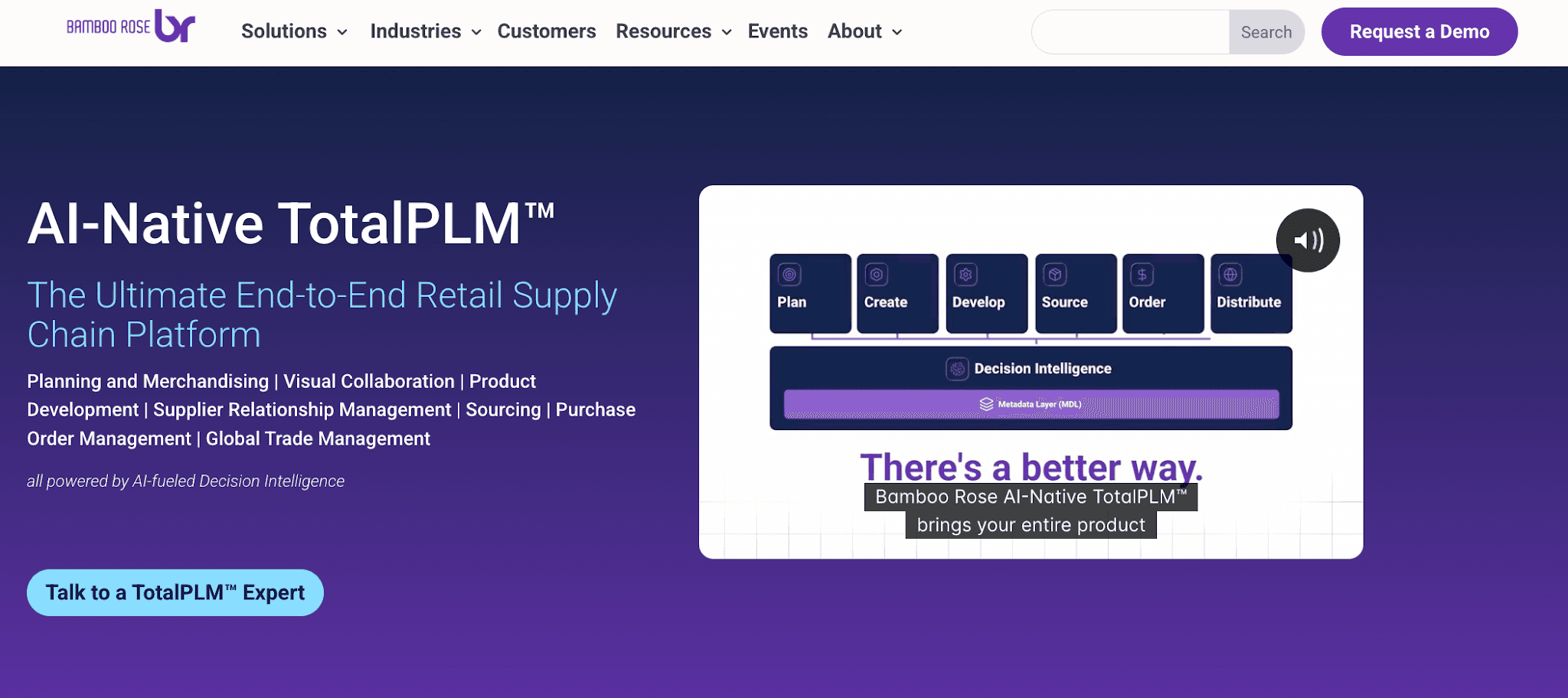
Bamboo Rose TotalPLM is retail PLM software that connects product development with planning, sourcing, supplier relationships, purchase orders, and global trade management.
Source: bamboorose.com
Fashion and retail teams can manage product data as products move from development into sourcing and later supply chain work. Product information can also stay connected to supplier communication, giving internal teams and external partners a shared workflow as products progress.
Bamboo Rose extends beyond product development into planning, assortment management, sourcing, and vendor coordination. That broader scope makes it a full PLM system for retailers that want more of the product lifecycle managed within the same environment.
Its wider retail and supply chain coverage is geared toward organizations managing multiple categories, suppliers, markets, and complex global supply chains.
Enterprise Product Coordination
Large fashion organizations may manage high product volumes through different design, development, sourcing, and production teams. A single style can pass through several reviews and approvals before it is ready for production.
Enterprise systems help coordinate the product information behind that work. Style data, specifications, materials, costing, and development updates can stay connected as different departments contribute to the same product.
This becomes useful when approvals involve several stakeholders or when teams need to follow defined review and compliance processes. Rather than managing each handoff through separate files or disconnected updates, product information can move through a more structured workflow.
At this scale, teams need software that can coordinate complex product lifecycles, multiple departments, and high volumes of product data. Here are two options built for larger fashion and retail organizations.
7. Centric PLM
Fashion brands, retailers, and manufacturers use Centric PLM to manage product development from early planning and design through sourcing, testing, and commercialization.

Source: centricsoftware.com
Product teams can manage styles, materials, specifications, BOMs, costing, and other product data within the same system.
Centric PLM also connects with 2D and 3D design tools, giving design and development teams a way to move product information between creative and technical workflows.
For organizations managing multiple product lines, Centric PLM can connect product development with assortment planning, sourcing, prototyping, testing, and approvals.
Teams can follow product changes and development progress without maintaining separate records for each department.
Its broader workflow is suited to organizations that need design, merchandising, sourcing, and product teams to contribute to the same product information as collections move toward commercialization.
8. PTC FlexPLM
PTC FlexPLM is an enterprise PLM system for fashion, apparel, footwear, retail, and consumer products. It supports retail product development from planning and design through specifications, sourcing, costing, and production.

Source: ptc.com
FlexPLM is designed to manage large product portfolios, including thousands of styles and SKUs from different brands and product categories within the same system.
Teams can manage product specifications, materials, costing, supplier information, and development data as products move through the lifecycle. This gives design, development, sourcing, and other teams access to shared product information as work progresses.
FlexPLM can also connect with other systems through Flex Connect and supports integrations with 2D and 3D design tools through Flex DPC. These connections help product data move between tools used during development.
Its enterprise-scale setup is suited to larger fashion and retail organizations managing high product volumes, several product categories, and complex development workflows.
What Tech Pack Software Should Solve
Tech pack software removes gaps in how product information moves from design into production. The real challenge is not just which features are available, but how product information is managed once styles start changing.
File-Based vs Structured Tech Pack Setup
File-based tech packs are often created with Excel files, PDFs, or Illustrator exports.
A first draft may be easy to manage, but each revision can create another file that needs to stay aligned with the latest product information. Teams may also use Google Drive to store and share these versions.
In a structured setup, measurements, materials, components, and construction notes stay connected within the product record instead of being maintained in separate documents.
A structured setup keeps those updates connected to the style as it develops, reducing the need to manually update several versions of the same tech pack.
How Updates Behave During Development
Tech packs rarely stay the same after the first version. Measurements may change after a fitting, materials can be replaced, and construction details may be revised after sample feedback.
In a file-based workflow, those changes may need to be added manually to each relevant file. This can leave several versions of the same tech pack in circulation if teams still use older copies.
Structured systems keep product data within a shared product record. When information is updated, teams can work from the current measurements, materials, and construction details without rebuilding the tech pack after every revision.
Some tech pack wizard tools can also reduce manual setup by guiding users through structured fields and repeatable steps during tech pack creation and revisions.
Product Reuse and Seasonal Handling
Product development does not always start from zero. A new style may use measurements, materials, construction details, or fit information from a previous product.
Some systems provide reusable libraries where teams can pull existing product information into the next collection and adjust what has changed. This can reduce setup time when developing styles that share fabrics, fits, trims, or construction details with earlier products.
Other workflows require teams to copy information manually or rebuild each tech pack for a new style. The difference becomes more noticeable when a collection includes several products based on existing blocks or recurring product details.
Product reuse can make seasonal development more practical by letting teams build from information they have already created rather than entering the same details again.
Build a More Connected Tech Pack Process With Onbrand

The right tech pack setup should make it easier to move a style forward as product details change. Designers, developers, and production teams need access to current specifications without spending time reconciling separate files or outdated versions.
Onbrand brings tech packs into the same workspace as product data, samples, updates, and vendor communication. Teams can build factory-ready tech packs from connected product information and keep development work organized as styles move toward production.
With Onbrand, fashion teams can create tech packs up to 55% faster and shorten product development cycles by four weeks.
FAQs About the Best Tech Pack Software
How to create the perfect tech pack?
Start with the information a manufacturer needs to understand and produce the garment. A tech pack typically includes technical sketches, measurements, materials, BOMs, colorways, construction details, labels, and other production instructions.
There is no single format that most designers need to follow. The contents can vary by product and manufacturer, so review the information before sending it to a factory and update the tech pack as the style changes during sampling and development.
Can AI create a tech pack?
Yes. AI can help create parts of a tech pack and reduce manual setup. Depending on the software, it can assist with flat sketches, basic specifications, BOM data, construction notes, and organizing other product information. The output should still be reviewed by the product team before it is used for sampling or production.
What should I include in a tech pack?
A tech pack should include the information needed to communicate how a product should be made. This commonly includes technical sketches, measurements and tolerances, materials and trims, BOMs, colorways, construction details, labels, packaging instructions, and other relevant specifications.
The right tech pack software should make these details easier to create, update, organize, and share between design and production teams as the product moves through development