May 12, 2026

Collections don’t break all at once. They get harder to manage as more styles, updates, and tools are added.
A few products grow into full collections. In the fashion industry, the design process adds more layers, and product data ends up in different tools and files.
One team updates a file, another works from an older version, and no one is fully sure what is current. Small gaps start to slow things down. Decisions take longer, updates get missed, and production details stop matching.
This is where collection management becomes necessary.
In this guide, you’ll see how fashion teams organize collections, keep product data aligned, and move from design to production without losing track of what is current.
TL;DR
Collection management helps fashion teams organize styles, product data, samples, approvals, and production details from design to production.
A strong collection management process includes product hierarchy, materials and BOM, measurements and specs, tech packs, documentation, line sheets, and merchandising data.
The main stages are concept, design, development, sampling, and production, with product data becoming more detailed at each step.
Tools like Onbrand PLM help keep collection data, tech packs, approvals, and design work connected in one system.
What Collection Management Means in Fashion
A collection of styles planned for a season, drop, or category in the fashion world. It can include different types of collections, such as seasonal lines or limited releases.
Collection management is the process of organizing everything tied to those styles. It helps your team manage product data, track updates, and keep work aligned through each stage of the workflow.
It covers:
styles and their variants, like colorways and sizes
product data used in tech packs and specs
progress from design to development and production
Each piece connects to the next. Changes in one place should reflect everywhere else.
It helps create structure as collections move through the business. Your team builds product knowledge along the way, and that knowledge stays linked to each style instead of getting lost.
A collection includes all the styles planned for a season or drop. Each product points to a single style, and a SKU represents one version of that style, such as a size or color.
Strong organization at this level keeps data accurate and the workflow easier to manage.
Where Collection Management Starts to Break Down
Issues start to show once collections move into development and more teams get involved. Product data needs to stay aligned, but it often doesn’t.
Communication becomes inconsistent. One update sits in a tech pack, another in a message, and another in a file that was never shared. Records and documentation stop matching, and no one is fully sure which version is correct.
Teams work from different versions of the same style. Samples don’t match, approvals are missed, and development takes more time than expected, which is a common example of misaligned product data.
Updates don’t always flow through the workflow the way they should.
A change made in design doesn’t always make it through to development or production, and critical details get missed along the way. Over time, those small gaps start to affect timelines.
Internal practices and procedures vary between teams. Without a shared structure, collaboration becomes harder and slows down progress.
These gaps affect decisions. When visibility is limited, teams rely on outdated information instead of current product data.
This is where fashion product development starts to slow down, even if the collection looks fine on the surface.
What Collection Management Includes
Collection management brings together the core product data your team needs to keep work aligned.
Styles and Product Hierarchy
Collections often begin with a few styles, then quickly get more complex.
Each style can have multiple versions, from colorways to sizes. A clear product hierarchy helps your team keep everything organized and easy to track.
Without it, product data becomes harder to manage, and details start to get lost.
Materials and BOM
Materials define what each product is made from. The bill of materials (BOM) lists fabrics, trims, and components used in production.
Keeping this information accurate helps avoid confusion with vendors and makes sure the right materials are used. Strong records here also support better cost tracking, planning, and storage of material data for future use.
Measurements and Specs
Specs define how a product is built and how it should fit. This includes measurements, tolerances, and grading.
Clear specs help maintain consistency between samples and final production. When details aren’t clear, small issues show up early and turn into rework later.
Tech Packs and Documentation
Tech packs bring everything together by documenting product details, construction notes, and instructions for production.
They help vendors and internal teams stay on the same page, so work doesn’t get repeated, and details don’t get missed, even with different teams and internal communities involved.
Line Sheets and Merchandising Data
Line sheets organize collections for internal teams and external partners. They help present data clearly, including pricing, categories, and product positioning.
When data is accessible, teams can review and share information quickly without digging through files or systems.
This information doesn’t stay fixed. It moves with the product as it develops, so your team needs systems and tools that keep data updated, accessible, and easy to manage.
How Collection Management Supports Collection Development
Collection management supports the full collection development process by keeping product data connected as work moves forward. Every stage builds on the last, so the way data is handled early on affects everything that follows.
Concept
The process starts with early ideas. Teams look at trend research, customer interest, and past performance to shape the direction of the collection.
At this point, ideas need to be captured in a way your team can actually use. That creates a clear starting point. Without it, early decisions get lost or don’t connect to what comes next.
Design
Design is where ideas start to take form. Styles are created, and initial product data begins to build. Sketches, materials, and early specs start to come together.
Keeping this information organized helps your team work from the same inputs and avoids confusion between versions.
Development
Development is where details get defined. Materials are confirmed, specs are refined, and tech packs are updated. More users get involved, from product developers to vendors.
A clear system keeps everything aligned, so updates are tracked, and nothing gets missed as changes happen.
Sampling
Sampling tests what has been built so far. Samples are reviewed, feedback is shared, and revisions are made.
Tracking these changes keeps product data consistent between versions. Without it, samples and product data fall out of sync, which leads to delays.
Production
Production depends on everything being accurate. Specs, materials, and approvals need to line up with what was developed.
Collection management helps make sure the right data moves into production, so vendors work from the latest information and avoid costly mistakes.
Collection Management vs PLM
Collection management and PLM (product lifecycle management) are closely related, but they serve different roles.
Collection management defines what your team needs to manage. That includes styles, product data, tech packs, samples, and everything tied to collection development. It sets how work is organized and how changes are tracked from design to production.
PLM is the software used to support that work. A fashion PLM system gives your team one place to manage product data, track updates, and keep everything connected as collections move forward.
Collection Management
Collection management focuses on structure. It shapes how product data is organized, how progress is tracked, and how teams stay aligned.
Without a clear setup, teams rely on spreadsheets, shared folders, and messages. Information gets scattered, and accuracy becomes harder to maintain as collections expand.
PLM
PLM brings that structure into one system. It connects product data, tracks updates, and supports a consistent workflow.
With a PLM system, your team works from one source of truth. Product data stays connected, updates are visible, and the system becomes the authority for what is current.
The Difference in Practice
Without PLM, collection management relies on manual work. Teams move between tools, updates get missed, and information falls out of sync.
With PLM, everything runs through one system. Product data stays organized, visibility improves, and teams spend less time fixing gaps during implementation.
How PLM Improves Collection Management
PLM fixes the gaps that show up when product data is handled in different places.
Centralized product data – Product data lives in one database instead of multiple files. Teams work from the same information, so samples, specs, and approvals stay aligned.
Version control – Changes are tracked and recorded. Teams don’t lose updates or work from outdated files. Built-in features help with monitoring changes and keeping records accurate.
Real-time updates – Updates are visible as they happen. Teams don’t wait for files to be shared. Everyone has access to the latest product data when decisions need to be made.
Cross-team visibility – Design, development, and production can search and view the same information. This makes it easier to provide access to the right data without confusion.
PLM also improves security by controlling who can view or edit product data. With the right setup, each account has access to what it needs and nothing more.
This is where a system like Onbrand PLM makes a difference. It brings product data, updates, and approvals into one place, so teams don’t have to chase files or double-check versions before making decisions.
If you want to see how that works in practice, you can book a demo with Onbrand.
When Teams Need a Better Collection Management System
You start to notice it when collections grow, and things take longer than they should.
More styles come in each season. Revisions add up. Updates don’t happen in a timely manner, and your team spends more time checking files than moving work forward.
More professionals and vendors are involved, and communication takes more effort. Keeping everyone aligned becomes harder, and small gaps start to influence decisions when visibility is limited.
At some point, your setup just doesn’t keep up anymore. Spreadsheets and shared files stop supporting the specific needs of your business, and managing resources, tracking changes, and staying organized takes more effort.
Important factors like timelines, approvals, and product details start to slip. Your team shifts focus from building the collection to fixing issues.
This is usually when teams start looking at new criteria for how they work. Not just tools, but systems that match how the business runs, without stretching financial resources.
Manage Collections with Onbrand PLM
When collection work starts to break, teams need more than better organization. They need a system that connects design, development, and product data from the start.
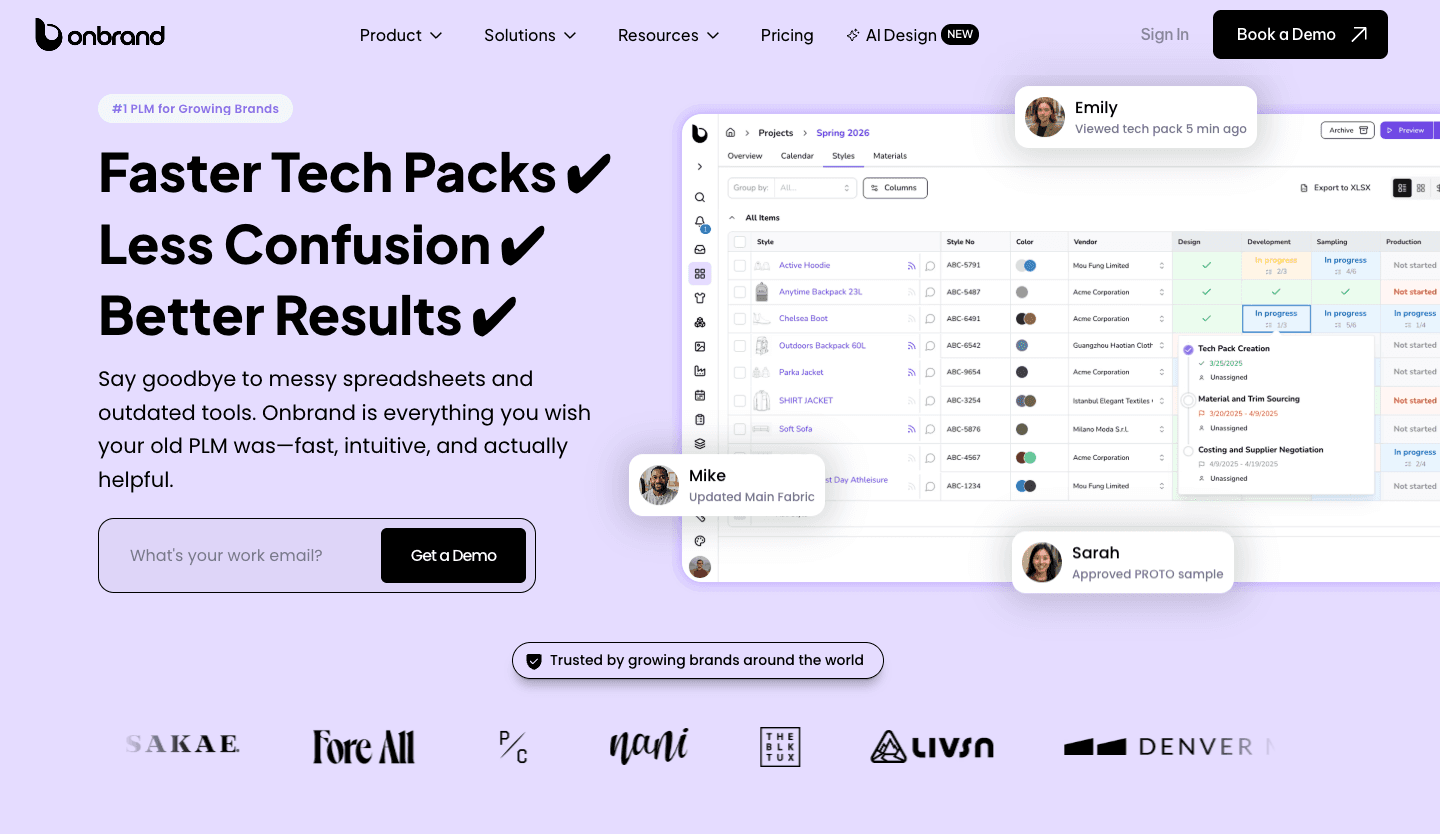
Onbrand PLM helps keep collections structured in one place. Product details, tech packs, materials, and approvals stay connected, so your team works from the same information at every stage.
Centralized product data – Everything lives in one system. No more scattered files or version confusion.
Live tech packs – Updates reflect instantly. Vendors and internal teams always see the latest version, without sending files back and forth.
Faster setup – Most teams are up and running in 2–4 weeks, not months. Implementation doesn’t slow your workflow down.
Built-in collaboration – Teams and vendors can review, comment, and approve directly in the system. Communication stays tied to the product, not lost in messages.
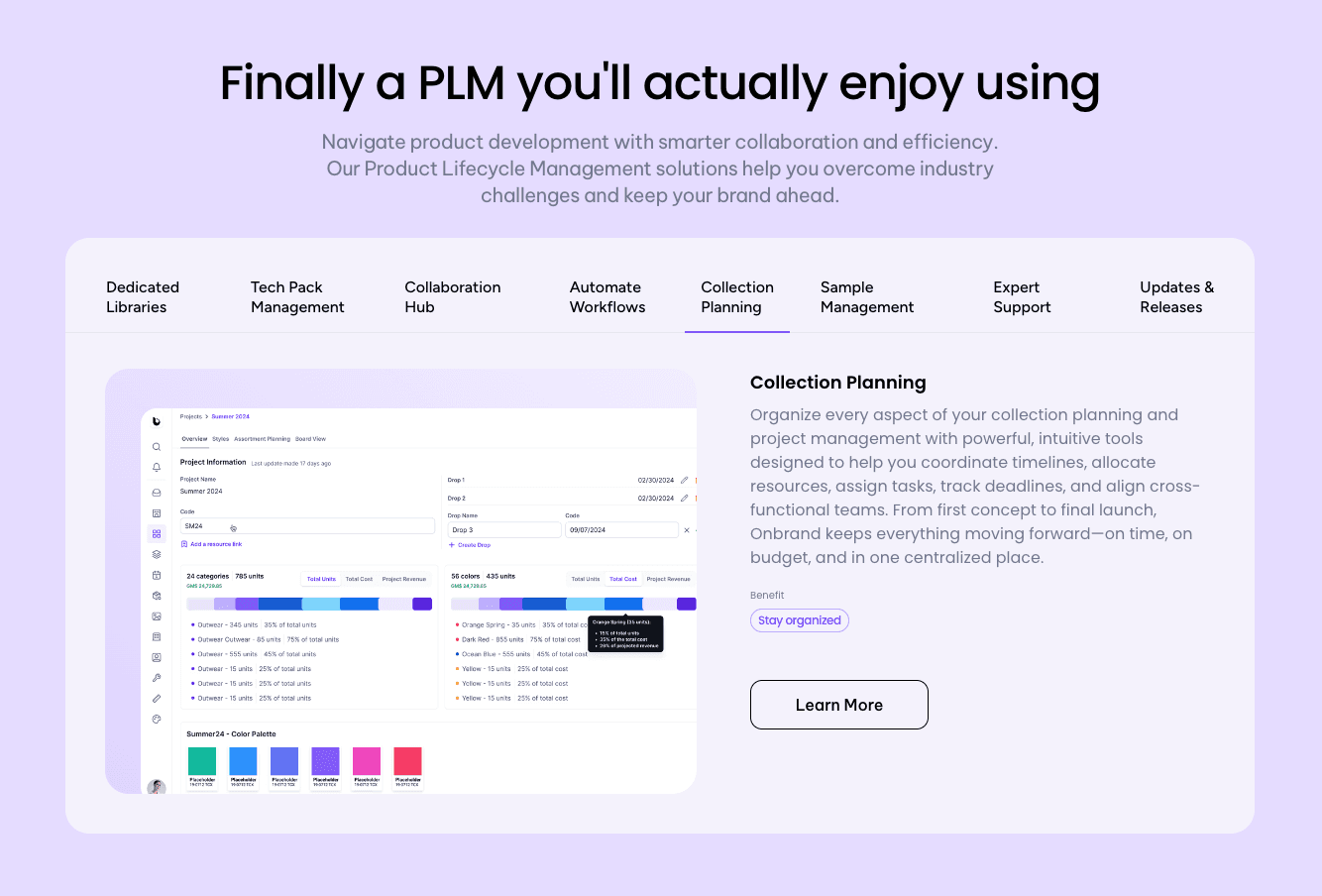
Collection planning tools – Organize styles, colorways, and materials early, so your team can align on the full line before development begins.
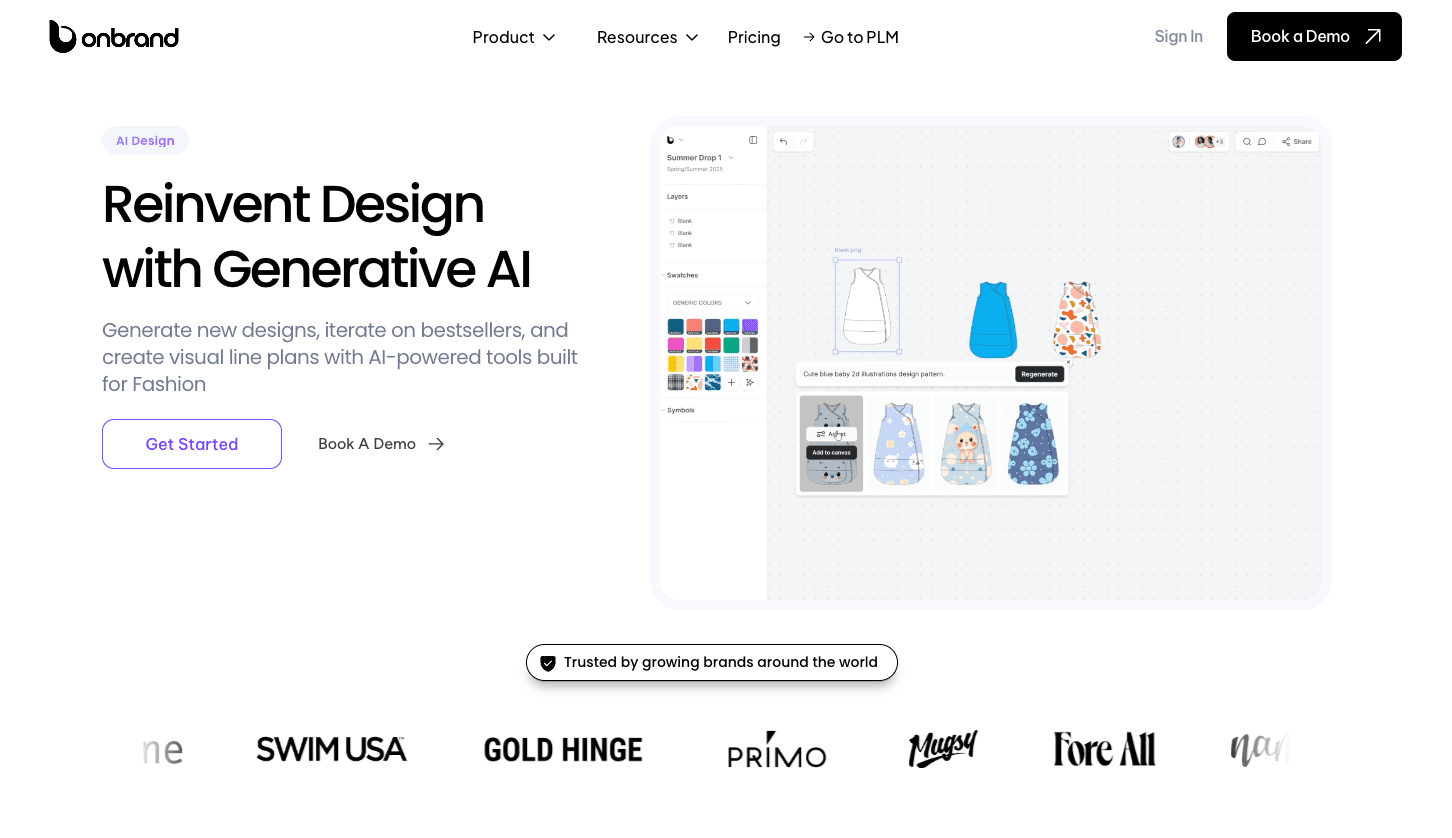
Onbrand PLM also connects directly with Onbrand AI Design, so your team can move from concept to development without breaking the flow.
Generate designs, sketches, and variations in seconds
Build visual line plans and mood boards in one workspace
Send designs straight into PLM with no manual handoff
Teams using Onbrand see results quickly. Tech pack creation becomes 55% faster, physical samples drop by 30–50%, and teams save more than 10 weeks each year.
Collection management works best when everything stays connected. Onbrand gives your team that structure without slowing you down.
Bring Clarity To Growing Collections With Onbrand
Collection work should not feel harder than the product itself.
When everything is connected, your team spends less time checking files, fixing gaps, or chasing updates. Work moves forward with fewer interruptions, and decisions are made with confidence.
Clear structure makes that possible. Product data stays organized, updates stay visible, and everyone works from the same information without second-guessing.
That is where Onbrand comes in.
Onbrand brings your design, development, and product data into one place, so your team can move from concept to production without losing track of what is current. It supports how your team already works, without forcing a new process or slowing things down.
FAQs About Collection Management
What should fashion teams look for in a collection management system?
Fashion teams should look for a system that centralizes product data, supports their existing workflow, and keeps updates visible in real time. It should include features like version control, search, and secure access, so design, development, and production teams stay aligned without relying on scattered tools or manual tracking.
How long does it take to switch from spreadsheets to a PLM system?
The timeline depends on the system and implementation process. Modern PLM systems, including Onbrand PLM, can be set up in a few weeks, including data migration and onboarding. Faster implementation allows teams to move away from spreadsheets without interrupting daily work.
What should be included before a collection moves to production?
Before a collection moves to production, it should include finalized specs, approved samples, confirmed materials, and complete tech packs. All product data should be accurate and aligned so vendors can work from the latest information without delays or errors.
How do fashion teams set up a collection management process from scratch?
Fashion teams set up a collection management process by defining how product data is created, stored, and updated at each stage of product development. This includes organizing styles, materials, specs, and tech packs in one system and setting clear steps for tracking changes, approvals, and progress from concept to production.

