Tech Pack 101: A Complete Guide for Fashion Teams

Tech Pack 101: A Complete Guide for Fashion Teams

Jan 19, 2026

tech pack
tech pack
tech pack

As collections grow, tech packs often become harder to manage. Files multiply, updates get shared in different places, and you may lose track of which version is current.

These gaps usually show up later during sampling or the production process, when design details no longer match the original intent.

A clear, professional tech pack helps you keep design, development, and manufacturing aligned as work moves forward. It acts as a shared blueprint that keeps decisions visible and reduces guesswork across handoffs.

In this article, we break down what a tech pack is, when fashion teams need one, and how to create tech packs that support growing collections.

TL;DR

  • A tech pack is the document used to send a style into sampling and production with clear specifications, visuals, and build details.

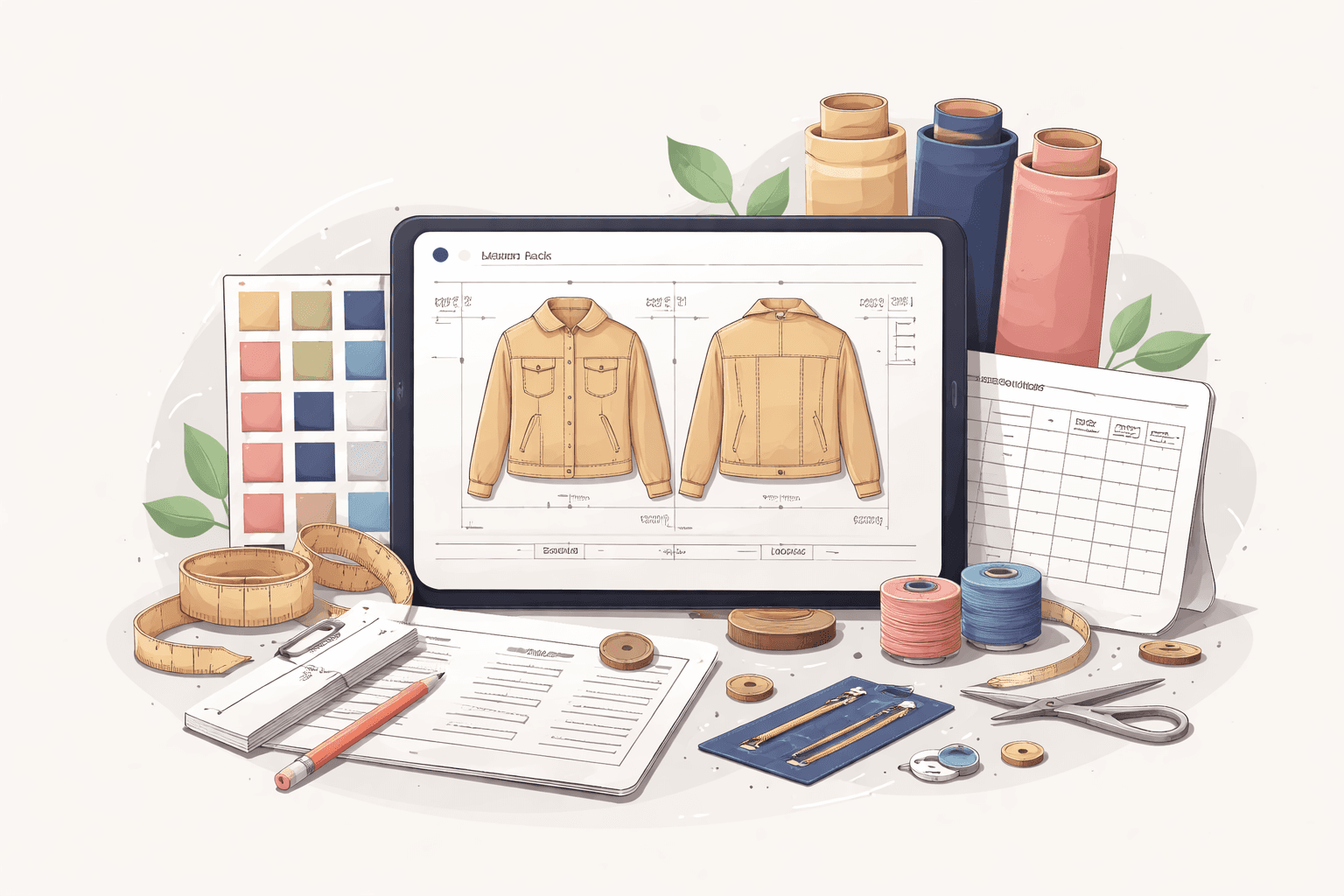
  • It usually includes product info, flats, BOM, measurements and grading, construction notes, color and artwork specs, and a revision log.

  • The core steps to create a tech pack are design foundation, measurements and fit, materials, construction, labels and branding, sampling prep, and ongoing updates.

  • Onbrand supports this work through Onbrand AI Design for early visual alignment and Onbrand PLM for live tech packs tied to samples, approvals, and timelines.

What Is a Tech Pack?

A tech pack, sometimes called a technical pack or technical package, is a document that captures all the information needed to turn a fashion design into a finished garment.

Its purpose is to translate ideas into clear technical specifications that vendors and internal partners can follow.

Fashion designers use tech packs to document design sketches, materials, and visual details.

Technical designers and product developers rely on them to define measurements, construction details, and updates across physical samples.

Manufacturers use the tech pack as a reference when building samples and production units.

Rather than explaining how to do the work, a tech pack explains what needs to be made and how the final garment should look and fit.

As styles move forward, the tech pack becomes the single source you return to for clarity and quality control.

When Fashion Teams Need a Tech Pack

Most fashion teams need a tech pack once a design moves beyond early concept work in the fashion design process. This often happens after a style is approved for sampling or prepared for vendor communication.

Tech packs become especially important when:

  • A fashion product is sent to a factory for the first time

  • Fit samples or revisions begin

  • Multiple teams review or approve the same apparel style

  • Production dates, costing, and MOQ need alignment

At this stage, verbal feedback and images are no longer enough. A detailed tech pack helps you confirm components before work continues, reducing production delays as styles move closer to manufacturing.

If you want to see how a tech pack stays clear once sampling and approvals begin, it helps to review a live example. You can book a demo to see how Onbrand keeps specs, samples, and decisions connected in one place.

What a Tech Pack Includes

Before you create tech packs, it helps to understand the core components that go into a technical pack. These components add clarity as a fashion product moves from design to production.

Most tech packs include the following components:

  • Product summary - A short overview of the style, including name or code, season, colorways, and key dates tied to approvals and timelines.

  • Technical flats and images - Front and back flats with clear images for important details. Close-ups help vendors match design intent during sampling.

  • Bill of materials - A list of fabric, trims, labels, and packaging with placement notes. This supports sourcing, costing, and quality alignment.

  • Measurements and grading - A spec sheet with base size measurements, tolerances, and grade rules to guide physical samples and fit.

  • Construction details - Notes on seams, stitching, finishes, and special build instructions tied to the pattern and garment structure.

  • Color and artwork specs - Color codes and artwork callouts for prints, embroidery, and graphics placement.

  • Revisions and comments - Space to track updates across sample rounds so changes stay visible as the tech pack is updated over time.

Step by Step: How Fashion Brands Create Tech Packs

A tech pack comes together by documenting decisions in the right order. Each step adds detail that helps you move from approved design to samples and production without losing track of what was decided.

Step 1: Start With the Design Foundation

Begin with approved designs and clear visuals. This usually includes flat sketches, early graphics, and reference images that show the intended look.

Many fashion industry teams use Onbrand AI Design to explore ideas before documentation begins. These visuals set direction before patterns or specs are created.

Misaligned visuals often lead to extra sample rounds. Schedule a demo to see how Onbrand AI Design helps confirm design intent before work moves into tech packs.

Step 2: Define Measurements and Fit Details

Add spec sheets with measurements, size references, and grading intent. 

Keep in mind: even one missing measurement can change how a denim jacket fits once samples are made.

Clear fit details help vendors build samples that reflect the original design and keep the focus on what was approved.

Step 3: Add Materials and Fabric Information

Document fabric types, trims, accessories, and finishes. Include notes for embroidery, graphics placement, and any special treatments.

Material choices affect cost, quality, and timelines, so details should match what will be used for the final clothing, not placeholders.

Step 4: Document Construction and Assembly Details

Capture seams, stitching, and build instructions tied to the pattern. These construction details help factories understand how each piece comes together.

Clear instructions support consistent results across samples and production without added back and forth.

Step 5: Include Labels and Branding Elements

Add care labels, hang tags, and brand details such as logo placement. These elements help maintain consistency across projects and production runs.

Including them early helps you avoid last-minute updates once the product is close to market.

Step 6: Prepare the Tech Pack for Sampling

Review all details before sending the tech pack to vendors. Confirm approvals, lock versions, and share one current file.

Most brands use fashion PLM tools like Onbrand PLM to keep tech packs updated in real time. This way, vendors always see the latest approved information.

Sharing a current version is most important during sampling. Book a demo to see how live tech packs in Onbrand stay updated as approvals and revisions happen.

Step 7: Update and Maintain the Tech Pack Over Time

Tech packs change through fittings, revisions, and approvals. Update measurements, notes, and images as samples change.

Treat the tech pack as ongoing documentation that reflects the current state of the product, not a static file created once.

How Digital Tools Support Modern Tech Pack Creation

As collections grow, managing tech packs across files and inboxes becomes harder to sustain. Digital tools help you keep information current as styles move through sampling and production.

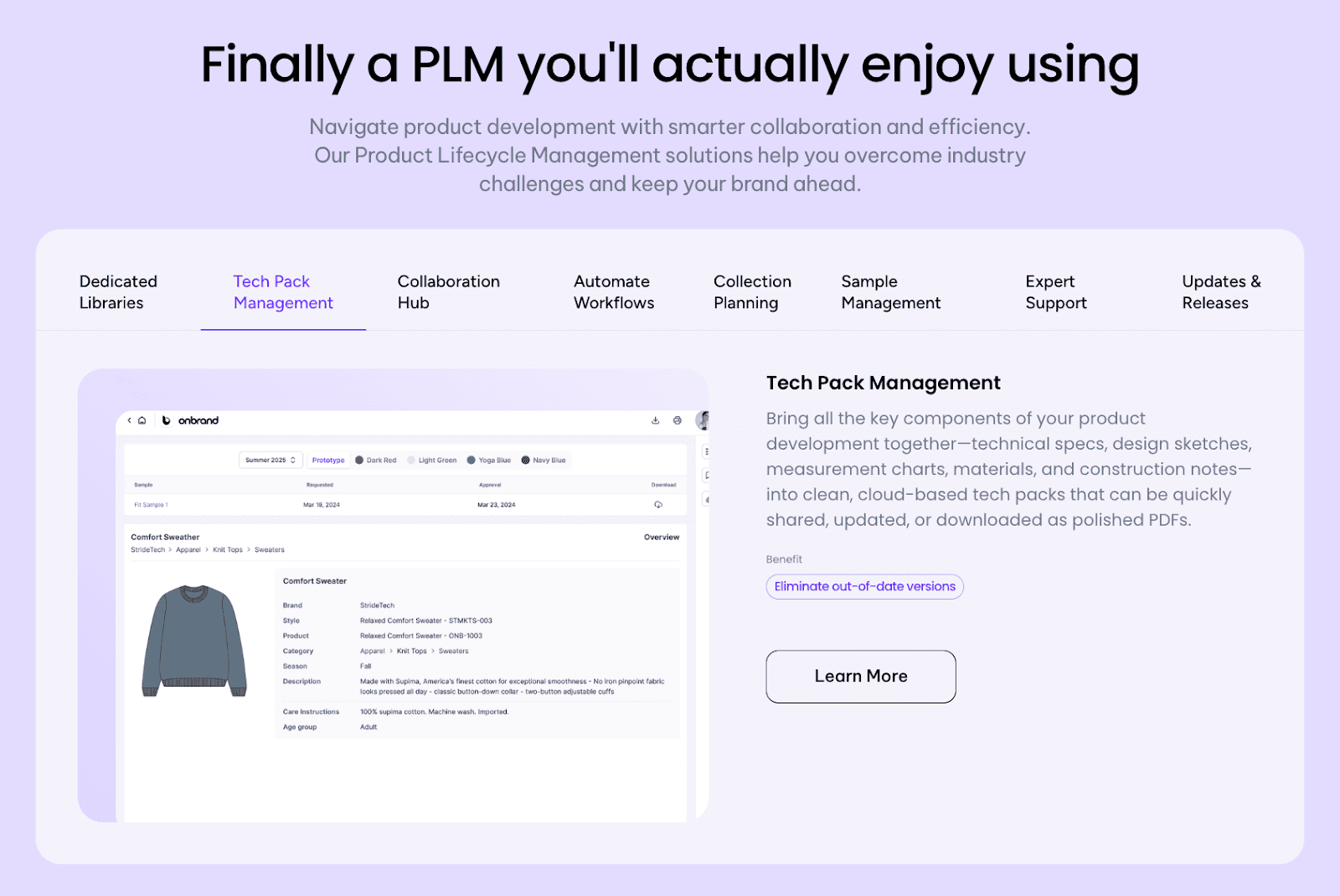
Shared systems replace static documents with records that update as changes happen. Measurements, construction notes, and approvals stay connected to the same style, which reduces confusion during handoffs.
Onbrand PLM

Onbrand PLM supports this approach by keeping tech packs linked to styles, samples, and timelines in one workspace. Updates stay visible, and you can work from the same information instead of exported files.

Earlier in the process, tools like Onbrand AI Design help you align on visuals before tech pack documentation begins. Clear direction upfront helps reduce revisions later as designs move forward.

Working from exported files makes version control harder as collections grow. Schedule a demo to see how Onbrand keeps tech packs, samples, and timelines tied to the same style.

Tips for Keeping Tech Packs Clear as Volume Grows

Tech packs tend to get harder to manage when style counts increase and timelines overlap. A few simple habits help you keep information clear as projects overlap.

  • Use consistent naming - Apply the same naming rules for styles, colors, and versions so files stay easy to trace across seasons.

  • Keep access shared - Store tech packs where designers, developers, and vendors can see the same updates without sending new files.

  • Update construction notes carefully - Small changes to seams or finishes should always be logged so samples reflect what was approved.

  • Reuse libraries where possible - Fabrics, trims, and artwork used across a bag or apparel line can be reused to save time and resources.

  • Document decisions as they happen - Tech packs should be created based on approved specs, not memory, which lowers risk later in production.

Onbrand: Supporting Clear, Production-Ready Tech Packs

Onbrand supports tech packs at two key points in the workflow: AI Design helps you align on visuals before documentation begins, while PLM keeps tech packs current as styles move through sampling, approvals, and production.

Onbrand AI Design
Onbrand AI Design

Early design decisions shape everything that follows in a tech pack. When visuals stay scattered or unclear, specs and measurements often start from the wrong reference.

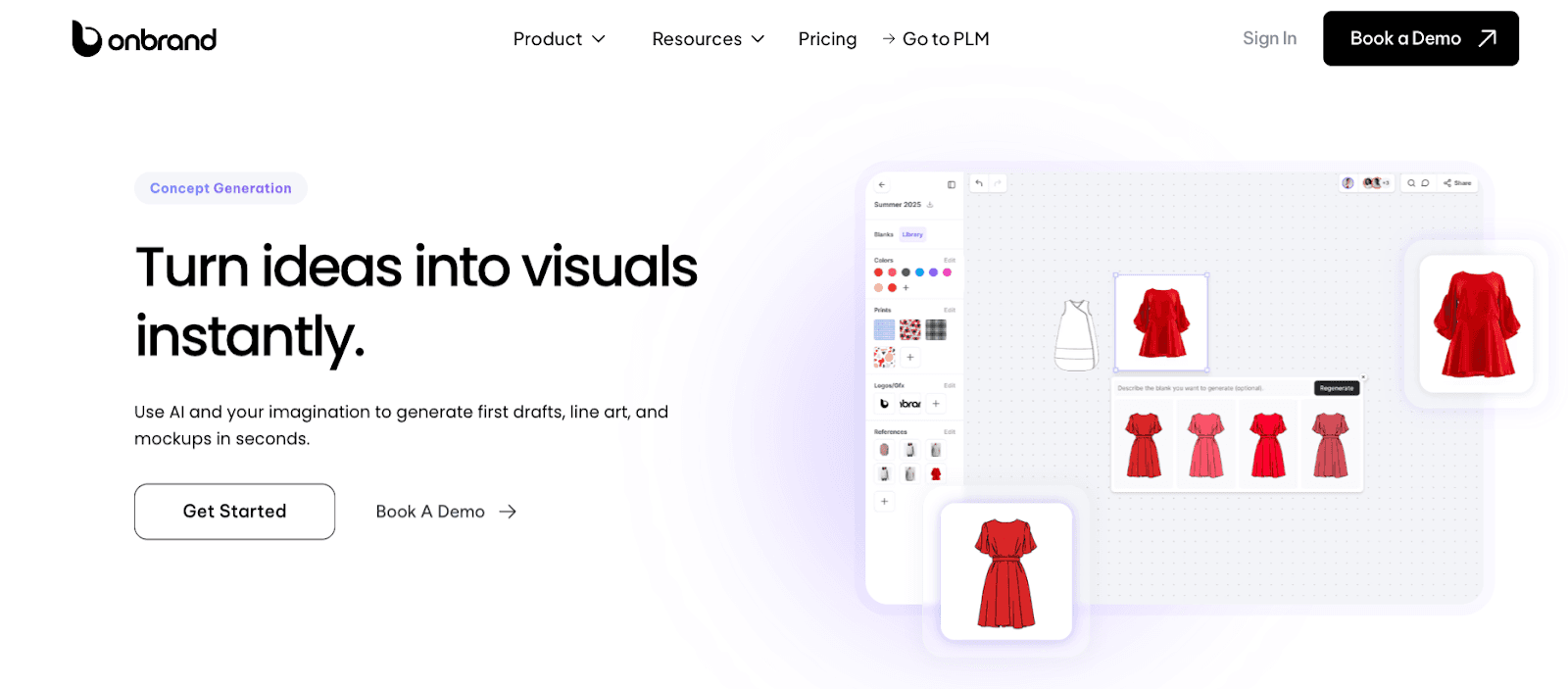
Onbrand AI Design gives you a shared space to explore concepts, compare directions, and lock visual intent before tech pack details are created.

Teams often save time and reduce sampling when visuals are aligned early. Onbrand AI Design has delivered outcomes such as a 10x faster design turnaround and 30%-50% fewer physical samples.

  • Generative image creation - Create garment visuals from text, sketches, or reference photos.

  • Automated technical sketch creation - Generate flats and sketches tied to approved concepts.

  • Fabric and texture simulation - Preview how materials and surface details may appear.

  • Color palette tools - Build and test colorways using shared libraries.

  • Visual collaboration - Leave feedback directly on visuals and compare versions in context.

  • Version history - Track changes and return to earlier versions when needed.

  • Connect to PLM - Send approved visuals and assets directly into Onbrand PLM.

Onbrand PLM
Onbrand PLM

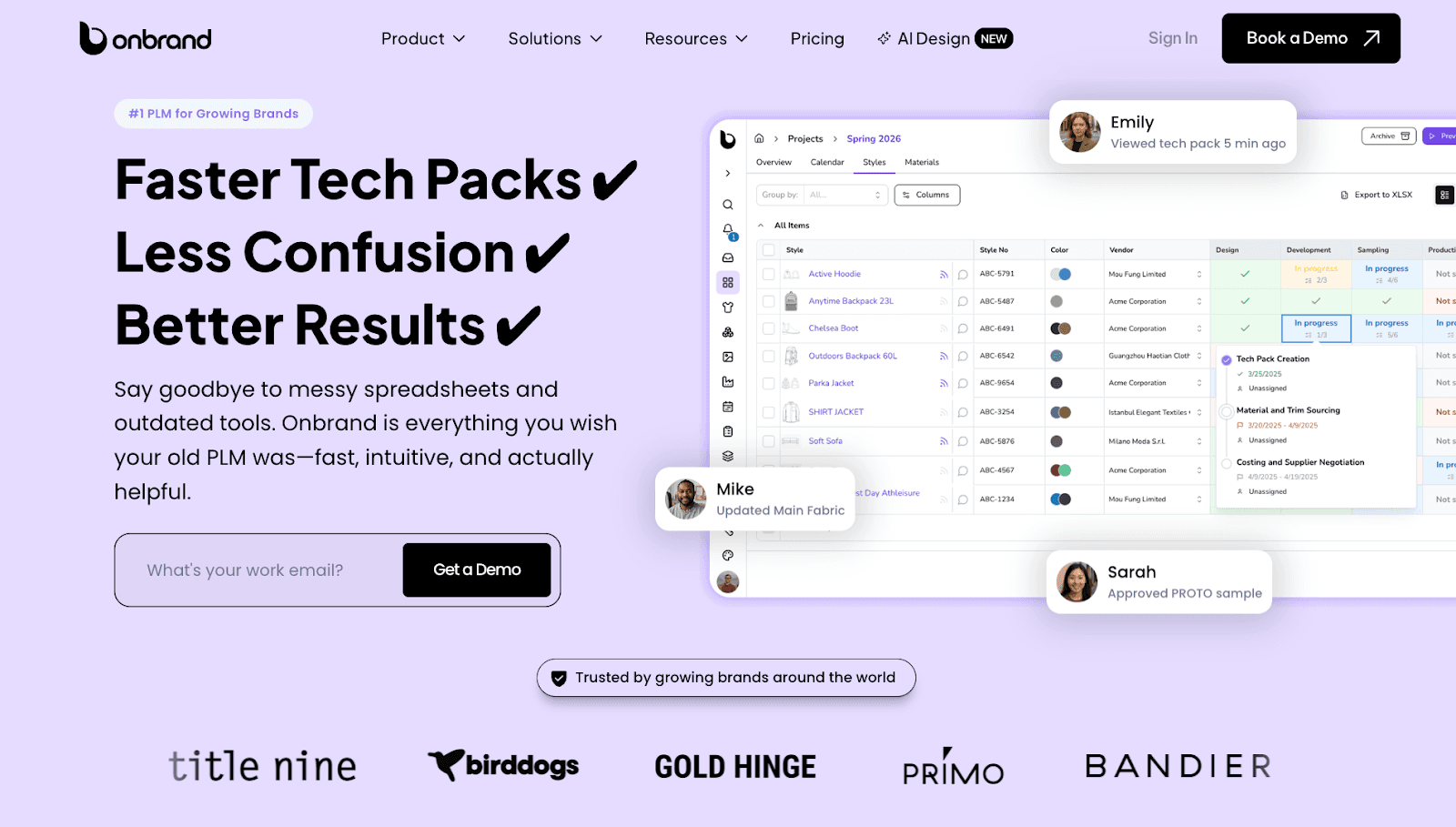
Once tech packs are in motion, clarity depends on keeping every update connected to the same style. Onbrand PLM keeps tech packs linked to samples, approvals, and timelines in one workspace.

Brands using Onbrand PLM report 55% faster tech pack creation, a four-week reduction in development time, and implementation in about 10 days, helping you stay aligned without managing multiple files.

  • Live tech packs - Work from web-based records so everyone sees the current version.

  • Sample and approval tracking - Keep fit notes and decisions attached to the style.

  • Vendor access and comments - Communicate directly on the tech pack instead of email threads.

  • Project management - Use stages, tasks, and calendars that reflect your workflow.

  • Libraries - Reuse approved materials, colors, artwork, and specifications across styles.

Onbrand works best for fashion brands managing multiple styles across design, development, and production. Book a demo to see how live tech packs support your sampling and approval flow.


FAQs About Tech Pack

How much should a tech pack cost?

A tech pack usually costs between $100 and $1,200 or more per style, depending on garment complexity, level of detail, number of revisions, and production readiness. Simpler styles require less time, while those with multiple features and updates require more money for the business.

Do you really need a tech pack?

Yes, a tech pack is needed once a style moves toward sampling or production because it documents specifications, measurements, materials, and construction details in one place. Without a tech pack, brands face a higher risk of errors, production delays, and inconsistent quality across styles.

What is an example of how a tech pack is used in production?

A common example is when a brand sends a tech pack to a factory to build a first sample using approved measurements, materials, and construction notes. Such a clear reference gives you an edge by reducing back and forth and keeping samples aligned with the original design, which is why tech packs are a core part of any ultimate guide to fashion production.


As collections grow, tech packs often become harder to manage. Files multiply, updates get shared in different places, and you may lose track of which version is current.

These gaps usually show up later during sampling or the production process, when design details no longer match the original intent.

A clear, professional tech pack helps you keep design, development, and manufacturing aligned as work moves forward. It acts as a shared blueprint that keeps decisions visible and reduces guesswork across handoffs.

In this article, we break down what a tech pack is, when fashion teams need one, and how to create tech packs that support growing collections.

TL;DR

  • A tech pack is the document used to send a style into sampling and production with clear specifications, visuals, and build details.

  • It usually includes product info, flats, BOM, measurements and grading, construction notes, color and artwork specs, and a revision log.

  • The core steps to create a tech pack are design foundation, measurements and fit, materials, construction, labels and branding, sampling prep, and ongoing updates.

  • Onbrand supports this work through Onbrand AI Design for early visual alignment and Onbrand PLM for live tech packs tied to samples, approvals, and timelines.

What Is a Tech Pack?

A tech pack, sometimes called a technical pack or technical package, is a document that captures all the information needed to turn a fashion design into a finished garment.

Its purpose is to translate ideas into clear technical specifications that vendors and internal partners can follow.

Fashion designers use tech packs to document design sketches, materials, and visual details.

Technical designers and product developers rely on them to define measurements, construction details, and updates across physical samples.

Manufacturers use the tech pack as a reference when building samples and production units.

Rather than explaining how to do the work, a tech pack explains what needs to be made and how the final garment should look and fit.

As styles move forward, the tech pack becomes the single source you return to for clarity and quality control.

When Fashion Teams Need a Tech Pack

Most fashion teams need a tech pack once a design moves beyond early concept work in the fashion design process. This often happens after a style is approved for sampling or prepared for vendor communication.

Tech packs become especially important when:

  • A fashion product is sent to a factory for the first time

  • Fit samples or revisions begin

  • Multiple teams review or approve the same apparel style

  • Production dates, costing, and MOQ need alignment

At this stage, verbal feedback and images are no longer enough. A detailed tech pack helps you confirm components before work continues, reducing production delays as styles move closer to manufacturing.

If you want to see how a tech pack stays clear once sampling and approvals begin, it helps to review a live example. You can book a demo to see how Onbrand keeps specs, samples, and decisions connected in one place.

What a Tech Pack Includes

Before you create tech packs, it helps to understand the core components that go into a technical pack. These components add clarity as a fashion product moves from design to production.

Most tech packs include the following components:

  • Product summary - A short overview of the style, including name or code, season, colorways, and key dates tied to approvals and timelines.

  • Technical flats and images - Front and back flats with clear images for important details. Close-ups help vendors match design intent during sampling.

  • Bill of materials - A list of fabric, trims, labels, and packaging with placement notes. This supports sourcing, costing, and quality alignment.

  • Measurements and grading - A spec sheet with base size measurements, tolerances, and grade rules to guide physical samples and fit.

  • Construction details - Notes on seams, stitching, finishes, and special build instructions tied to the pattern and garment structure.

  • Color and artwork specs - Color codes and artwork callouts for prints, embroidery, and graphics placement.

  • Revisions and comments - Space to track updates across sample rounds so changes stay visible as the tech pack is updated over time.

Step by Step: How Fashion Brands Create Tech Packs

A tech pack comes together by documenting decisions in the right order. Each step adds detail that helps you move from approved design to samples and production without losing track of what was decided.

Step 1: Start With the Design Foundation

Begin with approved designs and clear visuals. This usually includes flat sketches, early graphics, and reference images that show the intended look.

Many fashion industry teams use Onbrand AI Design to explore ideas before documentation begins. These visuals set direction before patterns or specs are created.

Misaligned visuals often lead to extra sample rounds. Schedule a demo to see how Onbrand AI Design helps confirm design intent before work moves into tech packs.

Step 2: Define Measurements and Fit Details

Add spec sheets with measurements, size references, and grading intent. 

Keep in mind: even one missing measurement can change how a denim jacket fits once samples are made.

Clear fit details help vendors build samples that reflect the original design and keep the focus on what was approved.

Step 3: Add Materials and Fabric Information

Document fabric types, trims, accessories, and finishes. Include notes for embroidery, graphics placement, and any special treatments.

Material choices affect cost, quality, and timelines, so details should match what will be used for the final clothing, not placeholders.

Step 4: Document Construction and Assembly Details

Capture seams, stitching, and build instructions tied to the pattern. These construction details help factories understand how each piece comes together.

Clear instructions support consistent results across samples and production without added back and forth.

Step 5: Include Labels and Branding Elements

Add care labels, hang tags, and brand details such as logo placement. These elements help maintain consistency across projects and production runs.

Including them early helps you avoid last-minute updates once the product is close to market.

Step 6: Prepare the Tech Pack for Sampling

Review all details before sending the tech pack to vendors. Confirm approvals, lock versions, and share one current file.

Most brands use fashion PLM tools like Onbrand PLM to keep tech packs updated in real time. This way, vendors always see the latest approved information.

Sharing a current version is most important during sampling. Book a demo to see how live tech packs in Onbrand stay updated as approvals and revisions happen.

Step 7: Update and Maintain the Tech Pack Over Time

Tech packs change through fittings, revisions, and approvals. Update measurements, notes, and images as samples change.

Treat the tech pack as ongoing documentation that reflects the current state of the product, not a static file created once.

How Digital Tools Support Modern Tech Pack Creation

As collections grow, managing tech packs across files and inboxes becomes harder to sustain. Digital tools help you keep information current as styles move through sampling and production.

Shared systems replace static documents with records that update as changes happen. Measurements, construction notes, and approvals stay connected to the same style, which reduces confusion during handoffs.

Onbrand PLM

Onbrand PLM supports this approach by keeping tech packs linked to styles, samples, and timelines in one workspace. Updates stay visible, and you can work from the same information instead of exported files.

Earlier in the process, tools like Onbrand AI Design help you align on visuals before tech pack documentation begins. Clear direction upfront helps reduce revisions later as designs move forward.

Working from exported files makes version control harder as collections grow. Schedule a demo to see how Onbrand keeps tech packs, samples, and timelines tied to the same style.

Tips for Keeping Tech Packs Clear as Volume Grows

Tech packs tend to get harder to manage when style counts increase and timelines overlap. A few simple habits help you keep information clear as projects overlap.

  • Use consistent naming - Apply the same naming rules for styles, colors, and versions so files stay easy to trace across seasons.

  • Keep access shared - Store tech packs where designers, developers, and vendors can see the same updates without sending new files.

  • Update construction notes carefully - Small changes to seams or finishes should always be logged so samples reflect what was approved.

  • Reuse libraries where possible - Fabrics, trims, and artwork used across a bag or apparel line can be reused to save time and resources.

  • Document decisions as they happen - Tech packs should be created based on approved specs, not memory, which lowers risk later in production.

Onbrand: Supporting Clear, Production-Ready Tech Packs

Onbrand supports tech packs at two key points in the workflow: AI Design helps you align on visuals before documentation begins, while PLM keeps tech packs current as styles move through sampling, approvals, and production.

Onbrand AI Design

Onbrand AI Design

Early design decisions shape everything that follows in a tech pack. When visuals stay scattered or unclear, specs and measurements often start from the wrong reference.

Onbrand AI Design gives you a shared space to explore concepts, compare directions, and lock visual intent before tech pack details are created.

Teams often save time and reduce sampling when visuals are aligned early. Onbrand AI Design has delivered outcomes such as a 10x faster design turnaround and 30%-50% fewer physical samples.

  • Generative image creation - Create garment visuals from text, sketches, or reference photos.

  • Automated technical sketch creation - Generate flats and sketches tied to approved concepts.

  • Fabric and texture simulation - Preview how materials and surface details may appear.

  • Color palette tools - Build and test colorways using shared libraries.

  • Visual collaboration - Leave feedback directly on visuals and compare versions in context.

  • Version history - Track changes and return to earlier versions when needed.

  • Connect to PLM - Send approved visuals and assets directly into Onbrand PLM.

Onbrand PLM

Onbrand PLM

Once tech packs are in motion, clarity depends on keeping every update connected to the same style. Onbrand PLM keeps tech packs linked to samples, approvals, and timelines in one workspace.

Brands using Onbrand PLM report 55% faster tech pack creation, a four-week reduction in development time, and implementation in about 10 days, helping you stay aligned without managing multiple files.

  • Live tech packs - Work from web-based records so everyone sees the current version.

  • Sample and approval tracking - Keep fit notes and decisions attached to the style.

  • Vendor access and comments - Communicate directly on the tech pack instead of email threads.

  • Project management - Use stages, tasks, and calendars that reflect your workflow.

  • Libraries - Reuse approved materials, colors, artwork, and specifications across styles.

Onbrand works best for fashion brands managing multiple styles across design, development, and production. Book a demo to see how live tech packs support your sampling and approval flow.


FAQs About Tech Pack

How much should a tech pack cost?

A tech pack usually costs between $100 and $1,200 or more per style, depending on garment complexity, level of detail, number of revisions, and production readiness. Simpler styles require less time, while those with multiple features and updates require more money for the business.

Do you really need a tech pack?

Yes, a tech pack is needed once a style moves toward sampling or production because it documents specifications, measurements, materials, and construction details in one place. Without a tech pack, brands face a higher risk of errors, production delays, and inconsistent quality across styles.

What is an example of how a tech pack is used in production?

A common example is when a brand sends a tech pack to a factory to build a first sample using approved measurements, materials, and construction notes. Such a clear reference gives you an edge by reducing back and forth and keeping samples aligned with the original design, which is why tech packs are a core part of any ultimate guide to fashion production.

Discover how Onbrand PLM can streamline your product development!

© 2024 onbrandplm.com. All rights reserved.