Oct 5, 2026

Comparing product lifecycle management (PLM) software can get confusing quickly.
On the surface, many seem to promise the same thing. They give fashion teams one place to manage product information and keep development moving.
The differences become clearer when a style is actually in development. A tech pack may change after a sample review, only for costing or approval details to change next. How the software keeps that work connected can differ from one platform to another.
PLM software also varies in scope. Development may be the main focus, or the platform may connect that work more closely with sourcing and wider business operations such as enterprise resource planning (ERP).
This PLM software comparison looks at seven platforms and how each approaches fashion product development.
TL;DR
These are the seven PLM software platforms we'll compare for fashion teams in 2026:
WFX
Uphance
YuniquePLM
Bamboo Rose
BeProduct
Centric PLM
What to Compare in Product Lifecycle Management Software
PLM software can differ in more than the features listed on a product page. When evaluating different options, it helps to look at the main areas that shape how the system works in practice.
Here are the key areas to compare:
Fashion Product Development
Start with the actual development workflow. Look at how the platform organizes product data as a style moves from early specifications and materials into tech packs, samples, costing, revisions, and approvals.
The important distinction is how much of the product lifecycle the software covers and how those steps connect.
Version control also becomes relevant when specifications or tech packs change, since product development processes can involve several rounds of updates before a style is approved.
Supplier Collaboration
Next, look at how supplier collaboration works inside the platform. Suppliers may need access to product information, comments, revisions, or approval requests without relying on separate email threads.
It is also worth checking how internal teams share updates with supply chain partners and how information moves between cross-functional teams involved in development.
Integrations and Business Systems
PLM rarely operates alone. Product information may need to move between the PLM and other business systems, including ERP systems for operations, CAD systems for design work, and fashion PIM for product information used in other channels.
Pay attention to what is native, what depends on ERP integration or another connection, and what comes from a broader software suite. Platforms with advanced integration capabilities may also provide APIs for connections outside their standard integrations.
Implementation and Ease of Adoption
Implementation can involve migrating existing data, configuring workflows, and setting up configuration management practices where the business requires tighter control over product changes.
PLM built for engineering or regulated industries may require additional configuration around compliance and change controls that are less central to fashion development.
Scale and Workflow Complexity
Finally, compare how the platform handles the number of users, brands, categories, regions, and suppliers involved. Larger operations may have more complex product structures and business processes to coordinate.
The PLM may also need to work within wider enterprise systems, which can change the depth and scope expected from the platform.
7 Best PLM Software Platforms Compared
Fashion teams have several best PLM platforms to choose from, each with a different mix of product development and operational capabilities. The following seven options show how those differences can look in practice.
1. Onbrand PLM
Best For: Growing fashion brands that want a modern PLM built around product development, collaboration, and faster adoption.
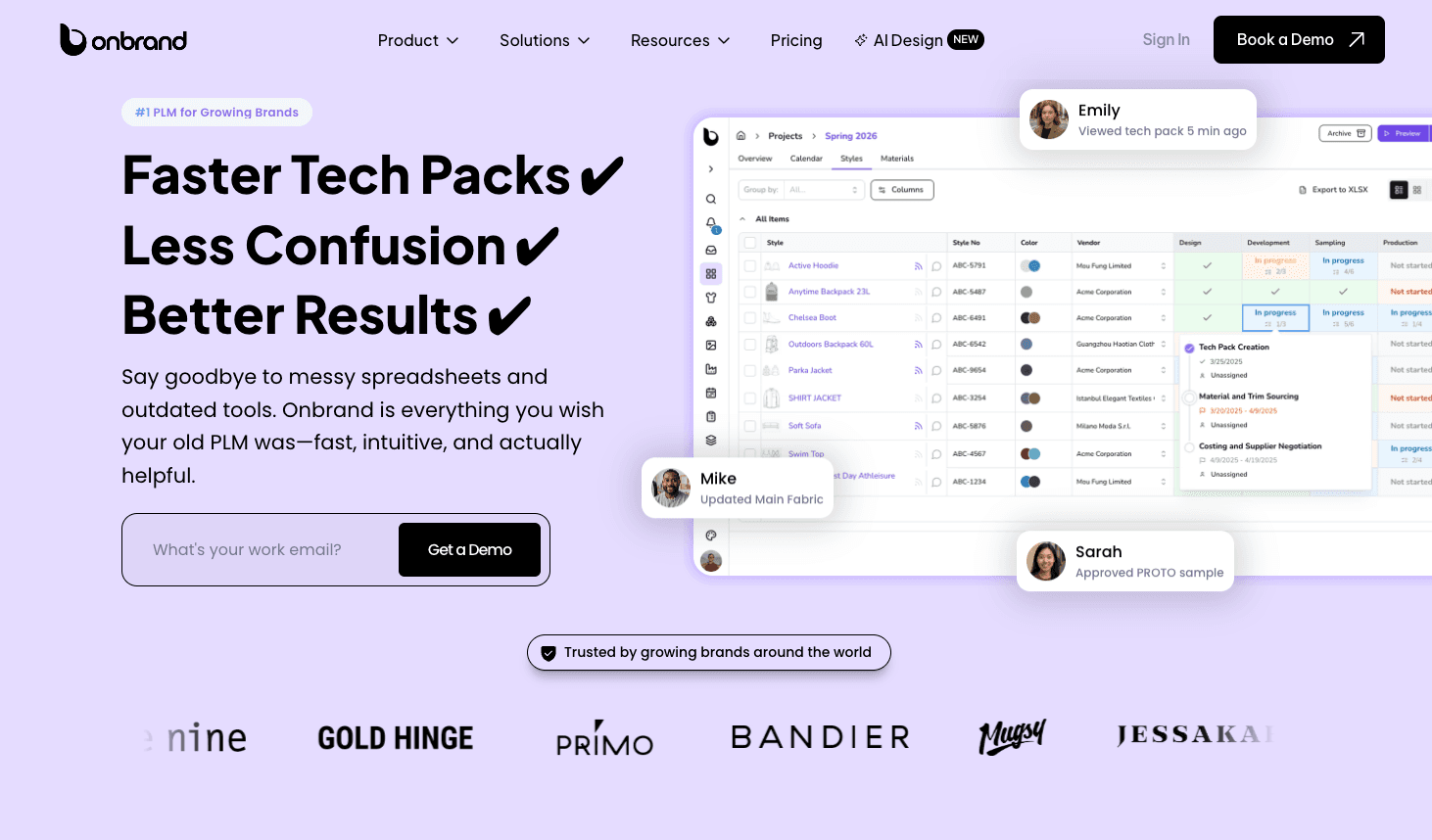
Onbrand PLM gives design, development, sourcing, and production teams one place to manage the work behind a collection. Styles, materials, tech packs, samples, approvals, and vendor communication stay connected as products move forward.
The experience is built for fashion teams that do not want to work around rigid legacy software. Onbrand is highly configurable out of the box, so brands can adapt the system to their existing process without depending on heavy customization.
Product Development Capabilities
Live tech packs keep current product information available to everyone working on a style, including vendors. Comments, updates, and approvals stay attached to the product record, which helps reduce the version problems that come with emailed PDFs and spreadsheets.
Teams can also manage dedicated libraries, sample development, collection planning, and configurable project stages from the same workspace.
What Sets It Apart
Onbrand combines a modern interface with fast onboarding and hands-on support. Brands using Onbrand have seen 55% faster tech pack creation, development timelines shortened by four weeks, and implementation, data migration, and training completed in as little as 10 days.
Onbrand AI Design adds a creative workspace built specifically for fashion design. It connects early concepts and visual development directly with Onbrand PLM, so the work can continue into product development.

Teams can generate concepts from text, sketches, or photos, explore design variations, collaborate on visual boards, and move approved design assets into PLM without rebuilding the handoff manually.
Consider If...
Your team wants to move away from spreadsheets or a legacy PLM without spending months rebuilding the way you already work.
See how Onbrand PLM can fit your product development process.
2. WFX
Best For: Mid-market and enterprise fashion brands managing large style volumes and supplier networks.

Source: worldfashionexchange.com
WFX is a cloud-based fashion PLM system built for apparel, footwear, accessories, and other lifestyle categories. Its scope runs from collection planning and design through development, sourcing, and production, giving brands a broader operational reach than a PLM focused mainly on product creation.
Product Development Capabilities
WFX keeps development work connected to a shared product record. Teams can build tech packs with measurements and construction details, then manage materials through bill of materials (BOM) management as the style develops. Costing, sample feedback, revisions, and approvals stay connected to that work.
Fashion designers can also bring work in from Adobe Illustrator. From there, sample tracking follows the style through development stages such as fit and pre-production samples.
What Sets It Apart
WFX extends beyond development into sourcing and production. Its vendor portal supports RFQs, quotes, costing, and supplier management, with factories able to comment on tech packs and work from shared product information.
The platform also tracks purchase orders, quality control, production milestones, and shipments, giving it a closer connection to the wider supply chain.
Consider If...
Your development process continues into sourcing, factory collaboration, and production tracking, and you want those stages connected more closely.
3. Uphance
Best For: Growing apparel brands that want product development connected closely with wider business operations.
Source: uphance.com
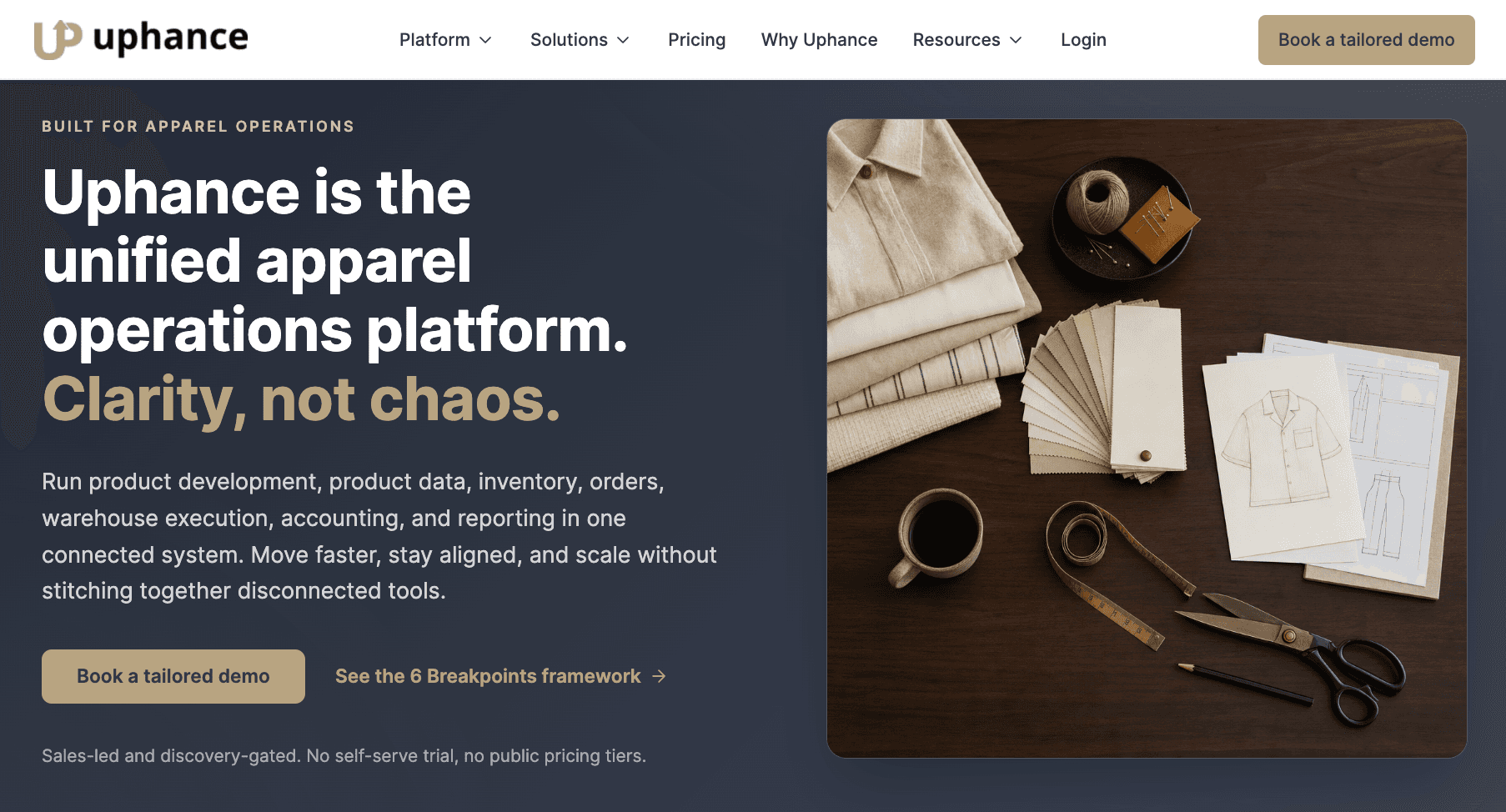
Uphance combines product lifecycle management with a broader apparel operations system. Its PLM covers product development, while the wider software also connects product information with inventory, orders, production, warehousing, accounting, and reporting.
That gives Uphance a different scope from PLM software solutions focused mainly on development.
Product Development Capabilities
For integrated product development, Uphance connects tech packs and bills of materials with production records and factory purchase orders.
Product information stays in a centralized system, so development details can continue into production without being recreated in separate tools.
Uphance also supports product data management and production workflows that connect incoming stock with the product record.
What Sets It Apart
The main distinction is how far Uphance extends beyond product development. Development records can continue into the operational side of the business, including inventory and order management, fulfillment, warehousing, and supply chain management.
Consider If...
Product information needs to move from development into inventory, production, orders, and other operational workflows without relying on separate systems for each stage.
4. YuniquePLM
Best For: Fashion teams that want cloud-based PLM with shared product information, sample tracking, and Adobe Illustrator integration.

Source: lectra.com
Gerber YuniquePLM is a cloud-based fashion PLM from Lectra. It gives teams a shared source for product information and supports development from design through production. The system is built around keeping current data available to people working in different locations.
Product Development Capabilities
YuniquePLM supports product data management for styles, images, colors, and other development information. Sample workflows can be tracked from prototype request through final approval, which helps with maintaining accurate product records as a style changes.
Gerber Design Suite also connects PLM work with Adobe Illustrator, so designers can create or modify styles, color palettes, and images without leaving the design environment.
What Sets It Apart
A notable difference is the connection between design work and shared PLM data. YuniquePLM also offers preconfigured templates and industry-standard libraries through Fast Start, which gives teams a more structured starting point after implementation.
Consider If...
Adobe Illustrator plays a central role in your design workflow, and you want product information, samples, and development records available in the same cloud-based environment.
5. Bamboo Rose
Best For: Retailers and fashion brands that need PLM connected with planning, sourcing, purchasing, and global trade.

Source: bamboorose.com
Bamboo Rose TotalPLM is a retail-focused system covering product development as part of a wider supply chain process.
It is designed for fashion and apparel, food and consumables, and general merchandise, with functionality extending from early planning through delivery.
Product Development Capabilities
Within PLM, Bamboo Rose connects product creation with the information needed as products move toward sourcing and production.
Teams can work with product details, designs, and development activity in a shared environment, with collaboration extending to external suppliers and vendors.
Its development capabilities sit within the entire product lifecycle, so product information can continue into sourcing and later purchasing activities.
What Sets It Apart
Bamboo Rose takes a broader retail approach to comprehensive product lifecycle management. Product development sits within TotalPLM and connects with earlier planning as well as the sourcing, purchasing, and trade activities that follow.
Consider If...
Your PLM requirements extend beyond product development to retail processes such as planning, sourcing, purchasing, and global trade.
6. BeProduct
Best For: Fashion and lifestyle teams that want PLM centered on design, product development, and visual collaboration.

Source: beproduct.com
BeProduct is a SaaS PLM designed for fashion and lifestyle products. It brings product information, development workflows, and communication into one shared system, with tools for both product lifecycle management and digital product creation.
Product Development Capabilities
Teams can manage product data for styles, materials, colors, specifications, and other development details. Tech packs bring designs, materials, and specifications together for communication with manufacturers.
Sample tracking follows products from the initial request through final approval. Visual boards also help teams organize styles and collections throughout product development cycles, with collaboration available for internal teams and external partners.
What Sets It Apart
BeProduct connects PLM closely with creative workflows. Integrations with Adobe, Browzwear, CLO 3D, Pantone, and other design tools can connect PLM information with creative work, including design files and assets created in external tools.
Its low-code and no-code options also allow teams to configure data fields, workflows, and external connections.
Consider If...
Creative work sits at the center of your development process, and you want configurable PLM workflows that connect closely with the design tools your team already uses.
7. Centric PLM
Best For: Fashion brands, retailers, and manufacturers managing detailed product development with multiple teams and suppliers.

Source: centricsoftware.com
Centric PLM is PLM software used in fashion, apparel, footwear, and other consumer industries. It connects product teams, suppliers, and product information from early development through commercialization.
Product Development Capabilities
For fashion teams, Centric PLM follows products from design and development into sourcing and commercialization. Along the way, teams can work with costing, prototypes, testing, bills of materials, and supplier collaboration.
Centric also connects with 2D and 3D creation tools and provides visual collaboration capabilities for working with products and collections.
What Sets It Apart
Centric PLM combines detailed product development with a broader set of workflows around sourcing, testing, and commercialization. This gives teams a way to connect development work with processes that may otherwise sit in separate enterprise systems.
Centric Software also offers related solutions for areas such as planning, pricing, market intelligence, and product experience management.
Consider If...
Your development process involves multiple teams and suppliers, with sourcing, testing, and commercialization forming part of the wider workflow.
Side-by-Side PLM Software Comparison
When comparing leading PLM software, it helps to look at the same key features side by side rather than rely on vendor positioning alone.
The table below shows how seven of the best PLM software platforms approach common fashion workflows based on the capabilities covered in this comparison.
Capability | Onbrand PLM | WFX | Uphance | YuniquePLM | Bamboo Rose | BeProduct | Centric PLM |
Tech packs | Native | Native | Native | Native tech packs | Product development tools | Native | Product development |
BOMs / materials | Native | Native BOM and material libraries | Native BOMs | Native BOM and materials workflows | Native BOM and materials management | Native material and color libraries | Native BOM management |
Sample management | Native | Native, from prototype through PP/TOP | Sampling and approval workflows | Native, prototype through final approval | Native sample tracking | Native, request through final approval | Prototyping and testing |
Supplier collaboration | Native | Native vendor portal | Production and sourcing workflows | Partner access and shared tech packs | Native supplier relationship management | External partner collaboration | Native supplier collaboration |
Costing | Native | Native | BOM costing and production workflows | Design and cost impact data | Connected costing and sourcing | Product development and material workflows | Native costing |
2D / 3D connections | Design integrations | Adobe Illustrator; Browzwear upcoming | Bidirectional Adobe Illustrator integration | Adobe Illustrator integration | Adobe and 3D integrations | Adobe, Browzwear, CLO 3D, and other integrations | Integrated 2D and 3D creation tools |
ERP connection/coverage | Integrations available | NetSuite, SAP, Microsoft Dynamics, and AIMS360 integrations | Broader apparel ERP coverage | Development-to-production focus | Broader retail and supply chain suite | API, SDK, and Webhooks for external integrations | ERP integrations available |
Fashion-specific | Yes | Yes | Yes, apparel-focused | Yes | Yes, plus other retail categories | Yes, fashion and lifestyle | Yes, plus other consumer industries |
Which Type of PLM Fits Your Fashion Team?
The right PLM scope depends on where product development becomes difficult for your team.
A brand managing a focused design process may need something very different from a company coordinating several brands, regions, suppliers, and business operations.
If You Need Focused Fashion Product Development
A focused fashion PLM keeps the day-to-day development process at the center.
Product information stays connected as a style moves from materials and tech packs through sample rounds, revisions, and final approval.
This becomes useful when a specification changes after a fitting or new sample comments need to reach everyone working on the style.
When a PLM streamlines product development workflows, teams can spend less time tracking down the latest information and keep development moving toward approval.
That can also help speed product launches when disconnected records and handoffs are causing delays.
If You Need Enterprise PLM Depth
Larger fashion businesses may need more structure around the development process. A style might involve teams in several regions, different product categories, and a larger network of suppliers before it reaches approval.
Enterprise PLM can provide more structure when teams need to manage complex product structures and coordinate development with more formal quality management requirements.
If You Need PLM Connected Closely With ERP
For some teams, the challenge comes after development. Once a style is approved, its information may need to continue into production and then connect with inventory, orders, and financial operations.
A PLM with broader operational coverage or close ERP connections can make that handoff more direct. Approved development data may then need to carry into production and support the quality processes that follow.
If Supplier Collaboration Is Creating Delays
Supplier-heavy workflows put more emphasis on external access and shared product records.
A factory may need the latest specification after a revision, then send comments or updates that affect product quality before the next approval.
Keeping that exchange attached to the product record can reduce the need to piece together decisions from separate email threads.
Different workflow priorities can point teams toward different PLM scopes.
Questions to Ask During a PLM Demo
Once you have a shortlist of PLM software providers, ask each vendor to demonstrate the same fashion workflow. Seeing the same process in each PLM tool makes it easier to compare what actually happens, not just what appears on a feature page.
Start with a real style and ask:
Can you show us how a style moves from concept through final approval?
What happens when someone updates a tech pack or changes a material in the BOM?
Where is sample feedback stored, and how are revisions tracked?
Can suppliers access the system directly, and what can they see or update?
What happens to the product record once a style receives final approval?
Which integrations are native, and which require additional setup or custom work?
What existing product data can be migrated into the system?
How much configuration is needed to match our development workflow?
Which features shown during the demo are included in the package being quoted?
Pay attention to the user interface as the vendor moves through each step. Ask the people who would use the system every day to follow along and flag anything that seems unnecessarily difficult.
A steep learning curve may mean more training is needed before the team can work comfortably in the system.
Bring Your Product Development Into One Place With Onbrand

Finding the right PLM software for your team takes more than comparing feature lists. The differences become clearer when you look at how each system handles the work your team actually does.
The right fit depends less on the longest feature list and more on how well the software supports your development process, the systems around it, and the handoffs that happen after approval.
If your priority is keeping styles, tech packs, materials, samples, revisions, and approvals connected in one place, Onbrand PLM is worth a closer look.
FAQs About PLM Software Comparison
Is SAP a PLM or PDM?
SAP offers PLM solutions, with product data management functions included within its broader PLM capabilities. PDM focuses mainly on managing product data, while PLM covers more of the product lifecycle, including development, product data, project management, compliance, and connections with ERP and supply chain processes.
Which PLM software is easy to learn?
Ease of learning depends on the user interface, workflow setup, and how closely the software matches your existing process. Look for clear navigation, customizable workflows, guided onboarding, and a demo that lets everyday users test real tasks before you choose.
What are examples of PLM software outside fashion?
Arena PLM, Autodesk Fusion Manage, and Oracle Fusion Cloud PLM are examples of PLM systems used beyond fashion. Arena connects product records with document control and quality processes, Autodesk Fusion Manage supports configurable workflows and change management, and Oracle Fusion Cloud PLM includes product development and innovation management capabilities.
What is the difference between PLM and document management?
PLM manages product information and processes throughout the product lifecycle, while a document management system focuses on storing, controlling, approving, and revising documents. Some PLM systems provide integrated document management, connecting controlled documents with product records, changes, and other development data.
Does PLM include manufacturing management?
PLM can connect product development with manufacturing, but it is not the same as a manufacturing execution system. PLM manages product definitions and lifecycle information, while MES handles the execution of production on the shop floor. Manufacturing process planning can sit between these areas by defining how a product will be made before those plans are executed in production.