Jun 24, 2026

Product lifecycle management (PLM) software is not a single type of system.
A fashion brand managing tech packs and supplier communication has very different requirements from a manufacturer managing engineering changes or a global enterprise coordinating hundreds of product lines.
That is why the PLM software market includes multiple categories. Some platforms focus on specific industries. Others focus on large organizations, supplier collaboration, or cloud-based delivery.
The challenge is that many teams start comparing software before understanding which category of PLM fits their business. That often leads to longer evaluations and platforms that do not match day-to-day product development needs.
This guide breaks down the main types of PLM software, how they differ, and how to determine which type fits your business.
TL;DR
The main types of PLM software include industry-specific, enterprise-scale, collaborative, cloud-based, and on-premise platforms.
PLM software is commonly classified by industry focus, deployment model, and organizational complexity.
Beyond PLM categories, software also differs in scope. Some platforms manage product development from concept through production, while some focus on specific tasks such as tech packs or sample management.
Fashion brands looking to replace spreadsheets and legacy PLM systems often choose Onbrand for its modern fashion PLM, live tech packs, faster onboarding, built-in supplier collaboration, and AI-powered design capabilities.
How PLM Software Categories Are Typically Classified
Not all PLM tools are categorized the same way.
A platform may be grouped based on the industry it serves, how it is deployed, or the size and complexity of the organization it supports.
Understanding these distinctions makes it easier to evaluate software and avoid comparing systems built for very different business processes.
Product lifecycle management software is commonly classified using three factors:
Industry focus – Some platforms are designed for specific industries such as fashion, footwear, manufacturing, consumer goods, or medical devices.
Deployment model – Systems may be delivered through the cloud or installed within a company's own infrastructure.
Organizational complexity – Certain platforms are built for growing businesses, while others support large organizations with multiple brands, business units, and interconnected business systems.
These categories often overlap. A single PLM platform can be industry-specific, cloud-based, and designed for enterprise-scale operations at the same time.
The Main Categories of PLM Software
PLM software can be categorized in several ways, based on industry requirements, organizational complexity, collaboration needs, or deployment models.
The sections below explain the most common categories and the role each one serves.
Industry-Specific PLM Software
Industry-specific PLM software is built around the product development requirements of a particular industry.
These platforms include data structures, workflows, and documentation processes that match how products are developed, approved, and brought to market.
Fashion and apparel provides one of the clearest examples of industry-specific PLM software. A fashion PLM often includes workflows for product data management, tech packs, materials libraries, sample tracking, and vendor collaboration.
Other industries also use specialized PLM platforms, including:
Footwear
Consumer goods
Consumer electronics
Manufacturing
Medical devices
The reason these systems exist is that each industry manages product information differently.
A fashion brand may focus on materials, trims, fit comments, and supplier approvals. A manufacturing company may require detailed bill of materials (BOM) management, production planning, and support for industrial automation workflows.
Organizations that develop medical devices often need stronger controls around regulatory compliance, product compliance, and document control.
Industry-specific platforms also support processes such as quality management and engineering change management, which help organizations track revisions and maintain accurate product records throughout development.
Enterprise-Scale PLM Software
Enterprise-scale PLM software is built for large organizations with complex operations.
These systems support multiple brands, business units, product lines, and global portfolios. They help larger companies create consistent processes for approvals, governance, change management, and configuration management.
Enterprise PLM connects with enterprise resource planning (ERP systems) and other platforms that support core business operations. This helps keep product information connected from planning through production and reporting.
Large organizations may also need a system that supports risk management, detailed permissions, and a connected digital thread between product records, documents, revisions, and business systems.
Collaborative PLM Software
Collaborative PLM software is designed to help people work together throughout product development.
Product information moves between designers, developers, sourcing teams, suppliers, and production partners. Collaborative PLM platforms provide a shared environment where everyone can access the same PLM data, review updates, and track decisions.
Common workflows include supplier collaboration, product reviews, approvals, and day-to-day coordination between cross-functional teams. This helps reduce confusion when product specifications, materials, costs, or timelines change during development.
Product development teams use collaborative PLM to keep information centralized rather than managing updates through spreadsheets, email threads, and disconnected documents.
When team collaboration improves, product information becomes easier to track, and approvals move more efficiently from one stage of development to the next.
Cloud-Based PLM Software
Cloud-based PLM software is delivered through the internet as a software-as-a-service (SaaS) application.
Users access the platform through a web browser without installing software on local servers. The provider manages hosting, maintenance, security updates, and system upgrades.
Cloud-based PLM software solutions include automatic updates, browser access from different locations, and lower IT overhead compared to systems managed internally. They can also connect with existing systems and support process automation through configurable workflows and integrations.
Another advantage is access to real-time data. Product information, approvals, and revisions can be updated in a central location so authorized users work from the same information.
Organizations that want a faster deployment process consider cloud PLM. The setup is typically simpler than traditional on-premise systems, which can help reduce the steep learning curve associated with managing complex infrastructure.
On-Premise PLM Software
On-premise PLM software is installed and managed within an organization's own infrastructure.
The company owns and maintains the servers, software environment, and supporting systems. This approach gives organizations greater control over system administration, custom configurations, and internal security policies.
Some organizations choose on-premise PLM because of specific security requirements, regulatory obligations, or internal IT standards. These systems can also support advanced integration capabilities with existing applications and internal databases.
Organizations that manage highly sensitive product information may prefer direct control over document management processes and data storage. Maintaining ownership of the environment can also help support data integrity and ensure document traceability throughout the product lifecycle.
Compared to cloud-based platforms, on-premise systems typically require more internal resources to maintain and update.
End-to-End PLM Platforms vs Point Solutions
The categories above explain how PLM software is classified. Another way to evaluate PLM software is by how much of the entire lifecycle it manages.
End-to-end platforms and point solutions describe the scope of software coverage rather than the category it belongs to.
End-to-End PLM Platforms
End-to-end PLM platforms support multiple stages of product development within a single system.
These platforms connect development, sourcing, production, collaboration, and other product-related activities. Product information remains centralized as products move through different teams and stages of development.
End-to-end platforms support product development processes, supply chain management, project management, and broader PLM processes. Some organizations also use them to connect product information with customer feedback, reporting, and predictive analytics.
Point Solutions
Point solutions focus on a specific area of product development rather than the broader lifecycle.
Examples include software built for tech packs, sample management, asset management, or managing CAD files. These tools solve a particular problem well but may require additional systems as products move through development.
Organizations sometimes use point solutions to reduce manual data entry, improve version control, or address a specific workflow requirement without adopting a larger PLM platform.
Comparing the Main Categories of PLM Software
The table below summarizes how each PLM solution differs in terms of focus, scope, and PLM functionality.
PLM Category | Best Fit For | Typical Environment |
Industry-Specific PLM | Organizations with specialized product development requirements | Fashion, manufacturing, consumer goods, and medical devices |
Enterprise-Scale PLM | Large organizations managing complex product portfolios | Multiple brands, business units, and global operations |
Collaborative PLM | Organizations with extensive internal and external coordination | Suppliers, vendors, and cross-functional product teams |
Cloud-Based PLM | Organizations seeking simpler deployment and maintenance | SaaS environments with distributed users |
On-Premise PLM | Organizations requiring greater infrastructure control | Internal IT-managed environments |
End-to-End PLM Platforms | Organizations managing products from development through production | Centralized product development ecosystems |
Point Solutions | Organizations solving a specific workflow challenge | Focused applications for individual tasks |
How to Choose the Right Type of PLM Software
The best PLM software is not always the platform with the most features. The better approach is to identify the category that aligns with how your organization develops products, manages information, and works with internal and external stakeholders.
Match the PLM Category to Your Business Model
Start by looking at how products move through your organization.
A fashion brand developing seasonal collections will often have different requirements from a manufacturer managing complex engineering specifications. Product portfolio size, regulatory obligations, and organizational structure can all influence which category is the right PLM software for your needs.
Pay attention to the key features that support your day-to-day workflows rather than comparing vendor feature lists too early.
Consider Team Size and Product Complexity
The number of people involved in product development can affect the type of PLM that makes sense for your organization.
A small team managing a limited product range may not need the same capabilities as a global organization coordinating hundreds of products and multiple departments. Larger organizations often face more complex product development cycles and operational processes, which can increase the need for structure and visibility.
A user-friendly PLM software platform can also improve adoption when many people need access to the system.
Evaluate Collaboration Needs
Review how product information moves between internal and external stakeholders.
Some organizations work with a limited number of partners. Others coordinate with multiple suppliers, vendors, factories, and contractors throughout development.
If supplier collaboration plays a major role in your workflow, collaborative PLM capabilities may become a higher priority.
Consider Deployment Preferences
Deployment requirements can narrow your options quickly.
You may prefer cloud-based platforms because they require fewer internal IT resources. Or maybe you need direct control over infrastructure, security policies, or system administration.
It is also worth evaluating maintenance expectations, customizable workflows, daily usability, and whether the platform provides a user-friendly interface for everyday use.
Consider Future Growth
Think beyond current requirements.
Expansion into new product categories, additional suppliers, larger teams, or new markets can create requirements that do not exist today. A strong PLM system should be able to support growth without requiring major process changes later.
Many organizations also evaluate how software supports innovation management, product quality initiatives, and long-term scalability before making a decision.
Fashion Brands Choose Fashion PLM Software
Fashion brands need systems that support both design and product development.
Design teams create concepts, explore variations, and build collections. Product development teams manage tech packs, materials, samples, approvals, and supplier communication. When those activities happen in disconnected tools, information can become harder to track as products move toward production.
Onbrand addresses these requirements through two connected products:
Onbrand PLM, which helps teams manage product development, tech packs, materials, samples, approvals, and supplier collaboration.
Onbrand AI Design, which supports concept generation, design exploration, visual collaboration, and the transition from design into development.
How Onbrand PLM Supports Fashion Product Development
Onbrand PLM is built for fashion, apparel, footwear, outdoor, sports, home, and furniture brands that need a clearer way to manage product development.
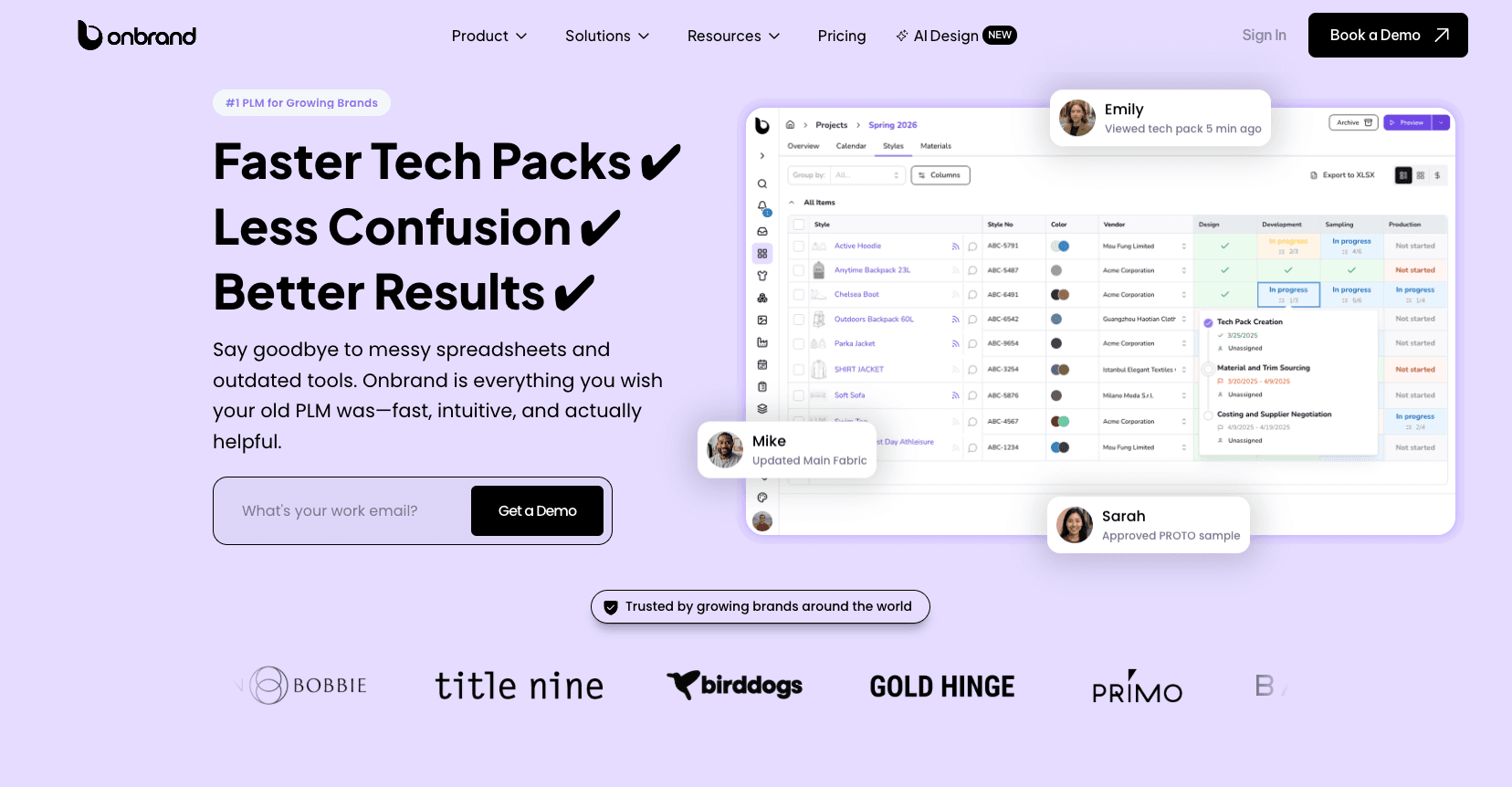
The platform brings product data, tech packs, materials, colors, artwork, samples, approvals, vendor communication, and collection planning into one place. Teams can work from live tech packs, so vendors and internal users see the latest product details without passing around outdated PDFs or spreadsheets.
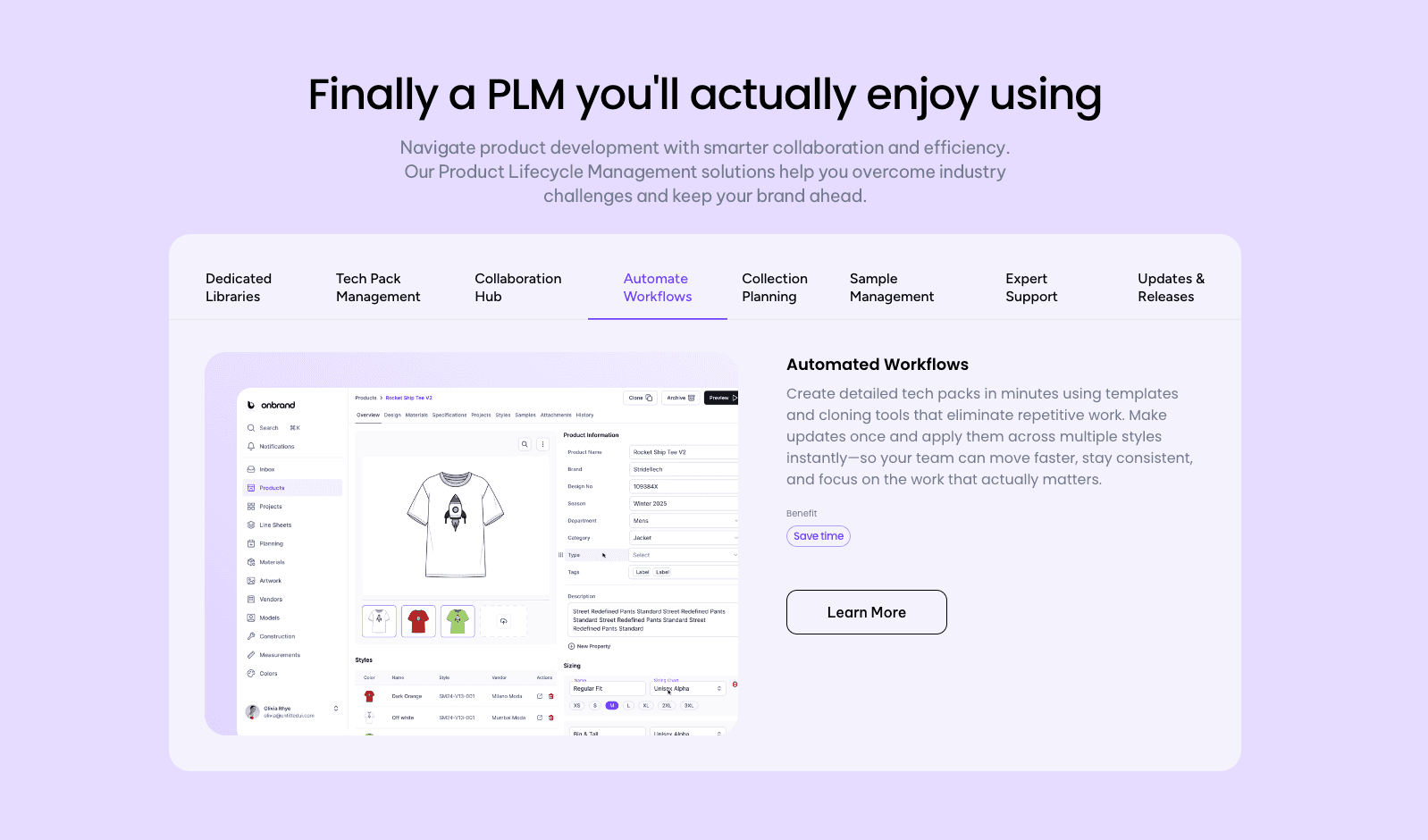
Onbrand also supports project management, stages, tasks, time and action calendars, dedicated libraries, workflow automation, and integrations with tools used by fashion brands.
For teams replacing spreadsheets or legacy PLM systems, Onbrand focuses on faster onboarding, easier adoption, and a more practical day-to-day experience.
With Onbrand, teams report 55% faster tech pack creation, a 4-week reduction in development time, and 10-day data migration and implementation.
From Design Concepts to Development With Onbrand AI Design
Onbrand AI Design connects the creative side of product development with the PLM process.
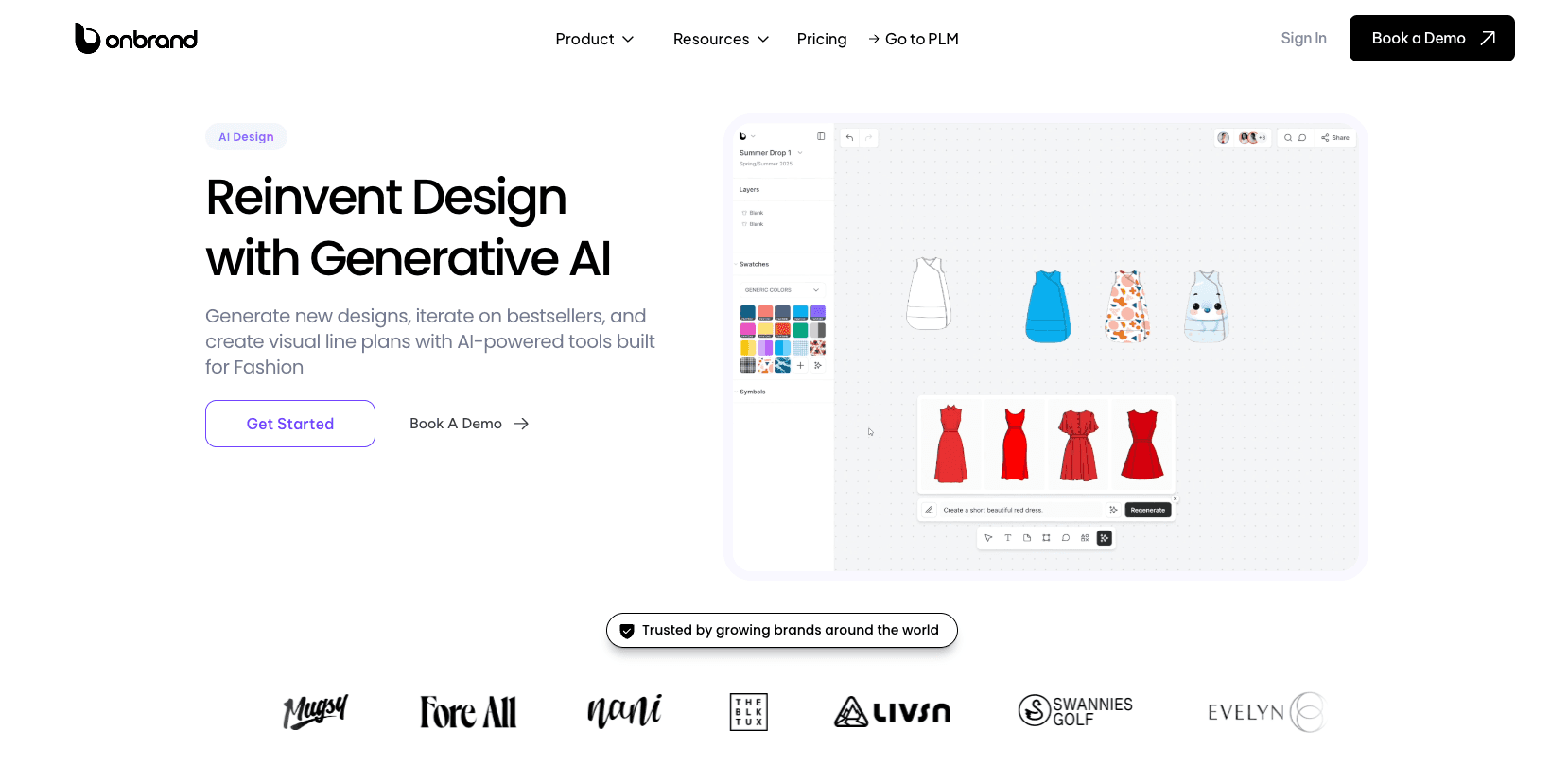
Designers can generate concepts from text, sketches, or photos, explore colorways, create mockups, build visual line plans, and collaborate on shared boards. The tool also supports photorealistic renders, mood boards, design variations, visual feedback, and direct connection to Onbrand PLM.
That connection is useful because design work does not stay separate from development for long. Once a concept is ready, teams still need specs, tech packs, approvals, and supplier communication.
Onbrand AI Design helps move early ideas toward development without losing the context behind the design.
Choose a PLM Built for How Your Team Works
Not all PLM software serves the same purpose. Some platforms focus on industry-specific workflows, while some focus on organizational complexity, collaboration, deployment preferences, or lifecycle coverage.
The right choice depends on how your products are developed, who participates in the process, and how information moves between teams, suppliers, and production partners.
For fashion brands, specialized PLM platforms often provide a better fit because they support the workflows that product teams manage every day, from tech packs and materials to samples, approvals, and vendor communication.
Onbrand combines modern fashion PLM capabilities with AI-powered design tools, helping teams connect concept development, product information, and supplier collaboration in a single environment.
FAQs About Types of PLM Software
Can a PLM system be both cloud-based and industry-specific?
Yes. PLM categories often overlap. A platform can be cloud-based while also serving a specific industry such as fashion, footwear, manufacturing, or consumer goods. Several of today's top PLM software options combine industry-specific workflows with the flexibility of cloud-based access.
What is the difference between PLM and PDM?
PDM (Product Data Management) focuses on organizing and controlling product files, CAD drawings, and related documentation. PLM (Product Lifecycle Management) includes those capabilities but also supports the workflows, people, and processes involved in bringing products from development to production.
What are some examples of PLM software?
PLM software examples include Onbrand PLM, Centric PLM, PTC FlexPLM, Arena PLM, Oracle Fusion Cloud PLM, Backbone PLM, and WFX PLM. The right choice depends on your industry, organizational requirements, deployment preferences, and product development processes.
Is Jira a PLM software?
No. Jira is primarily a project and issue tracking platform. While teams can use it to manage tasks and workflows, it is not a dedicated PLM system and does not provide the specialized product data, sourcing, compliance, and lifecycle capabilities found in PLM software.
Can small businesses use PLM software?
Yes. Smaller product teams can benefit from PLM software just as much as larger organizations. Modern cloud-based platforms help streamline product development, reduce disconnected information, and support stronger product performance as product lines expand.

