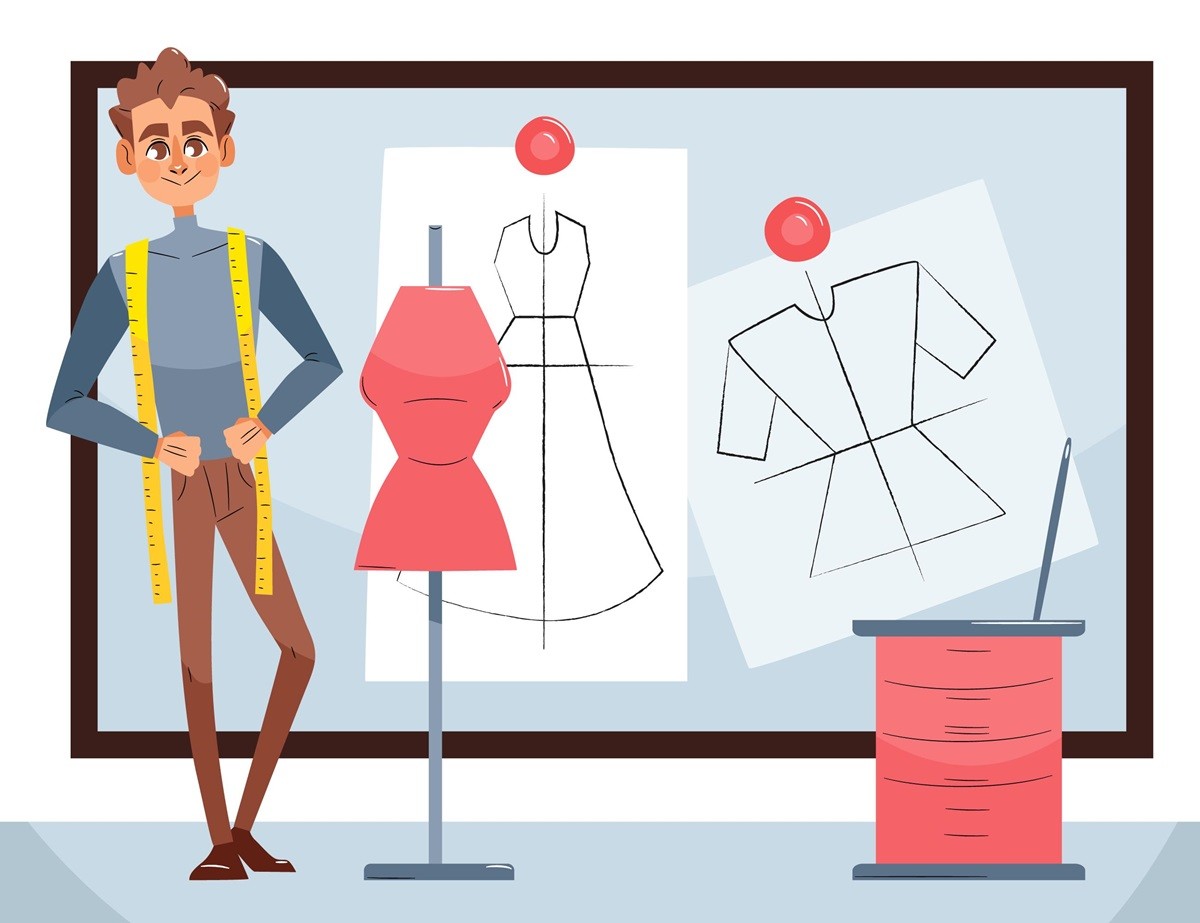
A sketch may look clear during design reviews, but factories still need exact construction details before production starts.
Questions about stitching, trims, measurements, and garment construction often come up once sampling begins. That is a normal part of product development in the fashion industry.
Computer-aided design (CAD) in fashion helps turn design ideas into technical instructions that production teams can actually work from. Fashion teams use them to communicate garment details, organize tech packs, and reduce confusion during development.
In this guide, you’ll learn what CAD sketches are, how they work, and how fashion teams use them throughout product development.
TL;DR
CAD fashion sketches are technical flat drawings used to communicate garment construction details like seams, stitching, trims, measurements, and closures during product development.
Fashion teams use CAD sketches inside tech packs to support sampling, revisions, approvals, patternmaking, and factory communication more clearly.
Strong technical flats should include detailed construction information, multiple garment views, and clean black-and-white vector linework that factories can review easily.
Most brands create CAD sketches using tools like Adobe Illustrator, browser-based CAD software, and editable vector templates for faster revisions and production updates.
For brands looking for a more connected way to manage fashion product development, Onbrand combines AI design exploration and live PLM workflows in one place.
What Is a CAD Sketch in Fashion?
A CAD sketch (commonly referred to as a technical flat, flat sketch, or tech flat) is a technical drawing of a garment shown laid flat to communicate construction details during product development.
Fashion computer-aided design sketches usually include:
Seams and stitching
Trims and closures
Pockets and labels
Measurements and construction notes
Panel lines and other technical design details
Most CAD fashion sketches are created as black-and-white vector drawings so they stay clean, editable, and easy to review inside tech pack sketches.
Unlike fashion illustrations, CAD sketches focus on accuracy instead of artistic styling. Product developers, technical designers, patternmakers, and factories use them to understand how a garment should be constructed before production begins.
Fashion brands usually create CAD sketches early in development to support patternmaking, revisions, approvals, and production handoff more clearly.
What Is a Float in Fashion Design?
A float is a version of a technical flat that shows how a garment fits and moves on the body. Unlike a fashion flat sketch, a float includes silhouette, drape, shading, and movement lines to help visualize the overall look of the design.
Fashion teams often use floats during early design reviews, presentations, and early concept planning because they give a clearer sense of proportion, fit, and fabric textures. They are more visual and expressive than technical flats.
A technical flat focuses on production details like seams, stitching, trims, and measurements. A float focuses more on how the garment may look when worn.
Designers sometimes use both together during the fashion design process, especially when reviewing multiple views or presenting new styles to buyers and internal stakeholders.
Why Fashion Teams Use CAD Sketches
Fashion teams use CAD sketches to communicate garment construction clearly before production starts. A technical sketch gives factories, patternmakers, and vendors a shared reference during sampling and development.
Most CAD sketches show the garment laid flat with stitch details, trims, measurements, and construction notes needed for patternmaking and production reviews.
Many brands include them inside tech packs so product details are easier to review during revisions and approvals.
Clear CAD sketches help designers and product developers work faster, allowing designers to review updates and technical changes more efficiently during development. They reduce misunderstandings during sampling, improve production accuracy, and make factory reviews easier.
CAD sketches also support the larger fashion design process by keeping technical details more organized from concept to production.
Modern fashion technology has made it easier to update sketches, manage revisions, and share technical files during development. It’s often used during internal reviews, product catalog planning, and production handoff before styles move into manufacturing.
CAD Sketch vs Fashion Illustration
Fashion illustrations and CAD sketches serve different purposes during product development. A fashion illustration helps communicate the creative direction of a design, while a CAD sketch focuses on how the garment should actually be constructed.
In the fashion industry, designers often start with an illustration to present the overall concept, mood, colors, and styling. Technical designers then create CAD sketches with the construction details needed for sampling and production.
Feature | CAD Technical Flat | Fashion Illustration |
Primary purpose | Production and construction specifications | Creative concept and mood communication |
Presentation | The garment shown is laid flat and symmetrical | Garment shown on a stylized figure or model |
Visual style | Clean black-and-white vector linework | Artistic, textured, and colorful |
Key inclusions | Stitching, trims, measurements, and construction callouts | Fabric movement, styling, and exaggerated proportions |
Primary user | Technical designers, patternmakers, and factories | Buyers, marketing teams, and internal stakeholders |
Both are important during development, but they solve different problems. Fashion illustrations help communicate the design vision. CAD sketches help factories, vendors, and production teams understand how the garment should be made.
3 Main Rules of a Technical Fashion Flat
A high-quality technical flat sketch should be easy for factories, vendors, and product developers to understand without extra explanation. Clear sketches reduce confusion during sampling and help production move more smoothly.
1. Show Every Construction Detail
Include all important garment details in the sketch, even small ones. Stitching, seams, labels, trims, pockets, closures, and panel lines help factories understand how the garment should be built.
Missing details often lead to incorrect samples or additional rounds of revision later in development. Clear technical flats give production teams a more reliable reference during reviews and approvals.
2. Include Multiple Garment Views
Front and back views are usually the starting point, but they are not always enough. Some garments also need additional sketches that show inside construction details, pocket placement, closures, or functional areas more clearly.
Extra views become especially helpful for outerwear, accessories, or styles designed for different body types. Zoom views can also help clarify smaller construction details that may be difficult to see in the main sketch.
3. Keep the Sketch Clean and Technical
Technical flats should focus on clarity, not artistic styling. Clean linework and simple black-and-white vector drawings are easier for production teams to review during development.
Avoid heavy shading, dramatic poses, or decorative effects that make the sketch harder to read. A technical flat should communicate garment construction clearly without distracting visual elements.
How to Create a Fashion CAD Sketch
Most fashion teams start with a base garment shape or reusable template when drawing fashion CAD sketches. The goal is not to create a polished illustration. The sketch needs to communicate garment construction clearly for sampling and production.
Below is a simple process for creating fashion CAD sketches for tech packs and product development.
Start with a base silhouette: Begin with a garment template or basic silhouette that matches the style you are developing. Many designers use digital design software or reusable templates to save time. Some teams also build mood boards or gather images for inspiration before sketching construction details, especially when entering a new fashion field or exploring new styles.
Build front and back views: Create clear, flat views of the garment's front and back. These views help product developers, vendors, and patternmakers understand the overall structure before sampling begins.
Add construction details: Add seams, stitching, measurements, construction callouts, stitch types, trims, labels, pockets, and closures. Clear technical details make revisions easier and help reduce production confusion later in production.
Save editable vector files: Most fashion teams save CAD sketches as editable vector files for tech packs and future revisions. Keeping sketches editable makes it easier to update product details during approvals, sampling, and production handoff.
What Software Is Used for Fashion CAD Sketches?
Adobe Illustrator is still one of the most common tools used to create technical flats and CAD sketches in fashion.
Designers use it to build editable vector sketches, add construction details, and prepare files for tech packs during development.
Fashion teams also use browser-based CAD software and online vector editing tools with reusable templates to speed up sketch creation and revisions.
There is now an extensive range of CAD tools for fashion, from technical drawing software to virtual prototyping and digital concept development.
Online tutorials, courses, and hands-on practice remain among the most common ways designers build technical drawing skills in fashion CAD.
Learning design software takes time, especially for teams moving from traditional methods to more digital product development processes.
Some brands also use tools like Onbrand AI Design to explore concepts, build mood boards, and develop visual directions before technical sketches move into development.
Early creative tools can also support experimentation and limitless creativity before production details are finalized.
Creating technical flats is only one part of the workflow.
Product updates, revisions, and tech pack changes become harder to manage once more styles, samples, and approvals start moving between different people and platforms.
Why Fashion CAD Workflows Get Harder to Manage
Creating CAD sketches is only one part of the product development stage.
Problems usually start once revisions, approvals, and production updates begin moving between different people, files, and systems.
A sketch gets updated, but the tech pack stays outdated. Comments live in email threads while measurements change somewhere else.
Designers, product developers, and vendors may end up reviewing different versions of the same style at the same time.
The process becomes even harder when sketch revisions, materials, trims, and related topics like designing patterns need updates during sampling.
Small communication gaps between design and production can quickly turn into incorrect samples, missed revisions, or delays during approvals.
Disconnected files also make it harder to track product updates clearly once collections become larger and more complex. Teams often spend extra time searching for the latest version instead of reviewing the actual product details.
Keeping CAD Sketches Connected During Development
CAD sketches are easier to manage when they stay connected to the rest of the product record. Onbrand supports the handoff from early design ideas to tech packs, approvals, samples, and production updates.
Onbrand AI Design: Ideation & Concept Generation
Onbrand AI Design supports the creative side of CAD fashion workflows before styles move into full development.
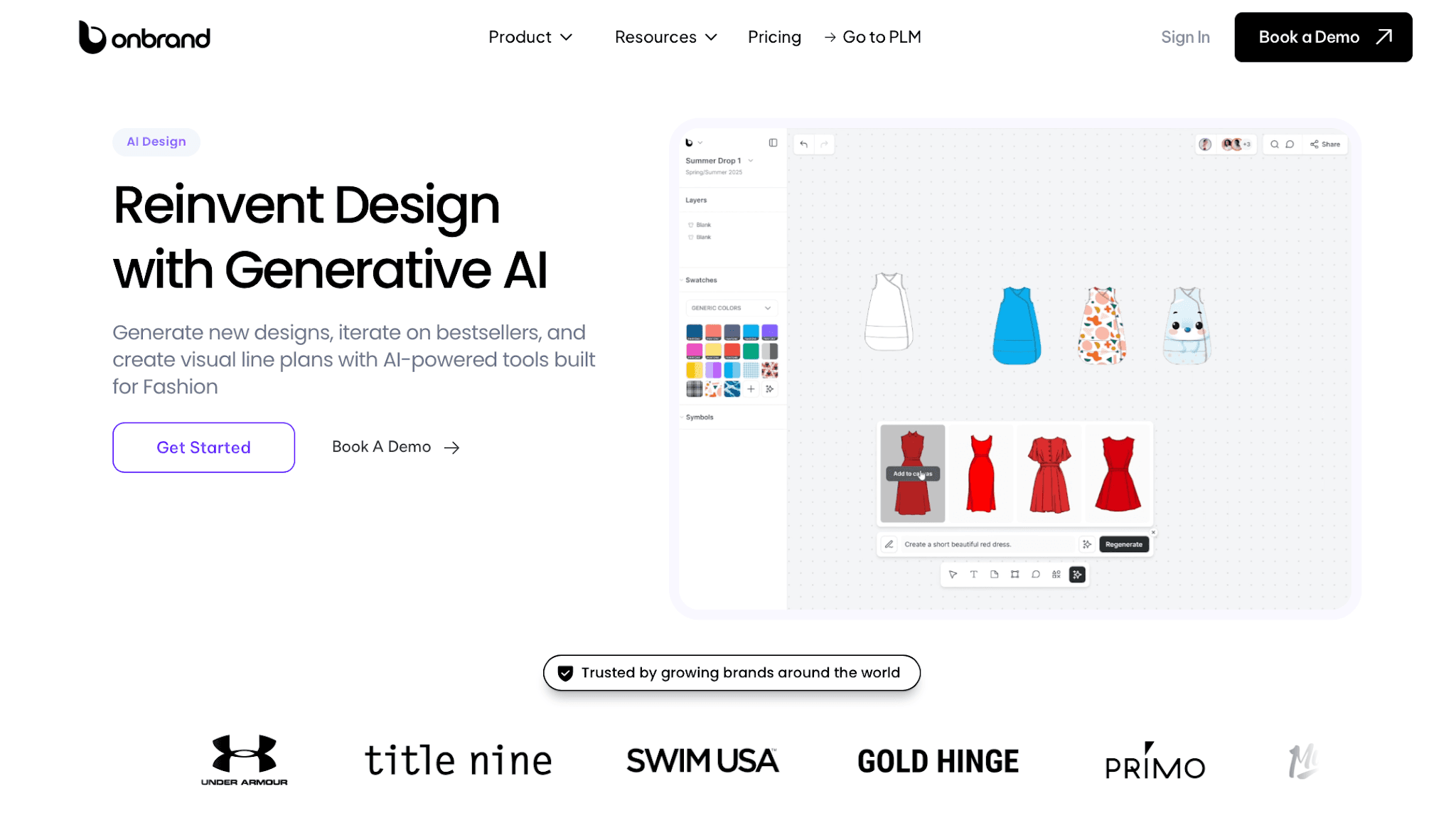
It helps teams:
Generate new design concepts from text, sketches, or reference photos
Explore colorways, trims, cuts, and visual variations
Build mood boards and visual line plans
Turn sketches into flat images or on-model renders
Review designs with comments, version history, and shared boards
Export visuals into Onbrand PLM when the style is ready for development
Fashion brands also use Onbrand AI Design to reduce early concept turnaround time and explore more design directions without rebuilding sketches from scratch. Some teams use it to cut physical sampling by 30–50% during early development reviews.
This gives designers more room to explore ideas while keeping early visuals organized for review.
Onbrand PLM: Technical Execution & Live Tech Packs
Onbrand PLM supports the development side once CAD sketches need to become production-ready product data.

It helps teams:
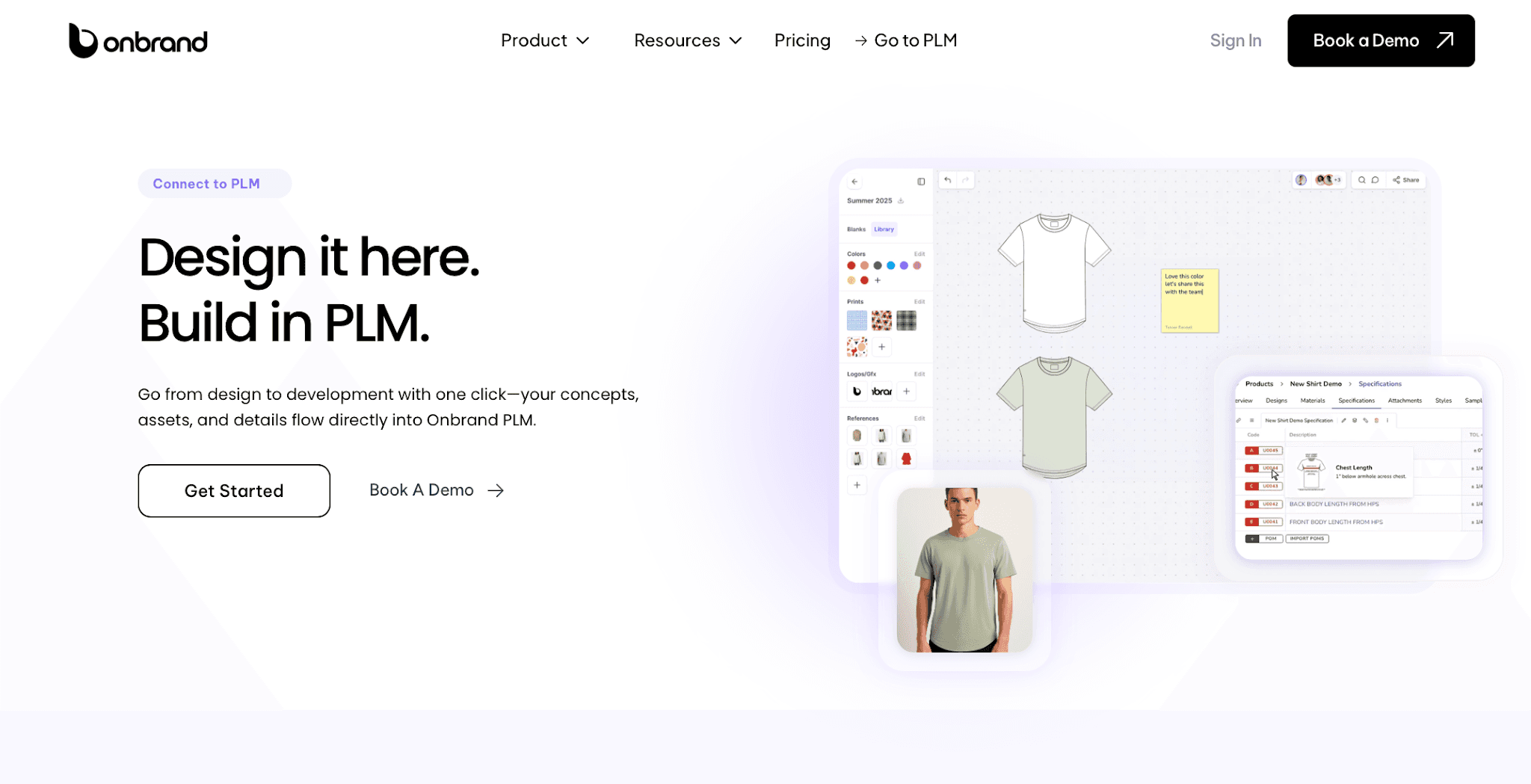
Keep CAD sketches connected with live tech packs
Manage materials, trims, colors, specs, and artwork in one place
Track revisions, approvals, and sample updates
Keep vendors working from the current product details
Reduce version confusion from PDFs, spreadsheets, and email threads
Manage the style journey from concept to production handoff
Onbrand PLM also helps brands reduce manual product tracking and speed up development work with live tech packs and centralized product data. Some brands report up to 55% faster tech pack creation and several weeks removed from development timelines after switching from legacy systems.
Together, Onbrand AI Design and Onbrand PLM help fashion teams move from visual ideas to clearer product development without losing sketch updates, comments, or technical details along the way.
Move From Sketch to Production More Clearly
CAD sketches help turn design ideas into production-ready instructions that factories, vendors, and product developers can understand clearly. Strong technical flats reduce confusion during sampling, revisions, and approvals while keeping product details easier to manage during development.
The process becomes harder once more sketches, tech packs, comments, and product updates start moving between different people and systems. Small gaps in communication can quickly lead to outdated files, revision errors, or production delays.
Onbrand helps fashion brands keep CAD sketches, tech packs, materials, approvals, and development updates connected in one place.
Onbrand AI Design supports early concept development and visual planning, while Onbrand PLM helps teams manage product data, revisions, and production communication from concept to handoff.
FAQs About CAD Fashion
Do fashion designers need CAD skills?
Yes. Basic CAD skills are now part of everyday product development for many fashion designers. Programs like Adobe Illustrator and Photoshop help designers communicate technical details more clearly during reviews, sampling, and factory handoff.
Can CAD sketches be used for manufacturing?
Yes. CAD sketches give factories a technical reference for how a garment should be constructed before production starts. They are commonly used for everything from ready-to-wear collections to accessories and baby clothing.
What file format are fashion CAD sketches usually saved in?
Fashion CAD sketches are usually saved as editable vector files like AI, SVG, or PDF. Editable files make it easier to update measurements, construction notes, and revisions before styles move into production.
What should be included in a fashion CAD sketch?
A fashion CAD sketch should include flat garment views, stitching, trims, pockets, labels, closures, measurements, and construction notes. Clear technical sketches help factories understand how the garment should be made.

