Apr 15, 2026
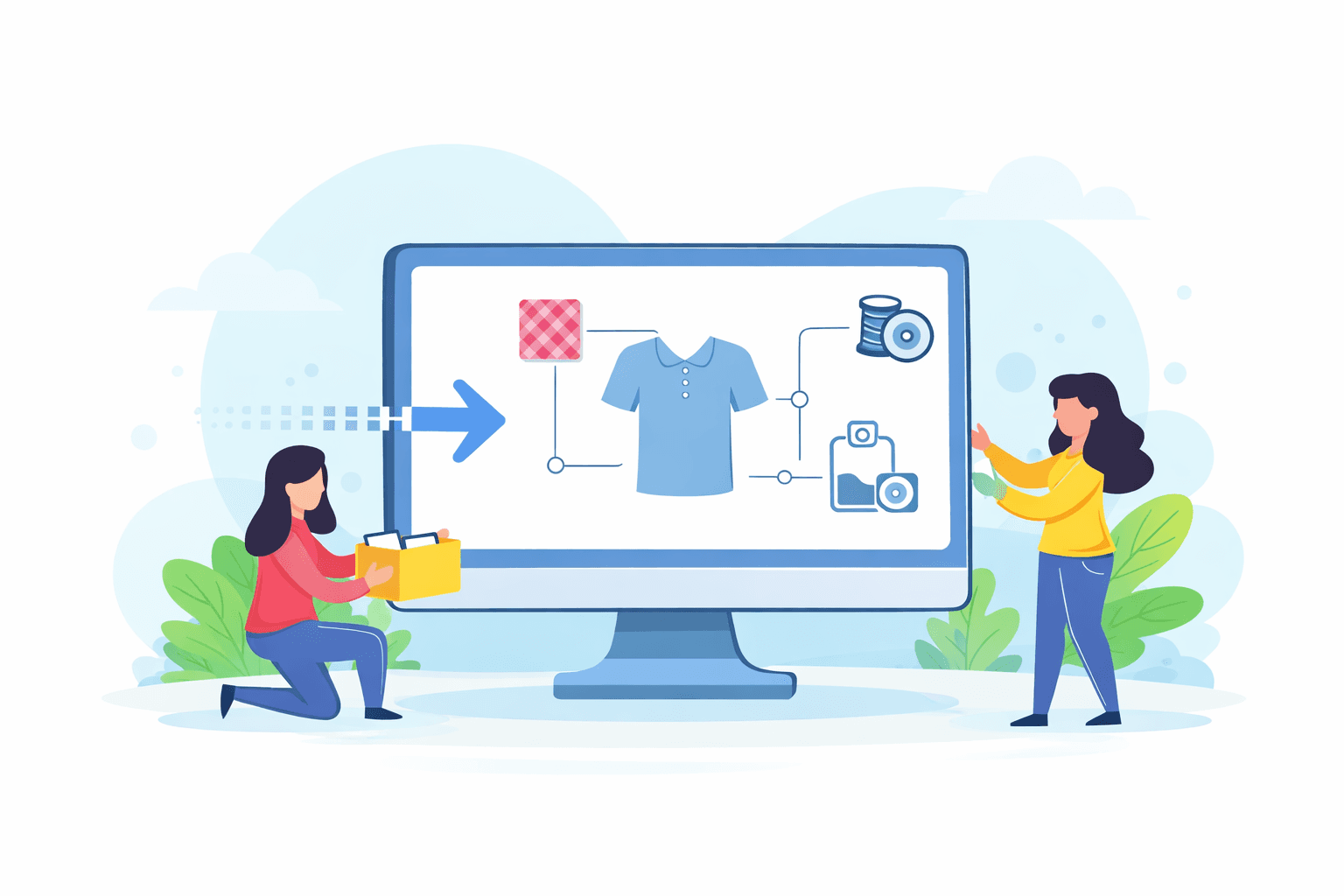
Moving to a new product lifecycle management (PLM) system is not a small change for a fashion team. Tech packs, bills of materials (BOMs), sample notes, and vendor updates often live in different tools, which makes migration harder to manage.
Product development does not pause during migration. Teams still manage revisions, review samples, and keep production timelines on track.
At the same time, fashion teams need to rethink how product data is structured, connected, and used. If that foundation is weak, the same issues carry over into the new platform.
This guide explains what PLM migration involves, what data needs to move, and what teams need to get right before, during, and after the transition.
TL;DR
PLM migration moves product data, workflows, and relationships into a new system so fashion teams can manage styles, tech packs, and production in one place.
It includes product records, tech packs, BOMs, vendor data, sample history, and the relationships between them, not just files.
Teams choose among big-bang (all at once), phased (step-by-step), or hybrid migrations based on data size, structure, and team setup.
The key steps include auditing data, cleaning and standardizing it, mapping it to the new structure, testing, running the migration, validating with teams, and training users.
Onbrand PLM helps reduce migration risk by keeping product data, tech packs, BOMs, and vendor updates connected in one place.
What Is PLM Migration?
PLM migration is the process of moving product data, workflows, and relationships from an existing system into a new system where teams can manage the product development process in one place.
It usually includes product records, tech packs, BOMs, sample history, and vendor data.
Most of this data is connected. A style record links to materials, sample comments, and supplier details. Teams also pull PLM data from different sources like spreadsheets, design tools, and enterprise resource planning (ERP) software.
PLM data migration involves more than copying files. Teams need to map, clean, and validate data before moving it into the new PLM solution.
Messy data carries over. So, if teams don’t fix those errors now, they will haunt the new system just like before.
When Does a Fashion Team Outgrow Its Current PLM?
Here are the common signs that you’ve outgrown your current PLM setup:
SKU growth makes spreadsheets difficult to manage
Tech packs live in multiple tools
Vendors reference outdated files
Sample cycles take longer due to repeated fixes
These problems affect how fashion product development is managed day to day. Product data becomes harder to track, updates get missed, and decisions rely on incomplete information.
What Data Needs to Be Migrated in a PLM System?
PLM migration covers the core product data teams use every day. Here’s what typically needs to move into the new PLM:
Product Records
Product records define the product. They include styles, colorways, sizes, attributes, BOMs, material libraries, and measurements.
Teams often find this info scattered in multiple systems like design tools, spreadsheets, and ERP systems. Data formats may differ, and CAD files or models need to stay linked to the correct product.
If product records lose structure, teams can’t track or update development properly.
Tech Packs and Supporting Documents
Tech packs and supporting documents explain how a product moves into production. They include design files, comments, approvals, and revision history.
These files often sit outside the main system. Migration should bring them into the same place as product records. If they are not linked correctly, teams won’t be able to see the changes.
Supplier and Vendor Data
Vendor data connects each product to factories, materials, and trims. Look back at notes sent during earlier status changes. This information must mirror what we have in the product logs.
Missing data creates friction. And you cannot track adjustments or maintain quality when this data is inconsistent.
Sample and Development History
Sample data shows how a product changes. It covers sample rounds, fit notes, and the changes made along the way.
Teams use this to decide what to change next. It tracks samples and avoids old mistakes from happening again. Without it, teams lose track of past decisions.
Relationships Between Data
Product data needs to stay connected. A style links to materials, vendors, and samples.
These connections show how work moves during the product development process. If links break, the data no longer reflects real workflows. This is key to ensuring data integrity.
Historical Data
Historical data captures every edit and final decision. Teams use it for context and future reference. It helps guide new development and avoid repeated mistakes.
Not all historical data needs to move into the new PLM system, and teams should keep only relevant data.
Which PLM Migration Approach Fits Your Team?
Every team handles PLM migration differently. The approach you choose usually comes down to how much product data you handle, how your team is set up, and how much disruption you can manage during the switch.
Big Bang Migration
A big-bang migration moves all product data into the new system at once. Teams stop using the existing system, transfer everything, and switch fully to the new PLM.
Teams with smaller product catalogs or tighter control over their data usually find the process far less stressful to manage. Teams can move straight to the new tools without looking back at the old ones.
However, if something goes wrong, the impact is much larger. One small error can break the whole database, and teams have limited time to fix it.
Phased Migration
Many fashion brands take their time and transfer data using a phased approach. One season, category, or product line at a time, while the rest of the work continues as usual.
Teams managing large catalogs in multiple categories often find this approach easier to manage. Working in smaller batches makes it easier to review data and catch issues early.
But the main challenge is coordination. Teams have to keep both systems aligned while the transition is still in progress.
Hybrid Migration
Hybrid migration sits somewhere in the middle. Core product data moves in stages, while older or archived data gets transferred earlier in bulk.
Many fashion teams choose this approach. It gives them more control over the process without extending timelines unnecessarily.
What Does a Successful PLM Migration Look Like?
A successful PLM migration follows a clear process. Teams do not move everything at once without preparation. They review their data, fix issues, test the setup, and then move into the new system step by step.
Each stage of the well-executed migration process builds on the previous one. Skipping steps often leads to data issues later.
1. Audit Your Current Product Data
Start by reviewing where product data lives today. Most teams use a mix of spreadsheets, shared drives, design tools, and ERP systems.
Look closely at the condition of that data. See if there are duplicates, missing specifications, and broken links between files.
This can provide a clear view of data quality before the migration project begins.
2. Clean and Standardize Data
After the audit, teams move into data cleansing and cleanup. The goal is to fix data issues before anything moves to the target system.
Unify file naming conventions for styles, materials, and vendors. Must complete missing BOM details and remove outdated versions.
Data cleanup takes the most time in most data migration projects. Strong data quality at this stage leads to a smoother and more successful migration.
3. Map Data to the New PLM Structure
Next, define how data will fit into the target system. Teams need to decide how records connect and how the system will handle them.
Set clear business rules. Define how styles link to BOMs, how materials link to suppliers, and how samples connect to revisions. This step acts as a data transformation. It determines whether product data stays usable after the migration.
4. Test With Real Product Data
Before the actual migration, test the setup with a small set of test data. Run the testing phase end-to-end.
Check that tech packs display correctly, BOMs stay connected, and vendors see the right versions. Use both manual checks and validation scripts to confirm everything works as expected.
5. Run the Migration
Once testing is complete, move into the production migration. Stop updates in the source system to avoid conflicts.
Then extract, transfer, and import data into the production system. Some teams move everything at once. Others move data in batches.
During this stage, keep a close eye on the entire process to catch any issues early.
6. Validate With Real Teams
After migration, bring in the teams who use the system every day. Designers review tech packs. Developers check BOM accuracy. Production teams confirm vendor details.
Teams also verify record counts and confirm that relationships remain intact. Validation with actual users helps protect data integrity and confirms that the system supports daily work.
7. Train Teams on the New Workflow
The final step focuses on how teams use the new PLM environment. Training should reflect daily tasks, not just system features.
Teams need to know how to update tech packs, manage revisions, and share data with vendors. Strong post-migration support improves operational efficiency and helps teams adopt the system faster.
Potential Problems During PLM Migration
Most teams hit the same problems during a PLM migration. It usually traces back to messy data, disconnected systems, or unclear ownership of the work.
When those issues carry over, product development slows down, and the transition becomes harder to manage.
Messy Product Data
Many teams start with messy data. Legacy data from an old system often includes duplicate styles, missing specifications, and inconsistent naming.
Teams may store the same product in multiple data sources, which makes data management harder to control. Without proper cleanup, that entire data set moves into the new system with the same problems.
Broken Relationships
PLM data depends on how everything connects. A BOM ties to a specific style. Vendor data links to the right materials. Sample history connects back to product changes. That structure reflects how teams actually work during the product development process.
During migration, those links don’t always carry over cleanly. Once they break, visibility drops. Teams lose track of how products come together and how updates move through the system.
Version Confusion
Version control can get messy. Teams may see multiple tech packs for the same product and not know which one is right.
When files live in different tools or older versions, it’s easy to lose track. That’s why updates get confusing, and teams stop working from the same information.
File and Data Disconnect
Product files often sit outside the main system. Illustrator files, PDFs, and CAD data may not stay linked to product records during migration.
When files disconnect from product data, teams lose important context. CAD models and supporting files no longer reflect the current version of the product.
Teams Continue Using Old Tools
A migration can be complete, but that doesn’t mean teams fully switch over.
Some teams fall back to specialized tools or keep using the legacy system because that’s what they’re used to. Work starts to split again without anyone really planning for it.
That’s where problems show up. PLM collaboration breaks down, and the seamless migration you planned starts to slip. Data ends up spread between systems again.
How Can Teams Reduce Risk During PLM Migration?
Teams reduce risk when product data stays structured and easy to follow. Problems during data migration often come from disconnected tools, unclear ownership, and broken workflows.
A better setup keeps everything in one place and ties updates directly to the product.
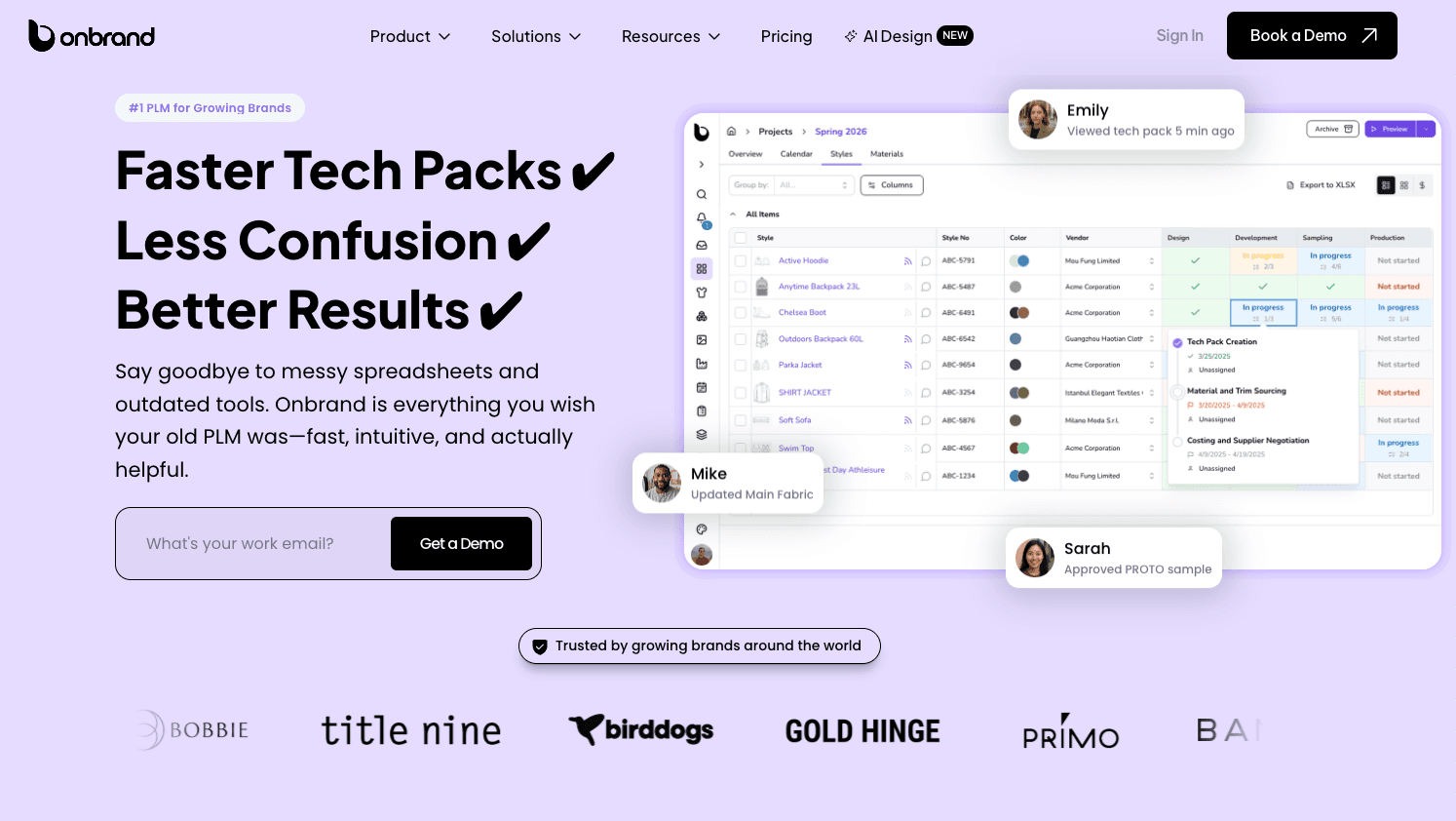
Onbrand PLM organizes product data around how teams actually build products. Tech packs, BOMs, samples, and vendor updates stay connected, so teams do not need to track changes
Here’s how Onbrand PLM helps reduce migration risk:
Structured product records that match how fashion teams already manage styles, materials, and development
Live tech packs that update in real time, so teams avoid version confusion during and after migration
BOMs and sample management are connected directly to each product
Built-in specification management that keeps changes tied to actual product updates
Vendor communication is handled inside the platform, so updates stay linked to the correct product
Faster onboarding without heavy setup or long implementation cycles
Flexible configuration that adapts to your current workflow instead of forcing a new one
Centralized product data that reduces cleanup work and helps teams move only relevant data into the new system
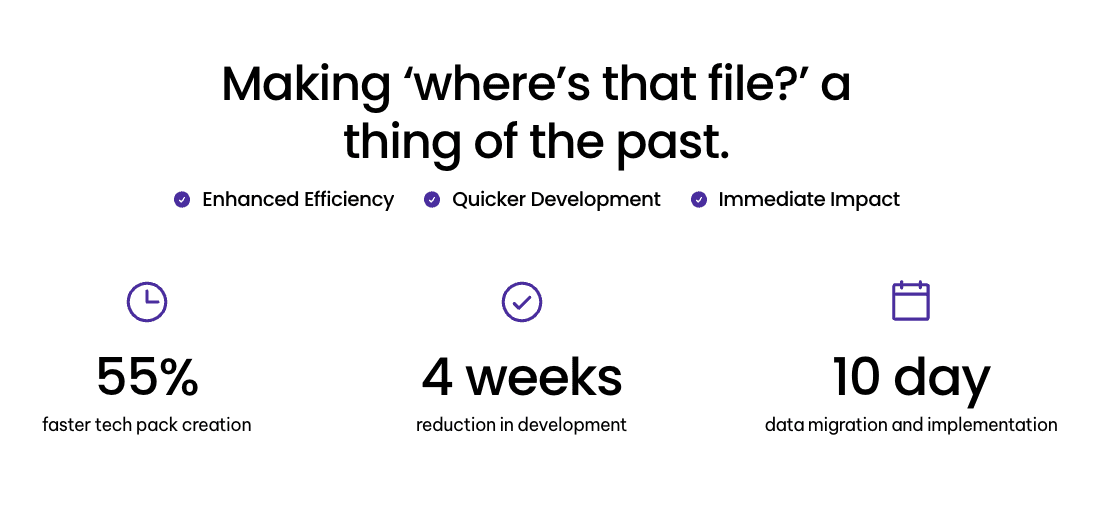
With this setup, teams work from a single source of truth. This also shortens the time it takes to complete the migration. Many teams complete implementation in as little as ten days, which reduces the risk of prolonged system overlap and data inconsistencies.
Alongside Onbrand PLM, Onbrand supports early product development through Onbrand AI Design. Teams can create and adjust product visuals before moving them into PLM, which keeps product data aligned from the start.
Fixing Your Product Data Starts With the Right PLM
PLM migration gives teams a chance to fix what has been slowing product development down.
Old workflows, scattered files, and weak data structure do not need to carry over into the new system. If teams bring messy data into a new system, the same problems carry over.
Teams that clean and structure product data before migration work more smoothly after the switch. Tech packs stay up to date, BOMs match the correct materials, and vendors follow the right information.
Onbrand PLM supports that shift by keeping product data connected from the start, so teams can rely on what they see in the system.
FAQs About PLM Migration
What is the difference between big-bang user-centric and big-bang data-centric migration?
Big-bang user-centric migration focuses on switching teams to the new system at once, prioritizing workflows and usage. Big-bang data-centric migration focuses on moving the entire dataset in a single step, with less emphasis on how teams adopt the system. Both approaches involve a full cutover, but the priority differs between users and data.
Is delta migration the same as incremental migration?
Delta migration and incremental migration are similar but not identical. Incremental migration moves data in planned stages over time, while delta migration focuses on transferring only the changes made since the last update. Teams often use both together during a phased rollout to support a smooth transition without interrupting active work.
How should teams structure their PLM data migration strategy?
Teams should structure their data migration strategy with clear project details and a defined data structure. Categorize data based on how products, materials, and vendors connect in the new system. It is important to focus on relevant data only.

