Techpacker is a cloud-based platform that helps designers and fashion product teams create, organize, and manage tech packs throughout the design process.
Many brands evaluate it when replacing spreadsheets or looking for a more structured way to prepare products for manufacturing.
This article covers Techpacker's features, pricing, pros, cons, and how it fits into modern fashion product development, so you can decide whether it's the right choice for your team.
TL;DR
Techpacker is used by fashion teams that need structured tech packs to manage specifications, materials, and supplier communication during product development.
It fits designers, product developers, and small to mid-size brands that already have defined concepts and need clear documentation for manufacturing.
Core workflows include building tech packs, managing measurements and BOMs, tracking revisions, and collaborating with suppliers through shared product files.
When product ranges expand, teams often start managing more seasons, more suppliers, and more approvals, which increases the need for connected product data within teams.
Onbrand extends this workflow by connecting AI-assisted design, tech packs, and product development in one system from concept through production.
What Is Techpacker?
Techpacker is a cloud-based tech pack software platform built for fashion and apparel teams.
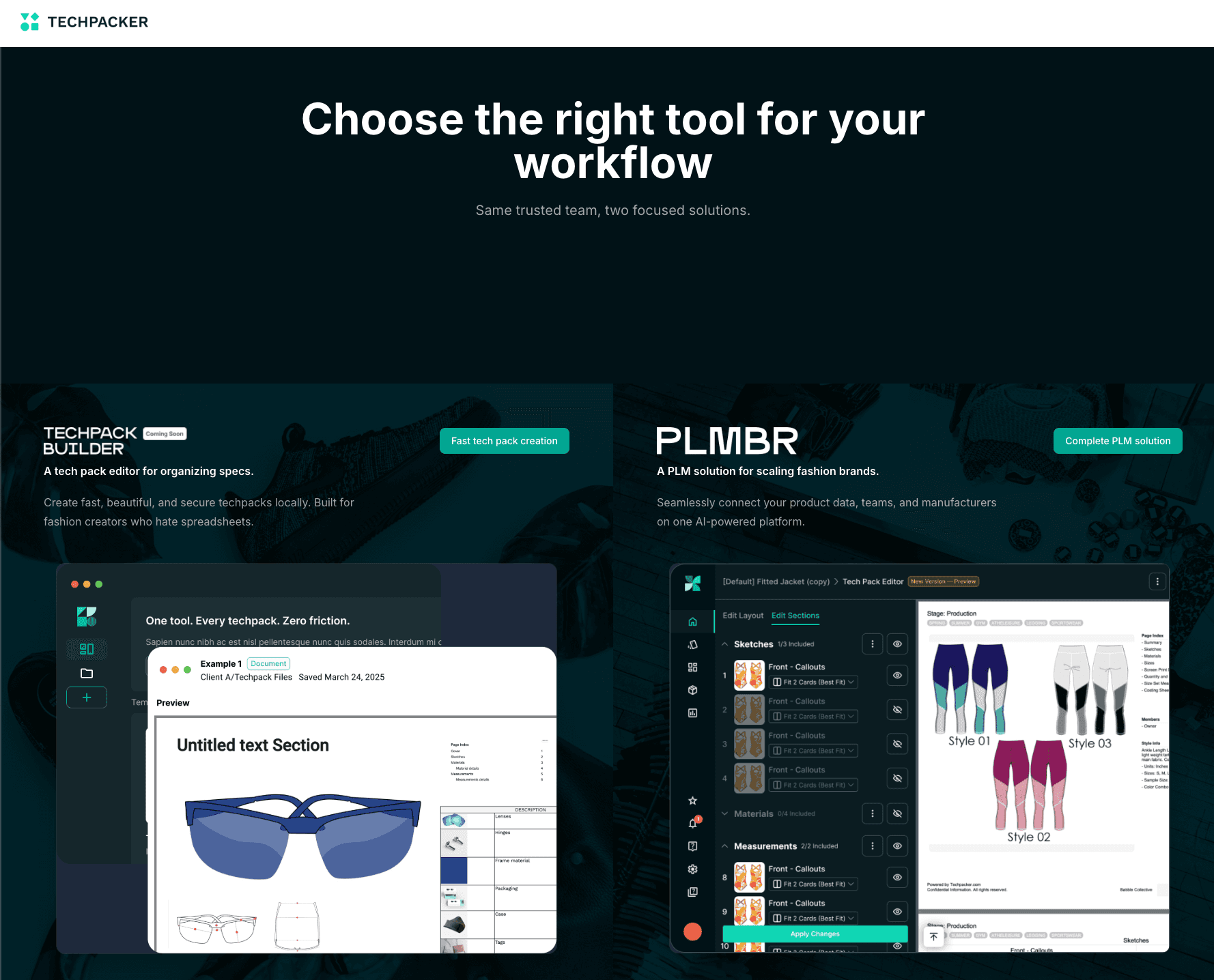
Source: techpacker.com
It helps organize the information needed to create standardized product documentation that suppliers and manufacturers use during production.
A tech pack brings together design specifications, measurements, materials, construction notes, and other product details into one document.
Techpacker provides dedicated software for creating and managing that information, making it easier for product teams and manufacturing partners to work from a single version.
Techpacker fits between design and production in the fashion product development process.
Once a design is ready to move toward sampling, the platform helps turn product information into manufacturing documentation that supports communication with suppliers and factories.
Techpacker's Core Features
Techpacker's features are organized around the work fashion product teams do every day, from building product documentation to sharing updates with suppliers.
Here's a closer look at the core workflows the platform supports.
Tech Pack Creation
Techpacker helps product teams create and organize detailed tech packs using templates, product specifications, and visual documentation.
Teams can keep multiple styles together within a shared workspace, add construction details, and upload sketches or reference images before sharing them with suppliers.
Once everything is ready, the completed tech pack gives manufacturing partners a document they can follow during sampling and production.
Specification & Measurement Management
Product specifications often change as samples move through development.
Techpacker keeps measurements, grading information, and construction instructions together, making it easier to review and update product specifications without searching through multiple documents.
Bills of Materials (BOMs)
Every product includes a list of fabrics, trims, labels, and other components needed for manufacturing.
Techpacker organizes these bills of materials within each style, helping product teams keep material information connected to each style.
Supplier Collaboration
Techpacker supports collaboration by giving product teams and suppliers one place to share comments, exchange feedback, and communicate with the factory throughout development.
Teams can collaborate on revisions and review changes before everyone approves the latest product specifications.
Version History & Revisions
Product documentation rarely stays the same from the first sample to production.
Techpacker keeps previous versions, tracks revisions, and stores updated files so teams can review each update, fix documentation errors, or open earlier records when needed.
Techpacker Pricing
Techpacker offers a seven-day free trial. After that, pricing is based on the product you choose, with separate plans for standalone tech pack creation and broader product development needs.
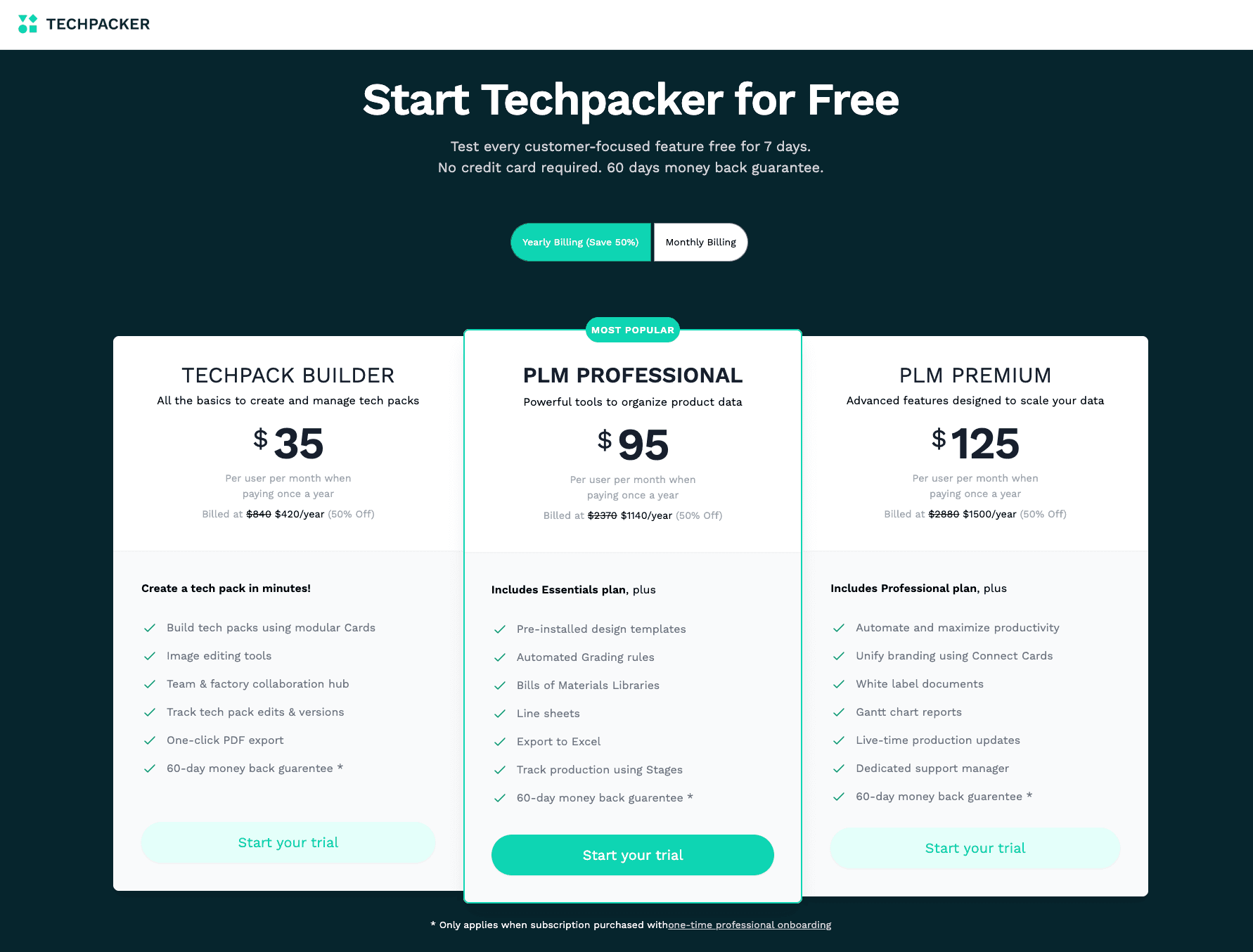
Source: techpacker.com
Plan | Best For | Monthly Price* | Key Inclusions |
Free Trial | Exploring the platform | Free for seven days | Full feature trial without a credit card |
Techpack Builder | Independent designers and small fashion brands | $70/user/month | Tech pack creation, image editing, team and factory collaboration, version tracking, PDF export |
PLM Professional | Growing product teams | $95/user/month (annual plan only) | Includes Techpack Builder plus BOM libraries, grading, line sheets, Excel export, production stages, and reporting |
PLM Premium | Larger brands with more advanced workflows | $125/uset/month (annual plan only) | Includes Professional features plus productivity tools, white-label documents, Gantt reports, production updates, and dedicated support |
Techpacker offers a straightforward entry point with Techpack Builder for teams focused on creating and managing tech packs.
Fashion brands with larger product catalogs or more complex development workflows may find the PLM Professional or PLM Premium plans a better fit.
A free seven-day trial makes it possible to explore the platform before committing to a paid subscription.
Pros and Cons of Techpacker
Like any product development tool, Techpacker has strengths and trade-offs. User reviews consistently highlight its organization, ease of use, and customer support, while also pointing out a few limitations that larger fashion teams should consider.
Pros
Purpose-built for fashion tech packs. Techpacker focuses on creating standardized product documentation, making it a practical choice for apparel and accessories brands.
Easier than spreadsheets. Many users mention that the interface is easy to learn and fits naturally into existing workflows, especially for teams moving away from Excel.
Keeps product information organized. Product specifications, materials, and revisions stay in one place, making it easier to maintain document quality throughout development.
Supports communication with suppliers. Shared documentation helps product teams and manufacturers review updates from the same source, reducing confusion during sample development.
Responsive customer support. Several reviewers praise the support team for quick responses and hands-on assistance during setup and everyday use, helping teams save time when questions come up.
Cons
Focused on technical documentation. Techpacker centers on creating and managing tech packs after product concepts have been defined. Teams looking for tools that support early concept development may need additional software.
Learning some workflows takes time. While many reviewers describe the platform as easy to use, a few note that certain controls and navigation are not immediately intuitive.
Occasional performance issues. Some users report glitches, slower loading, or temporary issues after updates, although they also mention that customer support is responsive.
Growing brands may need additional systems. As collections scale, some fashion companies may also require PLM or project management tools to manage broader product development workflows.
Who Should Use Techpacker?
Techpacker is designed for fashion businesses that need a structured way to organize product specifications and supplier documentation.
It is a practical fit for an independent designer, a small clothing brand, or a growing product team managing multiple styles simultaneously. Many companies also move to Techpacker when they switch from spreadsheets to a dedicated tech pack platform.
The platform is commonly used by technical designers, product developers, and sourcing teams responsible for preparing products before production begins. Daily work often includes updating specifications, reviewing measurements, organizing bills of materials, and sharing documents with vendors.
Techpacker also works well for brands producing seasonal collections or repeating similar product lines. With more seasons and styles, keeping technical information in one place becomes easier than relying on disconnected files.
Because it is cloud-based, everyone with the appropriate access can review the latest product information, helping internal teams and manufacturing partners stay aligned throughout development.
When Fashion Teams Need More Than Tech Pack Software
A tech pack is only one part of product development. As brands scale, the work around each product usually grows with it.
New collections bring more styles, more materials, and more supplier relationships. Design, development, sourcing, merchandising, and production all need the same product information at different stages. Keeping everything aligned becomes more difficult when information lives in separate documents.
Product visibility also becomes more important. Teams need to see where every style stands, which samples still need approval, what changes were requested, and what work is waiting on a supplier.
Without connected product data, small delays can affect the next lead time and slow the rest of the development schedule.
Many brands are also bringing AI into the design process to explore concepts faster and reduce repetitive work before technical documentation begins. That creates another layer of information that teams need to keep connected throughout development.
At this stage, many brands begin looking for a platform that connects design, product data, and development instead of managing each step separately.
Looking Beyond Tech Packs? Meet Onbrand
Fashion product development usually starts in different places. Some teams begin with rough ideas in sketches. Others start with references, fabric direction, or best-selling styles they want to improve.
What happens next often slows things down. Concepts move into tech packs, files get passed between teams, and updates get scattered between tools, emails, and folders. Over time, design, development, and production start to drift apart.
Onbrand brings these steps into one connected workflow. It supports early ideas, turns them into production-ready outputs, and keeps product data aligned as teams move from concept to manufacturing.
Onbrand AI Design: Turning Early Ideas Into Product Concepts
Onbrand AI Design sits at the start of the process, where ideas are still flexible and fast decisions are important. Designers use it to turn early direction into visual concepts that can be tested, changed, and shared with the team.
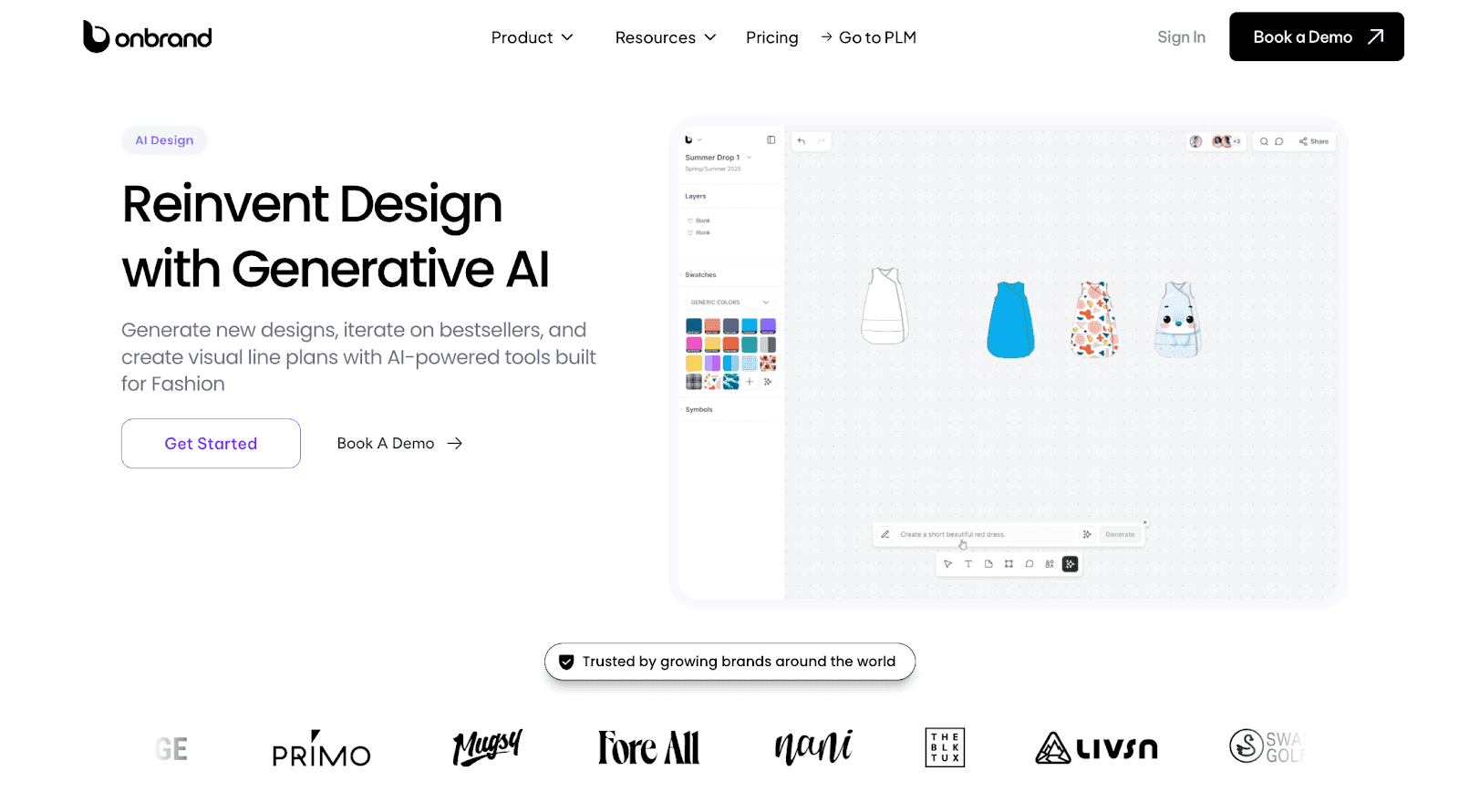
A designer can start with a short prompt, a sketch, or a reference image. The system generates garment concepts that can be adjusted in real time. Teams explore variations, adjust silhouettes, and test color direction without restarting the process.
Design work moves faster at this stage because changes do not require rebuilding files or redrawing flats from scratch. Ideas stay active and ready for review.
It is used by designers and product teams working on concept development, early line direction, and seasonal exploration.
Generative workflows like this have shown a strong impact in early-stage design, with brands reporting 10x faster design turnaround, 30–50% fewer physical samples, and up to 10+ weeks saved per year during concept development cycles.
Onbrand PLM: Managing Tech Packs and Product Development in One Place
Onbrand PLM supports the stage where designs move into structure, approvals, and production planning. This is where product data, communication, and execution come together in one place.
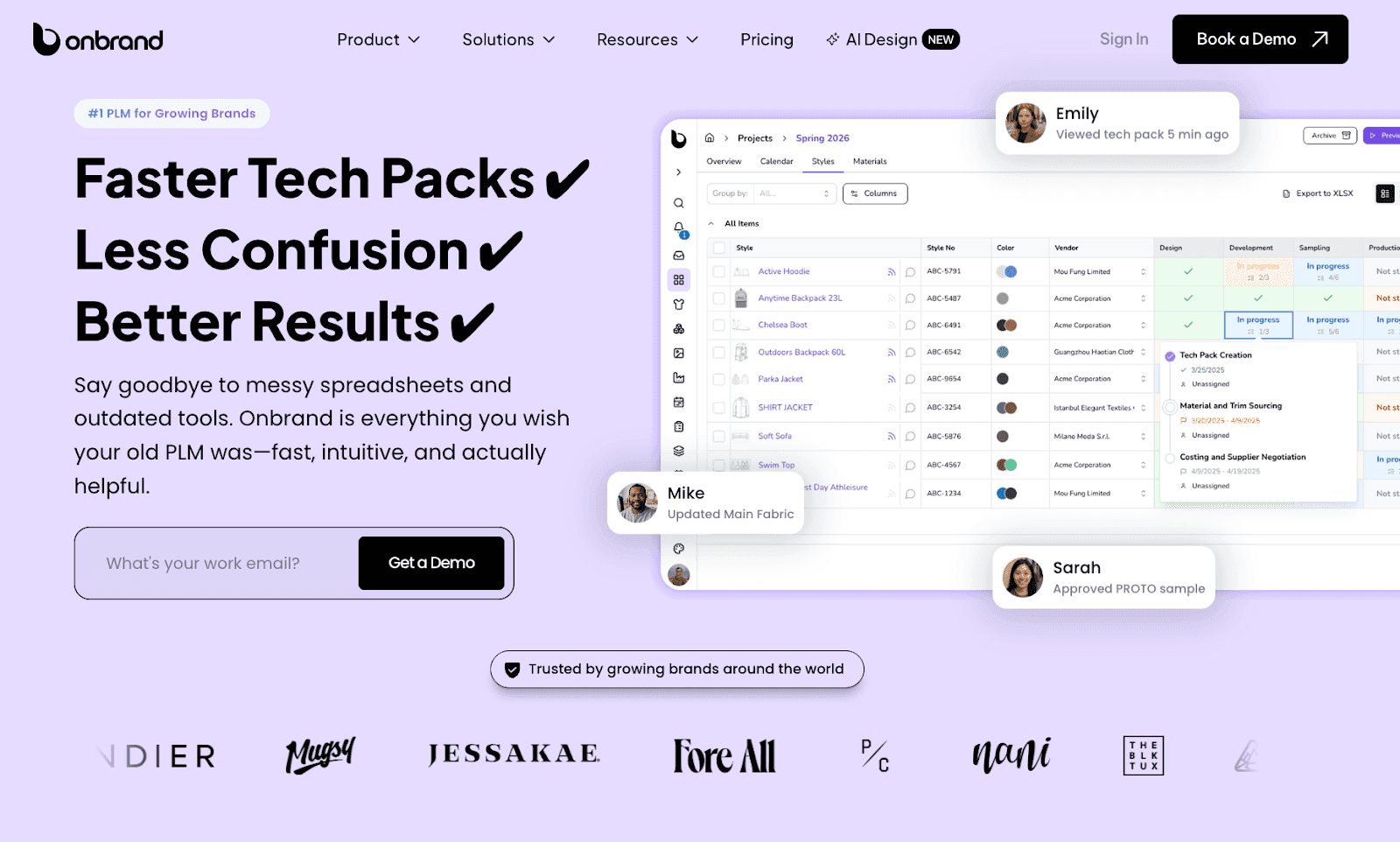
A style can move from concept into tech pack-ready outputs without switching tools or rebuilding files. Teams work with live product data rather than static documents, so updates remain consistent in design, sourcing, and production.
Workflows such as approvals, sample tracking, vendor communication, and spec updates all happen within the same system. Feedback stays connected to the product instead of getting lost in email threads or separate spreadsheets.
Updates are reflected throughout the product record, reducing repeated manual work and keeping teams aligned during development.
Brands using this setup report 55% faster tech pack creation, four weeks shorter development cycles, and ten-day implementation and data migration timelines, depending on setup and team structure.
Why Teams Use Onbrand PLM
Modern fashion teams usually reach a point where separate tools slow down collaboration. Design, tech packs, and production data live in different places, which creates delays during approvals and sampling.
Onbrand PLM is built for teams that want a connected system from early concept to production. It supports both creative work and technical execution without splitting the process between multiple tools.
See how fashion teams manage design and product development together with Onbrand.
Techpacker vs Onbrand: Which Fits Your Fashion Design Process?
Fashion teams usually compare tools based on how work moves from idea to production, not just features. Techpacker and Onbrand operate at different points in that flow.
Focus Area | Techpacker | Onbrand |
Starting point | Starts after a design is defined, focused on building technical documentation | Starts earlier with AI-assisted concepts and moves into development |
Core workflow | Builds and manages supplier-ready tech packs for production | Connects design, product data, and development in one connected workflow |
Design process | Organizes finished design details into structured tech packs | Creates concepts, flats, mockups, and production-ready outputs |
Collaboration | Teams and suppliers work around shared tech pack documents | Designers, developers, and suppliers work in the same connected system |
Best fit | Fashion teams focused on structured tech pack creation | Teams managing end-to-end product development from concept to production |
Techpacker focuses on the documentation stage of product development. Onbrand extends the workflow from early design through to production in one connected system.
Switch to Onbrand for More Control Over Your PLM Process
Techpacker is a solid option for fashion teams focused on creating structured tech packs and supplier-ready documentation. It works well when product designs are already defined, and the main need is organizing technical details for manufacturing.
If your workflow stays centered on tech pack creation and factory communication, Techpacker fits that stage of the process.
Onbrand can help your team connect early design, tech packs, and product development in a single workflow. It fits teams that move from concept creation into development and need a connected platform to manage the entire process.
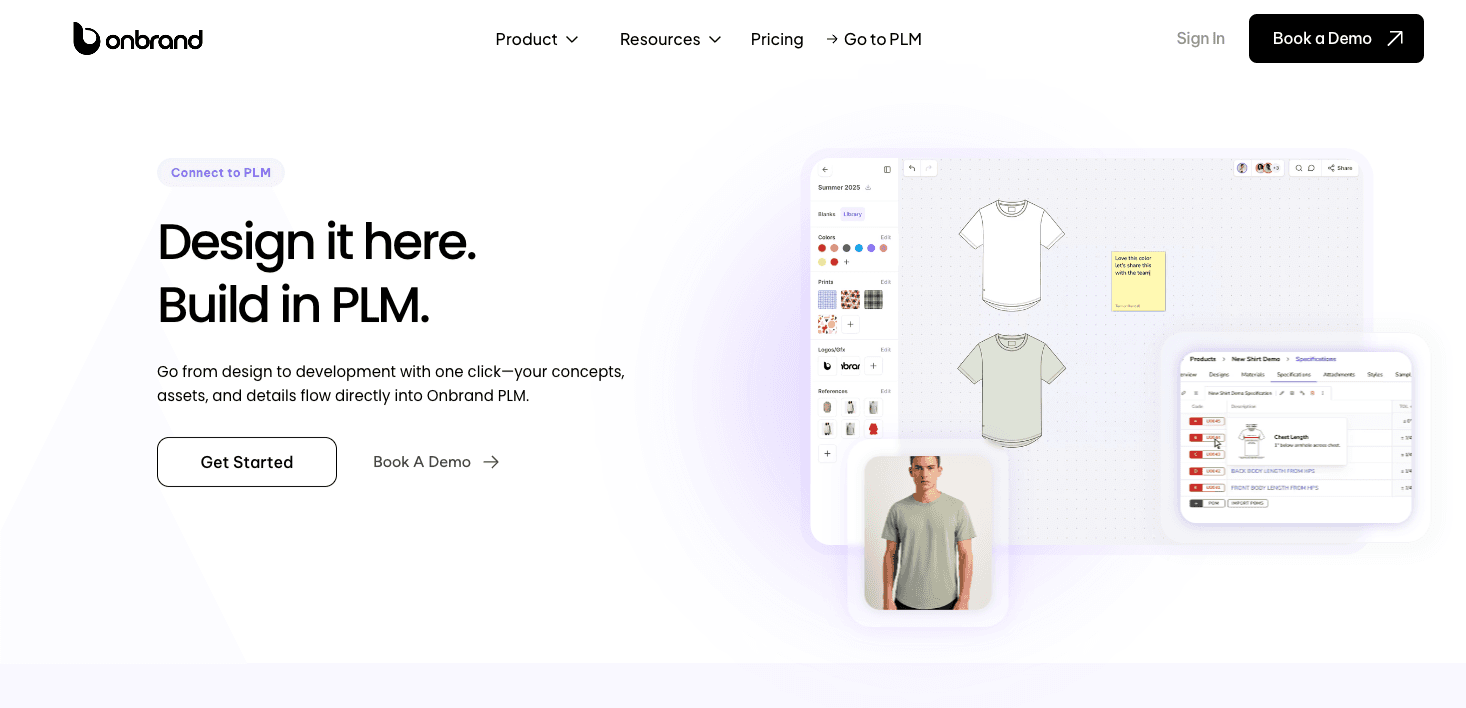
Onbrand also supports faster setup, live collaboration, and continuous updates throughout the design and production process. It gives teams a single place to manage the full product lifecycle instead of working in separate stages.
The right choice depends on how your team works today and how much of the product journey you want to manage in a single platform.
FAQs About Techpacker
Can Techpacker work alongside tools like Adobe Illustrator?
Yes, many design teams use Techpacker while still working in Adobe Illustrator for sketching and artwork. Techpacker helps organize technical details, while Illustrator is used for creating and refining design visuals.
Does Techpacker help teams share design updates or videos during development?
Techpacker supports sharing product information and updates with teams and suppliers. Teams may also use visual references or links to short videos alongside product documentation to improve clarity during sampling and approvals.
Can teams sign off on product updates inside Techpacker?
Teams can review product details, leave feedback, and discuss revisions within shared tech packs. Approvals typically happen through comments and shared access to the latest version of each style, helping teams streamline communication during sampling and production.
How do teams click through and review product information in Techpacker?
Teams can open individual styles to view specifications, materials, measurements, and revision history in one place. This makes it easier to review product details without switching between spreadsheets, emails, or separate files.