Jun 10, 2026
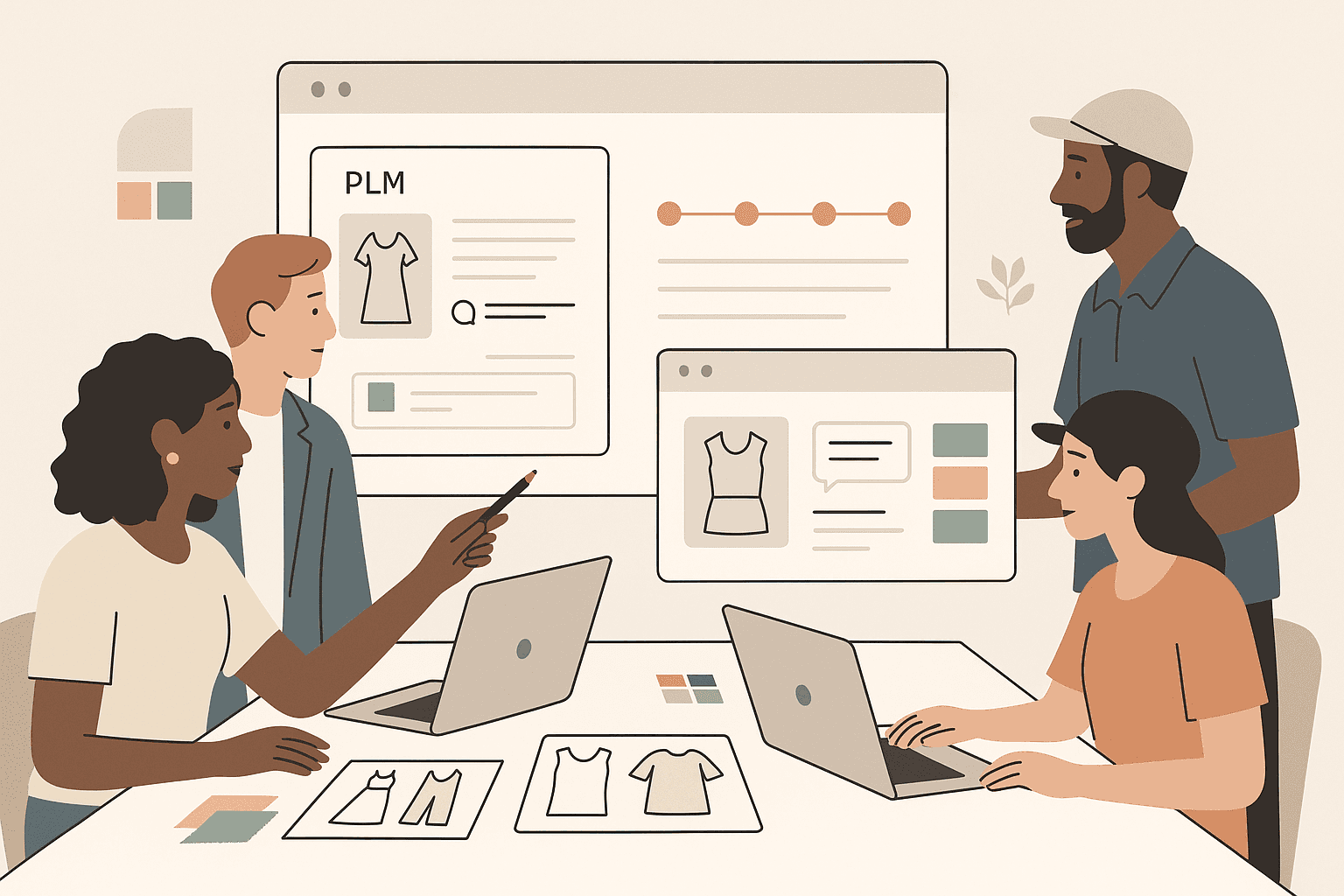
Fashion and retail teams deal with short deadlines, global suppliers, and constant product changes. Each collection brings new fabrics, new costs, and new delivery targets.
These common challenges become harder to manage when teams rely on disconnected files and outdated systems.
As information gets scattered between different tools and files, updates don’t reach the right people in time, operational efficiency drops, and decisions take longer than they should.
Product lifecycle management (PLM) collaboration brings everyone into one shared workspace.
Designers, merchants, sourcing teams, and vendors work from the same product data, comment directly on updates, and review approvals without digging through old threads.
Work moves forward with fewer roadblocks, and teams spend less time fixing avoidable mistakes.
In this article, you’ll learn how PLM collaboration helps fashion teams stay connected and keep work moving with less effort.
TL;DR
PLM collaboration brings fashion and retail teams into one shared workspace to keep product data, approvals, vendor communication, and development workflows aligned.
Key collaboration workflows connect design, merchandising, sourcing, production, compliance, and vendor communication throughout product development.
Everyday use cases include managing new season kickoffs, fit and sample rounds, material changes, cost updates, and regional product adjustments.
Strong collaboration practices include setting clear ownership, keeping communication inside the PLM system, organizing workflows clearly, and giving vendors direct access to updates and approvals.
Onbrand helps fashion teams centralize development, replace disconnected spreadsheets, and move from early concepts to production with faster collaboration and live tech packs.
What Is PLM Collaboration?
PLM collaboration is a shared approach to working within a PLM system that keeps design, merchandising, sourcing, production, and vendors aligned.
Each team works within a centralized cloud-based solution that strengthens product data management and eliminates the need to juggle separate files or long message threads.
Your product data stays in one place, which helps everyone move with clarity during product development.
Comments, tasks, and approvals are listed alongside styles, materials, costs, and timelines. Internal teams gain real-time access to the latest product updates instead of waiting for manual handoffs.
That structure creates a collaborative environment where project managers, vendors, and contract manufacturers stay on the same page at every stage of the product lifecycle.
Strong PLM collaboration supports cleaner PLM processes because every update connects back to the same source of truth. Teams maintain better data accuracy while following a clear digital thread from concept through production.
That level of alignment helps maintain product quality, improve customer satisfaction, and support informed decisions as you respond to market demands.
Key Collaboration Workflows Inside a PLM System
Product development moves quickly, especially when styles, costs, and delivery timelines continue to change. Strong PLM systems support product development processes by helping teams work together inside one connected workspace.
The workflows below show how companies in different sectors use a single source of truth to manage product data with clearer visibility and fewer delays between updates.
Design And Product Development
Designers, product developers, and technical teams share sketches, early concepts, and updated tech packs in one place. Your team sees live changes to style details, fit notes, and bill of materials (BOMs) without waiting for separate downloads.
That level of design collaboration helps teams stay connected to the same design data while supporting stronger quality control throughout development.
Production teams also gain better visibility into revisions and approvals, which helps reduce manual corrections later in sampling and manufacturing.
Merchandising, Planning, And Line Building
Merchants and planners review assortments, track counts, and adjust options within a shared view. Each product record connects margin details, timing updates, and line changes.
Teams can make better decisions around resource allocation when costs, delivery timelines, and other key criteria are visible in one place.
A strategic approach to planning also helps brands respond faster to customer needs and changing market needs without restarting workflows from scratch.
Sourcing, Costing, And Production
Sourcing teams and vendors coordinate on material choices, costs, MOQs, and delivery timelines throughout the supply chain.
With clearer supplier information, teams can handle pricing updates, review alternate fabrics, and adjust schedules without slowing development work.
Better visibility often supports cost reduction because teams catch issues earlier, before they affect sampling or manufacturing.
Strong supplier collaboration supports quality assurance goals while enabling teams to maintain high-quality products and support faster time to market.
Vendor Communication And Approvals
Vendors access organized tech packs, size runs, sketches, and revision history. Fit notes, lab dips, and sample approvals move faster because everything sits inside the same collaboration platform.
Each stakeholder reviews up-to-date information and handles change management inside a shared workspace.
That visibility helps enhance collaboration between brands and suppliers while keeping approvals and revisions easier to manage.
Allowing teams to work from one live record also reduces confusion around specs, trims, and construction details before the final product moves into bulk production.
Sustainability, Compliance, And Quality
Material data, certifications, and compliance documents sit next to product details. Your teams track regulatory compliance, safety requirements, and quality standards without leaving the PLM platform.
PLM ensures teams follow industry standards more consistently by organizing approvals, testing records, and supplier updates in one connected workflow.
Teams can also track compliance requirements tied to data protection regulations and vendor documentation more easily inside one system.
That level of organization creates a competitive edge because quality checks, apparel inspection notes, and specification management stay connected to each style.
Everyday Use Cases for Modern PLM Solutions
PLM collaboration supports the day-to-day work of cross-functional teams. The use cases below show how teams keep work moving with real-time collaboration and fewer disconnected updates.
New season kickoffs - Teams share concept boards, product briefs, mood board ideas, and early line plans inside one workspace.
Fit and sample rounds - Fit notes, photos, pattern updates, and approvals stay in one place. Vendors gain a clear view of expectations, which supports improved collaboration and stronger specification management.
Late design or material changes - A single update reaches everyone without extra messages. Your team avoids scattered files and keeps work aligned with the style, fabric, and trim details captured in your PLM data.
Price and margin updates - Merchants, finance, sourcing teams, and even sales teams review shared cost and margin data inside one structured view.
Market pack and region changes - Regional teams flag needs or adjustments directly in product records. Each change connects to the related style without slowing production work.
Modern PLM collaboration also streamlines workflows because new technologies help teams spend less time searching for approvals or confirming which version is current.
That structure helps brands respond faster to customer expectations while adapting workflows around changing business needs.
Best Practices For Strong PLM Collaboration
PLM collaboration grows out of simple habits that help your team stay organized and confident in every update. The practices below guide fashion teams through daily work and help reduce friction when implementing PLM.
Set clear ownership - Assign owners for style details, timelines, materials, and cost updates. Each product record stays accurate when every stage connects to a responsible team member.
Keep comments close to the work - Use field-level comments and task notes inside your PLM software instead of side chats. Your team gains one traceable place to review changes.
Agree on naming and structure - Create simple rules for style codes, seasons, collections, and folder setups. That structure helps teams read PLM data without extra explanations.
Use tasks and deadlines inside PLM - Assign actions for samples, approvals, revisions, and fit rounds. Automated workflows keep project teams aligned and reduce the chance of missed steps.
Train vendors as true partners - Show vendors how to open, update, and comment inside the shared workspace. Clear access supports accurate work and fewer repeated questions.
Review collaboration habits regularly - Check where delays appear and remove barriers in small steps. That steady refinement supports continuous improvement between teams involved in development.
Onbrand: The PLM Software Built for Faster Collaboration in Fashion
Fashion teams lose time when information lives in different places. Searching for updates, chasing the latest file, and waiting for confirmation slow down development work.
The right PLM solution removes those roadblocks by keeping product details, tasks, and communication in one place where everyone stays aligned.
Onbrand supports that level of clarity through two connected offerings.
Onbrand PLM serves as the core platform for product development, and Onbrand AI Design gives teams a creative space to explore ideas early before handing them off for development.
Onbrand PLM – Live Product Data For Every Team
Onbrand PLM gives fashion teams one workspace for styles, materials, costs, timelines, and tasks. Each update sits inside a live environment that replaces outdated PDFs, spreadsheets, and scattered product files.
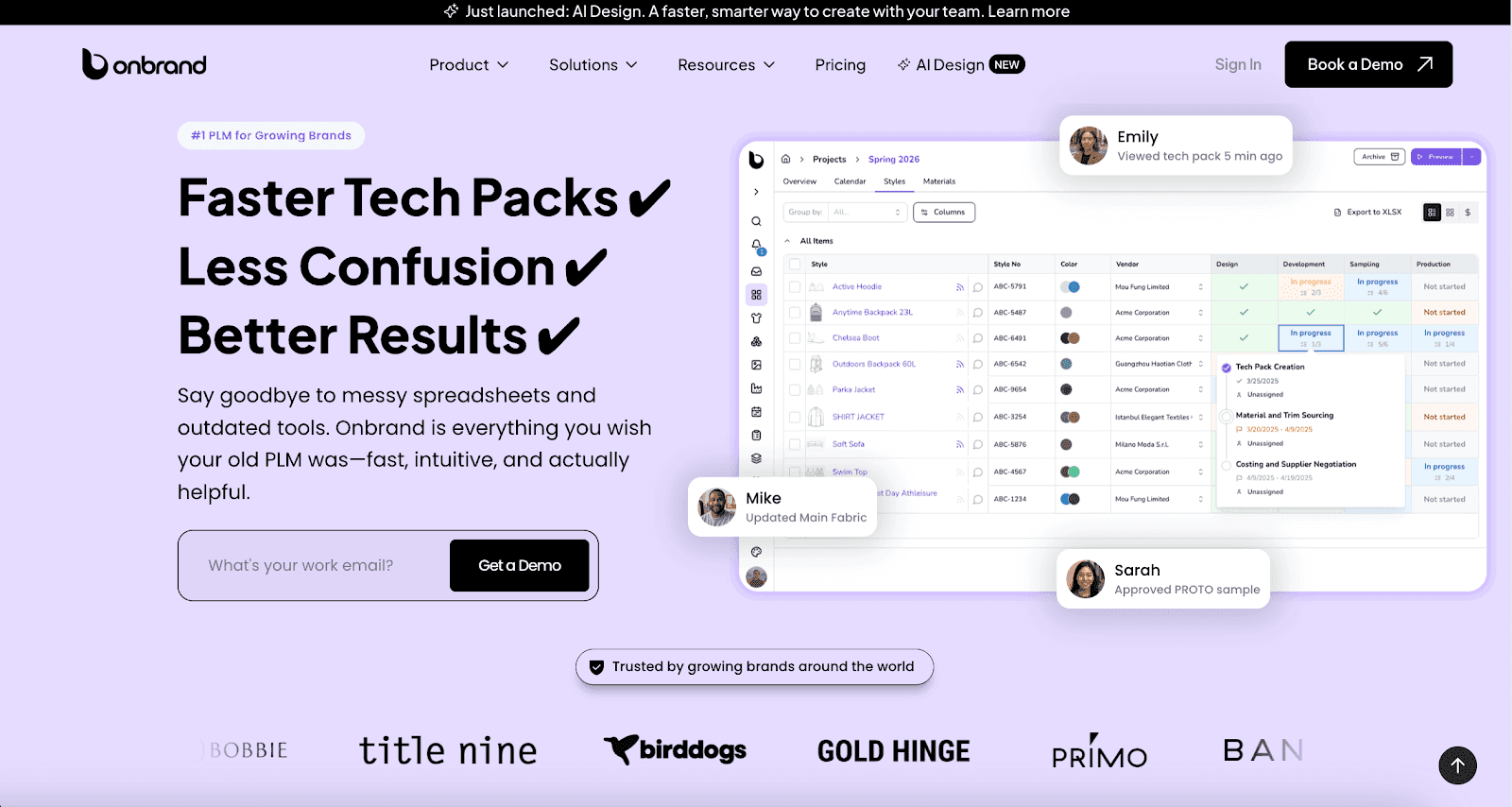
Teams gain a fast, intuitive system that supports clear development work without long configuration cycles or consulting-heavy setups found in legacy tools.
Key ways Onbrand PLM strengthens collaboration:
Live tech packs update in real-time, which keeps design, merchandising, and sourcing aligned without repeated files.
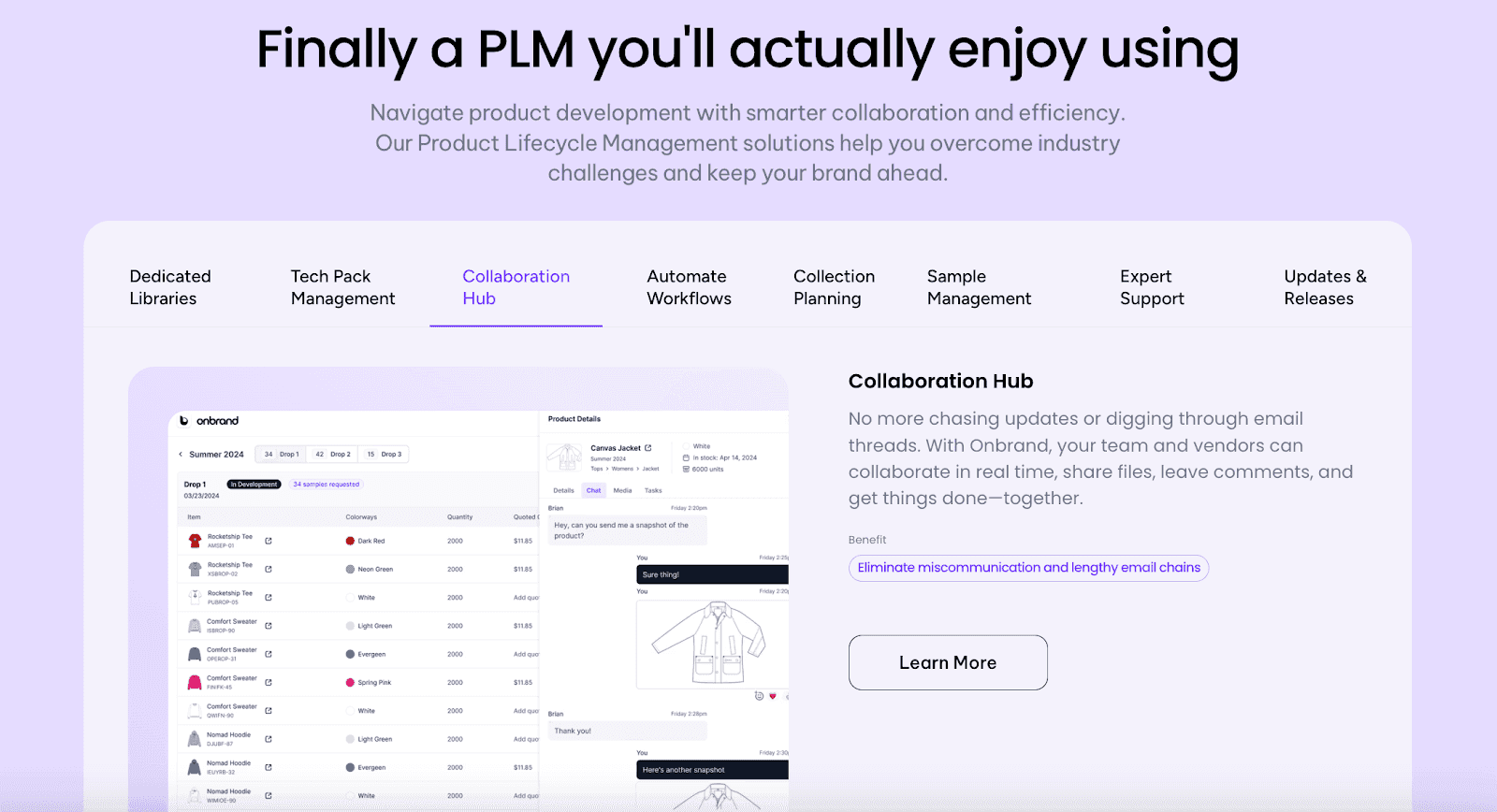
In-context comments and approvals help teams respond inside the product record, which cuts down on email threads and scattered feedback.
Simple vendor access allows factories to review samples, costs, and fit details inside the same record your team uses.
Project views show status by season, category, and collection, giving teams clearer visibility throughout the workflow.
Dedicated libraries organize materials, colors, artworks, and specs in one source of truth, which supports clean and consistent work.
Onbrand PLM stands out because it gives teams clarity without heavy consulting fees or rigid templates. The platform adapts to your workflow, removes messy spreadsheets, and cuts tech pack creation time by up to 50%.
Most teams launch within 2 to 4 weeks, with data migration and onboarding completed in days rather than months.
Onbrand AI Design – Collaborative Space For Early Creative Work
Onbrand AI Design creates a shared creative workspace where designers explore visual ideas and category managers shape early direction.
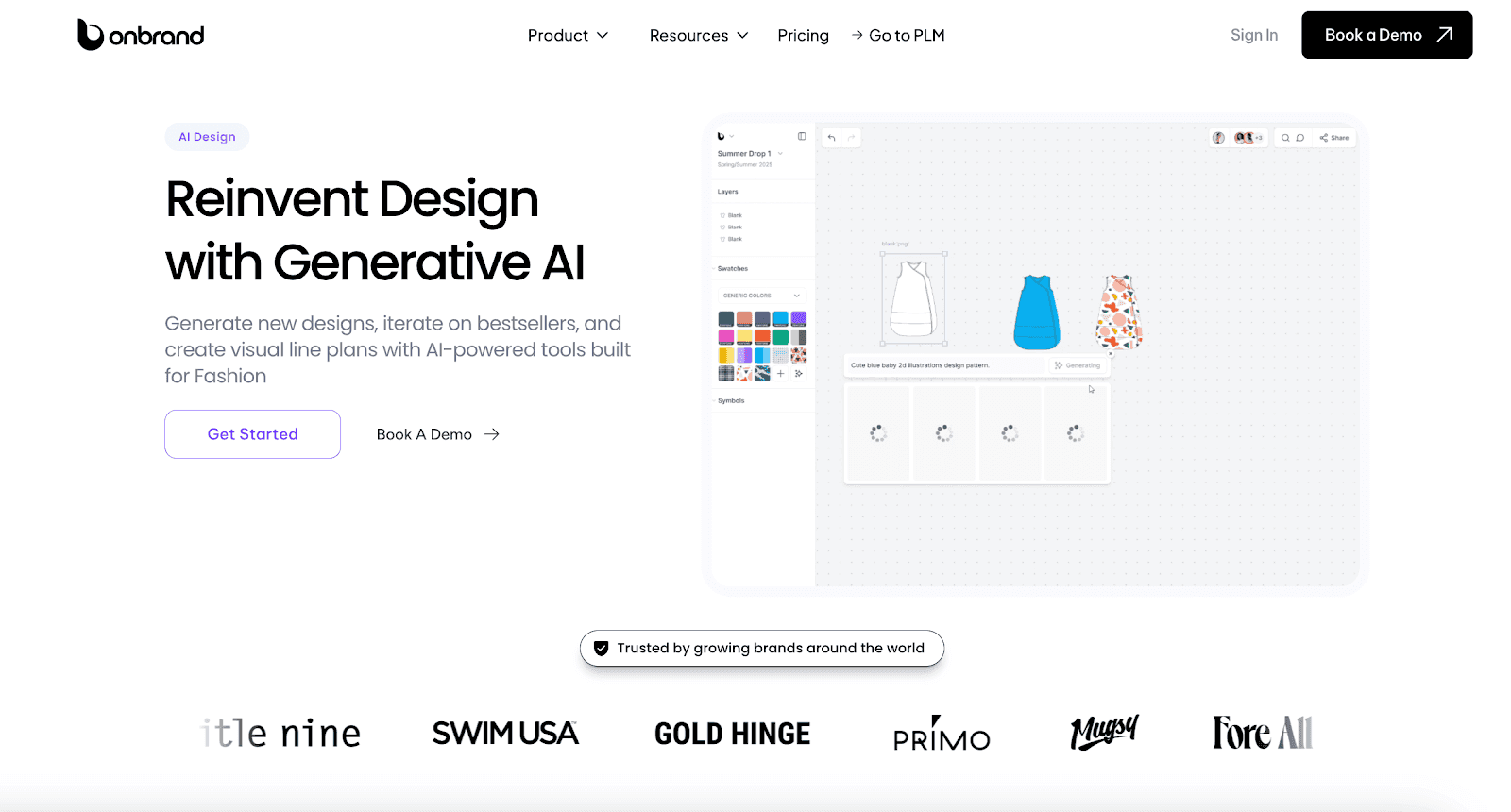
Teams build concept boards, test color ideas, compare garment variations, and review inspiration together without switching between disconnected tools.
Designers turn written ideas into visual options, organize inspiration, and adjust details before handing selected concepts into Onbrand PLM. Early clarity helps product development start with a stronger direction and fewer revisions.
AI Design and PLM work together to keep creative and product teams aligned from the first sketch through production. Creative work becomes easier to review, share, and bring into development, without scattered files or version confusion.
Help Your Team Stay Aligned With Onbrand’s Connected Workspace!
Effective collaboration shapes how smoothly each season comes together.
When teams rely on scattered tools, information gaps slow decisions and create extra work.
A shared workspace turns that complexity into clarity, which gives designers, developers, merchants, sourcing teams, and vendors one reliable place to move through each step with confidence.
Onbrand PLM brings that structure to everyday product development. Your teams get live tech packs, organized libraries, vendor access, and project views that keep work moving without confusion or repeat tasks.
And with Onbrand AI Design, early creative work moves smoothly into development with visuals and direction already in place.
If you’re ready to replace outdated tools with a platform built for modern fashion teams, Onbrand PLM gives you a clearer, faster way to build and scale collections.
Book a demo today and see how Onbrand can support your team’s workflow.
FAQs About PLM Collaboration
What does PLM stand for?
PLM stands for Product Lifecycle Management. It is a centralized approach to managing styles, materials, samples, approvals, and product data in one workspace. PLM helps teams improve visibility, strengthen document management, and reduce errors throughout development while keeping departments aligned.
What are the 5 phases of PLM?
The five common phases of PLM include concept, design, development, production, and launch. These phases help teams move ideas into finished products while keeping updates, tech packs, supplier input, and CAD systems connected through one structured process. Many fashion brands use PLM to standardize workflows between development and production teams.
What is PLM integration?
PLM integration connects your PLM platform with other tools your team already uses. This can include ERP platforms, CAD software, design tools, vendor portals, or analytics systems. Connected workflows help teams reduce manual work, improve project management, and keep information aligned between existing systems and other systems used throughout the business.
What is an example of PLM?
An example of PLM is a cloud platform that stores tech packs, manages changes, tracks samples, and keeps designers, merchants, sourcing teams, and vendors aligned. Fashion teams often use PLM platforms to support collaboration between various functions, improve visibility, and manage development more efficiently. Some modern platforms also use AI and machine learning to help teams organize product information and speed up repetitive tasks.
What is PDM vs PLM vs ERP?
PDM focuses on managing product files, revisions, and technical product data. PLM manages the full product lifecycle, including collaboration, sourcing, approvals, and production workflows. ERP focuses on broader business operations such as inventory, purchasing, finance, and order management. Many fashion brands connect these systems to keep product information consistent between development and operational teams.