8 Top AI Fashion Design Software in 2026

8 Top AI Fashion Design Software in 2026

Jan 8, 2026

ai fashion design software vector

AI is no longer just an experiment in the fashion industry. Many teams work under tight timelines, manage growing collections, and need to make early design decisions faster than ever.

When concepts remain unclear for too long, delays often show up later in fashion product development.

AI fashion design software helps teams bring structure to design and planning. These tools support concept exploration, visual variations, and alignment without adding more systems to manage.

In this article, you will learn which AI fashion design software tools fashion teams use most in 2026.

TL;DR

These are the top AI fashion design software tools fashion teams use in 2026:

  1. Onbrand AI Design

  2. CLO 3D

  3. Browzwear

  4. Style3D AI

  5. NewArc

  6. Refabric

  7. Fashable

  8. Raspberry

How Fashion Teams Use AI in the Design Process

Fashion teams use AI fashion design software to support decisions before work moves into product development.

During the first stages of the fashion design process, teams explore ideas, test directions, and build shared clarity across designers, developers, and sourcing partners.

AI tools shorten the time it takes to review multiple design directions by creating design variations and realistic renders that teams can review together.

This makes it easier to align on concepts before tech packs and physical samples come into play. Rather than replacing design skills, AI supports the creative process and gives teams more room to experiment.

These AI fashion tools also improve team collaboration by keeping design work connected to the design workflow.

When concepts stay aligned across teams, handoffs become smoother and production time becomes easier to manage.

Top 8 AI Fashion Design Software Tools for Fashion Teams

Not every AI design tool serves the same purpose. Some focus on visuals, while others support design work that connects directly to development and production. The list below highlights the tools fashion teams rely on most in 2026.

1. Onbrand AI Design

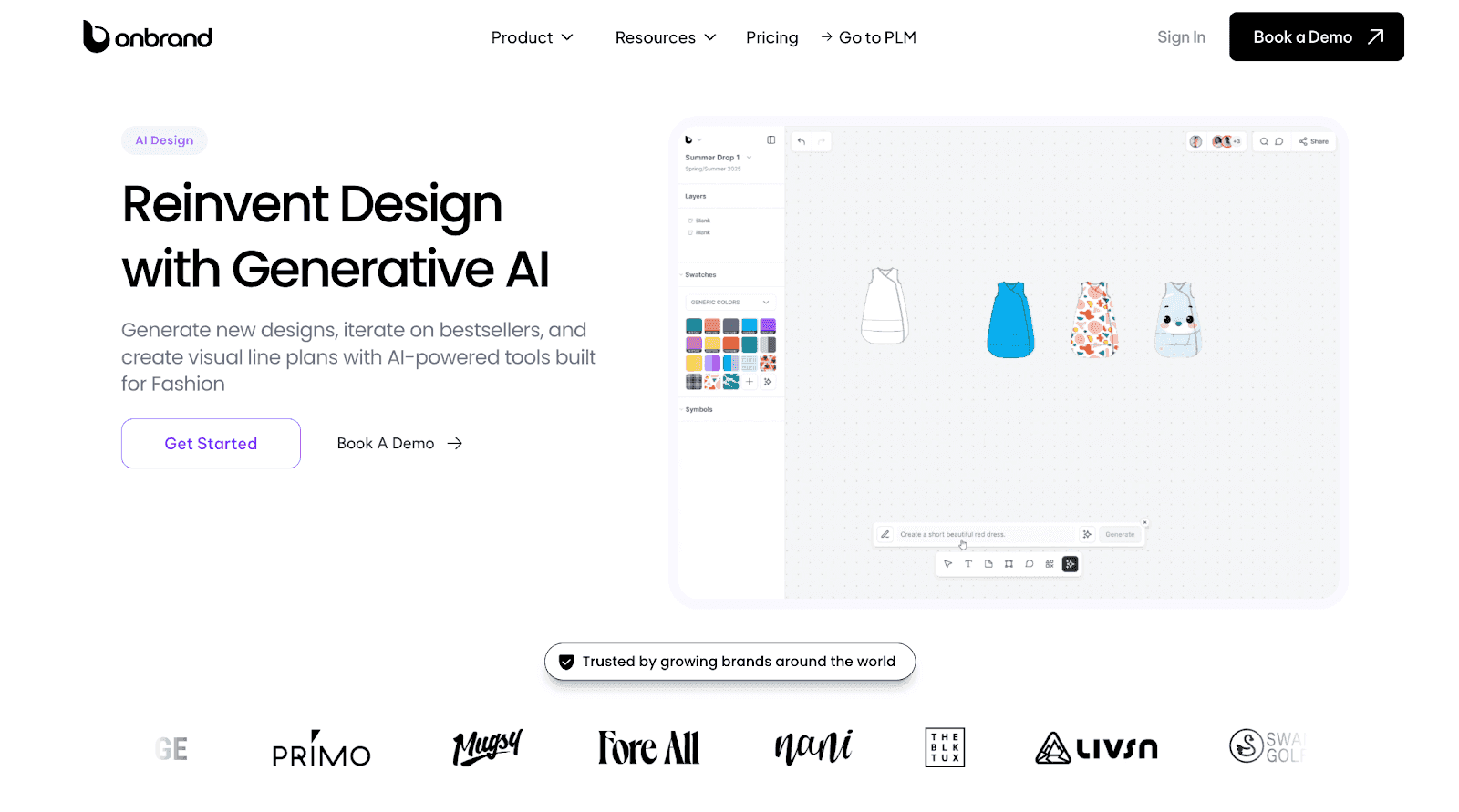
Onbrand AI Design brings AI design and PLM structure together in one fashion design platform built for real team workflows.

onbrand ai design

It supports concept creation, garment visualization, and alignment without breaking continuity between design and production.

Teams use it to explore new ideas, refine styles, and share assets before work moves into tech packs and sampling. Design files stay connected as styles progress.

Brands using Onbrand have seen 10× faster design cycles, 30–50% fewer physical samples, and over 10 weeks saved each year across development timelines.

Here’s how Onbrand AI Design supports early fashion design work at scale:

Generative Design From Text and Sketches

Start with a text prompt, a sketch, or a reference image to generate photorealistic design concepts. This helps designers move past the blank page and explore clear visual directions faster.

Realistic Fabric and Texture Visualization

Preview fabric types, textures, and finishes directly on designs. Teams can evaluate how materials look early, reducing guesswork and limiting the need for repeated physical samples.

Automated Sketches and Flat Outputs

Convert design concepts into technical sketches and flat visuals automatically. These outputs help teams align quickly before moving into detailed tech packs and development work.

Design Iteration With Layered Editing

Edit sleeves, trims, graphics, or silhouettes independently without rebuilding the design. This makes it easier to create variations, test updates, and fine-tune details during revisions.

Shared Editing and Feedback

Work in the same design file with teammates in real time through built-in PLM collaboration. Comments, edits, and approvals stay centralized, reducing version confusion and long feedback loops.

Organized Assets and Mood Boards

Collect inspiration images, color palettes, graphics, and references in one place. Mood boards help teams plan collections and maintain consistent brand direction.

Version Tracking and Rollback

Track every design change automatically and compare versions side by side. Teams can return to earlier iterations easily without losing progress or context.

Along with AI design, Onbrand PLM keeps approved concepts moving forward into tech packs, development, and production without exporting files across multiple systems. This shared foundation helps teams reduce rework and keep decisions aligned from early design through execution.

See how Onbrand AI Design and Onbrand PLM work together to support your full product development workflow. Book a demo to explore the platform in action.

2. CLO 3D

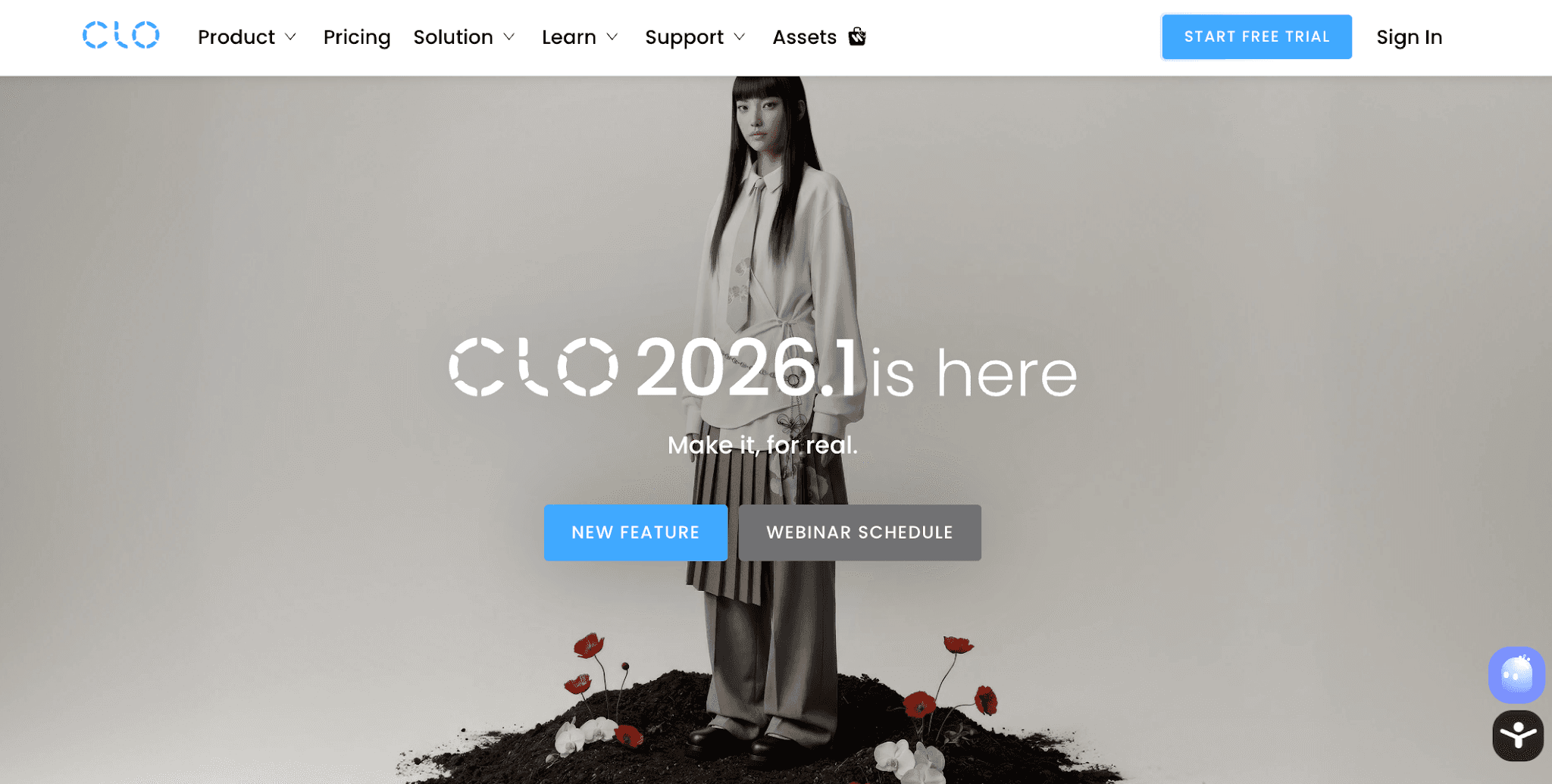
CLO 3D is a digital fashion design tool used by fashion designers and fashion brands to create and review garments in a 3D environment.


clo 3d

Source: clo3d.com

The platform focuses on garment visualization, allowing teams to see how designs fit and move before creating physical samples.

CLO 3D is commonly used during clothing design and before development begins to help teams test proportions, construction, and fit across different fashion models and body type variations.

It supports teams that want to reduce sample rounds and better visualize garments earlier in the entire design process.

Key features

  • 3D garment visualization - Create detailed 3D garments to review fit, construction, and proportions in a digital design environment.

  • Fabric and material simulation - Apply fabrics and textures to see how materials behave, helping teams assess drape and structure before sampling.

  • Virtual try-ons - Preview garments on different avatars to understand fit and sizing across multiple body types.

  • Pattern and construction tools - Build and adjust patterns digitally to support accurate garment development.

  • Team collaboration support - Share designs with teams for review and feedback during development stages.

3. Browzwear

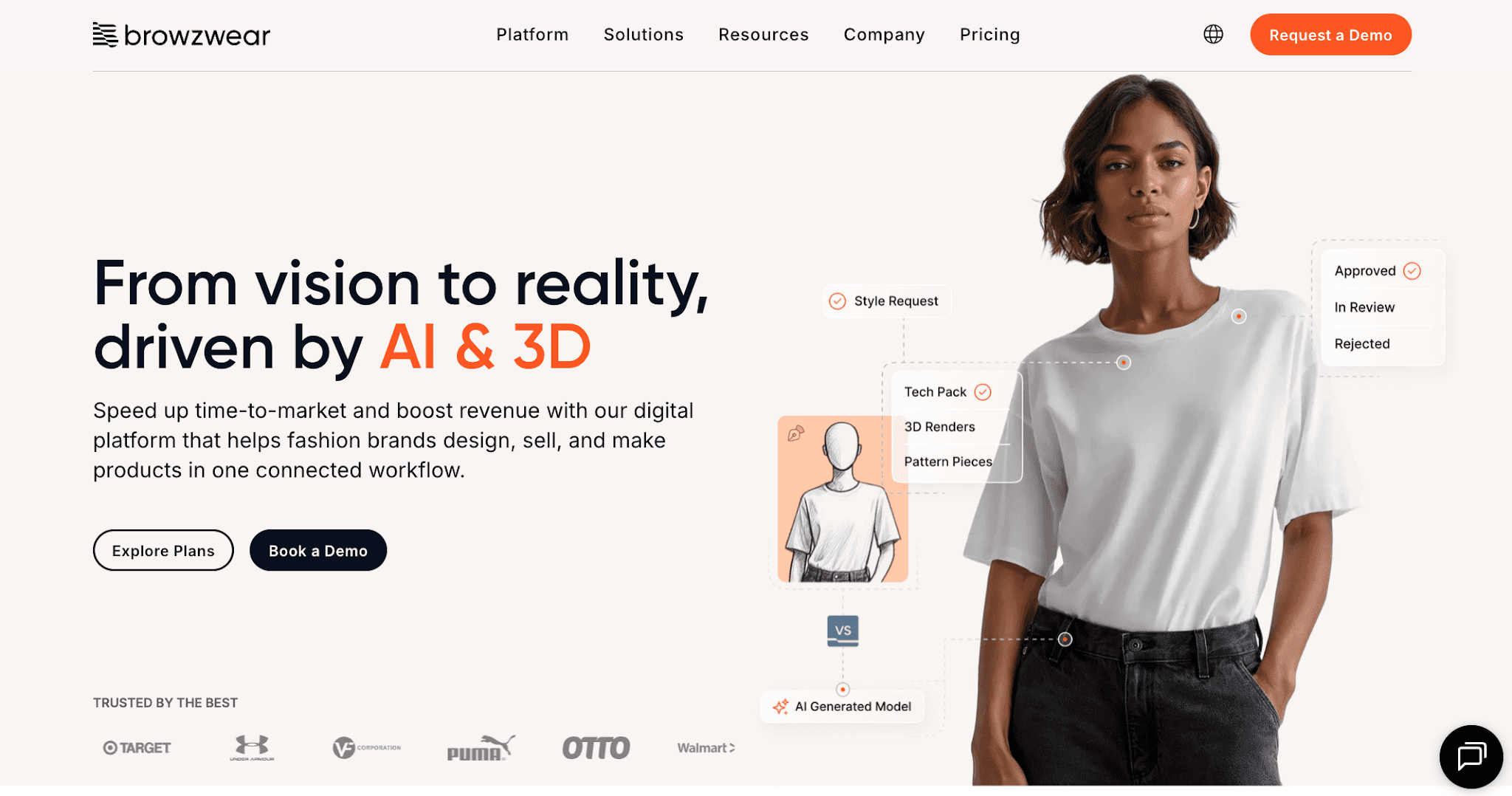
Browzwear is an AI-powered platform used by fashion houses and apparel teams to support clothing design through 3D visualization and digital workflows.


browzwear

Source: browzwear.com

The tool helps teams review garments digitally, test proportions, and assess materials earlier in the design phase.

Browzwear is often used to improve efficiency during fashion creation, reduce physical sampling, and support consistent brand identity across collections.

It fits teams that want clearer validation before production and supports common use cases like design reviews and internal approvals.

Key features

  • 3D garment visualization - Review fit, shape, and construction before physical samples.

  • Fabric and material simulation - Test drape and structure across different models.

  • Design review and collaboration - Share designs for feedback and alignment.

  • Digital prototyping workflows - Validate design changes earlier to reduce waste.

  • Development workflow support - Prepare designs for handoff into production.

4. Style3D AI

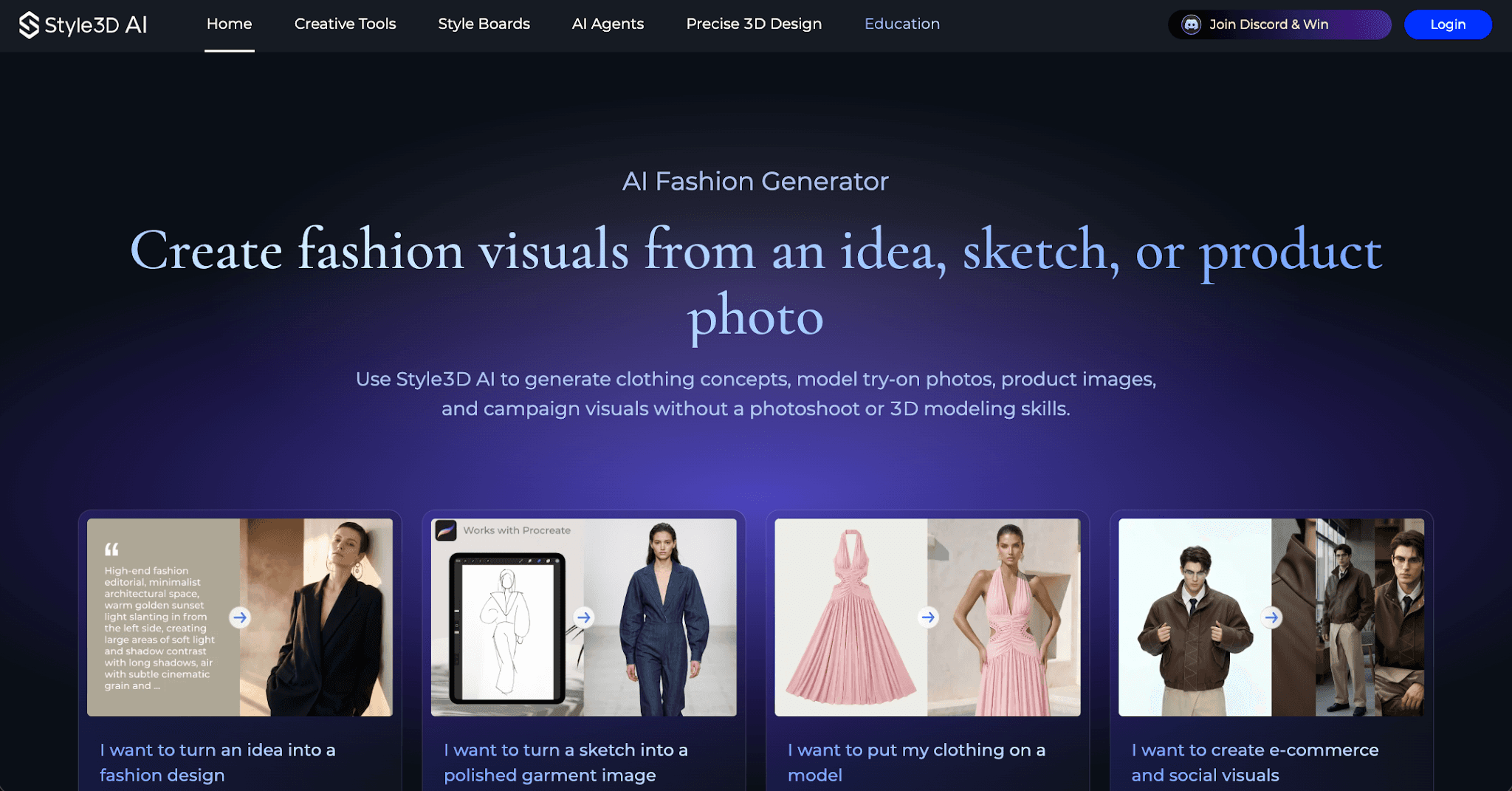
Style3D AI is a digital fashion platform that supports AI design, 3D garment visualization, and product development workflows.


style3d ai

Source: style3d.com

It helps fashion teams create digital garments, review fit and construction, and test materials before moving into physical sampling.

Style3D AI focuses on connecting digital design with development planning, making it useful for teams that want earlier visibility into how designs translate into production.

The platform supports teams working across design and development by keeping visual assets and garment data aligned as styles move forward.

Key features

  • 3D garment visualization - Create digital garments to review fit, structure, and proportions.

  •  Material and fabric simulation - Preview how different fabrics behave before sampling.

  • Digital pattern support - Build and adjust patterns as part of development.

  • Design iteration tools - Update designs and test variations without recreating files.

  • Workflow alignment - Keep design assets connected as work progresses toward production.

5. NewArc

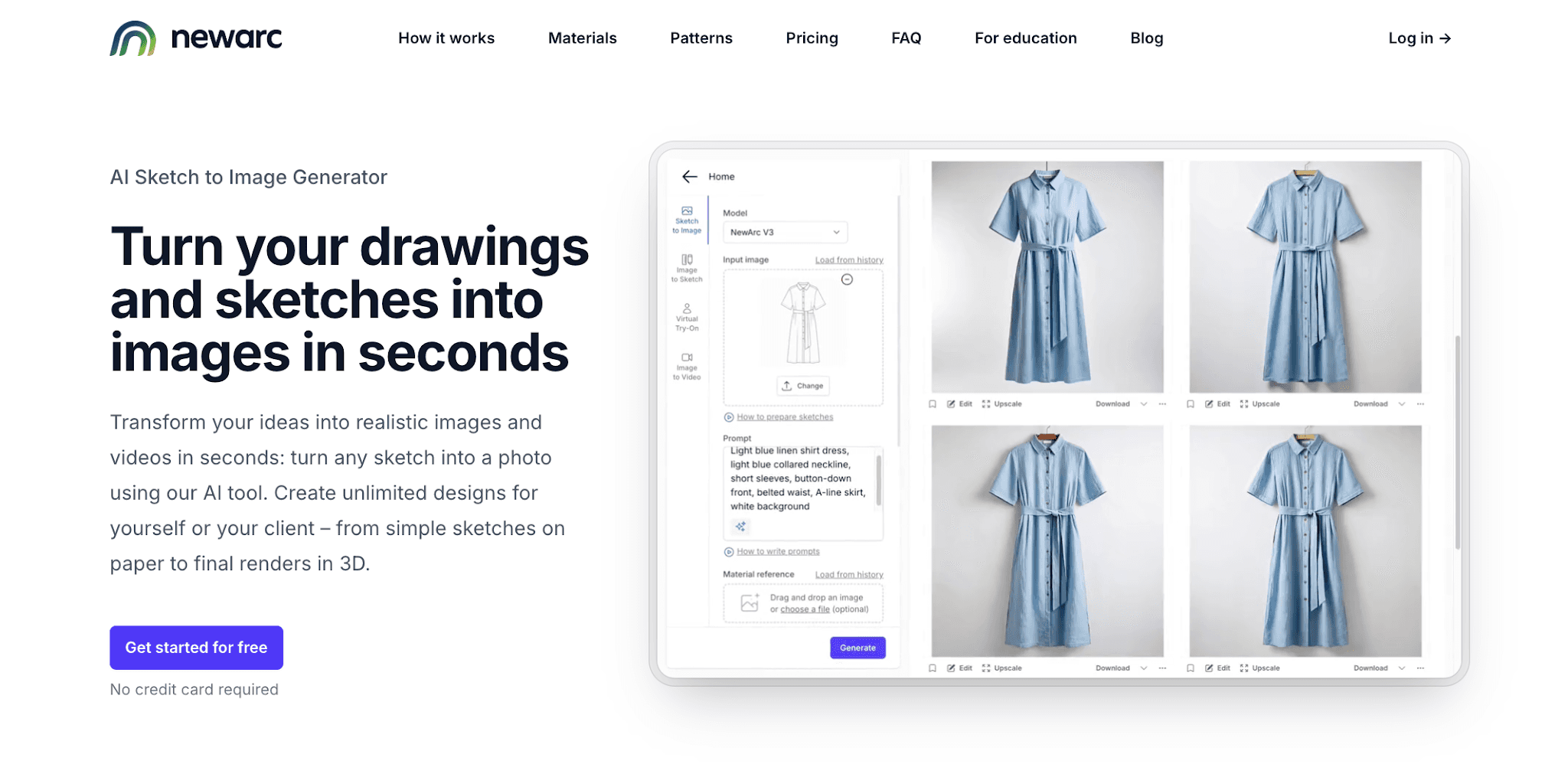
NewArc is an AI-powered platform that supports fashion creation by turning text inputs into visual design concepts.


newarc

Source: newarc.ai

It is often used by independent designers and small teams who want to explore new designs quickly without manual sketching.

The tool relies on generative AI and pre-trained AI models to produce images based on prompts, helping users test ideas, explore style preferences, and respond to fashion trends during early concept work.

NewArc focuses on speed and access rather than production-ready outputs, making it more suitable for ideation than full clothing development.

Key features

  • Text to image design generation - Create visual concepts for clothing design using text prompts that describe silhouettes, materials, or styles.

  • Style variation testing - Generate multiple design options to explore different looks and directions during ideation.

  • Prompt-based creative control - Adjust prompts to fine-tune outputs based on brand identity or aesthetic preferences.

  • Quick concept exploration - Support fast experimentation when testing ideas before deeper design work begins.

  • Downloadable concept outputs - Export generated visuals for use in presentations, mood boards, or internal reviews.

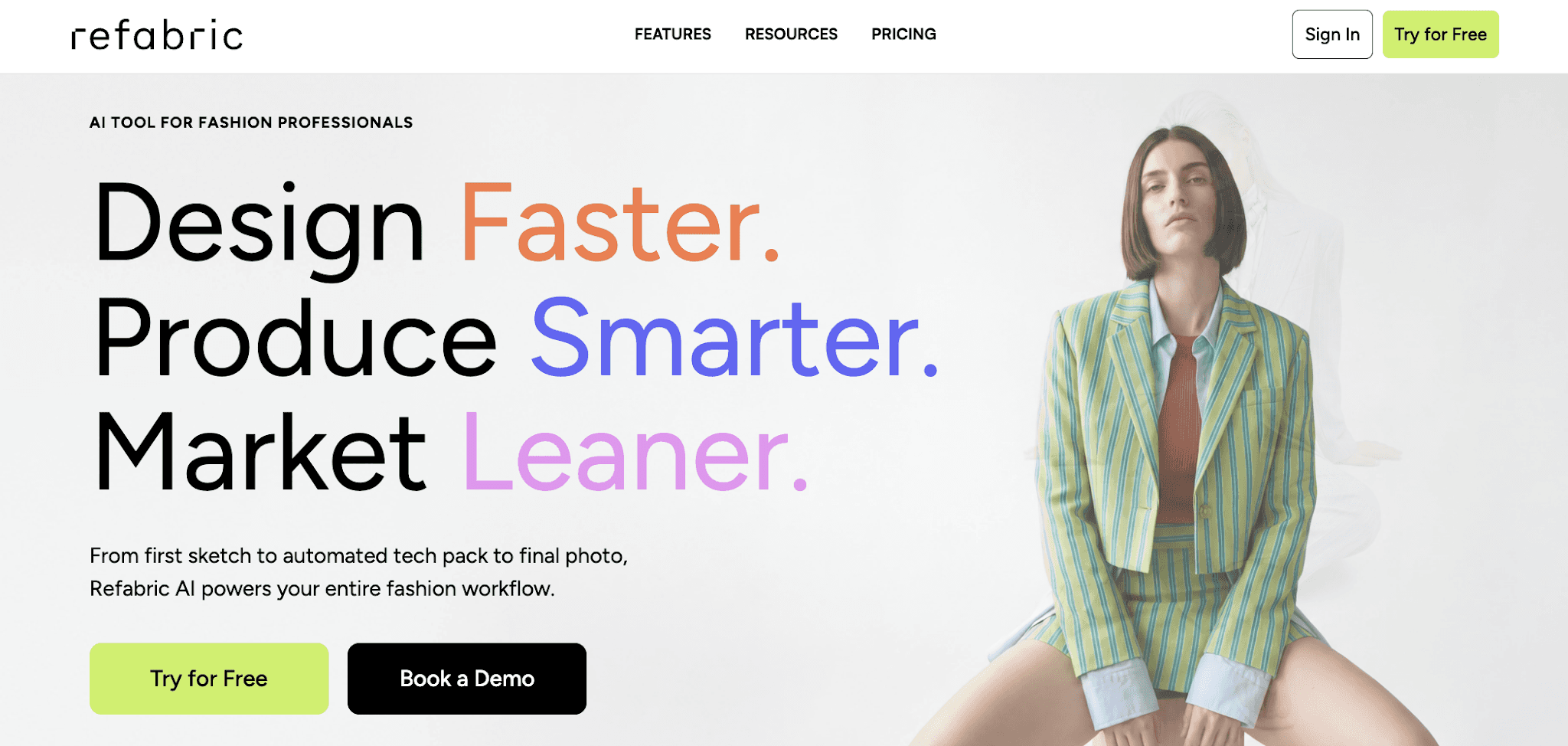
6. Refabric

Refabric is a fashion-focused platform that uses AI to support design work and visual content creation.


refabric

Source: refabric.com

It is commonly used by teams that want to generate images for product photography, concept validation, and marketing assets without producing physical samples.

Refabric focuses on visual outputs rather than full product development, making it more relevant for presentation, internal reviews, or sharing concepts with clients.

Its AI features support faster content creation during planning stages, especially for teams exploring new ideas or testing visual direction before committing to production.

Key features

  • AI-generated product visuals - Create realistic images that resemble product photography for concept reviews and presentations.

  • Visual content for marketing use - Support marketing needs by generating visuals before samples or final garments exist.

  • Concept validation support - Help teams assess visual direction and styling choices before moving further in development.

  • Asset creation for internal teams - Generate images that teams can use in decks, reviews, or planning discussions.

  • Early stage design focus - Suitable for visual exploration rather than detailed design or production workflows.

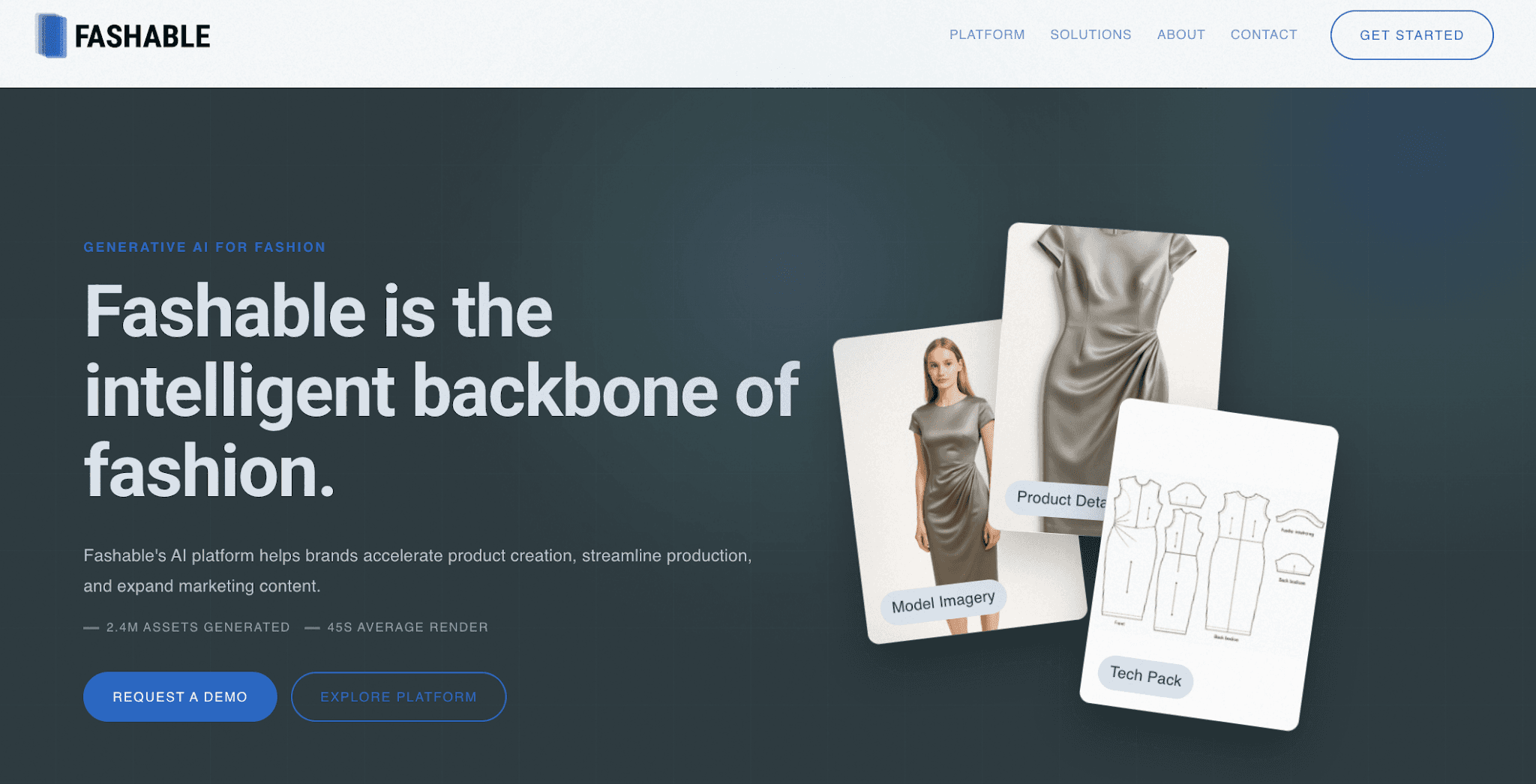
7. Fashable

Fashable is a fashion-focused platform that applies AI to trend research and market insight, rather than hands-on design creation.


fashable

Source: fashable.ai

It supports teams during early planning by analyzing fashion data to surface patterns, new styles, and shifts in consumer demand.

Fashion teams use Fashable to inform creative direction, assortment decisions, and long-term planning, especially when preparing future collections.

The platform is better suited for research and forecasting than for generating design assets or visuals.

Key features

  • AI-driven trend analysis - Analyze fashion data to identify trends and shifts in consumer demand.

  • Concept direction support - Provide insight that helps teams shape concepts and collections.

  • Data-driven forecasting - Support planning decisions by highlighting patterns across seasons and markets.

  • Research-focused workflows - Designed for teams that prioritize insight and strategy over hands-on design creation.

  • Early planning use cases - Suitable for informing direction rather than producing final design assets.

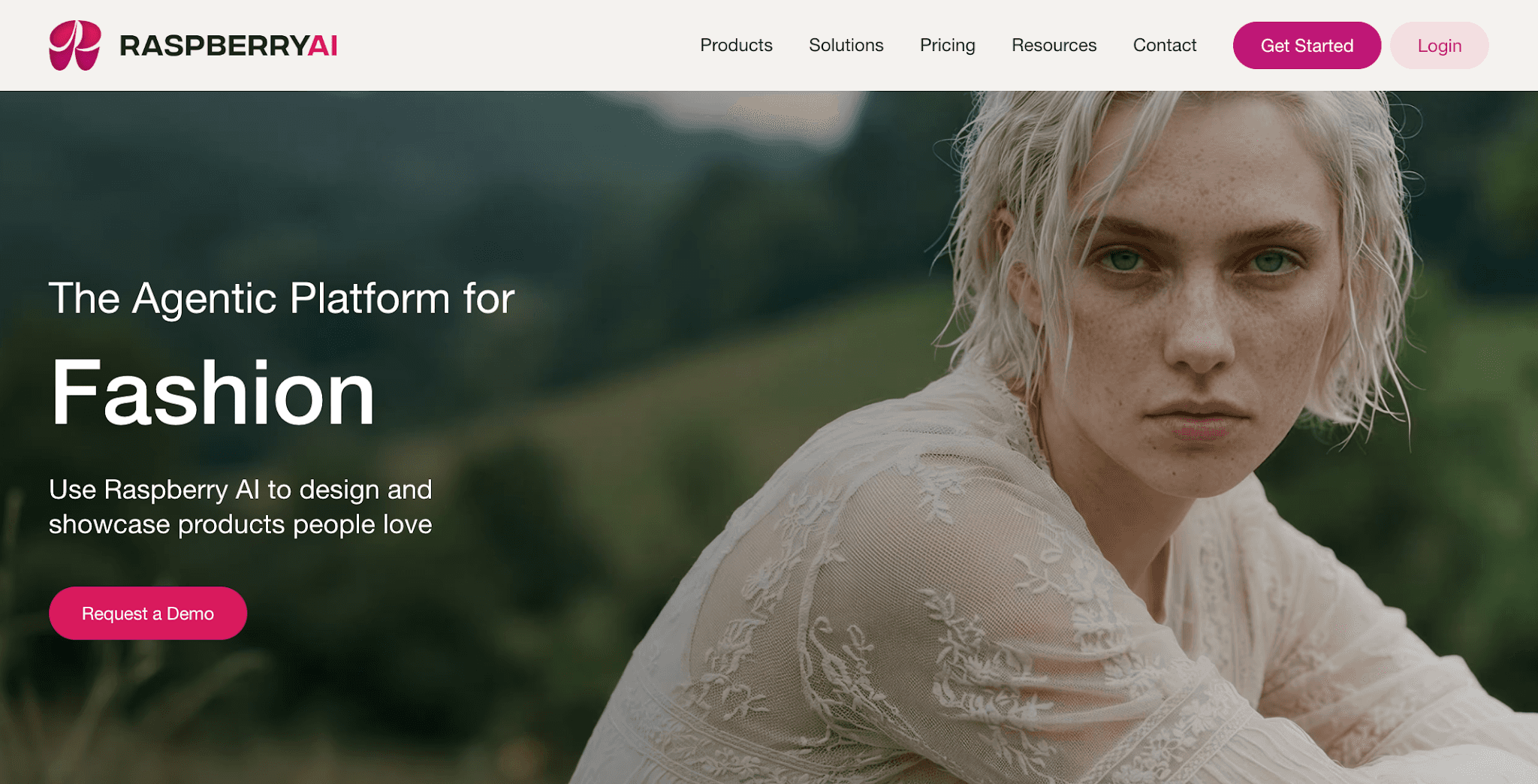
8. Raspberry

Raspberry is an AI-driven design platform used by fashion teams to create and adapt visual assets during design and content planning.


raspberry

Source: raspberry.ai

It is commonly used to generate product imagery, modify existing visuals, and prepare assets before physical samples or photoshoots are available.

Raspberry supports teams that need faster access to usable visuals for design reviews, line planning, or internal presentations.

The platform focuses on visual flexibility rather than full product development, making it more relevant for design support and content preparation within a fashion company.

Key features

  • AI-generated fashion visuals - Create garment images based on prompts or existing references to support design discussions.

  • Visual editing and adaptation - Modify colors, materials, or styling details without recreating designs from scratch.

  • Asset creation for internal use - Prepare visuals for reviews, planning meetings, or go-to-market discussions.

  • Support for pre-sample workflows - Reduce reliance on photoshoots by generating visuals before samples exist.

  • Design-focused use cases - Suitable for visual exploration rather than technical design or production workflows.

Where AI Fashion Design Software Fits Best in Fashion Teams

AI fashion design software delivers the most value when teams manage complexity, before work moves into production. It works best for fashion teams that need clarity and speed during design and planning.

These tools are especially useful for teams handling:

  • Large collections across multiple seasons

  • Tight development timelines with limited room for rework

  • Multiple designers, vendors, or external partners

  • Frequent design updates and revisions

For teams working at this scale, AI design can feel like a quiet game-changer in daily work life. It helps teams stay aligned, reduce unnecessary back and forth, and make decisions earlier, when changes are easier to manage.

AI fashion design software is less about replacing creative work and more about supporting teams as complexity grows.

AI design works best when it supports real handoffs. Request a demo to review how Onbrand supports design, development, and vendors in one place.

Why AI Design Tools Matter More When They Connect to Production

AI design tools are most useful when design work continues into development, not when it stops at visuals.

When concepts live in separate tools, teams often recreate designs for tech packs, samples, or vendor handoffs. This leads to duplicate files, missed updates, and confusion around which version is approved.

Early design decisions shape fit, materials, costing, and timelines. When those decisions stay connected to the same style record, teams keep context as work moves from design into development.

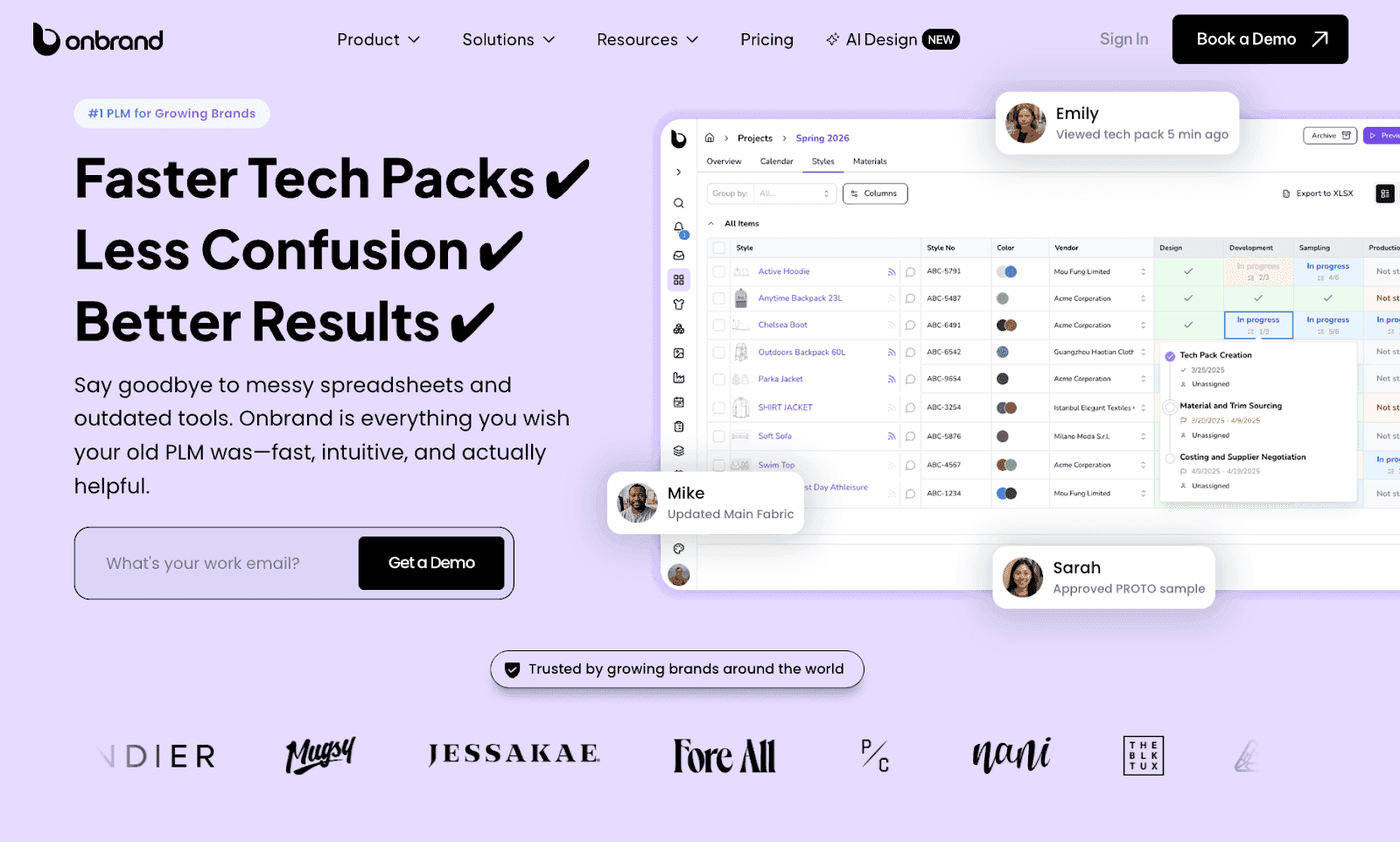
This is where tools like Onbrand PLM matter. Designs created in Onbrand AI Design stay tied to the same style in PLM, so references, comments, and approvals remain visible as teams build tech packs, manage samples, and communicate with vendors.

onbrand

This connection reduces rework during sampling and helps teams move forward without re-explaining decisions or rebuilding files.

Fashion teams see the most benefit when AI design supports the full path from concept to production. Designs stay usable, handoffs stay clear, and approvals happen with shared context.

Disconnected tools often lead to rework. Schedule a demo to review how Onbrand keeps design decisions tied to tech packs and samples.

Onbrand Sets the Standard for AI Fashion Design in 2026

onbrand

AI fashion design software works best when it fits into real fashion workflows, not when it adds another layer of tools to manage.

As collections grow and timelines tighten, teams need systems that support creativity while staying connected to development and production.

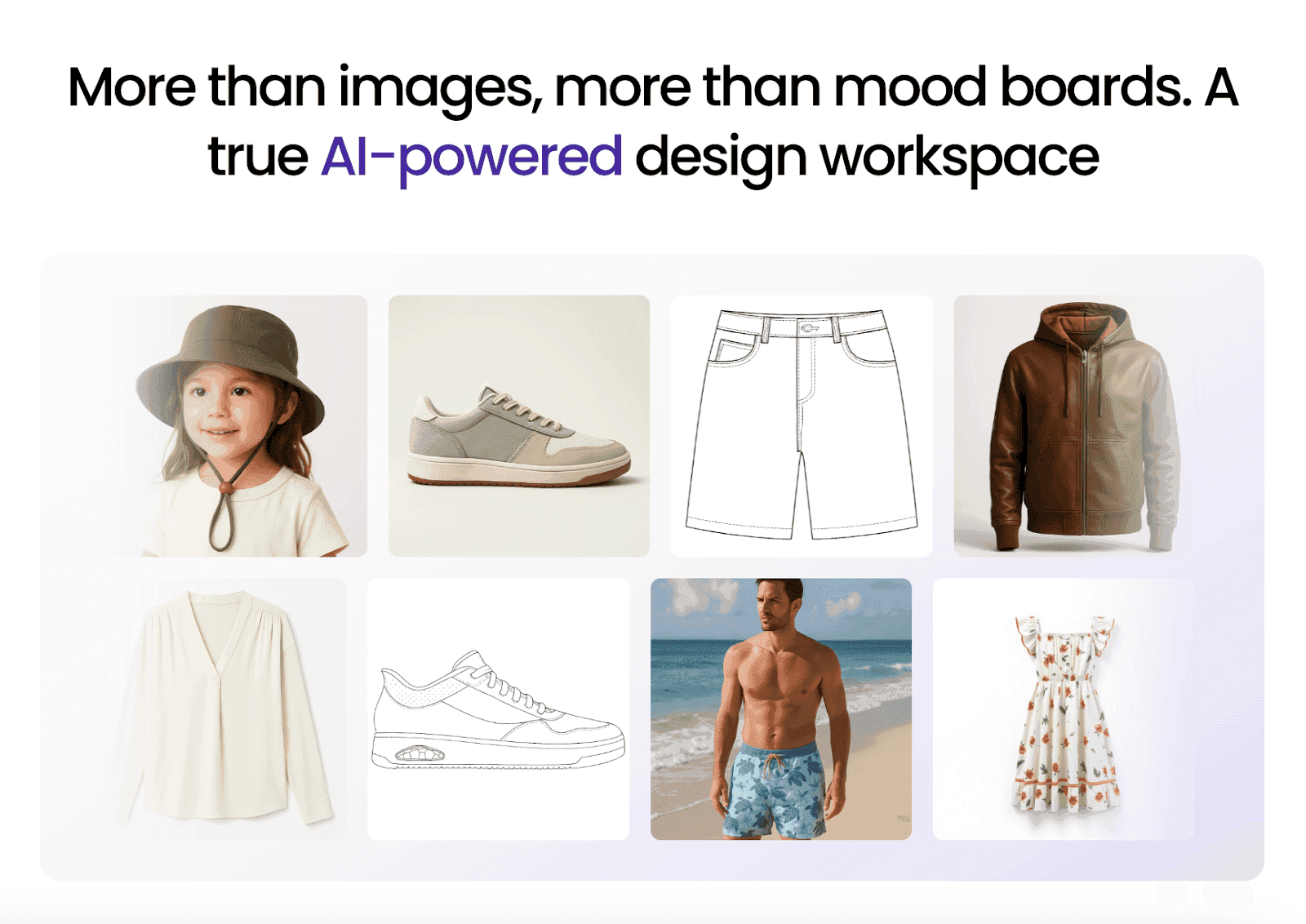
Onbrand stands out by bringing AI design and PLM together in one platform.

Design concepts move forward with clarity, decisions stay connected, and teams spend less time reworking ideas that should already be resolved.

If your team wants faster design without breaking alignment later, Onbrand makes that possible.

Book a demo to see how brands use Onbrand to move from concept to production with fewer handoffs and less rework.

FAQs About AI Fashion Design Software

What is the best AI for fashion design?

The best AI for fashion design depends on how far designs need to move beyond early concepts. Some tools focus on visual ideation, while others connect design work to development and production. Onbrand AI Design stands out for fashion teams because it combines AI design with PLM, helping teams move from concepts into tech packs and production without losing context.

Can I use AI to design clothing?

Yes, AI can support clothing design by helping teams generate concepts, explore variations, and review visuals. AI tools do not replace designers, but they support the creative process by speeding up exploration and alignment. Platforms like Onbrand AI Design are built for teams that want AI designs to carry forward into real product development workflows.

Is Outfit AI really free?

No, Outfit AI is not free. It operates on paid monthly plans that start at a basic tier and increase based on usage limits, output volume, and features. While some platforms offer free trials or limited previews, Outfit AI requires a subscription to generate AI images and access core functionality. It is designed as a paid tool rather than a free option for ongoing fashion or styling work.

Which AI is best for styling?

AI tools focused on styling are best suited for visual experimentation, outfit combinations, and inspiration rather than full clothing development. These tools help users test looks, explore aesthetics, and generate styled visuals, but they usually do not replace design systems used for tech packs, sampling, or production planning.

AI is no longer just an experiment in the fashion industry. Many teams work under tight timelines, manage growing collections, and need to make early design decisions faster than ever.

When concepts remain unclear for too long, delays often show up later in fashion product development.

AI fashion design software helps teams bring structure to design and planning. These tools support concept exploration, visual variations, and alignment without adding more systems to manage.

In this article, you will learn which AI fashion design software tools fashion teams use most in 2026.

TL;DR

These are the top AI fashion design software tools fashion teams use in 2026:

  1. Onbrand AI Design

  2. CLO 3D

  3. Browzwear

  4. Style3D AI

  5. NewArc

  6. Refabric

  7. Fashable

  8. Raspberry

How Fashion Teams Use AI in the Design Process

Fashion teams use AI fashion design software to support decisions before work moves into product development.

During the first stages of the fashion design process, teams explore ideas, test directions, and build shared clarity across designers, developers, and sourcing partners.

AI tools shorten the time it takes to review multiple design directions by creating design variations and realistic renders that teams can review together.

This makes it easier to align on concepts before tech packs and physical samples come into play. Rather than replacing design skills, AI supports the creative process and gives teams more room to experiment.

These AI fashion tools also improve team collaboration by keeping design work connected to the design workflow.

When concepts stay aligned across teams, handoffs become smoother and production time becomes easier to manage.

Top 8 AI Fashion Design Software Tools for Fashion Teams

Not every AI design tool serves the same purpose. Some focus on visuals, while others support design work that connects directly to development and production. The list below highlights the tools fashion teams rely on most in 2026.

1. Onbrand AI Design

Onbrand AI Design brings AI design and PLM structure together in one fashion design platform built for real team workflows.


onbrand ai design

It supports concept creation, garment visualization, and alignment without breaking continuity between design and production.

Teams use it to explore new ideas, refine styles, and share assets before work moves into tech packs and sampling. Design files stay connected as styles progress.

Brands using Onbrand have seen 10× faster design cycles, 30–50% fewer physical samples, and over 10 weeks saved each year across development timelines.

Here’s how Onbrand AI Design supports early fashion design work at scale:

Generative Design From Text and Sketches

Start with a text prompt, a sketch, or a reference image to generate photorealistic design concepts. This helps designers move past the blank page and explore clear visual directions faster.

Realistic Fabric and Texture Visualization

Preview fabric types, textures, and finishes directly on designs. Teams can evaluate how materials look early, reducing guesswork and limiting the need for repeated physical samples.

Automated Sketches and Flat Outputs

Convert design concepts into technical sketches and flat visuals automatically. These outputs help teams align quickly before moving into detailed tech packs and development work.

Design Iteration With Layered Editing

Edit sleeves, trims, graphics, or silhouettes independently without rebuilding the design. This makes it easier to create variations, test updates, and fine-tune details during revisions.

Shared Editing and Feedback

Work in the same design file with teammates in real time through built-in PLM collaboration. Comments, edits, and approvals stay centralized, reducing version confusion and long feedback loops.

Organized Assets and Mood Boards

Collect inspiration images, color palettes, graphics, and references in one place. Mood boards help teams plan collections and maintain consistent brand direction.

Version Tracking and Rollback

Track every design change automatically and compare versions side by side. Teams can return to earlier iterations easily without losing progress or context.

Along with AI design, Onbrand PLM keeps approved concepts moving forward into tech packs, development, and production without exporting files across multiple systems. This shared foundation helps teams reduce rework and keep decisions aligned from early design through execution.

See how Onbrand AI Design and Onbrand PLM work together to support your full product development workflow. Book a demo to explore the platform in action.

2. CLO 3D

CLO 3D is a digital fashion design tool used by fashion designers and fashion brands to create and review garments in a 3D environment.


clo 3d

Source: clo3d.com

The platform focuses on garment visualization, allowing teams to see how designs fit and move before creating physical samples.

CLO 3D is commonly used during clothing design and before development begins to help teams test proportions, construction, and fit across different fashion models and body type variations.

It supports teams that want to reduce sample rounds and better visualize garments earlier in the entire design process.

Key features

  • 3D garment visualization - Create detailed 3D garments to review fit, construction, and proportions in a digital design environment.

  • Fabric and material simulation - Apply fabrics and textures to see how materials behave, helping teams assess drape and structure before sampling.

  • Virtual try-ons - Preview garments on different avatars to understand fit and sizing across multiple body types.

  • Pattern and construction tools - Build and adjust patterns digitally to support accurate garment development.

  • Team collaboration support - Share designs with teams for review and feedback during development stages.

3. Browzwear

Browzwear is an AI-powered platform used by fashion houses and apparel teams to support clothing design through 3D visualization and digital workflows.


browzwear

Source: browzwear.com

The tool helps teams review garments digitally, test proportions, and assess materials earlier in the design phase.

Browzwear is often used to improve efficiency during fashion creation, reduce physical sampling, and support consistent brand identity across collections.

It fits teams that want clearer validation before production and supports common use cases like design reviews and internal approvals.

Key features

  • 3D garment visualization - Review fit, shape, and construction before physical samples.

  • Fabric and material simulation - Test drape and structure across different models.

  • Design review and collaboration - Share designs for feedback and alignment.

  • Digital prototyping workflows - Validate design changes earlier to reduce waste.

  • Development workflow support - Prepare designs for handoff into production.

4. Style3D AI

Style3D AI is a digital fashion platform that supports AI design, 3D garment visualization, and product development workflows.


style3d ai

Source: style3d.com

It helps fashion teams create digital garments, review fit and construction, and test materials before moving into physical sampling.

Style3D AI focuses on connecting digital design with development planning, making it useful for teams that want earlier visibility into how designs translate into production.

The platform supports teams working across design and development by keeping visual assets and garment data aligned as styles move forward.

Key features

  • 3D garment visualization - Create digital garments to review fit, structure, and proportions.

  •  Material and fabric simulation - Preview how different fabrics behave before sampling.

  • Digital pattern support - Build and adjust patterns as part of development.

  • Design iteration tools - Update designs and test variations without recreating files.

  • Workflow alignment - Keep design assets connected as work progresses toward production.

5. NewArc

NewArc is an AI-powered platform that supports fashion creation by turning text inputs into visual design concepts.


newarc

Source: newarc.ai

It is often used by independent designers and small teams who want to explore new designs quickly without manual sketching.

The tool relies on generative AI and pre-trained AI models to produce images based on prompts, helping users test ideas, explore style preferences, and respond to fashion trends during early concept work.

NewArc focuses on speed and access rather than production-ready outputs, making it more suitable for ideation than full clothing development.

Key features

  • Text to image design generation - Create visual concepts for clothing design using text prompts that describe silhouettes, materials, or styles.

  • Style variation testing - Generate multiple design options to explore different looks and directions during ideation.

  • Prompt-based creative control - Adjust prompts to fine-tune outputs based on brand identity or aesthetic preferences.

  • Quick concept exploration - Support fast experimentation when testing ideas before deeper design work begins.

  • Downloadable concept outputs - Export generated visuals for use in presentations, mood boards, or internal reviews.

6. Refabric

Refabric is a fashion-focused platform that uses AI to support design work and visual content creation.


refabric

Source: refabric.com

It is commonly used by teams that want to generate images for product photography, concept validation, and marketing assets without producing physical samples.

Refabric focuses on visual outputs rather than full product development, making it more relevant for presentation, internal reviews, or sharing concepts with clients.

Its AI features support faster content creation during planning stages, especially for teams exploring new ideas or testing visual direction before committing to production.

Key features

  • AI-generated product visuals - Create realistic images that resemble product photography for concept reviews and presentations.

  • Visual content for marketing use - Support marketing needs by generating visuals before samples or final garments exist.

  • Concept validation support - Help teams assess visual direction and styling choices before moving further in development.

  • Asset creation for internal teams - Generate images that teams can use in decks, reviews, or planning discussions.

  • Early stage design focus - Suitable for visual exploration rather than detailed design or production workflows.

7. Fashable

Fashable is a fashion-focused platform that applies AI to trend research and market insight, rather than hands-on design creation.


fashable

Source: fashable.ai

It supports teams during early planning by analyzing fashion data to surface patterns, new styles, and shifts in consumer demand.

Fashion teams use Fashable to inform creative direction, assortment decisions, and long-term planning, especially when preparing future collections.

The platform is better suited for research and forecasting than for generating design assets or visuals.

Key features

  • AI-driven trend analysis - Analyze fashion data to identify trends and shifts in consumer demand.

  • Concept direction support - Provide insight that helps teams shape concepts and collections.

  • Data-driven forecasting - Support planning decisions by highlighting patterns across seasons and markets.

  • Research-focused workflows - Designed for teams that prioritize insight and strategy over hands-on design creation.

  • Early planning use cases - Suitable for informing direction rather than producing final design assets.

8. Raspberry

Raspberry is an AI-driven design platform used by fashion teams to create and adapt visual assets during design and content planning.


raspberry

Source: raspberry.ai

It is commonly used to generate product imagery, modify existing visuals, and prepare assets before physical samples or photoshoots are available.

Raspberry supports teams that need faster access to usable visuals for design reviews, line planning, or internal presentations.

The platform focuses on visual flexibility rather than full product development, making it more relevant for design support and content preparation within a fashion company.

Key features

  • AI-generated fashion visuals - Create garment images based on prompts or existing references to support design discussions.

  • Visual editing and adaptation - Modify colors, materials, or styling details without recreating designs from scratch.

  • Asset creation for internal use - Prepare visuals for reviews, planning meetings, or go-to-market discussions.

  • Support for pre-sample workflows - Reduce reliance on photoshoots by generating visuals before samples exist.

  • Design-focused use cases - Suitable for visual exploration rather than technical design or production workflows.

Where AI Fashion Design Software Fits Best in Fashion Teams

AI fashion design software delivers the most value when teams manage complexity, before work moves into production. It works best for fashion teams that need clarity and speed during design and planning.

These tools are especially useful for teams handling:

  • Large collections across multiple seasons

  • Tight development timelines with limited room for rework

  • Multiple designers, vendors, or external partners

  • Frequent design updates and revisions

For teams working at this scale, AI design can feel like a quiet game-changer in daily work life. It helps teams stay aligned, reduce unnecessary back and forth, and make decisions earlier, when changes are easier to manage.

AI fashion design software is less about replacing creative work and more about supporting teams as complexity grows.

AI design works best when it supports real handoffs. Request a demo to review how Onbrand supports design, development, and vendors in one place.

Why AI Design Tools Matter More When They Connect to Production

AI design tools are most useful when design work continues into development, not when it stops at visuals.

When concepts live in separate tools, teams often recreate designs for tech packs, samples, or vendor handoffs. This leads to duplicate files, missed updates, and confusion around which version is approved.

Early design decisions shape fit, materials, costing, and timelines. When those decisions stay connected to the same style record, teams keep context as work moves from design into development.

This is where tools like Onbrand PLM matter. Designs created in Onbrand AI Design stay tied to the same style in PLM, so references, comments, and approvals remain visible as teams build tech packs, manage samples, and communicate with vendors.


onbrand

This connection reduces rework during sampling and helps teams move forward without re-explaining decisions or rebuilding files.

Fashion teams see the most benefit when AI design supports the full path from concept to production. Designs stay usable, handoffs stay clear, and approvals happen with shared context.

Disconnected tools often lead to rework. Schedule a demo to review how Onbrand keeps design decisions tied to tech packs and samples.

Onbrand Sets the Standard for AI Fashion Design in 2026


onbrand

AI fashion design software works best when it fits into real fashion workflows, not when it adds another layer of tools to manage.

As collections grow and timelines tighten, teams need systems that support creativity while staying connected to development and production.

Onbrand stands out by bringing AI design and PLM together in one platform.

Design concepts move forward with clarity, decisions stay connected, and teams spend less time reworking ideas that should already be resolved.

If your team wants faster design without breaking alignment later, Onbrand makes that possible.

Book a demo to see how brands use Onbrand to move from concept to production with fewer handoffs and less rework.

FAQs About AI Fashion Design Software

What is the best AI for fashion design?

The best AI for fashion design depends on how far designs need to move beyond early concepts. Some tools focus on visual ideation, while others connect design work to development and production. Onbrand AI Design stands out for fashion teams because it combines AI design with PLM, helping teams move from concepts into tech packs and production without losing context.

Can I use AI to design clothing?

Yes, AI can support clothing design by helping teams generate concepts, explore variations, and review visuals. AI tools do not replace designers, but they support the creative process by speeding up exploration and alignment. Platforms like Onbrand AI Design are built for teams that want AI designs to carry forward into real product development workflows.

Is Outfit AI really free?

No, Outfit AI is not free. It operates on paid monthly plans that start at a basic tier and increase based on usage limits, output volume, and features. While some platforms offer free trials or limited previews, Outfit AI requires a subscription to generate AI images and access core functionality. It is designed as a paid tool rather than a free option for ongoing fashion or styling work.

Which AI is best for styling?

AI tools focused on styling are best suited for visual experimentation, outfit combinations, and inspiration rather than full clothing development. These tools help users test looks, explore aesthetics, and generate styled visuals, but they usually do not replace design systems used for tech packs, sampling, or production planning.

Discover how Onbrand PLM can streamline your product development!

© 2024 onbrandplm.com. All rights reserved.