Sep 10, 2026
People usually start with ideas. A sketch. A piece they want to wear.
It starts off simple. There is inspiration, and you can already picture what the piece might look like. Turning that creative idea into real clothing feels exciting.
Then things get unclear.
How does that idea turn into something that can actually be worn? What comes after the sketch? How do you move from concept to a finished piece?
Fashion design has a long history, but it no longer feels out of reach. Today, anyone can start creating their own clothes.
Still, designing clothing follows a fashion design process used throughout the fashion industry. As designs grow and move toward production, it becomes harder to manage without structure.
This guide explains how to design clothes step by step, from the first idea to a finished garment.
TL;DR
Designing clothes follows a step-by-step process from idea to finished garment, including concept development, sketching, materials, fit, tech packs, sampling, and refinement.
To design clothes, start with an idea, create a sketch, choose fabrics, define measurements, build a tech pack, make a sample, and refine the design.
Common mistakes include skipping measurements, choosing the wrong fabric, and working with incomplete specifications, which can cause problems during sampling and production.
Onbrand helps connect design and production by keeping visuals, tech packs, and product data organized in one place.
What Does Designing Clothes Involve?
Designing clothing is more than coming up with ideas. It involves a series of decisions that shape how a garment will look, fit, and function.
The process includes:
Concept development
Sketching
Material selection
Fit and garment construction
Patternmaking
Each step builds on the last.
At the start, the work is highly creative. A designer develops the design language of the piece through its silhouette, proportions, colors, materials, and defining details. From there, those choices need to become practical enough for someone to make the garment.
That is why designing clothing is part of clothing product development. A sketch may show the intended look, but fabric choice, fit, and patterns determine how that idea works as an actual garment.
Design is not the same as styling or production. It sits between the initial concept and manufacturing, where creative decisions are translated into specifications that can be sampled and refined.
In the fashion industry, this stage sets the direction for the work that follows.
How to Design Clothes: Step-by-Step Guide
Designing clothes follows a step-by-step sequence, where each step builds on the last. Breaking it down makes it easier to move from an idea to something you can actually produce.
Step #1: Start With an Idea
Once you have an idea, the next step is to define what you are actually designing.
Start with direction. Think about the person who will wear the garment, the occasion, and the season it is made for. A dress for special occasions needs a different plan than everyday branded apparel or team uniforms.
The product itself also shapes the concept. Designing hats calls for different decisions than designing a jacket or another piece that needs to fit into a larger wardrobe.
Use inspiration to develop the concept, but do not stop there. Visual research can help you study colors, silhouettes, fabrics, and details from the fashion world. A simple fashion mood board can bring those references together and establish a consistent direction.
From there, define the basics:
Garment type
Purpose and wearer
Style direction
Main details
Clothing brand direction
Fit within a clothing collection
Before sketching, you should know what you are making, who it is for, and how the piece fits the direction of the project.
Step #2: Create Your First Sketch
Then turn that idea into something you can see.
A sketch helps turn your concept into something you can work with. It shows the shape of the garment and how its main features should look before anything is made.
Fashion sketches are not about perfect drawing. They are about communicating the idea well enough to develop it further.
Focus on:
The silhouette and proportions
Key design details that define the piece
Placement of graphics, prints, or a logo, if the design includes them
Sketching can be done on paper or on a computer using design software. You can draw it yourself, work with a fashion illustrator, or use reference images and digital tools to develop the visual.
You don’t need a polished sketch at this stage. A rough version is enough if it shows what the garment should look like and gives you something specific to develop.
Remember that the sketch is not final. It is a working version of the design that you can refine before moving into materials and measurements.
Step #3: Choose Fabrics and Materials
At this point, the design starts to take shape. The focus shifts from how it looks to how it will feel, move, and perform once the design is made in real fabric.
The fabric you choose can change the final garment. Cotton T-shirts, for example, move and wear differently from pieces made with knits or polyester blends.
Working with fabric samples or swatches helps you compare weight, texture, stretch, drape, and feel before making a decision. This makes it easier to choose a material that suits the design and intended use.
Think about surface treatments at this stage, too. If the garment includes embroidery, direct-to-garment printing, or direct-to-film printing, the fabric needs to work with the method you plan to use.
Other materials and accessories, such as buttons, zippers, trims, or labels, should also fit the garment's function and overall look.
Picking the right materials early can help prevent fit, construction, and finishing problems when you move into sampling.
Step #4: Define Measurements and Fit
With the design and materials in place, the focus shifts to fit.
A design can look good in a sketch, but it still needs to work on the body. Size, proportions, and movement affect how the garment feels when worn and how closely the sample matches the original design.
Start by identifying the measurements your specific garment needs. A piece with long sleeves may require sleeve length, armhole, cuff, and shoulder measurements. Pants need measurements around the waist, hips, rise, inseam, and leg opening.
The same principle applies to hoodies, sweatshirts, and jackets. Each has its own fit considerations depending on the intended silhouette, layering, fabric, and construction.
Avoid guessing measurements from the sketch alone. Record the dimensions you want before sampling so you have specific numbers to review when the first garment comes back.
These measurements give the next stage something practical to work from and make fit adjustments easier to document.
Step #5: Create a Tech Pack
Everything needs to be documented before the design moves into sampling.
A tech pack turns your design into instructions that a manufacturer, sample maker, or patternmaker can work from. It brings the specifications for the garment together in one place.
It usually includes the sketch, measurements, materials, construction notes, and finishing details. Some tech packs also include a bill of materials (BOM), which lists each component used in the garment.
Pattern information may also be referenced as the technical work develops. A patternmaker can use the measurements and technical specifications to draft patterns that translate the design into pieces that can be cut and assembled.
In that sense, the tech pack works as a communication tool between design and production. It gives everyone the same specifications to follow and provides a reference when questions or revisions come up during sampling.
Step #6: Make a Sample
The sample is the first physical version of your design.
At this stage, the garment is cut, sewn, and tested in real life. You can see how the piece looks, feels, and fits when worn, not just how it appeared in the sketch or tech pack.
This is especially useful when developing a custom item, since the sample gives you a physical version to compare against the measurements, materials, construction details, and fit you originally specified.
The first sample rarely matches the design perfectly. Fit issues may show up, or the fabric may behave differently once the garment is cut, sewn, and worn. That is normal.
Sample management helps you record what needs to change before the next version. Keep notes on fit, fabric, finishing, and assembly so each revision has specific feedback behind it.
A sample is not just proof that the design can be made. It gives you something physical to test and improve before the garment moves closer to production.
Step #7: Refine the Design
After reviewing the sample, changes begin.
Small issues become easier to spot once the garment is worn. The fit may need correction, materials may not perform as expected, or technical details may need adjustment.
Use the sample to identify specific changes, then update the measurements, materials, construction notes, or other specifications affected by them.
If you are working with trained professionals, their feedback can also help identify technical changes needed for the next version.
Refinement may take more than one round. Each new sample should address the issues found in the previous version and bring the garment closer to the intended design.
Keep a record of what changed and why. This makes it easier to compare versions, check if an issue was fixed, and avoid repeating changes that have already been tested.
Tools for Designing Custom Clothing
Different tools support different parts of the design process, so start with the type of work you need to do.
If you are creating custom clothing from scratch, sketching tools can help develop the silhouette, proportions, and details before you move into technical work. You can begin on paper or use digital software and learn at your own pace.
For custom clothes that need more development, digital fashion tools can help organize sketches, reference images, materials, and revisions. Some apps to design clothes also support pattern work and other product development tasks.
The tool you need can also depend on what you are creating. Someone designing custom shirts may have different requirements from a brand developing custom apparel or a customer creating personalized clothing.
As you move from designing your own custom clothing into sampling or production, look for tools that can carry the design information into the next stage.
Common Mistakes When Designing Clothes
Mistakes usually happen when parts of the process are skipped or rushed. Problems that start during design may not become obvious until sampling or production.
Skipping measurements is a common example. A garment may look right in a sketch, but inaccurate sizing can result in a sample that fits differently from what was planned.
Fabric choice can cause similar problems. Materials behave differently once they are cut and sewn, so choosing based on appearance alone may lead to issues with fit, drape, or assembly.
Incomplete specifications also create room for errors. If measurements, materials, or construction details are missing from the tech pack, a sample maker or manufacturer may have to interpret what the designer intended.
These mistakes can mean additional samples, material changes, and production revisions. That adds to upfront costs and can waste money before the garment is ready to sell.
Taking time to document and review each stage helps catch problems earlier, when they are usually easier to correct.
How to Start Designing Your Own Clothes
Getting started is often the hardest part, especially for beginners.
Start with one simple garment instead of jumping into a full collection. You might redesign a piece you already wear, create something for a specific occasion, or make a gift for someone.
A smaller project gives you a better chance of taking one design all the way from idea to sample.
Use something you already own as a reference. Look at how it fits, how it is constructed, and how the fabric behaves. Then decide what you want to change in your version.
It also helps to think about price points early if you eventually plan to sell the design. Fabric, trims, construction, and sampling choices can affect what the garment costs to make and the price it may need to sell for.
Focus on finishing one design before moving to the next. The first version does not need to be perfect. Review what worked, adjust what did not, and use what you learned when developing the next piece.
Designing your own clothes becomes easier when you learn by completing actual garments, not just collecting ideas.
From Design to Production (Where Teams Get Stuck)
Up to this point, you have an idea, specifications, and maybe even an approved sample. The shift happens when the design moves toward production.
The process now looks more like this:
The approved design and tech pack are finalized
Production quantities and costs are confirmed
Materials and manufacturing details are approved
The manufacturer receives the latest specifications
Production begins, and updates are tracked
At this stage, decisions also become commercial. A growing clothing line may need to confirm a supplier's minimum order, plan a bulk order, or decide if print on demand makes more sense for smaller quantities. As the brand develops a full range of styles, those decisions multiply.
This is also where product data management becomes important. Measurements, materials, costs, sample comments, approvals, and production updates need to stay connected to the right style and version.
When that information sits in separate files, teams can send outdated specifications to suppliers, miss revisions, or approve the wrong version. Production depends on keeping those handoffs organized as more styles and orders are added.
How Teams Keep Design and Production Aligned
Spreadsheets and shared folders can work early on. But as designs, revisions, and collections grow in depth, they become harder to manage.
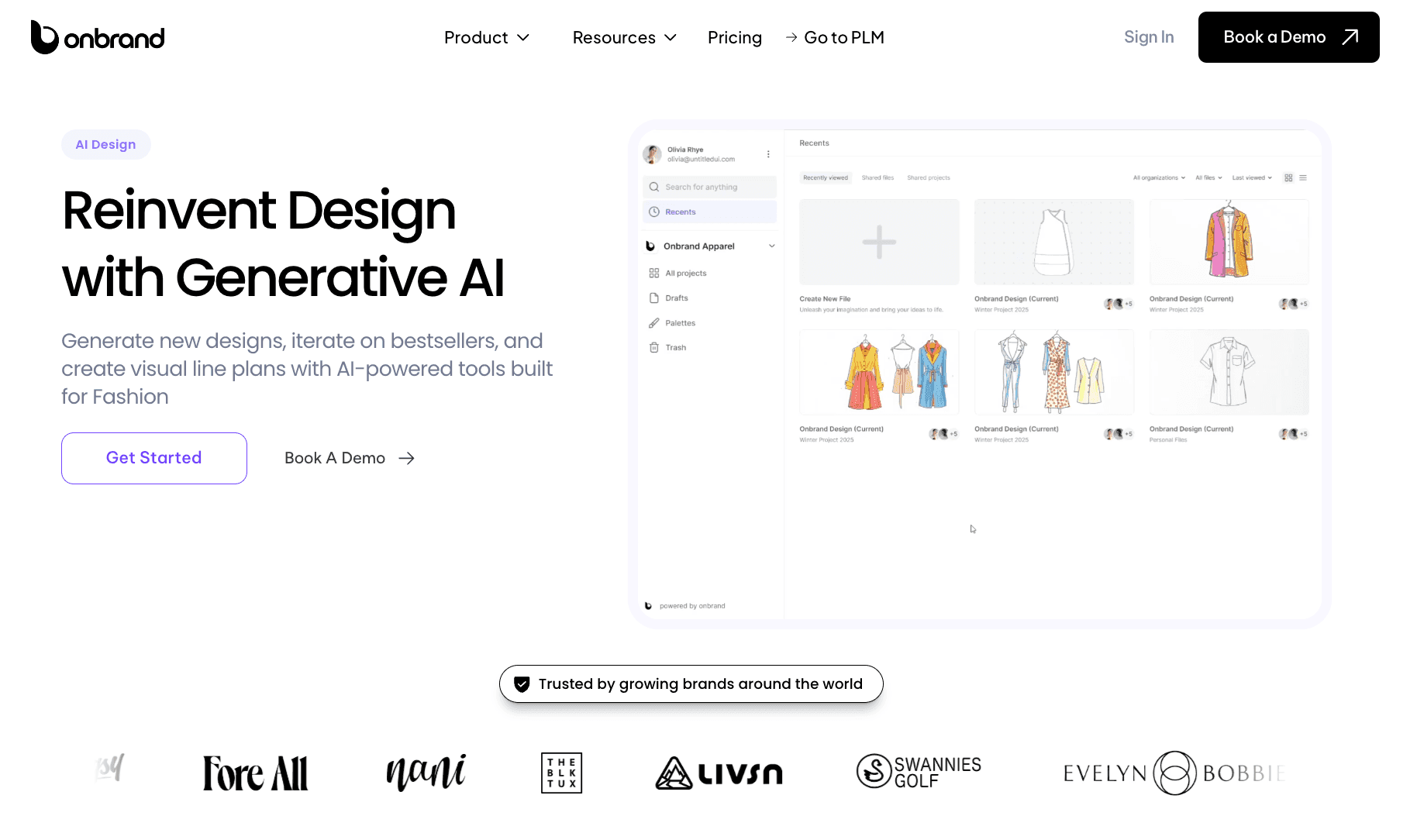
Onbrand AI Design helps teams move from early ideas into developed design work. Designers can turn prompts, sketches, or reference photos into new concepts, mockups, and visuals. They can also explore colorways, trims, cuts, and design variations before the style moves forward.
It also supports mood boards, visual line plans, shared feedback, and export into Onbrand PLM, so the work does not get stuck between design and development.
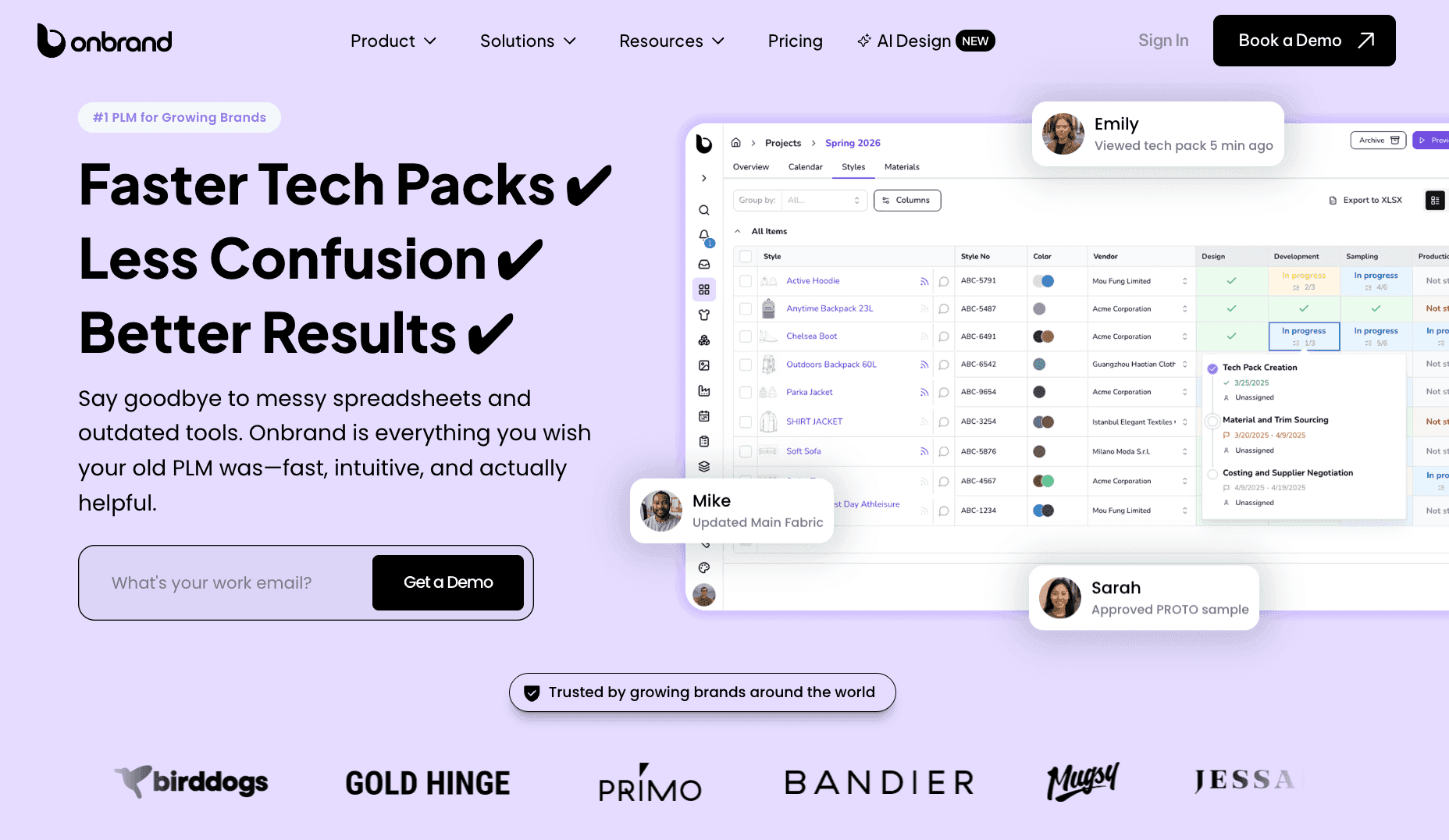
Onbrand PLM supports the next stage. It keeps tech packs, product data, specifications, samples, approvals, and updates in one place. You can work from live tech packs instead of sending old PDFs or spreadsheets back and forth.
That helps reduce version confusion, missed details, and repeat work.
With Onbrand, you can create tech packs 55% faster, cut development timelines by up to four weeks, and get up and running in as little as 10 days.
Together, Onbrand AI Design and Onbrand PLM connect the creative stage with product development. You can move from concept to tech pack to production with better visibility and fewer handoff issues.
Design Clothes Without the Back-and-Forth Using Onbrand
Designing clothes starts with an idea, but it works best when each step is organized and connected.
Sketches, fabrics, measurements, tech packs, and samples all build on each other. When one part is rushed or poorly documented, problems can show up later. When each step is handled properly, the process becomes easier to manage, and the results are more consistent.
The biggest change happens when you take one design all the way through. That is where real progress happens.
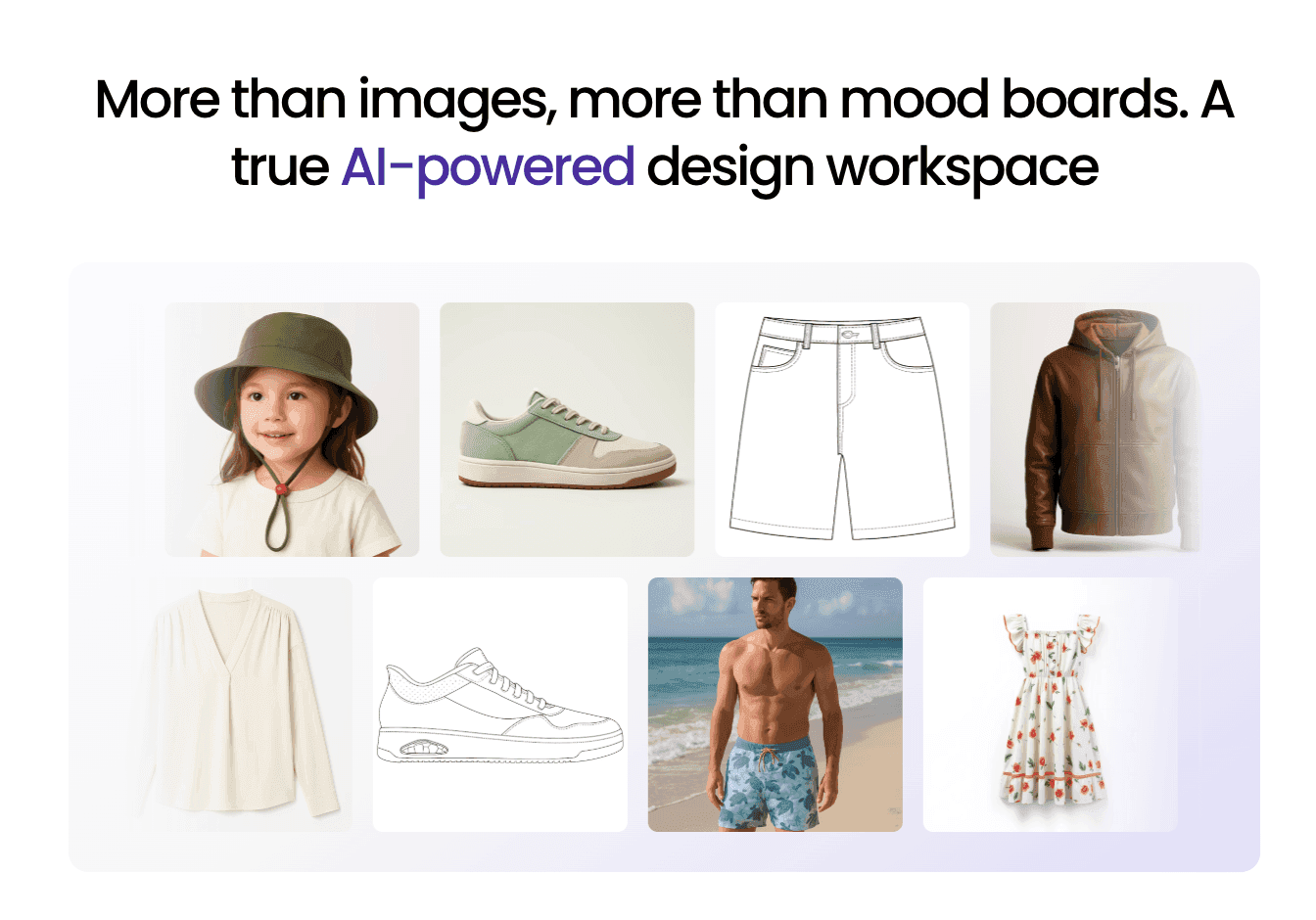
As designs move into development and production, keeping everything organized becomes just as important as the design itself.
Onbrand AI Design and Onbrand PLM help bring structure to that process, so you can move from concept to production without losing track of details or versions.
If you want to see how that works in your process, you can book a demo here.
FAQs About How to Design Clothes
What is the 3-3-3 rule for clothes?
The 3-3-3 rule is a styling method based on choosing three tops, three bottoms, and three pairs of shoes that can be mixed and matched. It is mainly used for wardrobe and outfit planning, not for designing or constructing clothes.
Do you need to know how to sew to design clothes?
No. Sewing knowledge can help you understand construction, but you do not have to sew every garment yourself. Many designers work with patternmakers, sample makers, and manufacturers who handle technical parts of development. Learning the basics can still help you create designs that are practical to produce.
How do you turn a clothing design into something you can sell?
Start by finalizing the design, specifications, sample, production method, and cost. Once the garment is ready to sell, you can list it through your own store, a marketplace, or a social commerce channel such as TikTok Shop. The sales channel comes after product development, but presenting accurate sizing, materials, photos, and product information can help new customers understand what they are buying.
Should you produce clothes in bulk or start with small quantities?
It depends on expected demand, production costs, and the supplier's minimums. A bulk order may lower the cost per piece and qualify for bulk order discounts, but it also requires more inventory upfront. Smaller runs can reduce that commitment when testing a new design. Group orders can also make sense for uniforms, events, clubs, or other designs where the quantity is known before production begins.
What do you need before selling a clothing design online?
Before selling online, you need a finished product, pricing, photos, sizing, and product information, plus a way to take and fulfill orders. Your setup may also include e-commerce integrations, optional pack-ins, or features described as Shop Connect, depending on the platform you use.

