May 7, 2026
Designing clothes today is about more than sketching ideas on paper.
As the process shifts toward digital work, fashion illustration, reference images, and product details are often managed in different tools, which can feel unfamiliar at first.
For growing brands, the challenge is not just creativity, but keeping work organized while managing the learning curve that comes with new systems.
Some apps focus on drawing. Others help turn a simple post into patterns, fit, or production details, even if some features may seem cool but not essential.
Knowing how these tools fit together helps teams move faster and stay aligned in a competitive fashion market.
This guide walks through the key steps of designing clothes, the main app categories, and how to set up a workflow that supports both creativity and production.
TL;DR
Apps to design clothes help fashion brands move from concept to production by connecting sketches, patterns, 3D visuals, and tech packs in one workflow.
The process follows clear steps: sketch ideas, create patterns, visualize in 3D, add technical details, build tech packs, and collaborate with teams and vendors.
Different app types support each stage, including sketching tools, pattern-making software, 3D design apps, fabric libraries, tech pack tools, and PLM platforms.
Onbrand AI Design combines generative design, 3D visualization, and PLM integration, helping teams work faster, reduce samples, and keep product data aligned.
What Is Digital Fashion Design?
Digital fashion design is the use of digital fashion tools to create clothing ideas on a screen instead of paper and pencil.
It gives fashion designers a direct way to sketch garments, refine details, and prepare files that connect smoothly to production needs.
These tools support important tasks such as drawing flat sketches, developing patterns, adjusting fit, and building 3D garments. Teams can review garment details before production with features like realistic fabric simulation and virtual sampling.
Designers can also customize color palettes, apply textures, and refine small details with a high level of customization.
Digital fashion design combines creativity with precision, helping fashion brands present stunning designs with clarity and confidence before moving to physical samples.
It supports both novice designers and professionals with a user-friendly interface that keeps every stage organized through a website and tools that support the future of fashion design.
How Design Apps Fit Into Your Workflow
Design apps connect creative ideas with production steps in a way that keeps work organized. Each tool has a role, so fashion designers and teams can move clothing ideas forward without losing important details.
In the fashion industry, this connection between creativity and production is what allows brands to move faster without sacrificing accuracy.
Sketch early concepts – Use a drawing app to capture inspiration, define the garment shape, and create a clearer direction before moving into development.
Create and adjust patterns – Pattern-making tools support sewing patterns, grading, and fit adjustments.
Visualize in 3D – 3D garment tools show how fabrics and accessories look in motion, giving clarity before physical samples.
Add technical details – Build technical sketches and import measurements, construction notes, and specifications.
Tech pack creation – Collect fabrics, trims, and specifications in one structured file that guides production partners.
Collaborate between teams – Tools improve organization by keeping designers, vendors, and product teams aligned through shared access and a central account.
Following these steps gives both novice designers and professionals a workflow that supports creativity while preparing garments for production with confidence.
Core App Types and What They Do
Design apps serve different purposes at each stage of the fashion design process.
Knowing what each type does helps teams choose the right app for their needs and combine tools into a workflow that supports both creativity and production.
Sketching Apps
Sketching apps give fashion designers the space to draw precise lines, define the garment figure, and explore clothing ideas on paper or on devices like the iPad mini, tablets, or Android devices.
Many include drawing tools, custom color palettes, and features for accessories, helping beginner designers and professionals capture inspiration quickly.
Some tools like Adobe Fresco and Tayasui Sketches offer accessible ways to start sketching, often supported by YouTube tutorials, especially for teams exploring early concepts.
Pattern Making Apps
Pattern-making software supports the development of accurate patterns, grading for different sizes, and adjustments for fit.
Technical designers rely on these tools to move clothing ideas into detailed templates that prepare garments for sewing instructions and later production stages.
3D Visualization Apps
3D fashion tools let teams build a 3D garment that shows how fabrics, trims, and custom color palettes work together.
Designers can test drape, fit, and proportions in real time, reducing the need for too many physical samples and helping fashion brands review new collections with more confidence and a clearer edge.
These tools support virtual sampling, which reduces material waste and limits the need for repeated physical prototypes.
Fabric And Trim Libraries
Fabric and trim libraries act as digital catalogs where teams can explore fabrics, textures, and accessories.
These resources support creativity and design accuracy, giving designers the ability to select materials that match inspiration and align with the latest fashion trends.
Tech Pack And Spec Tools
Tech pack and spec tools organize measurements, sewing instructions, fabrics, and accessories into structured files.
Technical sketches, pattern details, and other features are captured in one document, giving vendors clear directions and reducing errors during production.
PLM And Collaboration Platforms
PLM platforms act as a central hub where fashion brands, vendors, and technical designers can share details, track changes, and manage workflows.
They support collaboration between multiple departments, keeping information connected as new collections move through the fashion world.
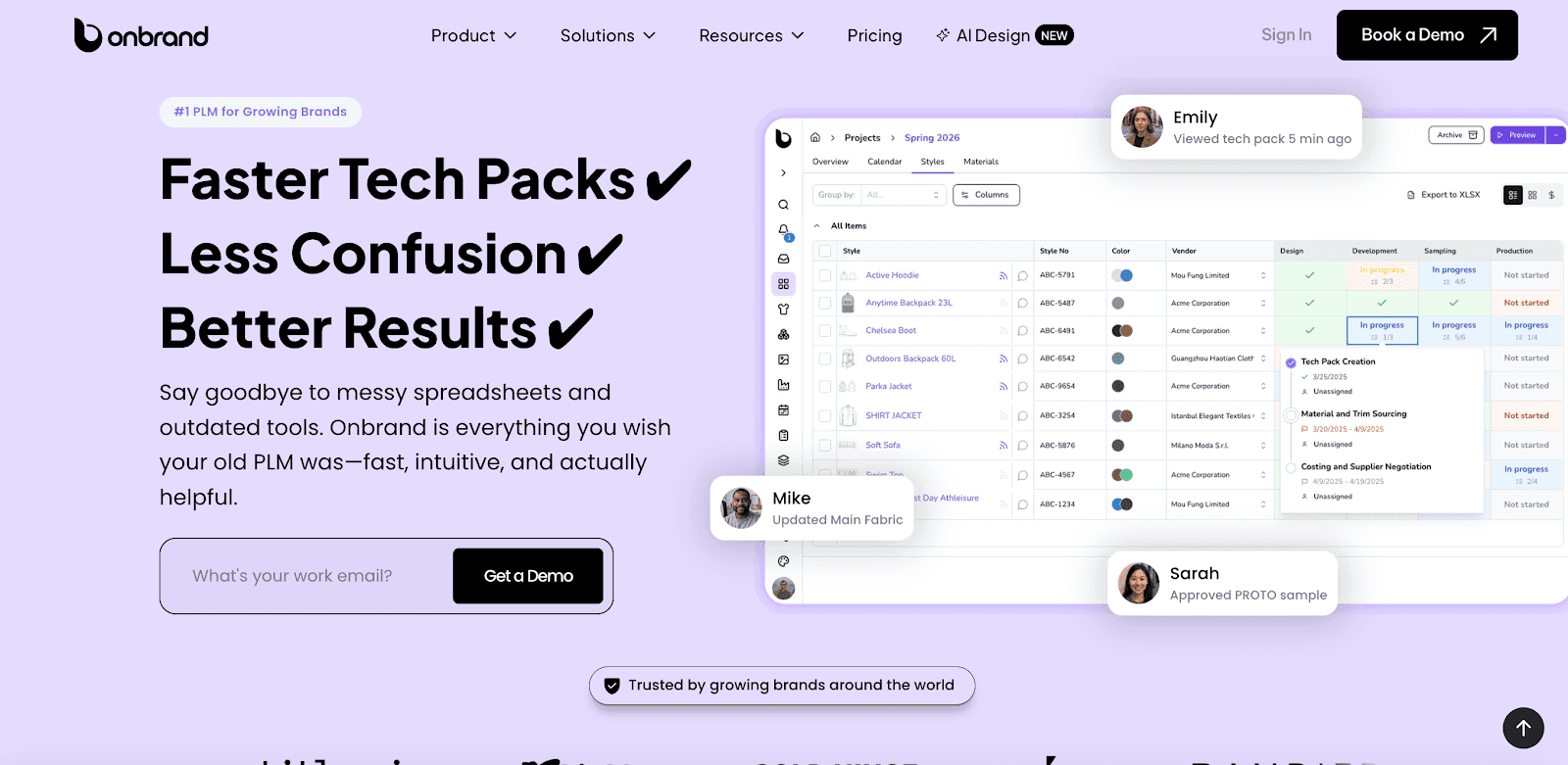
Modern solutions like Onbrand PLM give growing teams the ability to combine live tech packs, project management, and vendor communication in one workspace, helping work stay organized without adding complexity.
How To Pick the Best App for Your Clothing Line
Choosing the right app for your clothing line starts with understanding what your team needs most and what feels familiar to use.
Every fashion brand works differently, so the right choice depends on your priorities, skills, and workflow.
Start by looking at team roles. Sketching apps are valuable for designers exploring clothing ideas, while pattern-making software supports technical work that requires precision.
If your process depends on visual clarity, a tool with 3D garment features can help before moving to samples.
File compatibility is another important factor. Check if the app exports flat sketches, technical sketches, or patterns in formats that align with your production partners. Many professionals still use Adobe Illustrator, so working with a design app that supports Illustrator files can help keep life easier across departments.
Budget is also part of the decision. Some apps offer a free app version or limited drawing tools, while others provide paid options with advanced features.
Consider what supports your creativity and workflow without adding tools you will not use. The right app should feel intuitive and help your team stay organized, not just look awesome at first.
Onbrand AI Design: A Smarter Way to Design Clothes
Onbrand AI Design gives fashion designers a new way to create with speed and clarity.
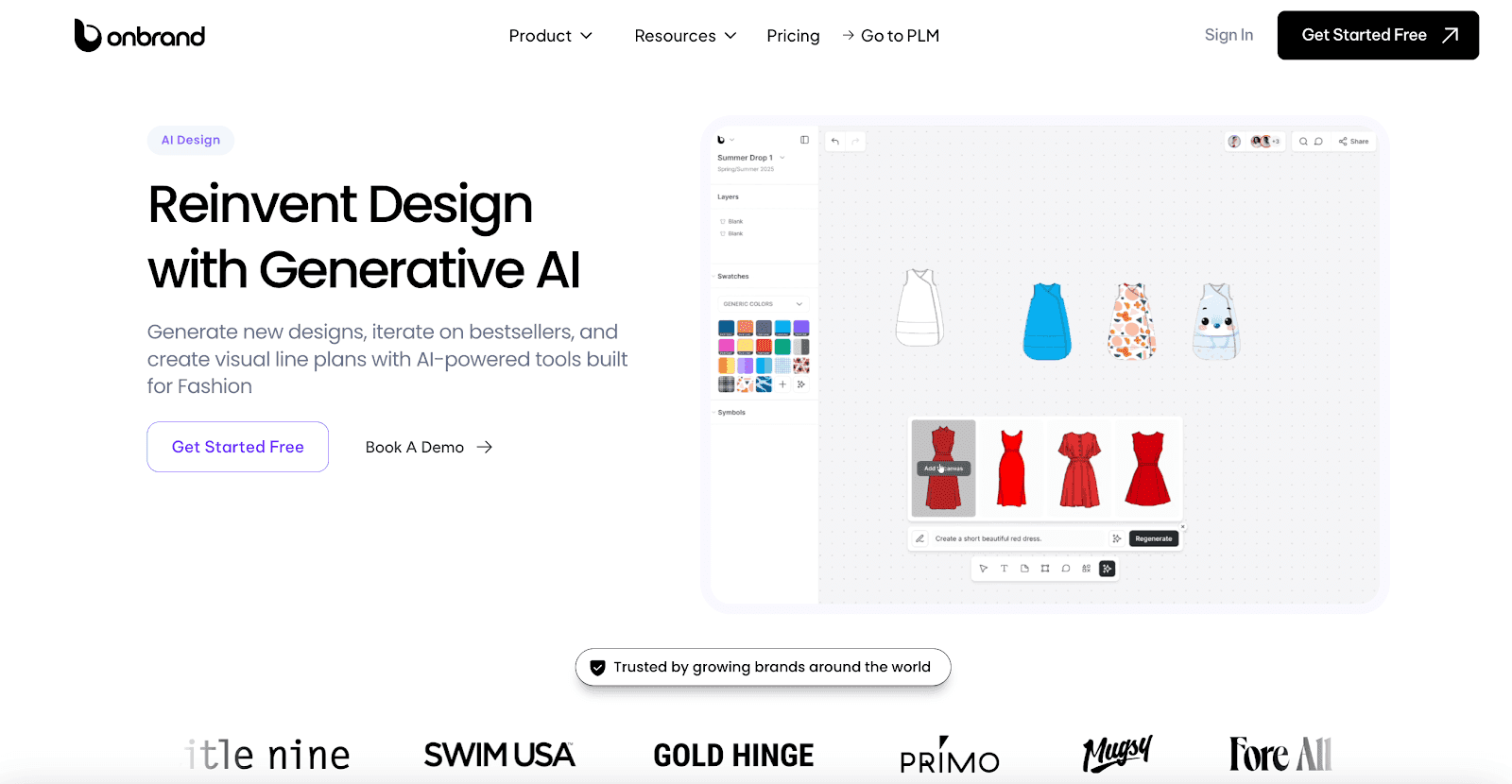
Instead of managing disconnected drawing tools or relying only on physical samples, teams can generate sketches, mockups, and photoreal visuals in one collaborative workspace. The result is a faster, more organized workflow that keeps ideas moving forward.
Growing fashion brands save time by turning text prompts, sketches, or reference photos into fresh clothing ideas within seconds. Variations are easy to explore. Different cuts, colorways, or trims can be tested without slowing down the design cycle.
With real-time previews and 3D garments, teams review designs earlier, often saving 10+ weeks each year in their development calendar.
Collaboration also improves with shared canvases, version history, and direct integration with Onbrand PLM. Designers, merchants, and vendors stay aligned, which reduces miscommunication and shortens feedback loops.
Many teams using Onbrand report design turnaround times up to 10x faster, while also saving $1,000s on external resources that would normally be spent on mockups and samples.

Key Features of Onbrand AI Design
Generative image creation – Turn text prompts, sketches, or photos into photorealistic clothing ideas.
Automated color palette generation – Build custom colorways with Pantone and Coloro support.
Intelligent fabric and texture simulation – Render realistic fabric types and surface detail.
3D garment simulation – Preview fabrics, textures, and drape on virtual models.
Automated technical sketch creation – Generate flat sketches and spec-ready visuals instantly.
Layered design elements – Edit sleeves, graphics, and panels independently.
Real-time co-editing and version history – Collaborate live, compare changes, and roll back if needed.
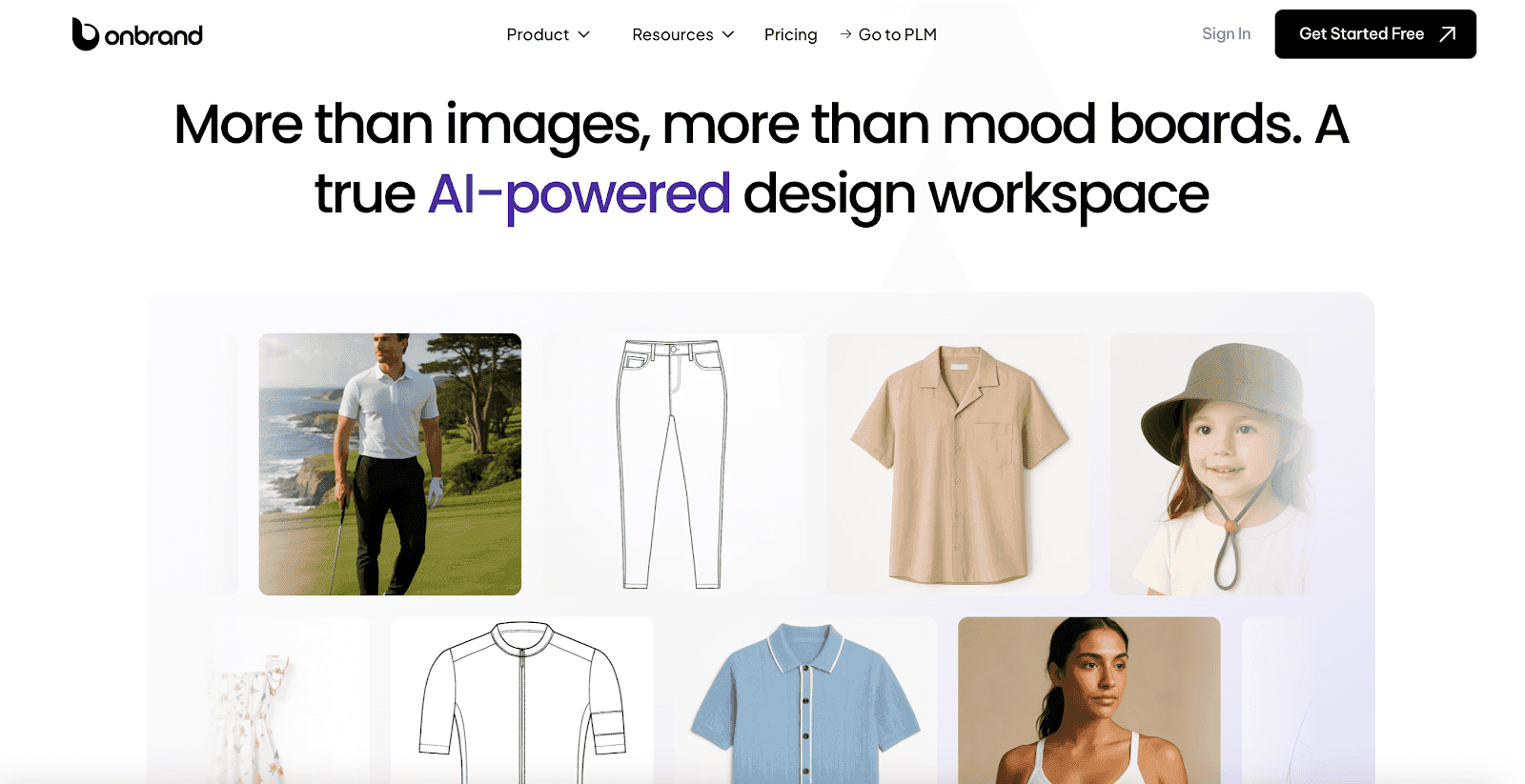
Mood boards and visual planning – Collect inspiration, organize assets, and plan new collections visually.
Asset library management – Store and reuse templates, graphics, and fabrics in one central hub.
Presentation mode – Share polished designs with annotations for buyers, teammates, or vendors.
Responsive previews – See how garments look on different body types and poses before sampling.
PLM system integration – Send designs and assets directly into Onbrand PLM for production.
Onbrand AI Design is built to support the entire fashion design process, from concept to collaboration. It helps teams explore ideas faster, cut back on sample costs, and keep every detail connected between departments.
Brands adopting Onbrand typically see 30–50% fewer physical samples, leading to faster approvals, lower costs, and more creative freedom.
Fashion Design App Setup Checklist
Before design apps can support your workflow, a few setup basics make the process smoother. Use this checklist to create a foundation that keeps files, assets, and communication clear from the start.
Organize file rules – Decide how sketches, patterns, and collections will be named so every version is easy to find.
Standardize templates – Prepare base layouts for flats, tech packs, and line sheets to keep work consistent.
Centralize assets – Build a shared library of fabrics, trims, and accessories that designers can pull from quickly.
Test vendor sharing – Send a sample tech pack or spec file to a partner factory to confirm details flow correctly.
Connect with PLM – Link the design app to your PLM platform so updates, measurements, and color palettes stay synced.
Putting these basics in place early reduces errors, speeds up collaboration, and keeps every collection organized.
Start Designing Clothes Faster With Onbrand AI Design!
Designing clothes today requires more than creativity on paper. With the right apps, fashion brands can connect sketches, patterns, and technical details into one organized workflow.
Each tool plays a role, from early concepts to production-ready files, helping teams save time and reduce costly sample rounds.
For growing brands, choosing the right platform is about more than features. It is about finding tools that support both creativity and production needs.
Onbrand AI Design makes that possible by combining generative design, real-time collaboration, and direct PLM integration in one workspace built for fashion.
FAQs About Apps to Design Clothes
What apps do I use to design clothes?
Fashion designers often use sketching apps like Adobe Illustrator for flat sketches and Prêt-à-Template for technical sketches. Some apps focus on creating patterns or 3D garments, while others combine sketching, mood boards, and collaboration. Modern options such as Onbrand AI Design also connect sketches, photoreal visuals, and tech packs in one platform, helping fashion brands work faster.
Is the Fashion Draw app free?
Yes, the Fashion Draw app is available as a free app with basic drawing tools. It is often used by novice designers to practice sketching garments. Other tools like Tayasui Sketches also provide a user-friendly interface for experimenting with clothing design.
How to design clothes for beginners?
Beginners can start by sketching simple clothing ideas, practicing precise lines, and creating patterns with accessible digital tools. Resources like Vogue Runway offer inspiration on the latest fashion trends, while PLM platforms and design apps such as Onbrand AI Design help organize ideas into collections and prepare files for production.
Can I create production-ready files using design apps?
Yes, many design apps include features for building tech packs, spec sheets, and detailed measurements. These tools allow fashion brands to prepare production-ready files that vendors can follow, reducing errors and saving time during manufacturing. Platforms like Onbrand AI Design go further by generating technical sketches and integrating directly with PLM, making it easier to hand off accurate files to production partners.