Mar 24, 2026
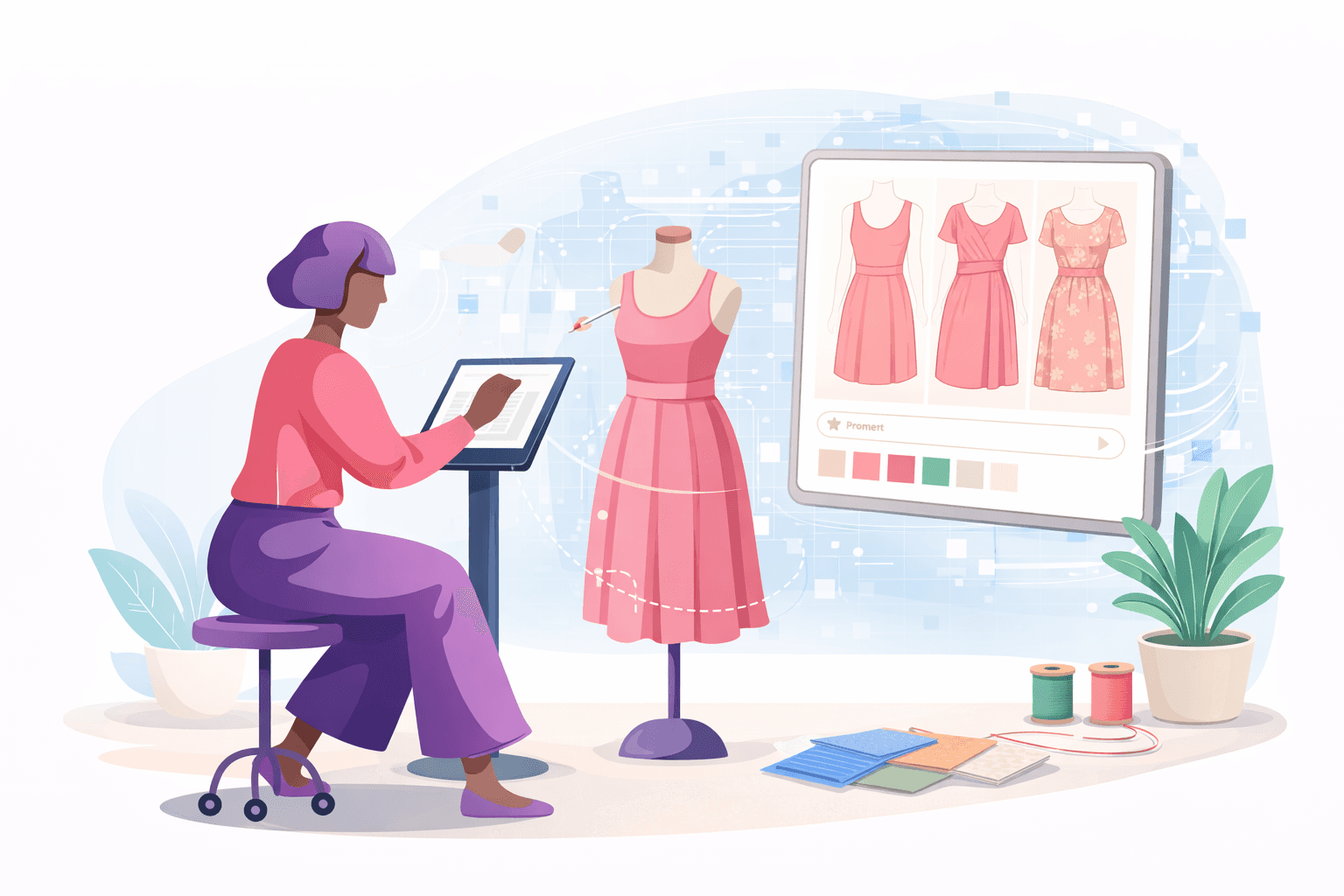
When your collection grows, concept work expands quickly. More designs lead to more tech packs, more sample rounds, and tighter delivery timelines.
AI fashion design gives you a way to refine ideas earlier in the fashion design process, before development work multiplies.
In this guide, you’ll learn what AI fashion design is, how fashion brands use it today, and how to connect it to real product workflows without losing control of production details.
TL;DR
AI fashion design uses generative AI to create garment concepts and visual variations so you can review directions before moving into development.
Fashion brands use it for silhouette exploration, colorway and material visualization, early campaign imagery, and range planning before opening more tech packs.
AI supports concept review, while production still requires tech packs, BOMs, and accurate specs tied to a single style record.
The steps to use AI fashion design in a real workflow are: define the design brief, generate and narrow concepts, approve one direction, convert it into structured product data, build the tech pack, and then manage revisions and sampling in one system.
Onbrand connects AI concept work to PLM execution, so the same style can move from visual review into tech packs, sampling, and approvals without losing control.
What Is AI Fashion Design?
AI fashion design refers to the use of generative AI to support early garment concept development. It allows fashion designers to input references or text prompts and generate visual directions before formal development begins.
The output may include silhouette variations, fabric changes, surface patterns, or styled looks shown on digital fashion models. Some systems also create virtual garments or simulate virtual try-on experiences for early review.
It is important to separate concept imagery from production documentation. AI can help visualize garments and explore new designs, but those images are not automatically production-ready concepts.
A style still requires technical detail, measurement specs, and clear material references before it moves toward real garments.
Within the entire design process, AI-powered fashion design sits at the concept stage. It supports early fashion creation and creative testing, but it does not replace tech packs, vendor communication, or structured product data.
Why Fashion Brands Are Exploring AI Fashion Design
Concept volume has increased while timelines have stayed the same. This is where AI comes in for many.
Companies are expected to protect brand identity, review more options, and prepare collections for both wholesale and ecommerce without extending production calendars.
Faster Concept Development
Early concept work often requires repeated revisions and reference gathering. Generative AI reduces part of that manual work and helps you save time when comparing directions.
Instead of refining one idea at a time, you can evaluate multiple concepts before selecting what moves forward.
Broader Design Testing
Collections require range and cohesion. You may want to test different silhouettes, materials, or styling details before approving a single sample.
Broader testing helps control sample costs while maintaining creative standards.
Visual Alignment Between Teams
Misalignment between design, merchandising, and development leads to rework. Clear visual references support stronger collaboration and more confident team design decisions early in the calendar.
Shared direction reduces confusion once tech packs are created.
Reduced Early Sampling
Physical prototypes require factory time and budget. Early concept validation lowers the risk of committing to directions that do not fit your customer or price architecture.
It also supports planning for product photos, your website, and marketing assets without relying entirely on AI models.
For many in the fashion industry, AI design reflects a shift in how early concepts are reviewed. It does not replace development. It helps manage concept growth before production work begins.
How AI Fashion Design Is Used Today
AI fashion design shows up in daily product work, not only in concept boards. You use it during range planning, sample review, and early marketing preparation. It helps compare options before locking specs or requesting factory samples.
Silhouette and Style Exploration
Start with one garment and test structured variations before committing to development. A tailored blazer might be reviewed with a wider lapel, cropped length, or patch pockets instead of welt pockets.
Instead of asking a graphic designer to redraw each version, you compare directions visually and select one to move into a tech pack.
It supports creativity while you narrow choices before measurement specs are finalized.
Colorway and Material Visualization
Color and fabric decisions require multiple references. A wool coat can be reviewed in charcoal, camel, and deep green before requesting lab dips. Gold hardware versus matte-black buttons can be previewed in real time to confirm which option best fits the collection.
Physical swatches still determine final approval. Digital review gives you clarity before materials are ordered. It supports inspiration without replacing material sign-off.
Campaign and Product Imagery
AI fashion design also supports early content preparation. Mock product photos or upscale images can be created before production samples arrive. Styling direction can be reviewed, and draft imagery can be prepared for your website while waiting for finished goods.
Marketing and product align around the same visuals before final garments are photographed. Real garments still anchor the campaign.
Collection Expansion and Range Planning
Once one style is approved, that concept can extend into coordinated pieces. A best-selling dress may translate into a blouse with the same neckline or a skirt using the same print. Variations are reviewed and cohesion confirmed before opening additional tech packs.
Used this way, AI supports structured decision-making within fashion product development. It does not replace sample approvals, vendor communication, or technical documentation.
AI Fashion Design vs Traditional Fashion Design
Traditional fashion design relies on sketch-first development. You refine one concept at a time, redraw variations manually, and review changes in separate files before moving into tech packs. Each revision requires coordination between design and development.
AI fashion design introduces a different iteration model. Multiple variations of the same garment can be reviewed side by side before locking specs. Instead of waiting for manual redraw cycles, you compare options visually and select a direction earlier.
Visualization also differs. Traditional sketches require interpretation before sample review. AI-generated visuals offer a clearer reference to proportion and styling before physical prototypes are made.
Workflow structure changes as well. Static file systems store sketches and revisions in separate folders. Connected systems link concept visuals directly to product data and technical documentation.
Aspect | Traditional Fashion Design | AI Fashion Design |
Iteration process | Manual redraw cycles, sequential revisions | Side-by-side visual variations |
File management | Separate sketch files and folders | Linked digital product records |
Pre-sample visualization | Sketch interpretation required | Clearer proportion and styling reference |
Review workflow | Coordination between files and stakeholders | Direct visual comparison before selection |
Both approaches support the business. AI adds structure to concept review within the fashion world, without replacing core design work.
How to Use AI Fashion Design in a Real Product Development Workflow
AI fashion design should fit into your existing development calendar. It works best when treated as part of a structured process, not a separate experiment with random AI tools. Each step connects to the next. Each decision feeds your product record.
Step #1: Define the Design Brief
Start with a clear brief. Confirm silhouette, category, target price architecture (TPA), and delivery window. Lock fabric direction and construction intent. Write the brief the same way you would for any seasonal style.
Clear input leads to controlled output. Your brief sets the guardrails that bring life to every variation that follows.
Step #2: Generate and Narrow Concept Directions
Generate multiple variations tied directly to the brief. Review neckline depth, sleeve shape, hem length, and pocket placement. Compare options side by side.
Reduce volume quickly. Move from thirty visual concepts to three viable directions. Treat the system as a working reference. It supports innovation while your judgment drives selection.
Step #3: Approve One Direction for Development
Choose one direction to move forward. Confirm proportions and construction details. Check alignment with brand standards and supplier capabilities.
Once approved, freeze the concept. Shift focus to execution.
Step #4: Convert the Approved Design Into Structured Product Data
Create a style record in your system. Build the bill of materials (BOM) with correct fabric codes and trim details. Assign colorways using verified supplier references.
Visual concepts must connect to structured product data. This step turns exploration into production intent.
Step #5: Build the Tech Pack With Visual and Technical Alignment
Insert the approved visuals into the tech pack. Add measurement specs, stitch details, labeling notes, and packaging instructions. Cross-check every visual reference against written specifications.
At this stage, AI supports clarity in the workflow. It acts as a structured reference, not a true creative partner that replaces technical review.
Step #6: Manage Revisions and Sampling in One System
Log all updates inside the same product record. Track fit adjustments, material swaps, and factory comments. Keep revision history visible.
A connected system keeps execution disciplined and efficient. It keeps your development calendar controlled and your product data aligned from concept to sample approval.
Where AI Fashion Design Requires Structure to Scale
AI-generated visuals help during concept review. They move ideas forward. They do not carry a style into production on their own. Once a direction is approved, structure becomes part of the process.
AI visuals do not replace tech packs - A factory needs measurement specs, stitch details, trim references, and labeling instructions. An image cannot define seam allowance or grading rules. A complete technical document remains required before development begins.
Concepts without a BOM create factory confusion - Fabric codes, trim details, and supplier references must be documented clearly. The bill of materials connects the approved concept to real materials and confirmed costs. Without it, sourcing slows, and errors increase.
Disconnected tools introduce version errors - When visuals live in one folder and product data in another, updates drift apart. Fit changes, material swaps, and revised specs need to stay tied to the same style record to maintain control.
Concept speed must connect to specification accuracy - Generating more ideas does not move production forward unless the underlying data is accurate. Structured product records allow you to prepare collections with discipline and market faster without compromising development standards.
The Best AI Fashion Design Platform for Growing Brands
Concept exploration and product execution often live in separate systems. Visual concepts sit in one place, while tech packs and revisions sit in another. The handoff between them creates friction and version gaps.
Growing brands need those steps to be connected in the same environment.
Onbrand brings AI design and fashion PLM together so concept work and product records move forward in one continuous workflow.
Onbrand AI Design
Onbrand AI Design gives you one workspace for concept generation, design exploration, and visual collaboration.
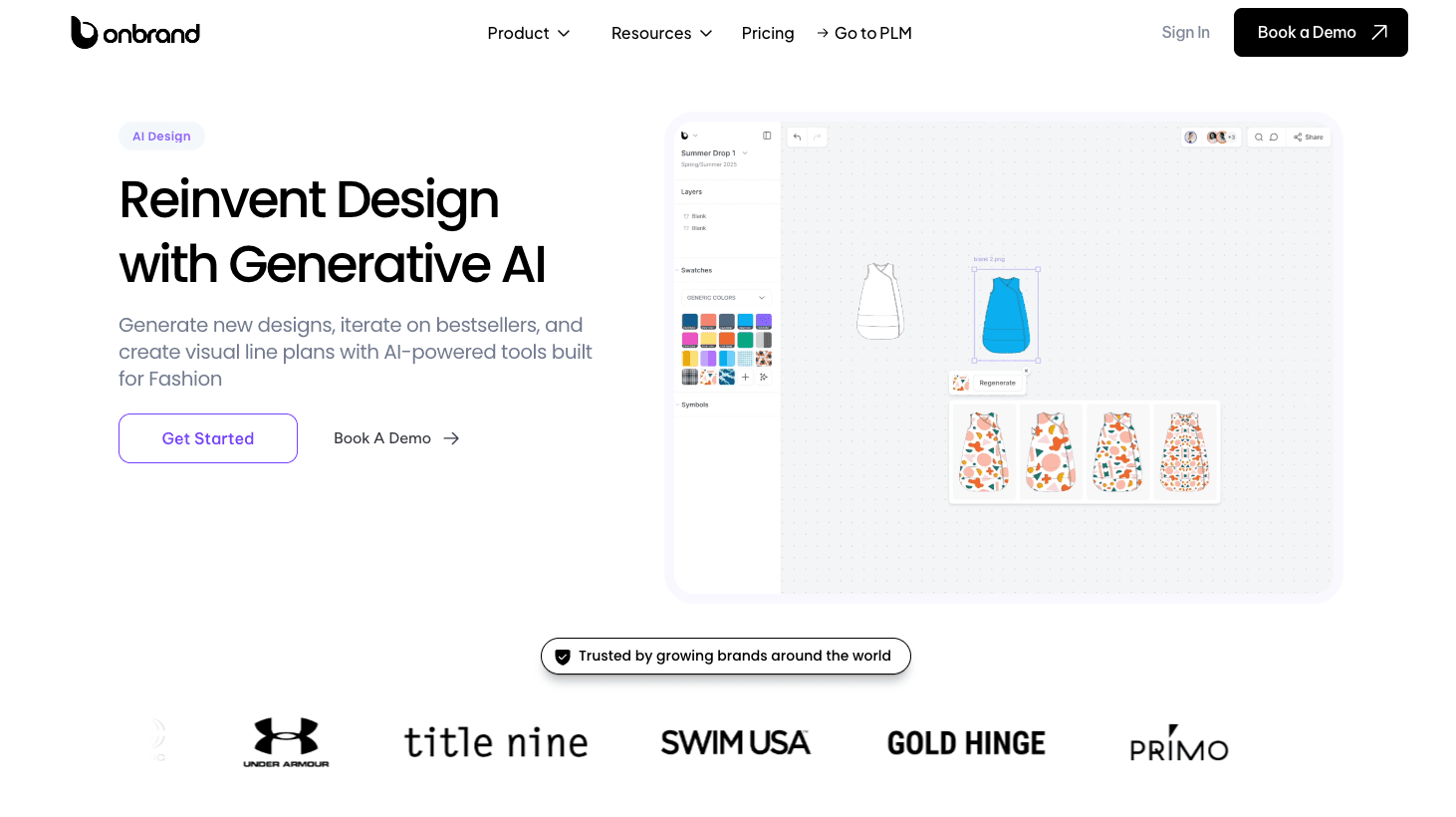
Start from a text prompt, a sketch, or a reference image. Generate photoreal visuals, clean line art, and quick mockups you can review with your product team.
Use version history to track what changed and roll back when needed. Use live co-editing and comments to keep feedback tied to the frame you are reviewing.
Onbrand AI Design also supports visual line plans and mood boards, so you can organize styles into a collection before development work begins.
Onbrand cites results like 30–50% fewer physical samples and 10+ weeks saved each year when brands use AI Design earlier in concept review.
Onbrand PLM
Onbrand PLM turns approved concepts into structured product records. Build tech packs, BOMs, and colorways inside the same system.
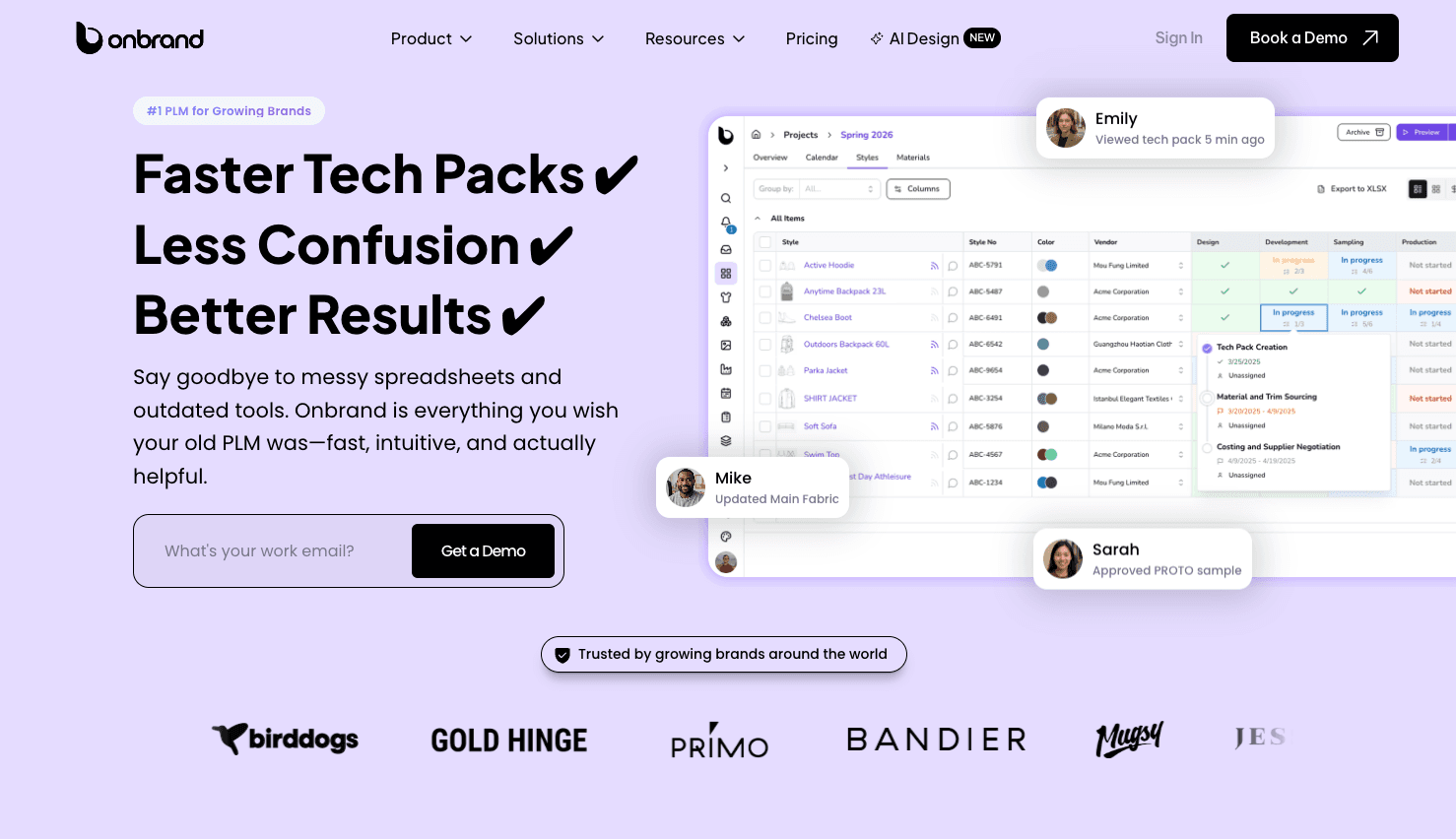
Track sample rounds, approvals, and revisions inside the style record. Keep vendor comments tied to the exact tech pack section under review.
Onbrand uses web-based tech packs, so the factory always sees the current version. Many brands achieved outcomes such as 55% faster tech pack creation and a four-week reduction in development timelines.
What Makes Onbrand the Most Complete AI Fashion Design System
Most AI fashion design tools stop at images. Most tools start after the concept is already set. Onbrand connects both steps in one workflow.
Onbrand AI Design pushes concepts and assets into Onbrand PLM with a direct handoff, so the same style record carries the work into tech packs, BOMs, sampling, and approvals.
Run Fashion Design and Production in One System With Onbrand
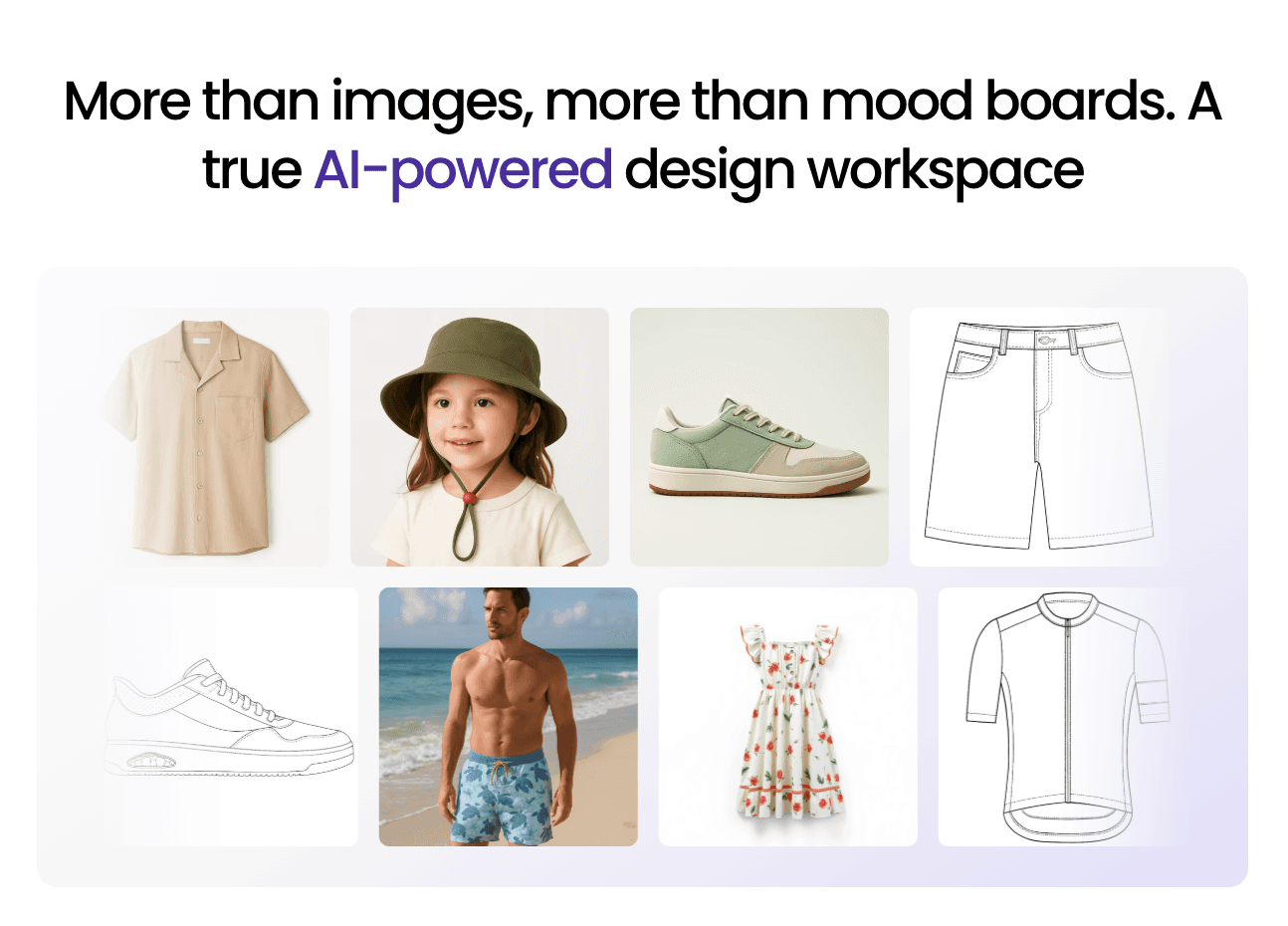
AI fashion design expands what you can review at the concept stage. It gives you more visual clarity before you commit to development. That early control helps you make better decisions before tech packs are built and samples are requested.
Production still depends on structure. Every approved concept must connect to measurement specs, material references, BOMs, and vendor communication. Visual exploration only works when it feeds a disciplined product record.
Onbrand brings both parts together. Onbrand AI Design supports concept generation and visual review. Onbrand PLM carries that same style into tech packs, sampling, approvals, and production tracking. One workspace holds the full history of the style from first draft to final approval.
FAQs About AI Fashion Design
Can AI help predict fashion trends?
Yes. AI can analyze historical sales data, search behavior, and visual patterns to identify new trends. It supports early direction planning, but it does not replace market research or brand judgment. AI can inform decisions about the future direction of a collection, while your team makes the final call.
What should you look for in an AI fashion design platform?
You should look for a platform that connects visual concepts to tech packs, BOMs, and structured product records. It should include collaboration, version control, and workflow integration. Each visual feature should support execution, not just image output.
Does AI fashion design reduce sample costs?
Yes. AI fashion design can reduce early sampling by helping you eliminate weak directions before requesting physical prototypes. It allows you to compare variations and confirm styling choices before factory engagement. Final fit and production samples are still required.

