Look around you. The clothes you wear, the chair you sit on, the phone in your hand, and the page you are reading all started with an idea.
Design is what gives that idea direction. It brings together choices about shape, color, proportion, materials, and function until a concept begins to take form.
In fashion, those decisions might shape the silhouette of a jacket, the feel of a fabric, or the details that give a garment its character. A clothing design app can also help turn those early ideas into sketches and visual concepts.
The same design thinking applies to products, graphics, interiors, and much more.
So what actually goes into creating a design? This guide breaks down its basic elements, the process behind it, and the different ways you can bring an idea to life.
TL;DR
Design is the process of turning an idea into something visible or usable through choices about shape, color, proportion, materials, function, and details.
The main elements of design include line and shape, color, form and proportion, texture and material, and smaller details that shape the overall look.
The design process can be broken into six practical steps: define the idea or purpose, gather references, visualize the concept, choose colors and materials, explore variations, and refine the final direction.
You can develop designs by hand, digitally, or with AI, then judge the result based on purpose, balance, consistency, function, and originality.
Clothing design tools can support sketching, vector work, 3D visualization, AI-assisted concepting, and team collaboration, with Onbrand AI Design connecting early concepts to product development through Onbrand PLM.
The Basic Elements of Design
A good combination of design choices helps turn an idea into something people can see and understand. Each one can affect the sense of shape, scale, texture, or character a design creates, which can also influence perception.
Here are the basic elements of design and how they work with other elements to turn an idea into something more defined.
Line and Shape
Lines and shapes give a design its basic structure. They can represent an outline, divide space, highlight a feature, or guide the eye toward a certain area.
They can also create a pattern when repeated. In clothing, think about the curved neckline of a dress, the straight seams on a jacket, or panels that add depth to an otherwise simple silhouette.
Color
Color can completely change the style or feeling of the same object. A bright red jacket, for example, creates a very different impression from the exact same jacket in soft beige.
Contrast appears when noticeably different colors sit together, which can draw attention to certain areas. Light also changes how a color appears, from the fabric you see in a store to the same garment outdoors.
Repeated color choices can eventually become part of a product or brand’s visual identity.
Form and Proportion
Form describes the overall shape and volume of something, while proportion looks at how its different parts relate to one another. Both aspects become easy to see in clothing.
A cropped jacket creates a different proportion than a long coat, even if both use a similar silhouette. Sleeve length, waist placement, garment length, and volume can all change how the final piece looks.
Texture and Material
Material affects more than what something is made from. Its texture can make a surface look smooth, rough, soft, structured, glossy, or worn.
In clothing, a stiff denim jacket holds its shape differently from a flowing silk dress. Material choice also connects design with craft, since a fabric's physical properties influence what you can create with it.
Details
Small details can give a simple design much more character. Pockets, buttons, zippers, stitching, trims, prints, and embellishments are all key choices in clothing.
They may appear separate from the main silhouette, but they still contribute to the overall look. Changing a metal zipper to covered buttons, for example, can give the same jacket a noticeably different character.
How the Design Process Works in Fashion, Graphic, and Industrial Design
The practice can vary between fashion, graphic, and industrial design, with different capabilities shaping what can be created. Still, the basic process often moves from an initial direction through exploration and refinement.
Here’s how that usually works:
1. Start With an Idea or Purpose
Start by deciding what you want the design to achieve. Your focus might be solving a practical problem, expressing a certain look, or creating something for a specific end user.
For a clothing business, that could mean designing a lightweight jacket for commuters or a dress for a particular occasion.
Early plans can also account for practical requirements. A simple design strategy gives the idea enough direction to move forward.
2. Gather Inspiration and References
Once you have a direction, research gives you something concrete to explore. Inspiration can come from art, architecture, nature, objects, photographs, stories, or past work.
You might view images from a followed publication that capture certain colors, shapes, materials, or moods and bring them together on a fashion mood board.
Looking at different examples from the world around you can help shape a direction without copying someone else's work.
3. Visualize the Idea
Next, give the idea something you can actually see. You might create rough sketches, collages, mood boards, garment drawings, or simple mockups. Each form of creation gives you something visible to review and develop.
The format depends on what you are designing. A graphic might begin as a rough layout, a print could start as a repeated motif, and a garment could begin with a quick silhouette sketch.
For clothing specifically, digital fashion design tools can support different ways to visualize and develop early ideas.
4. Choose Colors and Materials
Once the direction becomes visible, start thinking about the colors and materials that suit it.
These choices are not only about appearance. Materials can also have a functional role, which means the design needs to account for how it will be used.
A rain jacket, for example, needs very different material properties from a soft evening dress. Color choices can then help reinforce the intended look without changing the basic concept.
5. Explore Variations
Your first designed artifacts don’t have to be the final version.
Exploring alternatives gives creativity room to work and lets you see what happens when you change a color, length, shape, material, or detail.
In professional design work, several directions may be compared before one moves forward. The properties of the chosen material can influence those options too.
A fabric that drapes easily, for example, opens up different possibilities from one that holds a rigid shape.
6. Refine the Design
Once you have several directions, narrow them down and decide what should stay.
Look at which features are core to the idea, which details add little, and where small adjustments could make the concept feel more complete.
Refinement also helps establish a more consistent direction. The importance of each feature becomes easier to judge when you compare it with the original purpose of the design.
You can then adjust proportions, simplify unnecessary details, and bring the preferred concept into a more defined form.
Ways to Create and Visualize a Design
There is no single way to turn an idea into something you can see.
The approach often depends on the design discipline, the stage of the idea, and how you want people to interact with the finished work. You can work by hand, digitally, or with AI depending on what you need to explore.
Designing by Hand
Designing by hand can be as simple as putting pencil to paper and sketching whatever comes to mind. You can experiment with shapes, proportions, layouts, and details before anything needs to look polished.
Sketchbooks, markers, paper cutouts, and physical mood boards can all help make an idea visible. The human touch also makes hand-drawn work useful for capturing quick thoughts and personal marks that do not need to look perfect.
Designing Digitally
Digital design lets you build and edit ideas on a computer, tablet, or another digital system.
You can redraw shapes, move parts around, test colors, undo changes, and save different versions without starting over each time.
It is used for everything from illustrations and layouts to product concepts and clothing sketches. Digital design is also useful for creative services that involve sharing, reviewing, or updating files before a direction is finalized.
Designing With AI
AI adds another way to explore an early idea. With current technology, you can describe a direction in words or provide a reference image, then generate visuals that help you consider different possibilities.
It can be useful for quickly exploring silhouettes, colors, materials, details, or different interpretations of the same direction.
The creation still needs creative judgment, since generated results may need to be reviewed, adjusted, or discarded before they fit what you had in mind.
What Makes a Design Work?
A design can look interesting and still miss what it was meant to do. Once the direction is developed, it helps to look at the whole result and consider its quality, how well the choices work together, and if they fit the intended use.
A few things can help you judge that include:
Purpose – Go back to why the design exists and who it is for. A commercial product may need to appeal to specific customers, while a personal project may have a completely different purpose.
Balance – Look at how the different parts sit together. One area should not feel unusually heavy, crowded, or empty unless that effect is intentional.
Consistency – Check if the choices feel connected. For a brand, consistency can help a product feel like it belongs with the rest of its collection or visual identity.
Function – Think about what happens when the design is actually used. Requirements vary by industry, and designers may work with engineers or other specialists when technical considerations are involved.
Original point of view – References can guide a direction, but the result should not feel like a copy. The strongest ideas usually have enough personality to feel considered and intentional.
What Changes When You Design Clothing?
Clothing adds another layer to design because the finished piece has to work on a real body.
A garment may look convincing as an image, but in real life, its silhouette, fit, and proportions also affect how it looks and feels when worn.
Fabric plays a big part in designing clothes. A soft material may drape and move with the body, but a structured fabric can hold a sharper shape. Seams, trims, closures, and other construction choices can also affect comfort, movement, and wearability.
These considerations make clothing different from products that do not need to move with a person. A concept also needs to account for how its details could translate into an actual garment before it moves further into development.
Tools You Can Use When Designing Clothes
Clothing design tools support different parts of the creative work, so you may use more than one type as an idea takes shape. Some are made for quick sketches. Others help with precise drawings, 3D visualization, AI concepts, or management of feedback and versions.
Here are the main categories you are likely to find:
Sketching and Drawing Tools
Sketching and drawing tools are useful when you want to get a garment idea onto the page quickly. You can draw silhouettes, experiment with sleeve or neckline shapes, and add details such as pockets, seams, or trims.
They work well for rough concepts that do not need to be technically precise yet. Digital drawing also makes it easier to erase, redraw, and try several directions without filling pages of a sketchbook.
Vector Design Tools
Vector tools are useful when garment drawings need cleaner lines and more precise shapes. Designers can create flat sketches, adjust garment details, build prints or graphics, and reuse parts of previous drawings.
Because vector artwork can be resized without losing its sharpness, the same drawing can also be adapted for different layouts. Vector tools give designers more control once a rough garment idea needs a cleaner visual form.
3D Garment Design Tools
3D garment tools let you view clothing as a three-dimensional piece rather than a flat drawing. Depending on the platform, you can explore garment shape, volume, fabric behavior, and how a piece may look on a digital model.
That can be useful for designs where drape or movement is difficult to understand from a flat sketch alone. A long flowing dress, for example, can look very different once its volume is shown in three dimensions.
AI-Assisted Design Tools
AI fashion design tools can turn text descriptions, sketches, or reference images into new visual concepts. For clothing, they can help explore different silhouettes, colors, prints, trims, or styling directions without manually creating every version.
They are especially useful during early concept exploration when you want to compare several possibilities quickly. The designer still chooses which results fit the intended direction and what should change.
Collaborative Fashion Design Tools
Collaborative tools help keep design work organized when more people become involved. They can give the team a shared place to review concepts, leave feedback, compare versions, and keep selected directions together.
That makes it easier to see what has been approved and keep the thinking behind each decision in one place. Selected ideas can then move forward without losing the context behind earlier choices.
Bring Your Clothing Designs to Life Faster With Onbrand AI Design
Onbrand brings design and product development into one connected platform for fashion teams. Its two offerings, Onbrand AI Design and Onbrand PLM, support the work from the first visual idea through the development stages that follow.
Create and Explore With Onbrand AI Design
Onbrand AI Design gives designers a faster way to turn ideas into clothing concepts. Start with a text prompt, hand-drawn sketch, or reference image, then explore different silhouettes, cuts, trims, colorways, prints, and details.
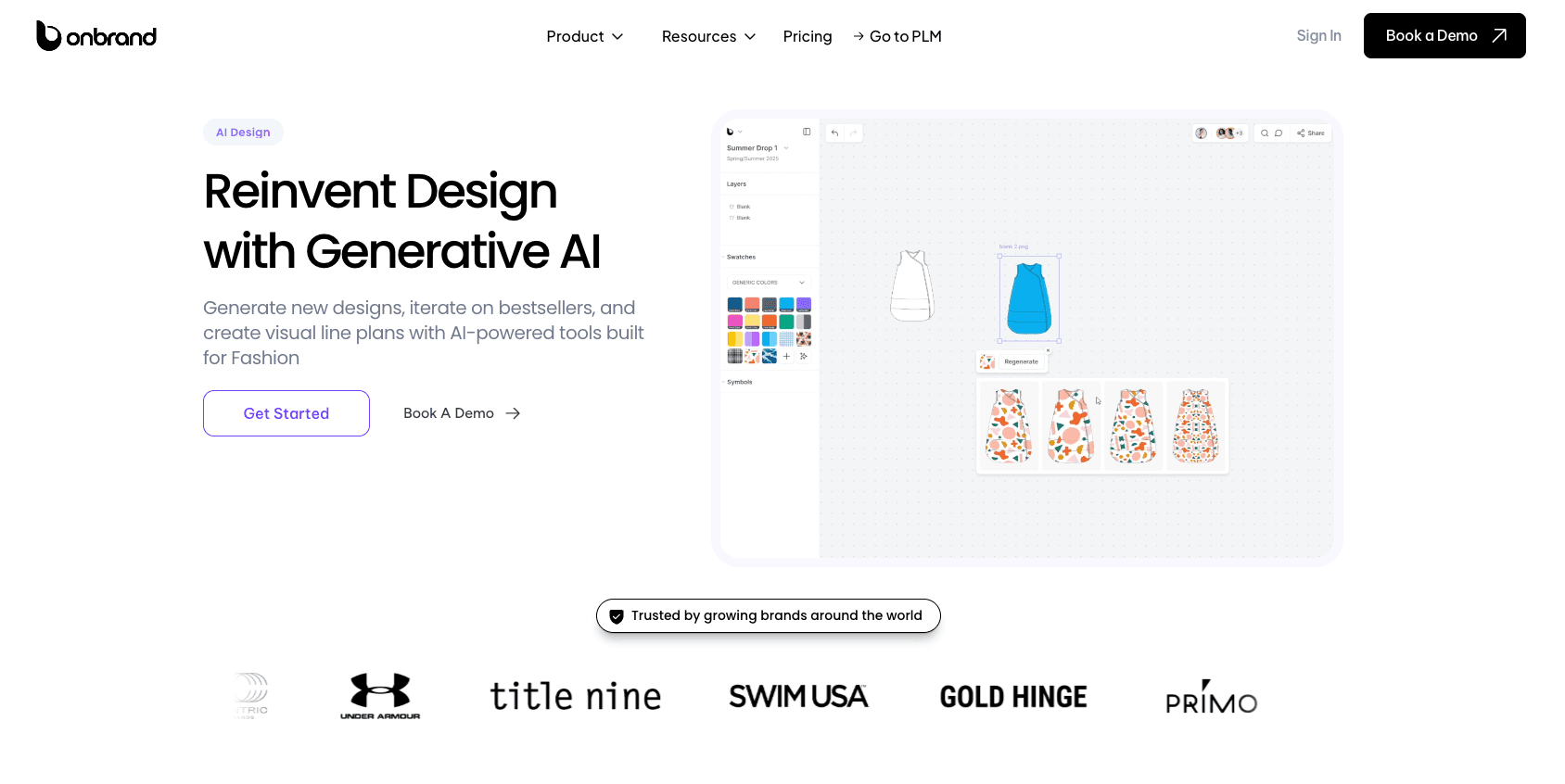
Fashion designers can turn sketches into polished mockups, clean flats, and photorealistic on-model visuals. Shared mood boards, visual line plans, comments, and version history also help teams review and develop concepts together.
Teams using Onbrand AI Design can achieve up to 10x faster design turnaround, 30–50% fewer physical samples, 10+ weeks saved each year, and thousands of dollars saved on external resources.
Take Approved Designs Into Onbrand PLM
AI Design connects directly with Onbrand PLM, so selected designs, visuals, palettes, and product details can move into development without rebuilding everything in another system.
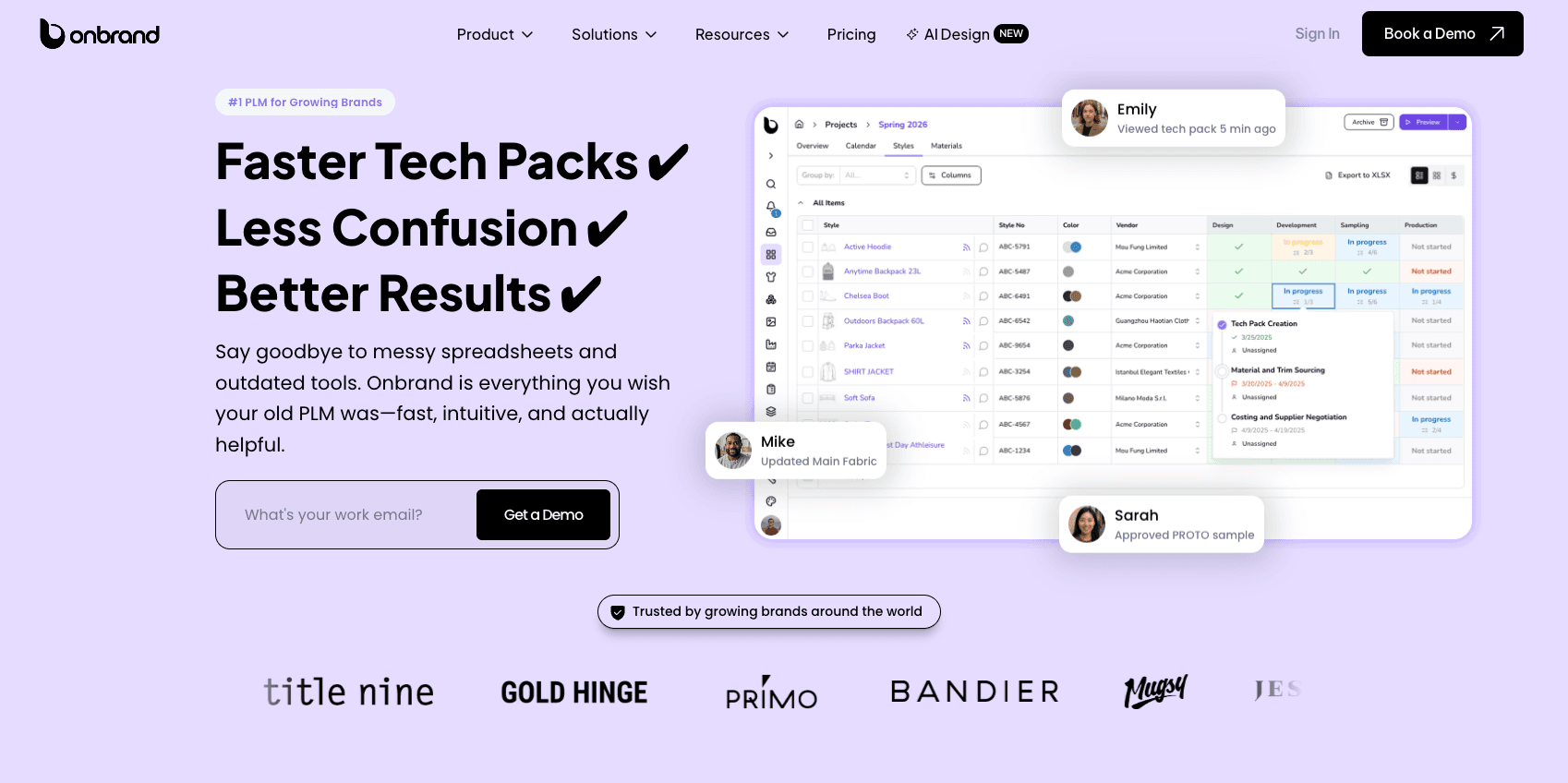
Teams can manage tech packs, materials, samples, approvals, collection planning, and vendor collaboration in one place. Onbrand PLM delivers 55% faster tech pack creation, four weeks faster development, and data migration and implementation in as little as 10 days.
Together, Onbrand AI Design and Onbrand PLM help fashion teams carry an idea from creative exploration into product development without losing the decisions and context behind it.
Create Better Designs With the Right Support

Every design starts with an idea, but the choices that follow give it shape. Color, proportion, materials, details, and function all influence how that original idea develops.
The process also takes experimentation. Trying different directions, reviewing what works, and refining the details can help turn an early concept into something more considered.
With clothing, those decisions also need to account for fit, fabric behavior, movement, comfort, and how the garment will actually be worn.
The right tools should support that creative process without getting in the way of it. They can make ideas easier to visualize, compare, refine, and share as your direction takes shape.
Book a demo now and see how Onbrand AI Design can help you bring your clothing ideas to life.
FAQs About Design
What is the definition of a design?
A design is a plan or visual idea for how something will look, function, or be made. It can apply to clothing, products, graphics, buildings, websites, and other things people create.
How can I create my own design?
You can create your own design by starting with an idea or purpose, gathering references, sketching or visualizing your idea, choosing colors and materials, and refining the result. You can work by hand or use digital and AI-assisted tools to explore different versions.
What are the synonyms of design?
Common synonyms for design include plan, concept, pattern, layout, arrangement, and blueprint. The best synonym depends on the context because design can refer to an idea, a visual arrangement, or a plan for making something.
What are two types of design?
Two types of design are graphic design and fashion design. Graphic design focuses on visual communication, while fashion design focuses on clothing, including its shape, materials, fit, color, and details.