Mar 20, 2026
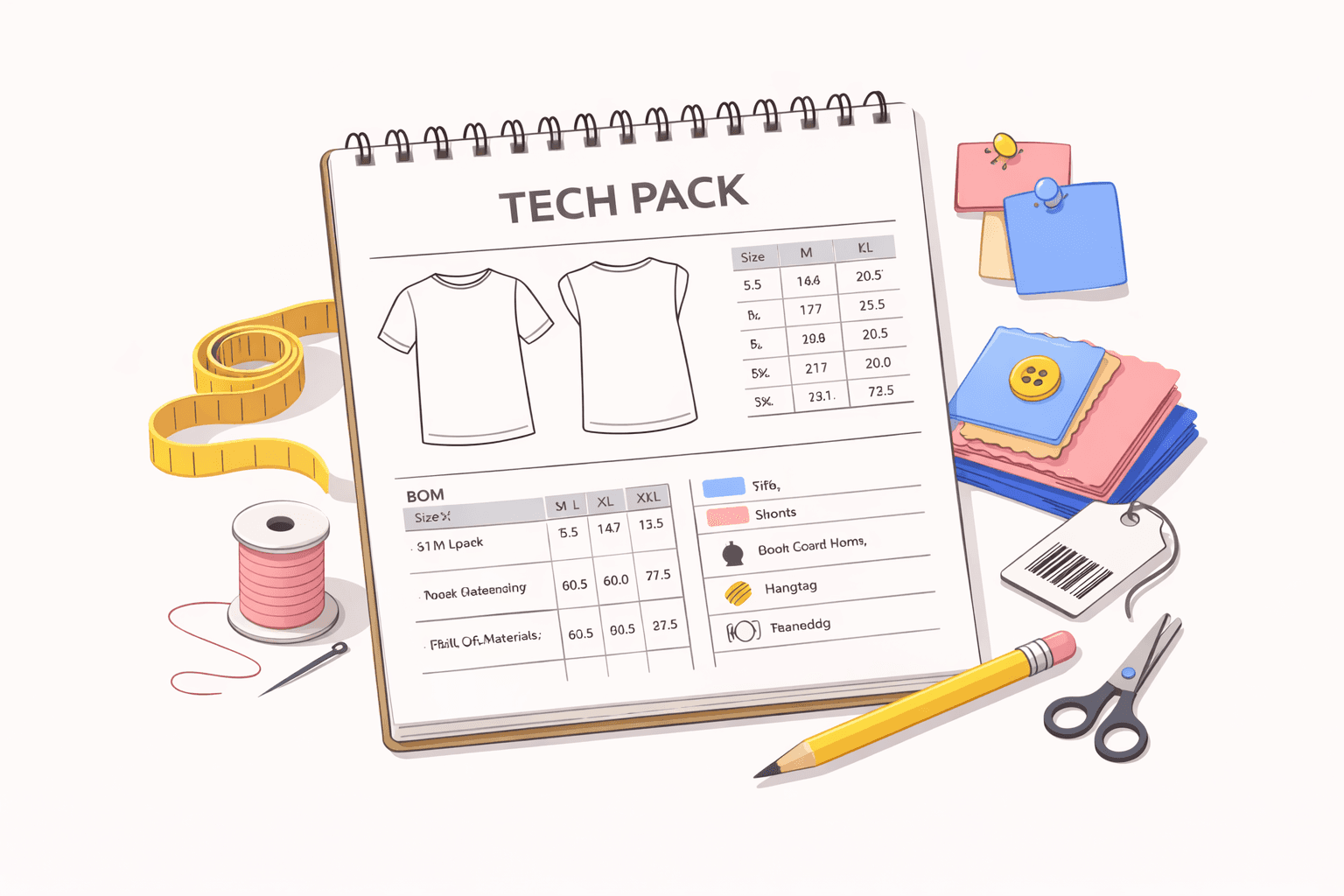
Production issues often trace back to one document: the tech pack.
Early-stage brands often rely on Excel or Adobe Illustrator files. When collections expand and colorways multiply, those files become harder to track, which is why many growing brands begin searching for the best tech pack software.
A tech pack maker helps you create and manage the detailed specifications required for apparel production.
This guide explains what a tech pack maker does, what belongs in a professional tech pack, common errors when creating tech packs, and what to consider as documentation becomes more complex.
TL;DR
A tech pack maker helps you create production-ready apparel tech packs that give factories clear instructions and reduce costly sampling errors.
A complete tech pack includes technical flats, a detailed BOM, size specs with grading, construction details, colorway documentation, and packaging instructions.
Clear documentation protects measurement accuracy, reduces sampling revisions, and supports better costing and material planning.
Common mistakes include incomplete measurement tables, unclear color references, version confusion, and missing sample revision notes.
Onbrand helps teams move away from static files with live tech packs, version control, sample tracking, and connected product data to keep development aligned.
What Is a Tech Pack?
A tech pack, short for technical package, is the document that tells a factory how to build your garment. It translates your design concept into clear production instructions before sampling begins.
Inside a tech pack, you document the information required for manufacturing. That typically includes:
Flat sketches and technical sketches that show construction
Measurement tables with tolerances
A bill of materials (BOM) listing fabrics and accessories
Construction notes for stitching and finishing
Packaging details for labeling or folding
Supporting images that clarify placement or finishing
When these details are documented clearly, factories work from instructions instead of assumptions. That consistency protects fit, construction, and material accuracy throughout production.
Why Is a Tech Pack Important in Manufacturing?
A tech pack directly affects how accurately your garment moves from concept to production. When documentation is precise, factories work from clear instructions. When information is incomplete or unclear, errors appear quickly, and timelines extend.
Keeps Factory Instructions Clear
Factories rely on the tech pack to understand construction, trims, finishing methods, and placement requirements. Clear documentation helps you communicate expectations without repeated back-and-forth over email.
When the factory has a structured reference for every detail, production decisions do not depend on interpretation. That clarity gives you full control before sampling begins.
Maintains Measurement Accuracy
Base size, grading rules, and tolerances determine how the garment fits in every size. If measurement tables are incomplete or inconsistent, sample reviews turn into correction cycles.
Accurate and structured product info makes sure the factory follows exact numbers instead of assumptions. That consistency protects fit standards from the first prototype to bulk production.
Reduces Sampling Errors
Construction notes, stitch specifications, and material references guide the first sample. When key details are documented clearly, factories can generate prototypes that reflect the intended design.
Missing information often leads to incorrect trims, seam finishes, or label placement. Each revision adds time and cost to the development process.
Supports Cost and Material Planning
The BOM outlines fabrics, trims, labels, and quantities required for production. Accurate documentation allows sourcing decisions to be made with reliable numbers instead of estimates.
Clear records also strengthen quality control during inspection and help confirm that the final garment matches approved specifications. In the fashion industry, strong documentation protects both margin and timeline.
How to Create a Complete Tech Pack
Once you understand why documentation affects production accuracy, the next step is tech pack creation. A strong file captures every specification the factory needs to follow, without requiring extra clarification.
Whether you work in Google Sheets, use dedicated tools, or rely on a structured platform, the goal remains the same: document all key details clearly before sampling begins.
1. Add Technical Flats
Start with clear technical flats that show the garment from the front, back, and side. Include stitch lines, seam placements, pocket positions, and any functional elements that affect construction.
These visuals act as the structural reference for the style. Factories use them to understand proportions and layout before reviewing measurements or materials.
2. Build a Detailed Bill of Materials
The BOM lists every component required to produce the garment. That includes main fabric, trims, labels, thread, and any additional accessories tied to the design.
Each entry should include supplier references, color codes, and quantity information. If a style includes colorway variations, note material differences clearly so there is no confusion during sourcing.
3. Add Size Specs and Grading
The size specification sheet defines how the garment fits. Include the base size, points of measure (POMs), tolerances, and grading increments for each size.
Factories rely on these measurements to build the first sample and scale it correctly. Clear measurement tables reduce interpretation and keep revisions focused on fit rather than documentation gaps.
4. Document Construction Details
Construction details explain how the garment is assembled. Specify stitch types, seam finishes, reinforcement areas, and any special techniques required for durability or structure.
If certain finishes require clarification, include supporting notes or reference visuals. Precise documentation makes sure the garment is built to match the approved design intent.
5. Define Colorways Clearly
Each colorway must reflect accurate fabric, trim, and label changes. If one version uses a different lining or hardware finish, that variation should be documented directly in the file.
Separating color-specific information prevents factories from referencing the wrong material set during production.
6. Include Packaging and Labeling Instructions
Packaging instructions define how the garment should be folded, tagged, or bagged. Include barcode placement, hangtag position, and polybag requirements where applicable.
These details may seem minor, but they affect the final presentation and retail readiness. Clear packaging documentation reduces confusion during final packing and shipment.
Common Mistakes When Creating Tech Packs
Even experienced product teams make documentation mistakes. These errors often appear small at first, but they create delays once production begins.
Incomplete measurement tables - Missing POMs or undefined tolerances lead to inconsistent fit. When a factory works without clear size data, sample revisions increase, and grading errors carry into bulk production.
Unclear color references - If Pantone/Coloro codes or fabric references are not defined, factories may source the wrong material. Small gaps in documentation create unnecessary complexity during development.
Version confusion - Multiple PDFs shared by email or saved from a shared drive create tracking issues. When files are duplicated or re-uploaded to a shared site, factories may reference outdated specifications.
Missing sample revision notes - Fit changes discussed in meetings but not documented in the file often resurface later. Without structured documentation throughout the product lifecycle, corrections repeat.
Many of these issues occur when teams build files from scratch or rely on basic resources without structured version control.
5 Ways to Avoid Tech Pack Mistakes When Working With Manufacturers
Avoiding documentation errors requires discipline before sampling begins. A clear review process reduces back-and-forth with the factory. The steps below help protect accuracy before files leave your hands.
Double-check measurement tables before sending - Review every POM, tolerance, and grading increment against your approved fit. Small numerical gaps create major fit issues later. Accuracy at this stage is absolutely necessary to prevent repeated sample cycles.
Use standardized color references for every material - Confirm Pantone/Coloro codes, fabric IDs, and trim references are listed. If a material supports multiple finishes, document the exact version to match your needs. Avoid relying on visual memory or informal notes.
Provide fabric and trim references when possible - If the construction or finish is complex, attach swatches or reference pictures. Clear physical or visual references reduce interpretation when factories begin sourcing.
Confirm the factory’s understanding before sampling - Ask for written confirmation on key specifications before the first prototype. Strong communication early allows both sides to collaborate and resolve questions before materials are cut.
Track every revision after each sample round - Document fit corrections, measurement updates, and construction changes directly inside the file. A consistent update process prevents confusion between versions and keeps development structured.
When Professional Tech Packs Become Necessary
Early on, a simple template may work. Many beginners start with a basic file or a downloadable sheet and manage a few styles without much strain. However, as production grows, documentation becomes more complex.
Multiple colorways per style increase documentation volume. Overseas suppliers introduce time zone delays and longer feedback loops. Frequent revisions create version tracking issues. Disconnected files make it harder to customize updates for different factories or product lines.
At that stage, managing everything manually becomes difficult. A basic template or one-time download no longer supports your specific needs. Some brands explore a structured tech pack generator or even experiment with AI techpacks to reduce repetitive work.
Professional tech packs become necessary when documentation must handle scale, revision control, and coordination without adding more manual steps.
Why Many Brands Choose Onbrand as Their Tech Pack Maker
When collections grow, and revisions stack up, spreadsheets and exported PDFs begin to drift out of sync. One factory may reference an outdated file while another works from a different measurement table, creating avoidable production risk.
Templates eventually stop holding up under that pressure, and documentation needs structure behind it.
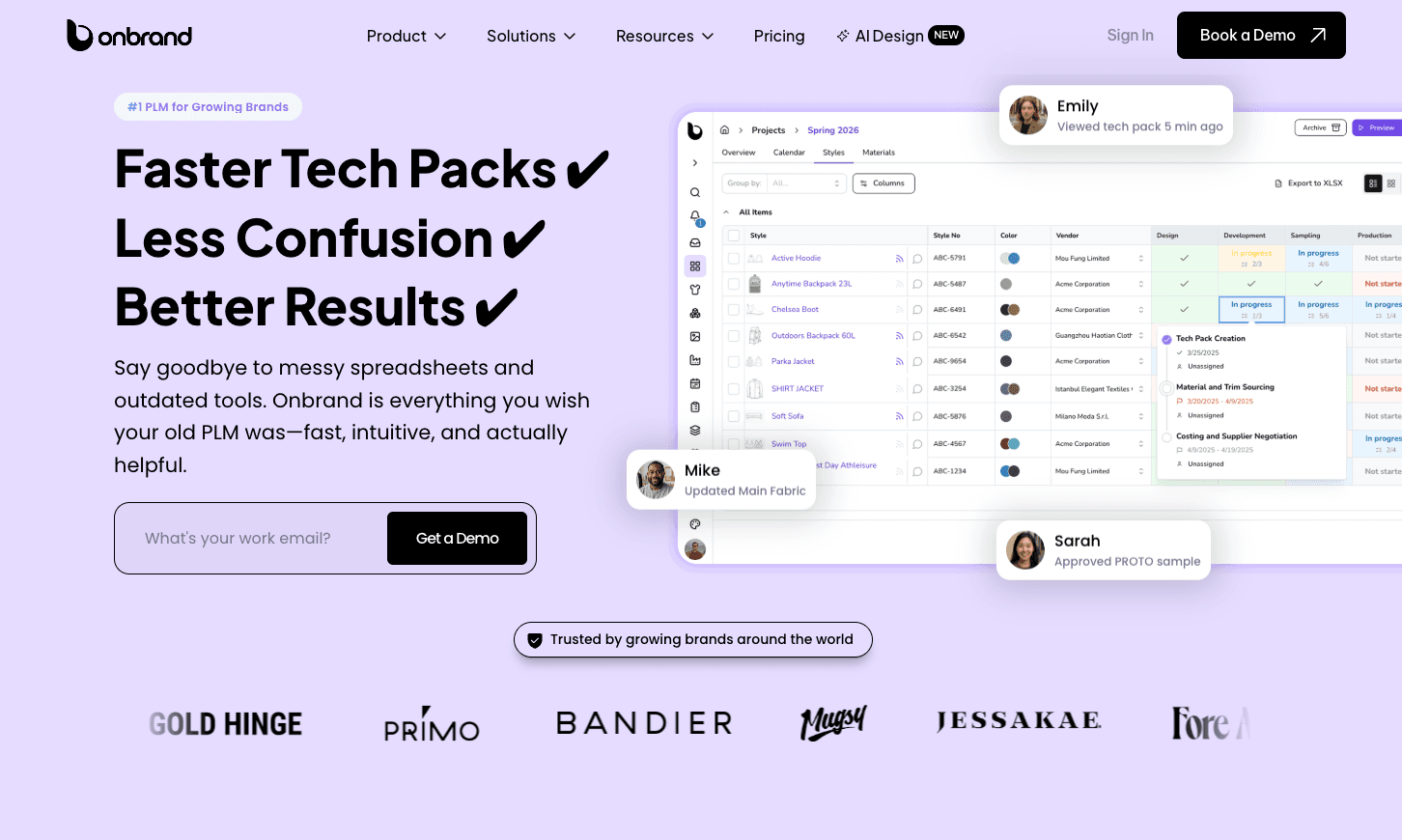
Onbrand PLM supports tech pack management in a way that reflects how product development actually operates:
Live tech packs - Tech packs remain web-based instead of being exported into static files, so factories and internal stakeholders always see the most current specifications without tracking versions over email.
Version control - Measurement updates, construction edits, and BOM changes stay tied to a single style record, which prevents duplicate files and reduces confusion during sampling.
Centralized BOM - Fabrics, trims, labels, and supplier references connect directly to the style, so sourcing and costing rely on structured data rather than copied tables.
Colorway management - Fabric or trim variations live within the same style record, which removes the need to maintain separate documents for each version.
Sample tracking - Proto, fit, pre-production samples (PPS), approvals, and revision notes remain linked to the style history, so development decisions stay visible throughout the lifecycle.
Shared supplier access - Vendors comment directly inside the tech pack, keeping communication tied to the style instead of scattered across email threads.
Onbrand also connects design to development. With Onbrand AI Design, you can generate concepts, explore colorways, create technical sketches, and move approved visuals directly into PLM to begin tech pack creation without rebuilding files from scratch.
That connection reduces handoff gaps between design and production.
Brands looking for tech pack software often need more than a template. They need structured documentation that keeps design, materials, samples, and factory communication aligned in one controlled system.
Build Smarter Tech Packs With Onbrand
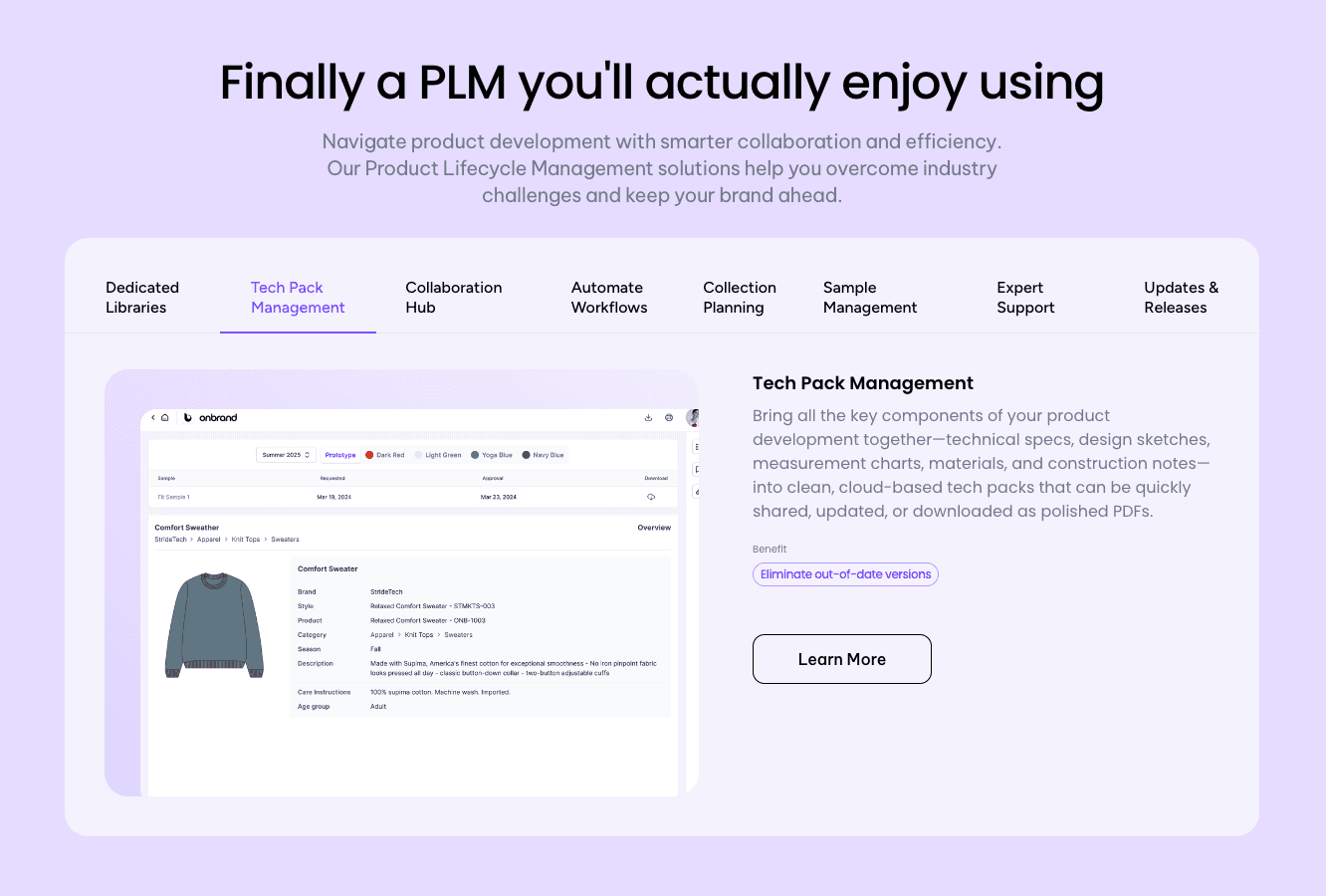
Every production delay has a starting point, and it often traces back to documentation. A tech pack brings structure to your garment before fabric is cut or samples are approved, giving factories clear instructions instead of assumptions.
Basic templates may work when collections are small, but growth places more pressure on your documentation. More SKUs, suppliers, and revisions require tighter control over measurements, materials, and approvals, and manual files become harder to manage with each season.
Structured systems bring that control back into the process. Onbrand connects tech packs, sample tracking, materials, and collaboration in one environment, so your documentation stays aligned throughout fashion product development as collections scale.
FAQs About Tech Pack Maker
What is the difference between a tech pack and a spec sheet?
A tech pack is the complete document used to guide garment production, while a spec sheet focuses specifically on measurements and fit. The tech pack includes technical sketches, BOMs, construction notes, packaging details, and the spec sheet itself. In other words, the spec sheet is one component inside the larger tech pack. For designers, both are essential to maintain accuracy throughout the production workflow.
Can one tech pack cover multiple colorways?
Yes, one tech pack can cover multiple colorways if each variation clearly documents fabric, trim, and label changes. Large brands often use structured systems that allow colorway-specific details to be customizable within a single style record. This prevents duplicate files and reduces version confusion. In a Fashion PLM tool like Onbrand, colorways can live inside the same workflow while maintaining accurate material references for each variation.
What software do large brands use for tech packs?
Large brands use Onbrand to manage tech packs instead of spreadsheets. These systems centralize product data, specification management, sample tracking, and PLM collaboration with suppliers. Many platforms also include automated version control to reduce development errors.

