How to Use AI in Fashion Design [2026 Guide]
Jan 16, 2026


Early design decisions shape the entire collection. When teams spend too long debating direction or working from loose ideas, those gaps often show up later as rework, delays, or unclear tech packs.
Designers, product developers, and sourcing teams all need clarity, but traditional workflows do not always support that.
This is where AI fashion design software becomes useful. It helps fashion teams explore ideas visually, compare design variations, and align sooner before committing to physical samples or extended production time.
In this article, we cover how AI is used in fashion design, where it fits into real design workflows, and how teams move from concept to product development with more confidence.
TL;DR
AI fashion design software helps fashion teams explore concepts, compare design variations, and align earlier before tech packs, samples, and production.
Fashion teams use AI at specific stages, including concept exploration, design iteration, visual reviews, trend context, and early communication with vendors.
Clear visuals improve collaboration across designers, developers, and merch teams, leading to cleaner handoffs and fewer late changes.
AI supports early design work but does not replace creative judgment, final decisions, or brand direction.
Platforms like Onbrand AI Design connect early design work directly to PLM, helping teams move from concept to development with fewer rebuilds and less rework.
What Is AI Fashion Design Software
AI fashion design software is a set of AI tools that support fashion teams during design and planning work.
It helps teams explore ideas, review design variations, and align on direction before work moves into tech packs, samples, and production.
Instead of replacing designers, this software supports the creative process by turning rough concepts into visuals that teams can review together.
Fashion designers use it to test silhouettes, patterns, and fabrics, while developers and merch teams use the visuals to understand intent earlier in the design workflow.
This clarity helps teams avoid misalignment that can slow down fashion product development later.
Many platforms rely on generative AI and trained AI models to create digital design outputs from references or text prompts. These visuals support decisions without locking teams into physical samples too soon.
Used well, AI fashion design fits into the fashion design process as a planning and alignment tool, not a final design system.
How AI Is Used in Fashion Design
AI is not used everywhere in the design process. Teams apply it at specific moments to reduce uncertainty and speed up decisions. Below, we outline how AI supports concept exploration, iteration, and alignment ahead of product development.
Supporting Early Concept Exploration
Early concept work moves faster when teams can see ideas, not just describe them.
With an AI-powered platform, designers turn loose concepts or text prompts into visual starting points that help clarify creative vision early.
Teams explore silhouettes, colors, and details without waiting for a full sketch render or committing to physical samples too soon. These visuals help teams visualize garments and react to direction before timelines tighten.
For both in-house teams and independent designers, this stage supports stronger alignment around clothing design and reduces uncertainty at the start of the entire design process.
Speeding Up Design Iterations
Once a direction exists, AI helps teams move through changes with less friction.
Designers compare design variations side by side instead of rebuilding ideas from scratch. Small adjustments help teams fine-tune proportions, details, or graphics while keeping earlier decisions visible.
Because updates happen in real-time, teams spend less effort retracing steps when feedback changes.
This improves efficiency across reviews and keeps the design journey moving forward without slowing product development timelines.
Aligning Teams Before Development
Clear visuals help teams agree on direction before work moves into product development.
When design intent is visible, team collaboration improves across design, development, and merchandising. Shared references reduce assumptions and keep brand identity consistent as styles move forward.
This alignment leads to cleaner handoffs into fashion management workflows. With fewer open questions around construction or styling, teams avoid late changes that slow timelines and affect approvals.
Improving Design Reviews and Feedback
Design reviews work better when feedback is visual. Teams respond faster to realistic renders than written descriptions or abstract notes.
Side-by-side comparisons help reviewers consider style preferences and make decisions without long discussions.
Comments tied to specific images keep feedback clear and reduce backtracking. This approach supports quicker approvals, stronger decisions, and fewer review cycles before styles enter production.
Adding Trend Context to Design Decisions
Trend context helps teams make choices with more confidence. Designers reference fashion trends from runway coverage, market activity, and seasonal reports to sense where demand is heading.
These signals help teams pressure test color stories and silhouettes before committing to new designs. Instead of guessing, teams ground their decisions in a direction that reflects the current fashion industry.
This approach supports clearer intent at the start of the line and reduces rework later, especially when styles move toward buy reviews.
Creating Assets for Communication
Clear visuals help teams communicate direction before development begins.
Designers create assets that show intent across digital fashion design, including proportions, details, and fabric behavior through fabric simulation.
These visuals support internal alignment and line planning, while also helping vendors understand expectations sooner.
When teams share visuals instead of long explanations, conversations stay focused, and approvals move faster before tech packs enter the workflow.
Connecting Design to Product Development
When direction stays clear, teams move faster into execution. With Onbrand AI Design connected to Onbrand PLM, approved concepts, assets, and design details carry forward without rebuilding files.
Clear visuals and decisions support smoother tech pack creation and reduce gaps between design and documentation.
This connection helps teams protect timelines and avoid rework once sampling begins. With PLM collaboration, design intent stays visible as styles move through development.
Teams work faster when design and production steps live in the same flow, and not across disconnected tools.
Who Benefits Most From AI Fashion Design Software
AI fashion tools support teams that manage complexity across people, timelines, and styles. It is most useful when multiple roles need to react in the same direction.
Growing fashion brands - Teams working across multiple drops or seasonal lines use AI to align on direction without slowing reviews or relying on long explanations.
Design and development teams - Designers use visuals to support design skills and test ideas before moving beyond a sketch. Developers gain a clearer context before work reaches tech packs and samples.
Brands working across different models - Teams managing varied silhouettes or a wide body type range use AI to review proportion and fit ideas without committing to physical samples.
Teams planning ahead - For fashion brands preparing future collections, AI supports exploration and decisions without limiting creativity or control.
This makes AI a practical tool for teams that need clarity, not a replacement for design judgment.
What AI Can and Cannot Replace in Fashion Design
AI supports design work, but it does not replace the people behind the decisions.
Fashion teams still rely on human judgment to define direction, edit ideas, and build collections that make sense for real customers. That responsibility stays with designers and product leaders at fashion houses.
What AI can do is support common use cases like visuals, mockups, or quick comparisons. Some teams also use tools for virtual try-ons or early product photography concepts to review proportion and presentation.
These outputs help teams move faster, but they do not decide what belongs in a collection.
AI is not an ideal tool for setting taste, context, or meaning. It works best when it gives teams better access to ideas, while people stay in control of how those ideas come to life.
How Onbrand AI Design Fits Into Modern Fashion Design Workflows
Many fashion teams explore AI tools, but few platforms reflect the reality of day-to-day design work. Early ideas, fast iteration, visual alignment, and clean handoffs all need to connect.
Onbrand AI Design was built with that reality in mind.
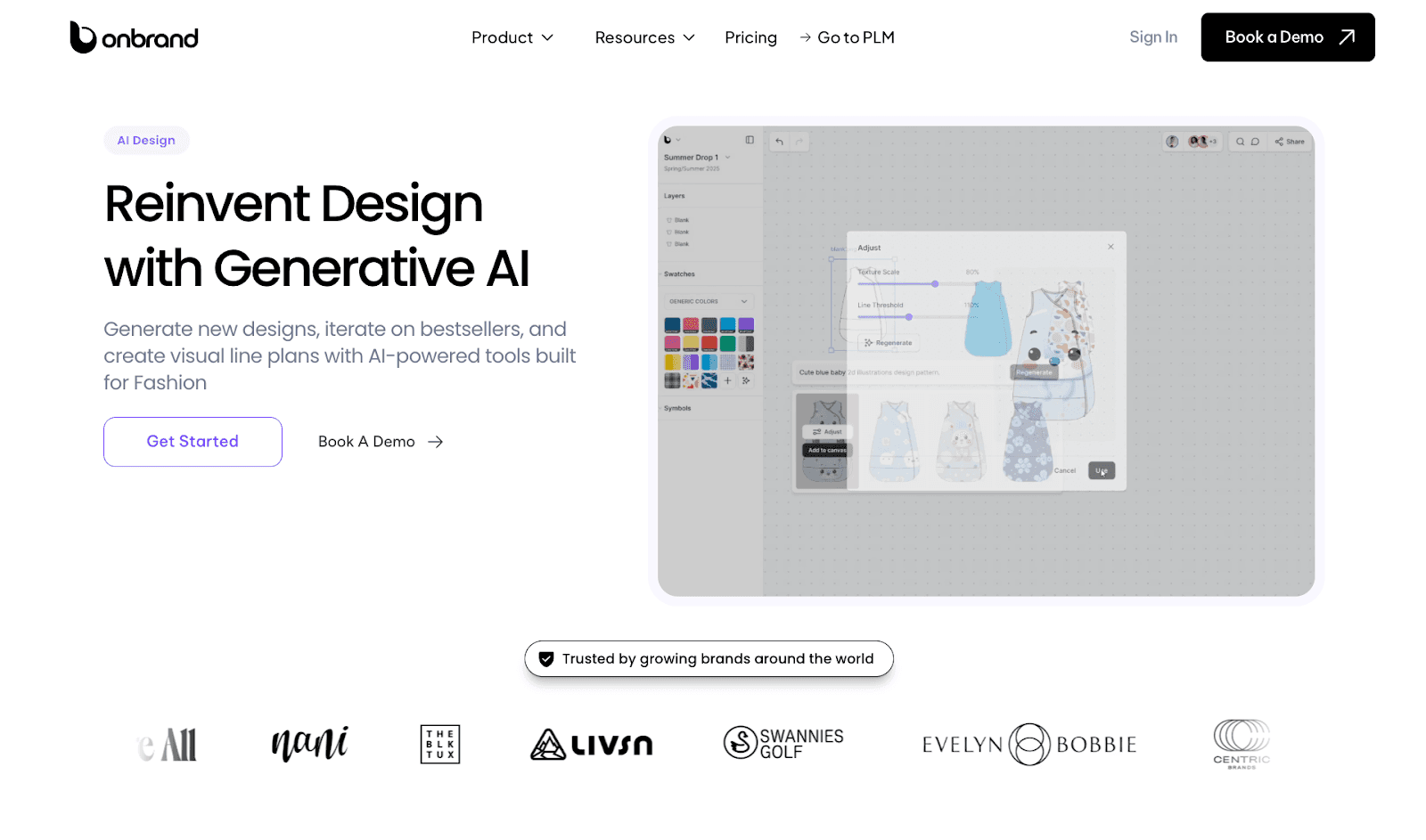
Instead of treating AI as a separate experiment, Onbrand brings it directly into the design workflow. Teams explore ideas faster, reduce sampling pressure, and move from concept to development without breaking flow.
Onbrand highlights outcomes like 10x faster design turnaround, $1,000s saved on external resources, and more control over design decisions.
Below is how fashion teams use Onbrand AI Design in practice.
Create Design Concepts Faster With Generative AI
Design teams use Onbrand AI Design to generate concepts from text prompts, sketches, or reference images. This supports concept work without locking decisions too early. Teams explore silhouettes, trims, and proportions while protecting creative vision and brand identity.
Faster concept creation helps teams test more ideas early, without relying on external mockups or visuals.
Explore Design Variations Without Slowing the Team
Onbrand AI Design makes it easy to create and compare variations of a single idea. Designers test colorways, details, and subtle changes without redrawing assets from scratch. This supports exploration across multiple categories and collections.
By validating direction digitally, teams often see 30–50% fewer physical samples, which reduces cost and shortens review cycles.
Collaborate Visually in One Shared Design Space
Design moves faster when feedback stays close to the work. Onbrand AI Design gives teams a shared canvas where designers, developers, and merch teams review the same visuals together.
Comments stay tied to specific versions, and version history stays clear. This tighter alignment shortens approvals and can save 10+ weeks each year across the design cycle.
Connect Design Directly to PLM
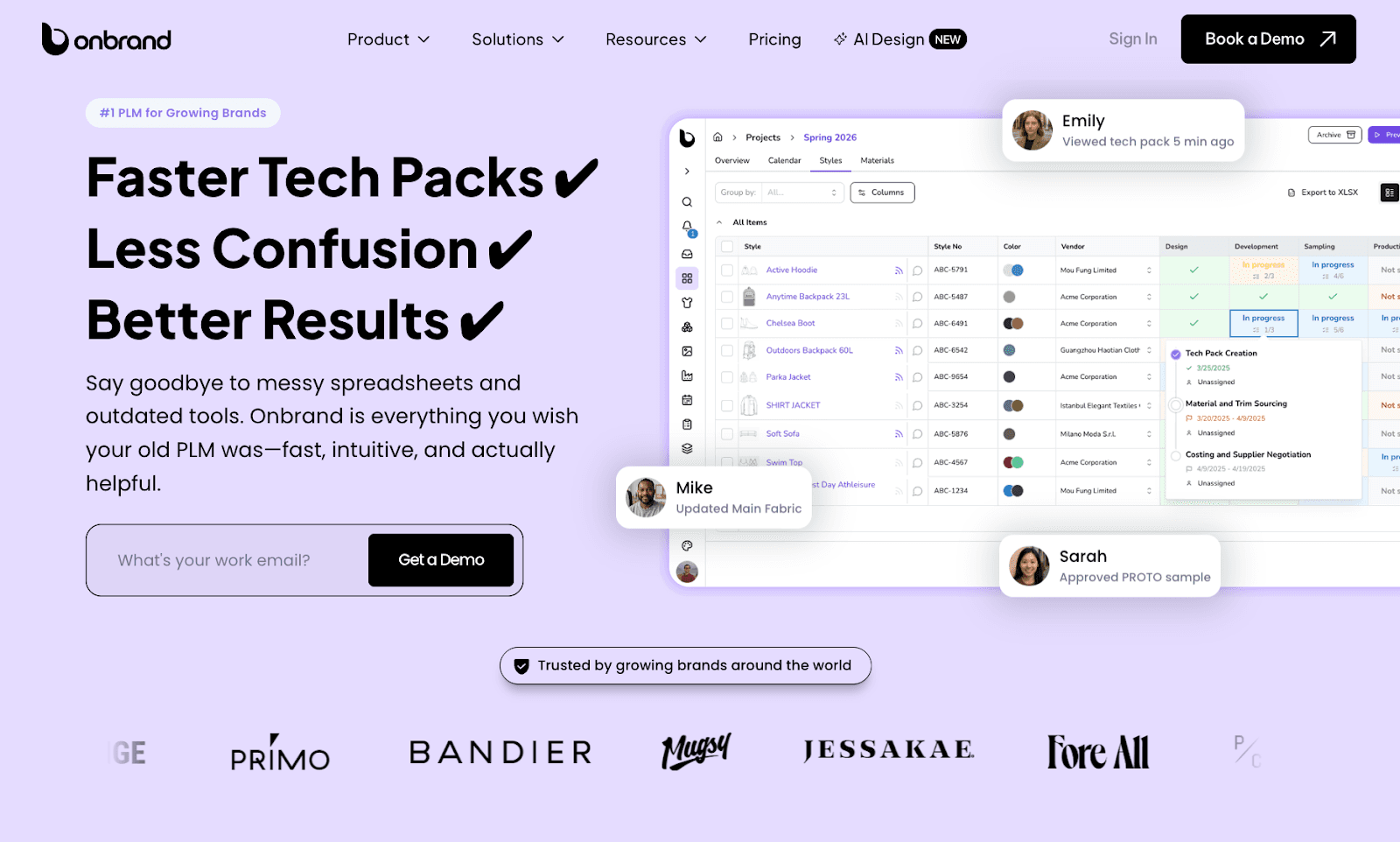
Once direction is approved, designs move directly into Onbrand PLM. Visuals, palettes, and assets flow into tech packs without manual exports or duplicate files.
This connection supports cleaner handoffs, fewer errors, and a single source of truth from design through development.
Design With Speed, Clarity, and Control
Onbrand AI Design supports teams that need to move quickly without losing control. It reduces manual steps, limits unnecessary sampling, and keeps teams aligned as collections take shape.
AI becomes part of how fashion teams work, not something separate that they need to manage.
Bring Clarity to Modern Fashion Workflows with Onbrand AI Design
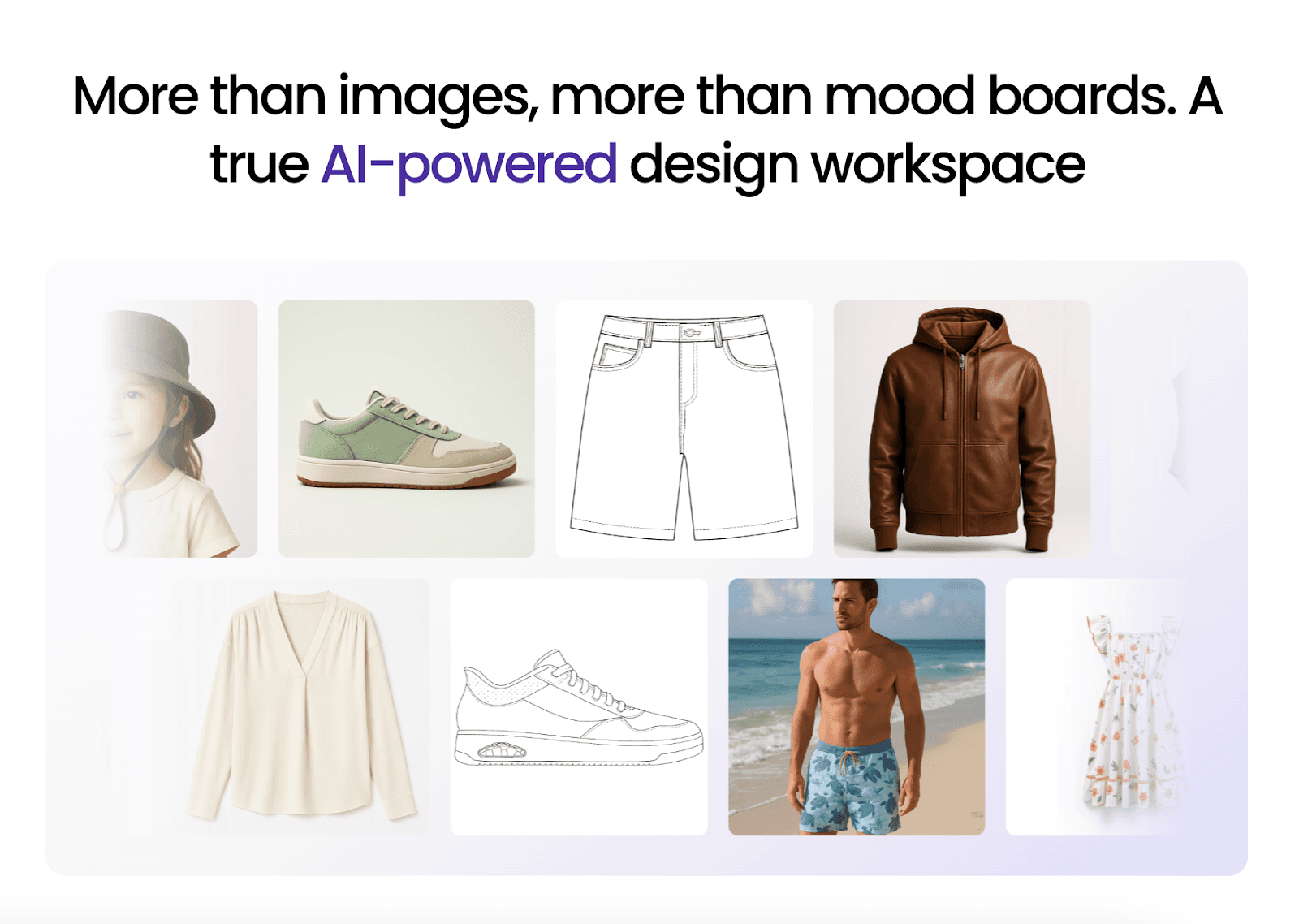
AI fashion design software helps teams make clearer decisions earlier, when ideas are still flexible, and changes cost less.
It supports visual exploration, faster iteration, and stronger alignment across teams, which reduces rework and keeps design moving forward with more confidence.
When applied thoughtfully, AI fits into real fashion workflows without replacing creative judgment. It supports how designers, developers, and merch teams already work, while removing friction that often slows progress from concept to development.
Onbrand AI Design brings this approach to life through connected design, visual collaboration, and iteration in one shared space.
Alongside it, Onbrand PLM carries that clarity into product development, tech packs, and production, so decisions stay aligned across the entire workflow.
FAQs About AI Fashion Design Software
What is the best AI for fashion design?
The best AI for fashion design depends on whether teams need visuals only or a path into production. Some tools stop at concept images, while others support real workflows. Onbrand AI Design stands out because it connects design visuals to PLM, helping teams move from concepts into tech packs and development without losing context or key AI features.
Can you use AI to design clothing?
Yes, teams use AI to support clothing design during the early stages. AI helps generate concepts, explore variations, and review visuals, but designers still make final decisions. Tools like Onbrand AI Design support collaboration and alignment so ideas can move forward into real product workflows.
Is Outfit AI really free?
No, Outfit AI is not free. It operates on paid monthly plans that vary by usage limits and output volume. A subscription is required to generate images and access core functionality, which makes it more suitable for paid use than casual testing.
Which AI is best for styling?
AI styling tools focus on visual experimentation, outfit combinations, and inspiration. Many place looks at fashion models to explore proportion and presentation. These tools work well for reviews, but they do not replace systems used for production planning in the fashion world.
How does AI use data in digital fashion design?
AI uses data from reference images, past designs, and approved visuals to support work in digital fashion. This data helps teams compare options, review variations, and align on direction faster. Designers still control final decisions, while AI supports clearer planning before work moves into development.
Early design decisions shape the entire collection. When teams spend too long debating direction or working from loose ideas, those gaps often show up later as rework, delays, or unclear tech packs.
Designers, product developers, and sourcing teams all need clarity, but traditional workflows do not always support that.
This is where AI fashion design software becomes useful. It helps fashion teams explore ideas visually, compare design variations, and align sooner before committing to physical samples or extended production time.
In this article, we cover how AI is used in fashion design, where it fits into real design workflows, and how teams move from concept to product development with more confidence.
TL;DR
AI fashion design software helps fashion teams explore concepts, compare design variations, and align earlier before tech packs, samples, and production.
Fashion teams use AI at specific stages, including concept exploration, design iteration, visual reviews, trend context, and early communication with vendors.
Clear visuals improve collaboration across designers, developers, and merch teams, leading to cleaner handoffs and fewer late changes.
AI supports early design work but does not replace creative judgment, final decisions, or brand direction.
Platforms like Onbrand AI Design connect early design work directly to PLM, helping teams move from concept to development with fewer rebuilds and less rework.
What Is AI Fashion Design Software
AI fashion design software is a set of AI tools that support fashion teams during design and planning work.
It helps teams explore ideas, review design variations, and align on direction before work moves into tech packs, samples, and production.
Instead of replacing designers, this software supports the creative process by turning rough concepts into visuals that teams can review together.
Fashion designers use it to test silhouettes, patterns, and fabrics, while developers and merch teams use the visuals to understand intent earlier in the design workflow.
This clarity helps teams avoid misalignment that can slow down fashion product development later.
Many platforms rely on generative AI and trained AI models to create digital design outputs from references or text prompts. These visuals support decisions without locking teams into physical samples too soon.
Used well, AI fashion design fits into the fashion design process as a planning and alignment tool, not a final design system.
How AI Is Used in Fashion Design
AI is not used everywhere in the design process. Teams apply it at specific moments to reduce uncertainty and speed up decisions. Below, we outline how AI supports concept exploration, iteration, and alignment ahead of product development.
Supporting Early Concept Exploration
Early concept work moves faster when teams can see ideas, not just describe them.
With an AI-powered platform, designers turn loose concepts or text prompts into visual starting points that help clarify creative vision early.
Teams explore silhouettes, colors, and details without waiting for a full sketch render or committing to physical samples too soon. These visuals help teams visualize garments and react to direction before timelines tighten.
For both in-house teams and independent designers, this stage supports stronger alignment around clothing design and reduces uncertainty at the start of the entire design process.
Speeding Up Design Iterations
Once a direction exists, AI helps teams move through changes with less friction.
Designers compare design variations side by side instead of rebuilding ideas from scratch. Small adjustments help teams fine-tune proportions, details, or graphics while keeping earlier decisions visible.
Because updates happen in real-time, teams spend less effort retracing steps when feedback changes.
This improves efficiency across reviews and keeps the design journey moving forward without slowing product development timelines.
Aligning Teams Before Development
Clear visuals help teams agree on direction before work moves into product development.
When design intent is visible, team collaboration improves across design, development, and merchandising. Shared references reduce assumptions and keep brand identity consistent as styles move forward.
This alignment leads to cleaner handoffs into fashion management workflows. With fewer open questions around construction or styling, teams avoid late changes that slow timelines and affect approvals.
Improving Design Reviews and Feedback
Design reviews work better when feedback is visual. Teams respond faster to realistic renders than written descriptions or abstract notes.
Side-by-side comparisons help reviewers consider style preferences and make decisions without long discussions.
Comments tied to specific images keep feedback clear and reduce backtracking. This approach supports quicker approvals, stronger decisions, and fewer review cycles before styles enter production.
Adding Trend Context to Design Decisions
Trend context helps teams make choices with more confidence. Designers reference fashion trends from runway coverage, market activity, and seasonal reports to sense where demand is heading.
These signals help teams pressure test color stories and silhouettes before committing to new designs. Instead of guessing, teams ground their decisions in a direction that reflects the current fashion industry.
This approach supports clearer intent at the start of the line and reduces rework later, especially when styles move toward buy reviews.
Creating Assets for Communication
Clear visuals help teams communicate direction before development begins.
Designers create assets that show intent across digital fashion design, including proportions, details, and fabric behavior through fabric simulation.
These visuals support internal alignment and line planning, while also helping vendors understand expectations sooner.
When teams share visuals instead of long explanations, conversations stay focused, and approvals move faster before tech packs enter the workflow.
Connecting Design to Product Development
When direction stays clear, teams move faster into execution. With Onbrand AI Design connected to Onbrand PLM, approved concepts, assets, and design details carry forward without rebuilding files.
Clear visuals and decisions support smoother tech pack creation and reduce gaps between design and documentation.
This connection helps teams protect timelines and avoid rework once sampling begins. With PLM collaboration, design intent stays visible as styles move through development.
Teams work faster when design and production steps live in the same flow, and not across disconnected tools.
Who Benefits Most From AI Fashion Design Software
AI fashion tools support teams that manage complexity across people, timelines, and styles. It is most useful when multiple roles need to react in the same direction.
Growing fashion brands - Teams working across multiple drops or seasonal lines use AI to align on direction without slowing reviews or relying on long explanations.
Design and development teams - Designers use visuals to support design skills and test ideas before moving beyond a sketch. Developers gain a clearer context before work reaches tech packs and samples.
Brands working across different models - Teams managing varied silhouettes or a wide body type range use AI to review proportion and fit ideas without committing to physical samples.
Teams planning ahead - For fashion brands preparing future collections, AI supports exploration and decisions without limiting creativity or control.
This makes AI a practical tool for teams that need clarity, not a replacement for design judgment.
What AI Can and Cannot Replace in Fashion Design
AI supports design work, but it does not replace the people behind the decisions.
Fashion teams still rely on human judgment to define direction, edit ideas, and build collections that make sense for real customers. That responsibility stays with designers and product leaders at fashion houses.
What AI can do is support common use cases like visuals, mockups, or quick comparisons. Some teams also use tools for virtual try-ons or early product photography concepts to review proportion and presentation.
These outputs help teams move faster, but they do not decide what belongs in a collection.
AI is not an ideal tool for setting taste, context, or meaning. It works best when it gives teams better access to ideas, while people stay in control of how those ideas come to life.
How Onbrand AI Design Fits Into Modern Fashion Design Workflows
Many fashion teams explore AI tools, but few platforms reflect the reality of day-to-day design work. Early ideas, fast iteration, visual alignment, and clean handoffs all need to connect.
Onbrand AI Design was built with that reality in mind.

Instead of treating AI as a separate experiment, Onbrand brings it directly into the design workflow. Teams explore ideas faster, reduce sampling pressure, and move from concept to development without breaking flow.
Onbrand highlights outcomes like 10x faster design turnaround, $1,000s saved on external resources, and more control over design decisions.
Below is how fashion teams use Onbrand AI Design in practice.
Create Design Concepts Faster With Generative AI
Design teams use Onbrand AI Design to generate concepts from text prompts, sketches, or reference images. This supports concept work without locking decisions too early. Teams explore silhouettes, trims, and proportions while protecting creative vision and brand identity.
Faster concept creation helps teams test more ideas early, without relying on external mockups or visuals.
Explore Design Variations Without Slowing the Team
Onbrand AI Design makes it easy to create and compare variations of a single idea. Designers test colorways, details, and subtle changes without redrawing assets from scratch. This supports exploration across multiple categories and collections.
By validating direction digitally, teams often see 30–50% fewer physical samples, which reduces cost and shortens review cycles.
Collaborate Visually in One Shared Design Space
Design moves faster when feedback stays close to the work. Onbrand AI Design gives teams a shared canvas where designers, developers, and merch teams review the same visuals together.
Comments stay tied to specific versions, and version history stays clear. This tighter alignment shortens approvals and can save 10+ weeks each year across the design cycle.
Connect Design Directly to PLM

Once direction is approved, designs move directly into Onbrand PLM. Visuals, palettes, and assets flow into tech packs without manual exports or duplicate files.
This connection supports cleaner handoffs, fewer errors, and a single source of truth from design through development.
Design With Speed, Clarity, and Control
Onbrand AI Design supports teams that need to move quickly without losing control. It reduces manual steps, limits unnecessary sampling, and keeps teams aligned as collections take shape.
AI becomes part of how fashion teams work, not something separate that they need to manage.
Bring Clarity to Modern Fashion Workflows with Onbrand AI Design

AI fashion design software helps teams make clearer decisions earlier, when ideas are still flexible, and changes cost less.
It supports visual exploration, faster iteration, and stronger alignment across teams, which reduces rework and keeps design moving forward with more confidence.
When applied thoughtfully, AI fits into real fashion workflows without replacing creative judgment. It supports how designers, developers, and merch teams already work, while removing friction that often slows progress from concept to development.
Onbrand AI Design brings this approach to life through connected design, visual collaboration, and iteration in one shared space.
Alongside it, Onbrand PLM carries that clarity into product development, tech packs, and production, so decisions stay aligned across the entire workflow.
FAQs About AI Fashion Design Software
What is the best AI for fashion design?
The best AI for fashion design depends on whether teams need visuals only or a path into production. Some tools stop at concept images, while others support real workflows. Onbrand AI Design stands out because it connects design visuals to PLM, helping teams move from concepts into tech packs and development without losing context or key AI features.
Can you use AI to design clothing?
Yes, teams use AI to support clothing design during the early stages. AI helps generate concepts, explore variations, and review visuals, but designers still make final decisions. Tools like Onbrand AI Design support collaboration and alignment so ideas can move forward into real product workflows.
Is Outfit AI really free?
No, Outfit AI is not free. It operates on paid monthly plans that vary by usage limits and output volume. A subscription is required to generate images and access core functionality, which makes it more suitable for paid use than casual testing.
Which AI is best for styling?
AI styling tools focus on visual experimentation, outfit combinations, and inspiration. Many place looks at fashion models to explore proportion and presentation. These tools work well for reviews, but they do not replace systems used for production planning in the fashion world.
How does AI use data in digital fashion design?
AI uses data from reference images, past designs, and approved visuals to support work in digital fashion. This data helps teams compare options, review variations, and align on direction faster. Designers still control final decisions, while AI supports clearer planning before work moves into development.

Discover how Onbrand PLM can streamline your product development!
© 2024 onbrandplm.com. All rights reserved.
© 2024 Onbrand. All rights reserved.

