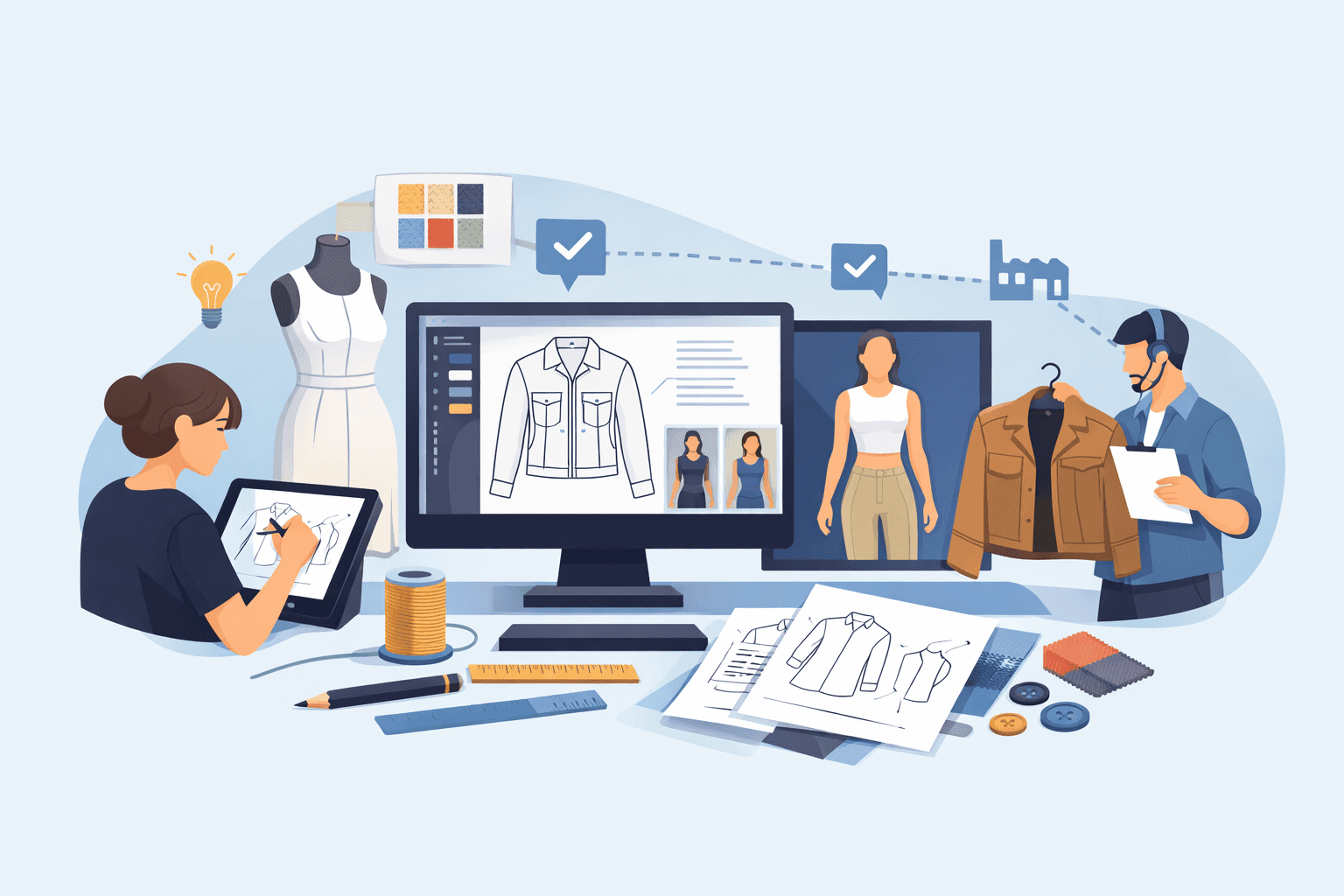
Clothing Design App Explained for Fashion Design Workflows

Clothing Design App Explained for Fashion Design Workflows

Feb 5, 2026

clothing design app
clothing design app
clothing design app

What happens when a design process that worked for a few styles has to support an entire collection?

As collections grow, so do feedback, revisions, and handoffs. Design decisions move through more people, more files, and more versions, which makes them harder to track over time.

What once felt manageable can quickly turn into repeated explanations, version confusion, and lost context.

A clothing design app gives fashion teams a clearer way to manage that work without losing direction. Instead of relying on scattered files or static exports, designs stay connected to feedback, notes, and approvals as they move forward.

Digital tools support how teams design, review, and develop products from early concepts through development.

Fashion designers use design apps to turn ideas into shared visuals, review work with stakeholders, and prepare designs for development before tech packs and samples are created.

This guide focuses on how design apps support ongoing design and development work, helping teams keep decisions clear as collections grow.

TL;DR

  • A clothing design app helps fashion teams manage design work as collections grow, keeping visuals, feedback, and decisions connected instead of scattered between files and exports.

  • Design apps support early concept work, visual direction, technical sketches, and collaboration before styles move into tech packs and development.

  • When design context gets lost, teams waste time re-explaining decisions, rebuilding visuals, and fixing issues during sampling and vendor communication.

  • As workflows scale, a shared design app keeps creative and production teams aligned by carrying decisions from sketch through samples and production.

  • Onbrand links early design work to PLM, so approved visuals can flow into tech packs and development without extra file handoffs.

What a Clothing Design App Supports in Fashion Design

A clothing design app supports the early stages of the fashion design process by helping you explore ideas and set visual direction before development begins.

You can build mood boards to gather inspiration, test color and material direction, and shape the look of new collections.

Design apps also support clearer visuals through fashion drawing, fashion illustration, and flat sketches. Many teams use technical drawings to show proportions, details, and construction intent before work moves into tech packs.

Tools like Adobe Illustrator or sketching on an iPad Pro with an Apple Pencil help improve design accuracy and reduce guesswork later.

Fashion teams also use Onbrand AI Design to explore concepts with text prompts and align on direction before committing designs to development.

As styles move forward, a design app helps keep creative intent visible while designs are reviewed, updated, and prepared for physical samples.

Shared access also supports remote collaboration, so feedback stays connected to the design instead of being scattered between files or messages.

How Fashion Designers Use a Clothing Design App

Fashion teams use a clothing design app to handle specific design tasks as work moves from idea to development. The focus is on doing the work, not evaluating outcomes.

You might start by exploring silhouettes and proportions using reference images or a fashion mood board, testing fabrics and accessories, or sketching a dress concept that reflects current direction in the fashion world.

Some designers sketch on an iPad Mini or desktop tools, while others use tools like Onbrand AI Design to explore concepts and align on direction before sketching begins.

Common day-to-day uses include:

  • Reviewing designs with internal partners before approval

  • Adding construction notes to designs before handoff

  • Checking fit intent using a digital model of different body types

  • Sharing designs for remote collaboration when work spans roles or locations

Design apps also serve as a shared repository for files, rather than relying on details from email threads or websites.

How Clothing Design Apps Support the Entire Product Lifecycle

A clothing design app supports work throughout the full product lifecycle, starting before development begins.

Early on, designs are reviewed to confirm direction, align on silhouettes, and establish visual clarity before details are locked in. This helps teams agree on intent while changes are still easy to make.

As styles move closer to development, designs are refined so that proportions, construction intent, and key details are clear enough for technical documentation.

At this stage, visuals often reference how patterns should translate into finished garments, giving developers a stronger starting point before specs are finalized.

Once designs are approved, they stay connected as work moves into fashion product development, sampling, and production.

Some teams review 3D fashion views or digital models to confirm fit intent, check proportion, and assess how designs hold up against current trends before physical samples are made.

Throughout the lifecycle, a design app serves as a shared data source. Design decisions remain visible as styles move from concept to production, which reduces rework and avoids restarting conversations at each stage.

What Happens When Design Context Gets Lost

When the design context isn’t readily accessible, teams spend time explaining their work instead of moving it forward.

Visuals get shared as exports or screenshots, and decisions that were once clear turn into open questions as files circulate outside the system.

Missing or outdated references often lead to repeated explanations during reviews.

Designers are asked to restate intent that was already agreed on, while developers work from partial information because visuals, notes, and approvals live in different places.

Misalignment usually becomes visible during sampling. A sample reflects one version of the design, while feedback refers to another.

Teams then pause progress to compare files, rebuild visuals, or confirm which details are current before moving on.

Disconnected files also create interpretation gaps with vendors. Without a clear source of truth, factories fill in missing details based on assumptions rather than confirmed direction.

Industry research shows that incomplete or unclear design documentation, including inadequate specs and communication gaps, increases costs, causes schedule overruns, and drives rework in product development projects.

A design app helps prevent this by keeping visuals, feedback, and decisions connected to each style, so context stays intact as work continues.

How Clothing Design Apps Fit Into Growing Fashion Workflows

Growing collections change how digital fashion design work moves through a brand. What starts with a few styles often becomes dozens of active designs, each tied to real fashion products, feedback, files, and timelines.

Managing that volume with disconnected design tools makes it harder to track decisions and keep work moving. A good app helps keep design work connected without asking you to rebuild your process as volume increases. 

Instead of exporting files or saving versions in separate folders, designs stay tied to each style as updates are made and reviews continue. Sketching tools and AI design features support early exploration, while saved visuals and notes carry forward into tech packs and samples.

That continuity reduces the need to restate decisions once development begins, which helps work move forward faster without adding pressure.

As more people get involved, access matters. Designers, developers, and production partners need to see the same design context without chasing updates or comparing versions.

A shared design app keeps creative and production work aligned as collections expand, even as collections expand and more people get involved.

Onbrand: A Clothing Design App for Fashion Teams

Onbrand brings design and product development into one connected workflow, so early concepts stay intact as work moves into tech packs, samples, and production. 

Instead of restarting or translating decisions at each stage, you work from one continuous style record.

Visuals, notes, and approvals remain tied to the design from first concept through vendor handoff. That continuity reduces rework and prevents details from getting lost as more people touch the style.

Onbrand AI Design for Early Concept Exploration and Visual Alignment
Onbrand AI Design

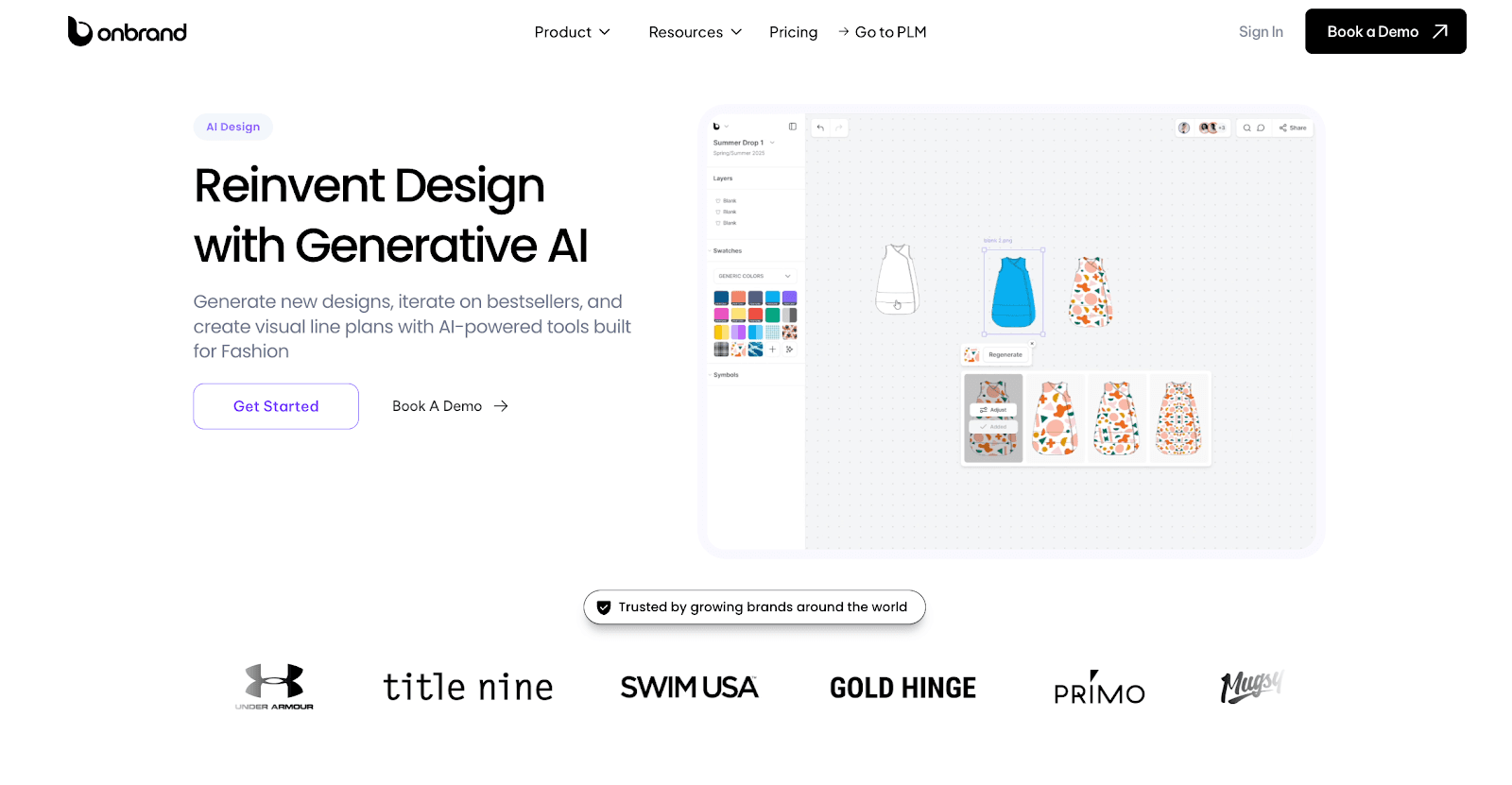
Onbrand AI Design supports early exploration by giving you a shared space to test ideas and align on direction before development begins. 

You can generate concepts from text prompts, compare options side by side, and capture feedback directly on the frame under review.

Once a direction is approved, those visuals carry forward. There’s no need to export, re-upload, or recreate designs just to move work ahead.

Onbrand PLM for Carrying Designs Into Development and Production
Onbrand PLM

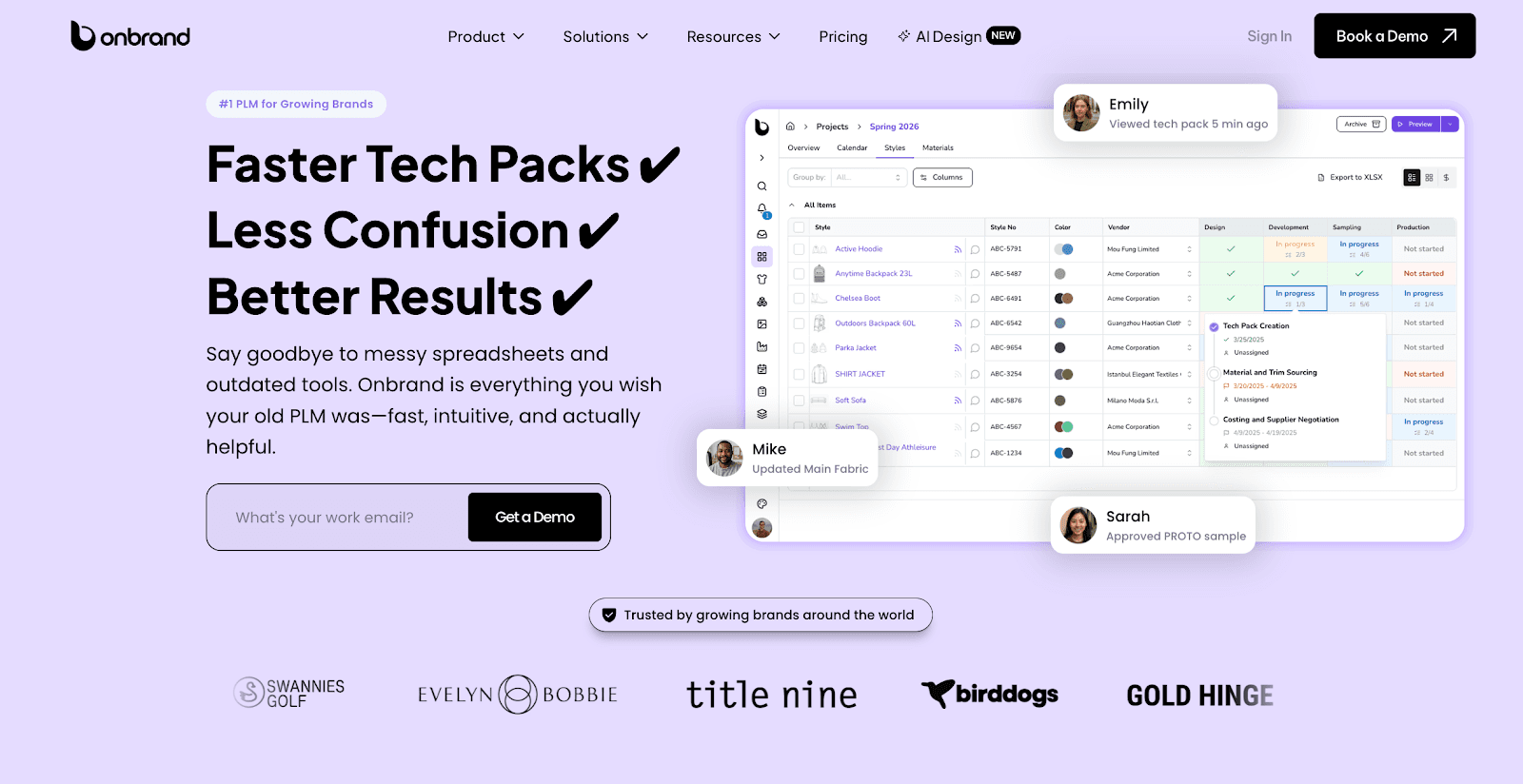
Onbrand PLM picks up where design leaves off. Approved visuals can be carried into tech packs, sample tracking, and vendor communication, all connected to the same style record. 

Updates happen in one place, so teams and factories always reference the current version.

Brands using Onbrand have reported 55% faster tech pack creation and a four-week reduction in development timelines.

If you want to see how design and development stay connected in one system, book a demo to explore the full workflow in Onbrand.

Clothing Design App Standardization

Standardization usually begins when informal tools no longer suffice. A free app or basic sketch tool may work at first, but gaps start to show as more styles move through design and development.

Feedback spreads through emails, files, and messages, which makes it harder to confirm what is approved and what has changed.

Common signals include:

  • Design feedback living in comments, screenshots, or side messages

  • Handoffs that rely on explaining decisions again instead of pointing to a shared design

  • Repeated questions from development about missing context or updates

  • Differences are showing up between sketches, tech packs, and sewing instructions

At this point, many brands realize they are managing design work through a patchwork of tools and in-app purchases layered over time. 

That setup makes version control harder, not easier. Moving to one shared system helps keep design decisions visible and reduces backtracking once styles move into development.

How a Clothing Design App Supports Better Design Decisions

Better decisions come from having a single, agreed reference that everyone can return to. 

Clothing design software keeps approved concepts easy to find, which reduces time spent debating which version is current or which feedback applies.

Designs that draw precise lines and clearly show construction intent give development teams what they need to move forward with confidence. 

If proportions, seams, and details are visible in one place, fewer assumptions are made before samples are built. Visual references answer questions early, instead of during fittings.

Clear design records also reduce late-stage changes. When creative intent stays visible from sketch through tech pack, updates happen earlier, when they are easier to manage. Sampling becomes closer to a confirmation step, not a correction cycle.

This consistency protects timelines and helps keep the final product aligned with the original design direction. 

The design itself becomes the reference, which leads to steadier decisions and fewer surprises downstream.

Experience a Design-to-Production Workflow With Onbrand
Onbrand

Design work does not stop once a concept is approved. It continues through reviews, handoffs, samples, and production decisions that all rely on clear context. When that context breaks, teams end up revisiting work instead of moving styles forward.

A clothing design app is most useful when it supports the full workflow, not just the initial sketch. Keeping visuals, feedback, and decisions connected helps everyone stay aligned as styles move from concept into development.

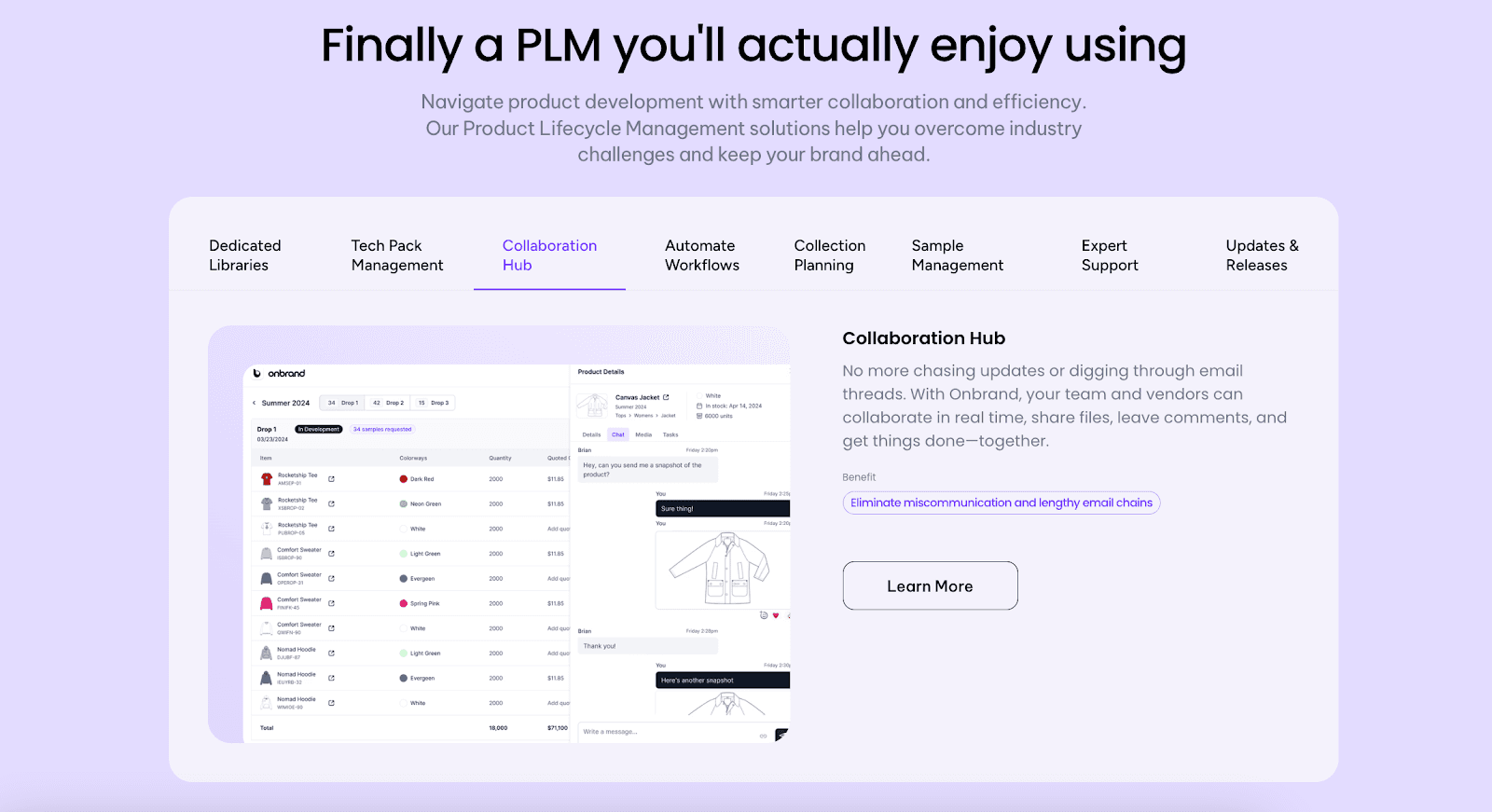
Onbrand connects early design and production-ready execution in one system. Onbrand AI Design supports concept exploration and visual alignment, while Onbrand PLM carries approved designs into tech packs, samples, and vendor communication.

Together, they help teams avoid rebuilding work as styles progress.

Curious what it looks like when design and development live in the same system? Book a demo to see how Onbrand carries work from early visuals into production without rebuilding files.


FAQs About the Clothing Design App

What apps do I use to design clothes?

Fashion teams use different apps depending on where they are in the workflow. Sketching and illustration tools help create early visuals, while design platforms support reviews and concept alignment. As work moves into development, designs usually connect to tech packs, samples, and vendor communication through product development systems.

What is the 3-3-3 rule for clothes?

The 3-3-3 rule is a personal styling guideline, not a design or production method. It suggests creating outfits from three tops, three bottoms, and three shoes. Fashion brands do not use this rule when designing, developing, or producing collections.

Is there an app that can make outfits for you?

Some consumer apps can suggest outfits or combinations based on images or rules. For fashion brands, design apps focus on creating and reviewing garments, not styling finished outfits. Outfit planning for collections usually happens through line planning, merchandising systems, and other tools that support assortment and category planning, not automated outfit generators.

Can I design clothes for free?

You can sketch or experiment using free tools, but most professional workflows require paid software. Free apps often lack features needed for tech packs, revisions, approvals, and production handoffs. Brands usually move to paid tools once designs need to support real product development and manufacturing.  

What happens when a design process that worked for a few styles has to support an entire collection?

As collections grow, so do feedback, revisions, and handoffs. Design decisions move through more people, more files, and more versions, which makes them harder to track over time.

What once felt manageable can quickly turn into repeated explanations, version confusion, and lost context.

A clothing design app gives fashion teams a clearer way to manage that work without losing direction. Instead of relying on scattered files or static exports, designs stay connected to feedback, notes, and approvals as they move forward.

Digital tools support how teams design, review, and develop products from early concepts through development.

Fashion designers use design apps to turn ideas into shared visuals, review work with stakeholders, and prepare designs for development before tech packs and samples are created.

This guide focuses on how design apps support ongoing design and development work, helping teams keep decisions clear as collections grow.

TL;DR

  • A clothing design app helps fashion teams manage design work as collections grow, keeping visuals, feedback, and decisions connected instead of scattered between files and exports.

  • Design apps support early concept work, visual direction, technical sketches, and collaboration before styles move into tech packs and development.

  • When design context gets lost, teams waste time re-explaining decisions, rebuilding visuals, and fixing issues during sampling and vendor communication.

  • As workflows scale, a shared design app keeps creative and production teams aligned by carrying decisions from sketch through samples and production.

  • Onbrand links early design work to PLM, so approved visuals can flow into tech packs and development without extra file handoffs.

What a Clothing Design App Supports in Fashion Design

A clothing design app supports the early stages of the fashion design process by helping you explore ideas and set visual direction before development begins.

You can build mood boards to gather inspiration, test color and material direction, and shape the look of new collections.

Design apps also support clearer visuals through fashion drawing, fashion illustration, and flat sketches. Many teams use technical drawings to show proportions, details, and construction intent before work moves into tech packs.

Tools like Adobe Illustrator or sketching on an iPad Pro with an Apple Pencil help improve design accuracy and reduce guesswork later.

Fashion teams also use Onbrand AI Design to explore concepts with text prompts and align on direction before committing designs to development.

As styles move forward, a design app helps keep creative intent visible while designs are reviewed, updated, and prepared for physical samples.

Shared access also supports remote collaboration, so feedback stays connected to the design instead of being scattered between files or messages.

How Fashion Designers Use a Clothing Design App

Fashion teams use a clothing design app to handle specific design tasks as work moves from idea to development. The focus is on doing the work, not evaluating outcomes.

You might start by exploring silhouettes and proportions using reference images or a fashion mood board, testing fabrics and accessories, or sketching a dress concept that reflects current direction in the fashion world.

Some designers sketch on an iPad Mini or desktop tools, while others use tools like Onbrand AI Design to explore concepts and align on direction before sketching begins.

Common day-to-day uses include:

  • Reviewing designs with internal partners before approval

  • Adding construction notes to designs before handoff

  • Checking fit intent using a digital model of different body types

  • Sharing designs for remote collaboration when work spans roles or locations

Design apps also serve as a shared repository for files, rather than relying on details from email threads or websites.

How Clothing Design Apps Support the Entire Product Lifecycle

A clothing design app supports work throughout the full product lifecycle, starting before development begins.

Early on, designs are reviewed to confirm direction, align on silhouettes, and establish visual clarity before details are locked in. This helps teams agree on intent while changes are still easy to make.

As styles move closer to development, designs are refined so that proportions, construction intent, and key details are clear enough for technical documentation.

At this stage, visuals often reference how patterns should translate into finished garments, giving developers a stronger starting point before specs are finalized.

Once designs are approved, they stay connected as work moves into fashion product development, sampling, and production.

Some teams review 3D fashion views or digital models to confirm fit intent, check proportion, and assess how designs hold up against current trends before physical samples are made.

Throughout the lifecycle, a design app serves as a shared data source. Design decisions remain visible as styles move from concept to production, which reduces rework and avoids restarting conversations at each stage.

What Happens When Design Context Gets Lost

When the design context isn’t readily accessible, teams spend time explaining their work instead of moving it forward.

Visuals get shared as exports or screenshots, and decisions that were once clear turn into open questions as files circulate outside the system.

Missing or outdated references often lead to repeated explanations during reviews.

Designers are asked to restate intent that was already agreed on, while developers work from partial information because visuals, notes, and approvals live in different places.

Misalignment usually becomes visible during sampling. A sample reflects one version of the design, while feedback refers to another.

Teams then pause progress to compare files, rebuild visuals, or confirm which details are current before moving on.

Disconnected files also create interpretation gaps with vendors. Without a clear source of truth, factories fill in missing details based on assumptions rather than confirmed direction.

Industry research shows that incomplete or unclear design documentation, including inadequate specs and communication gaps, increases costs, causes schedule overruns, and drives rework in product development projects.

A design app helps prevent this by keeping visuals, feedback, and decisions connected to each style, so context stays intact as work continues.

How Clothing Design Apps Fit Into Growing Fashion Workflows

Growing collections change how digital fashion design work moves through a brand. What starts with a few styles often becomes dozens of active designs, each tied to real fashion products, feedback, files, and timelines.

Managing that volume with disconnected design tools makes it harder to track decisions and keep work moving. A good app helps keep design work connected without asking you to rebuild your process as volume increases. 

Instead of exporting files or saving versions in separate folders, designs stay tied to each style as updates are made and reviews continue. Sketching tools and AI design features support early exploration, while saved visuals and notes carry forward into tech packs and samples.

That continuity reduces the need to restate decisions once development begins, which helps work move forward faster without adding pressure.

As more people get involved, access matters. Designers, developers, and production partners need to see the same design context without chasing updates or comparing versions.

A shared design app keeps creative and production work aligned as collections expand, even as collections expand and more people get involved.

Onbrand: A Clothing Design App for Fashion Teams

Onbrand brings design and product development into one connected workflow, so early concepts stay intact as work moves into tech packs, samples, and production. 

Instead of restarting or translating decisions at each stage, you work from one continuous style record.

Visuals, notes, and approvals remain tied to the design from first concept through vendor handoff. That continuity reduces rework and prevents details from getting lost as more people touch the style.

Onbrand AI Design for Early Concept Exploration and Visual Alignment

Onbrand AI Design

Onbrand AI Design supports early exploration by giving you a shared space to test ideas and align on direction before development begins. 

You can generate concepts from text prompts, compare options side by side, and capture feedback directly on the frame under review.

Once a direction is approved, those visuals carry forward. There’s no need to export, re-upload, or recreate designs just to move work ahead.

Onbrand PLM for Carrying Designs Into Development and Production

Onbrand PLM

Onbrand PLM picks up where design leaves off. Approved visuals can be carried into tech packs, sample tracking, and vendor communication, all connected to the same style record. 

Updates happen in one place, so teams and factories always reference the current version.

Brands using Onbrand have reported 55% faster tech pack creation and a four-week reduction in development timelines.

If you want to see how design and development stay connected in one system, book a demo to explore the full workflow in Onbrand.

Clothing Design App Standardization

Standardization usually begins when informal tools no longer suffice. A free app or basic sketch tool may work at first, but gaps start to show as more styles move through design and development.

Feedback spreads through emails, files, and messages, which makes it harder to confirm what is approved and what has changed.

Common signals include:

  • Design feedback living in comments, screenshots, or side messages

  • Handoffs that rely on explaining decisions again instead of pointing to a shared design

  • Repeated questions from development about missing context or updates

  • Differences are showing up between sketches, tech packs, and sewing instructions

At this point, many brands realize they are managing design work through a patchwork of tools and in-app purchases layered over time. 

That setup makes version control harder, not easier. Moving to one shared system helps keep design decisions visible and reduces backtracking once styles move into development.

How a Clothing Design App Supports Better Design Decisions

Better decisions come from having a single, agreed reference that everyone can return to. 

Clothing design software keeps approved concepts easy to find, which reduces time spent debating which version is current or which feedback applies.

Designs that draw precise lines and clearly show construction intent give development teams what they need to move forward with confidence. 

If proportions, seams, and details are visible in one place, fewer assumptions are made before samples are built. Visual references answer questions early, instead of during fittings.

Clear design records also reduce late-stage changes. When creative intent stays visible from sketch through tech pack, updates happen earlier, when they are easier to manage. Sampling becomes closer to a confirmation step, not a correction cycle.

This consistency protects timelines and helps keep the final product aligned with the original design direction. 

The design itself becomes the reference, which leads to steadier decisions and fewer surprises downstream.

Experience a Design-to-Production Workflow With Onbrand

Onbrand

Design work does not stop once a concept is approved. It continues through reviews, handoffs, samples, and production decisions that all rely on clear context. When that context breaks, teams end up revisiting work instead of moving styles forward.

A clothing design app is most useful when it supports the full workflow, not just the initial sketch. Keeping visuals, feedback, and decisions connected helps everyone stay aligned as styles move from concept into development.

Onbrand connects early design and production-ready execution in one system. Onbrand AI Design supports concept exploration and visual alignment, while Onbrand PLM carries approved designs into tech packs, samples, and vendor communication.

Together, they help teams avoid rebuilding work as styles progress.

Curious what it looks like when design and development live in the same system? Book a demo to see how Onbrand carries work from early visuals into production without rebuilding files.


FAQs About the Clothing Design App

What apps do I use to design clothes?

Fashion teams use different apps depending on where they are in the workflow. Sketching and illustration tools help create early visuals, while design platforms support reviews and concept alignment. As work moves into development, designs usually connect to tech packs, samples, and vendor communication through product development systems.

What is the 3-3-3 rule for clothes?

The 3-3-3 rule is a personal styling guideline, not a design or production method. It suggests creating outfits from three tops, three bottoms, and three shoes. Fashion brands do not use this rule when designing, developing, or producing collections.

Is there an app that can make outfits for you?

Some consumer apps can suggest outfits or combinations based on images or rules. For fashion brands, design apps focus on creating and reviewing garments, not styling finished outfits. Outfit planning for collections usually happens through line planning, merchandising systems, and other tools that support assortment and category planning, not automated outfit generators.

Can I design clothes for free?

You can sketch or experiment using free tools, but most professional workflows require paid software. Free apps often lack features needed for tech packs, revisions, approvals, and production handoffs. Brands usually move to paid tools once designs need to support real product development and manufacturing.  

Discover how Onbrand PLM can streamline your product development!

© 2024 onbrandplm.com. All rights reserved.