Creating outfit concepts for content, styling, or product visuals can take hours without the right tools.
Fashion brands, creative teams, and marketers often need quick ways to test outfit ideas, generate styling concepts, or create visuals for campaigns and presentations.
Campaign production moves quickly, and creating every styling concept manually can slow creative teams down during launch week.
AI outfit generators help simplify early visual exploration. Teams can use prompts, references, or one photo to generate new looks, test styling directions, and iterate on concepts without restarting the process every time.
This guide covers what these tools do, which ones are worth trying, and how to use them based on your team workflow.
TL;DR
These are the best AI outfit generator tools in 2026:
BitStudio
Botika
NewArc
The New Black
Raspberry AI
What AI Outfit Generators Do
An AI outfit generator offers fashion teams a faster way to create styling concepts, content visuals, and early fashion ideas.
They use text prompts, reference images, or existing photos to generate outfit concepts in seconds. Teams can mix color combinations, silhouettes, and styling directions without rebuilding every campaign wardrobe from scratch.
Certain tools also support virtual try-ons, changing clothes, testing visuals in different body shapes, or using an AI background changer for campaign concepts.
Teams can also preview and test custom outfits and organize styling concepts for campaigns, seasonal collections, or merchandising lineups. That makes them useful for content production, campaign planning, and social posts during early creative exploration.
Most tools focus on generating fast, realistic visual output. Some are better for lightweight visual creation, while others are more useful for fashion content, merchandising, or concept development workflows.
6 Best AI Outfit Generator Tools Worth Trying in 2026
These tools help fashion teams and creative departments generate styling concepts, build complete outfits, and discover visual directions more quickly. Each one works differently, so the best option depends on your workflow and creative sense.
1. Onbrand AI Design
Onbrand AI Design is an AI-powered design workspace built for fashion teams that need to move from early concepts to development workflows more efficiently.
It helps teams generate concepts from text prompts, sketches, mood boards, or reference images while exploring colorways, trims, silhouettes, fabrics, and design variations without rebuilding ideas from scratch.
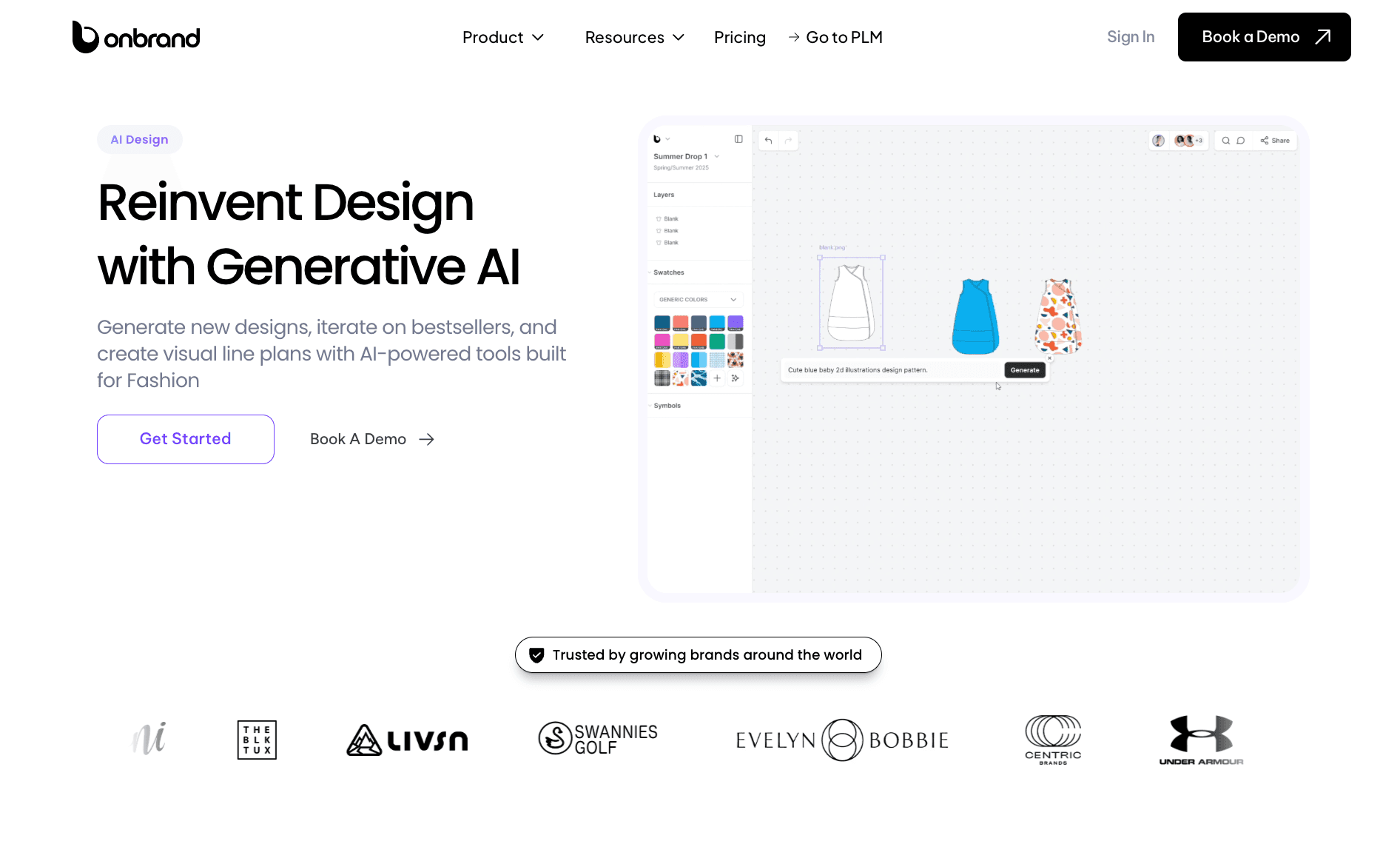
Unlike lightweight AI outfit generators focused only on image output, Onbrand AI Design gives fashion teams a collaborative environment to review concepts, organize collections visually, refine creative direction, and prepare designs for development.
Fashion teams use Onbrand AI Design to create photorealistic renders, test styling directions, generate on-model visuals, build mood boards, review collections, and align design decisions between creative, merchandising, and product teams.
It also helps reduce scattered feedback and disconnected workflows by keeping concepts, revisions, and visual planning in one shared workspace.
How to Use Onbrand for AI Outfit Generation
Start with a text prompt, sketch, reference image, or mood board to generate early outfit concepts and styling directions.
Teams can then refine silhouettes, test fabrics and trims, explore colorways, generate on-model previews, and create multiple design variations without restarting the process manually.
Design concepts can also be organized into shared visual workspaces where teams review feedback, compare directions, align collections, and prepare styles for development workflows.
Key Features
AI-generated fashion concepts from prompts, sketches, or reference images
Photorealistic renders and on-model previews
Shared canvases for collaborative design reviews
Mood boards and visual line planning tools
Colorway, trim, and silhouette exploration
Design variation generation for faster concept testing
Comments and collaborative feedback workflows
Collection organization and visual assortment planning
Creative workflows connected to product development processes
Best For
Fashion brands managing collaborative design workflows
Creative teams building collections and campaign concepts
Designers refining concepts before tech pack development
Teams that need visual creation connected to product workflows
2. BitStudio
BitStudio focuses on changing outfits directly within photos.
It applies new clothing to an existing image, making it useful for testing styling concepts, creating fashion visuals, or producing content without hiring a freelance photographer.
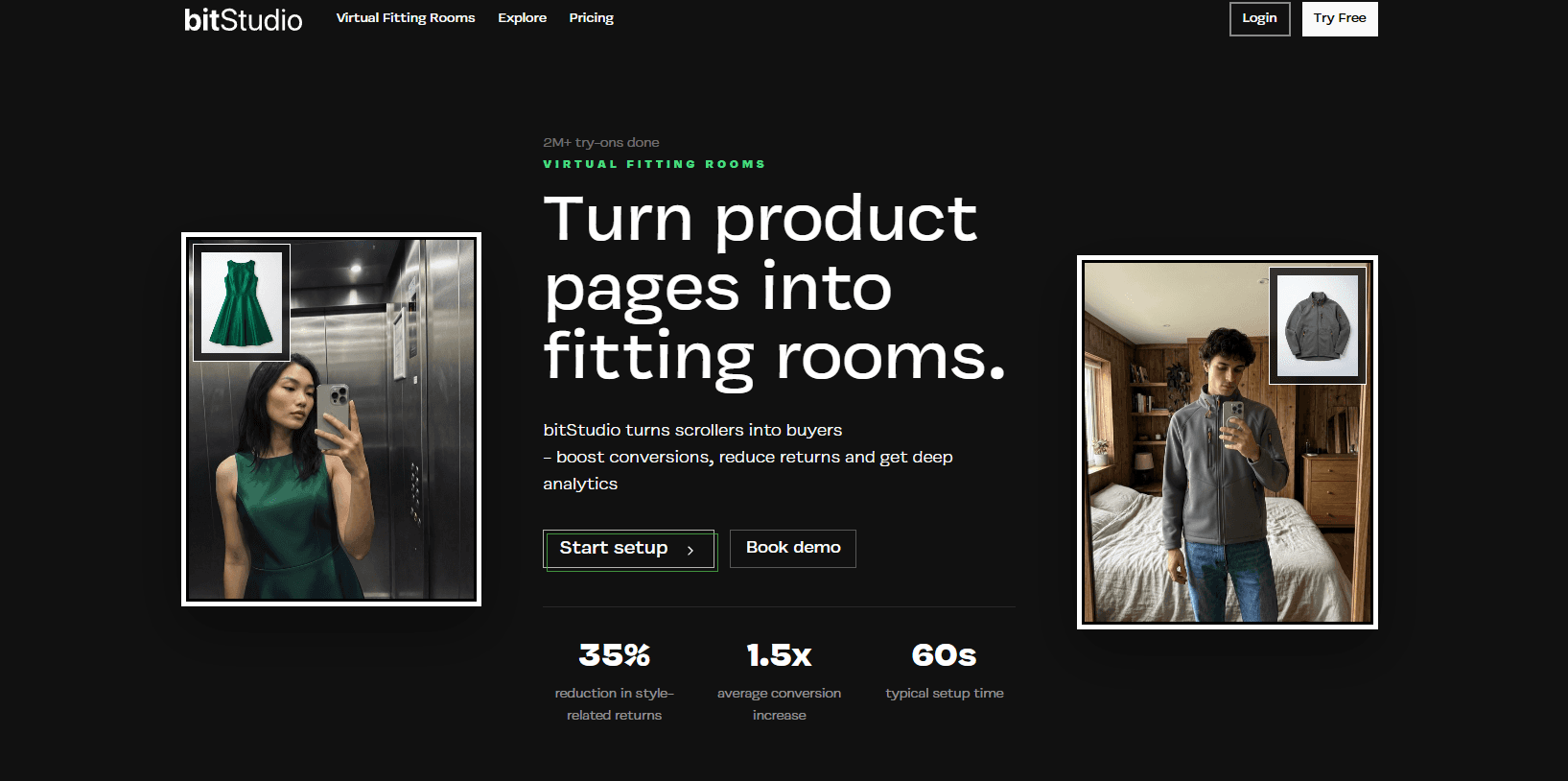
Source: bitstudio.ai
It is built for quick edits so that teams can generate multiple visual variations from the same image in minutes.
How to Use BitStudio for AI Outfit Generation
Teams can upload photos of models, garments, or references directly into the web app (either a flat lay or an on-model piece).
Add optional instructions for style, color, or visual adjustments, then generate updated visuals with the outfit applied. You can test multiple styling directions or refine details between versions.
Key Features
Upload a model image and a separate outfit image
Apply clothing changes directly to photos
Optional text prompts for style or color adjustments
Realistic blending of fabric, lighting, and shadows
Multiple output variations from a single input
Best For
Fashion content creation
Testing styling variations on the same image
Early visual concept development
Small creative teams with limited production resources
3. Botika
Botika is an AI fashion imaging platform built for brands that need on-model visuals without running traditional photoshoots.
It helps fashion teams turn flat lays, mannequin shots, or product images into studio-quality visuals using AI-generated models. That makes it useful for eCommerce imagery, campaign assets, website product launches, and editorial content.
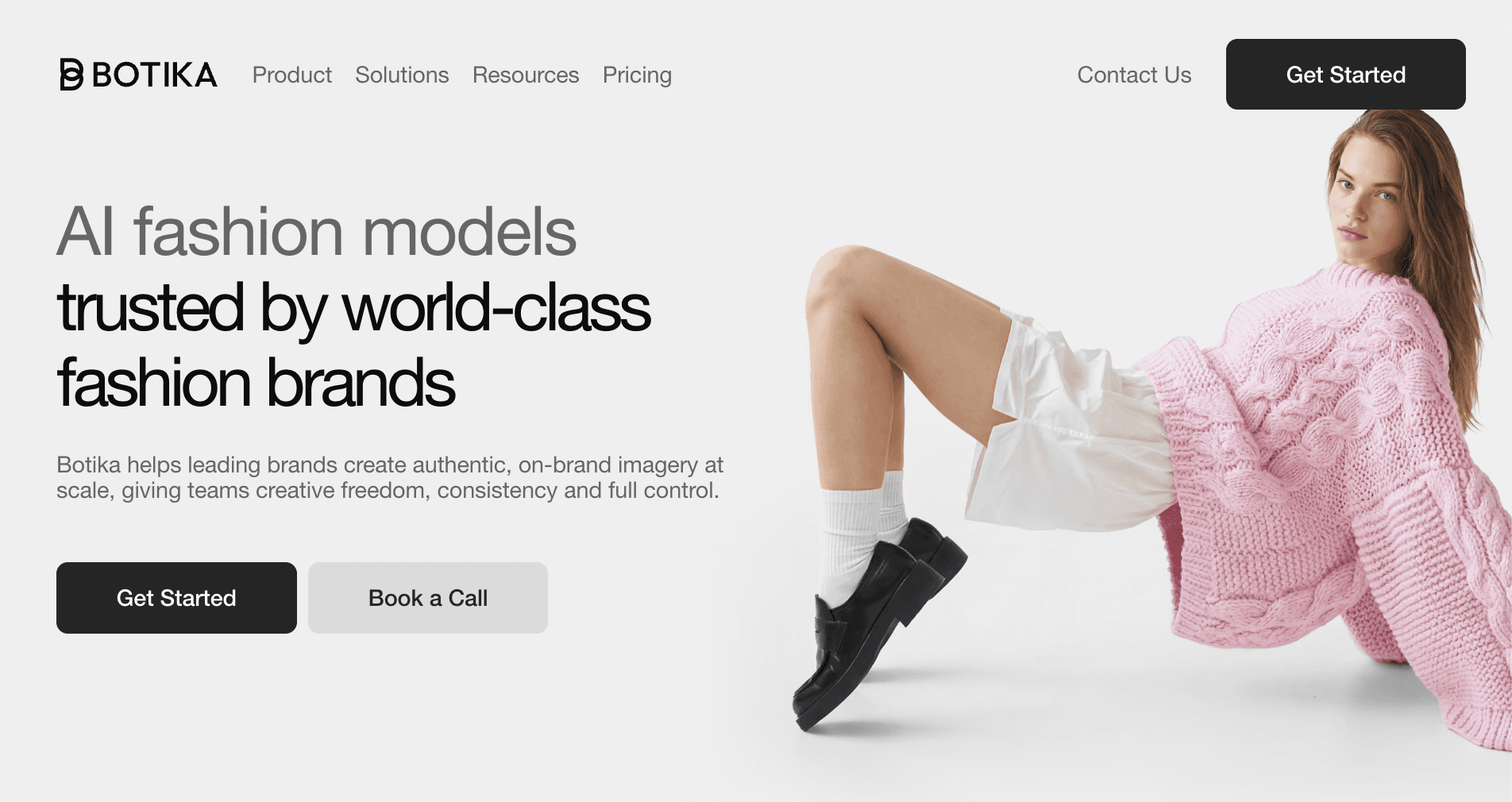
Source: botika.com
The platform focuses on helping creative and marketing teams produce high-quality fashion visuals faster while reducing production costs and turnaround times.
How to Use Botika for AI Outfit Generation
Upload a flat lay, mannequin image, or existing product photo.
Select AI-generated models, styling direction, or visual preferences, then generate updated fashion visuals ready for campaigns, product pages, or content production.
Key Features
Generate AI fashion model imagery from product photos
Convert flat lays or mannequin shots into on-model visuals
Create editorial and campaign-style fashion content
Support for diverse AI-generated fashion models
Fast visual production for eCommerce and marketing teams
Best For
Fashion brands producing eCommerce visuals
Creative teams creating campaign imagery
Merchandising and product marketing workflows
Reducing traditional photoshoot costs and timelines
4. Newarc
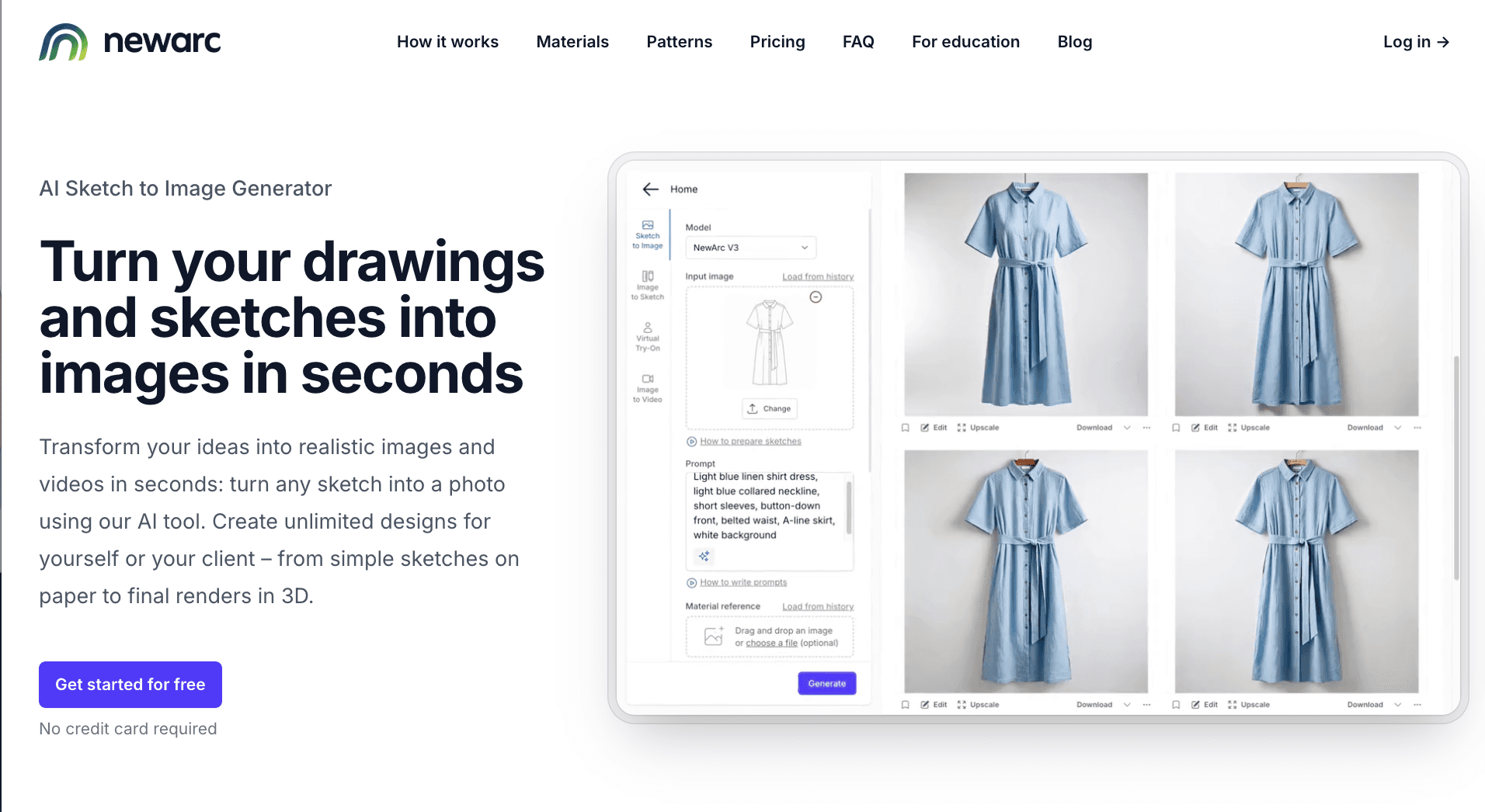
NewArc is an AI sketch-to-image platform built for fashion and product design teams that need to turn sketches into polished visuals quickly.
The platform focuses on transforming drawings, technical sketches, flat designs, or reference images into realistic renders, videos, and presentation-ready fashion visuals.
Source: newarc.ai
Creative teams use NewArc to explore design directions, test fabrics and colorways, build client presentations, and create marketing visuals without relying fully on traditional 3D production or large photoshoots.
How to Use NewArc for AI Outfit Generation
Start with a sketch, technical drawing, or product image as a visual example for the direction you want to develop.
From there, teams can add prompts, fabric references, patterns, or color inputs to generate realistic outfit visuals, on-model renders, or short animations that help bring concepts closer to presentation-ready form.
Key Features
AI sketch-to-image generation for fashion concepts
Virtual try-on and on-model visualization
Image-to-sketch conversion for tech pack preparation
Material, pattern, and colorway exploration tools
Generate fashion visuals and videos for presentations or marketing
Best For
Fashion teams exploring early design concepts
Designers creating presentation-ready visuals
Brands testing colorways, fabrics, and styling directions
Creative teams building campaign or marketing assets
5. The New Black
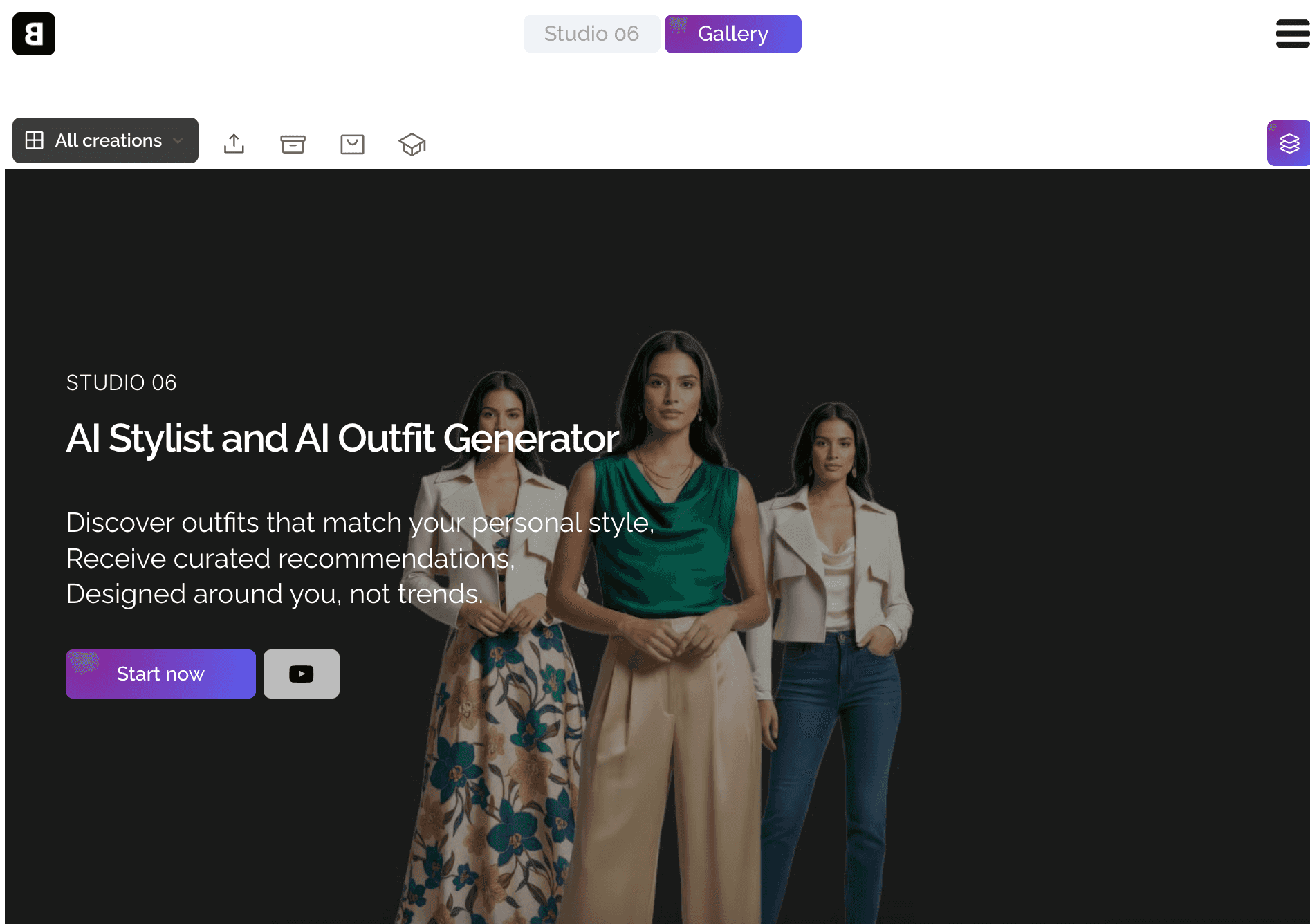
The New Black is an AI outfit generator that creates complete outfits based on styling context, visual direction, and seasonal trends.
It focuses on helping teams generate styling visuals that feel usable for campaigns and real-life brand visuals, not just abstract concepts.
Source: thenewblack.ai
The New Black blends outfit generation with creative styling features like color analysis, AI-guided recommendations, and outfit visualization.
Creative teams can test different visual directions, experiment with moods, and explore styling variations tied to campaigns or upcoming seasons.
How to Use The New Black for AI Outfit Generation
Teams can generate outfit concepts tailored to brand direction, then adjust styling details, explore variations, or visualize how different combinations fit specific contexts or seasons.
Key Features
AI outfit generation based on style direction
AI stylist for curated outfit recommendations
Outfit visualization and variation generation
Context-based styling for different use cases
Built-in color analysis for outfit matching
Best For
Creating styling concepts and fashion visuals
Exploring variations for campaigns or seasonal content
Generating outfit ideas for creative direction
Creative teams that need both inspiration and visual direction
6. Raspberry AI
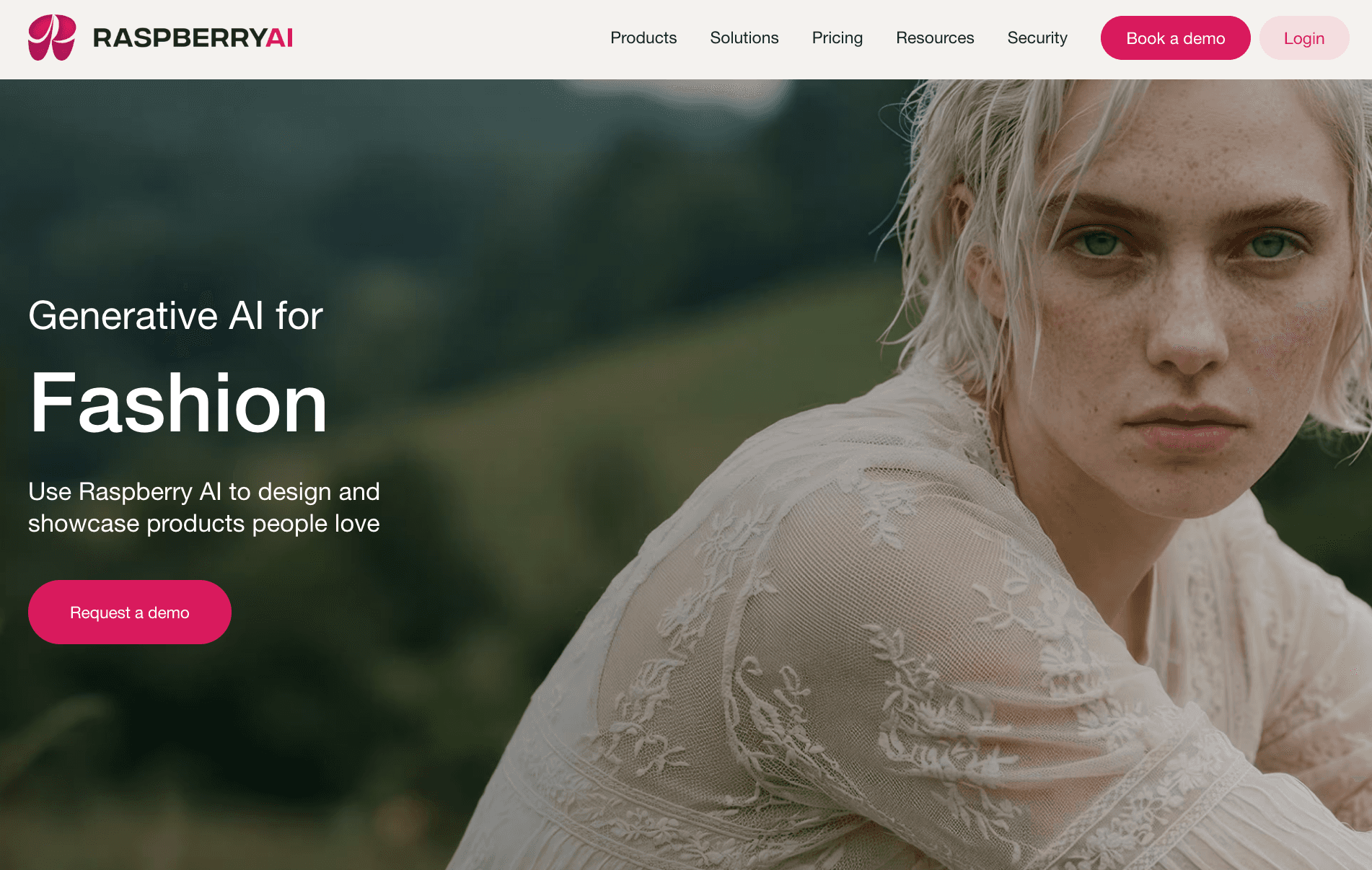
Raspberry AI is a generative AI platform built for fashion brands, design teams, and marketers that need to create product visuals, campaign assets, and design concepts more efficiently.
It supports workflows from early concept development to marketing production, helping teams generate renders, on-body visuals, product photography, prints, and lifestyle imagery in one system.
Source: raspberry.ai
Fashion teams use Raspberry AI to reduce sample costs, speed up production timelines, test creative directions, and create visuals for design reviews, merchandising, and campaigns without relying entirely on traditional photoshoots.
How to Use Raspberry AI for AI Outfit Generation
Upload sketches, product references, or 3D avatars, then generate photorealistic outfit visuals, campaign imagery, or styled renders using prompts and creative inputs.
Teams can also test prints, backgrounds, styling directions, and marketing visuals within the same workflow.
Key Features
Sketch-to-render generation for fashion concepts
On-body visualization in different model figure types
AI-generated lifestyle and product photography
Prints, patterns, and graphics generation tools
Design editing and creative asset generation in one workspace
Best For
Fashion brands creating campaign and product visuals
Design teams exploring styling and merchandising concepts
Marketing teams producing fashion content at scale
Brands looking to reduce sample production and photoshoot costs
Why Visual Generation Alone Is Not Enough
AI outfit generators can help teams create styling concepts, fashion visuals, and early creative directions faster.
Teams use it to generate outfit variations, test visual ideas, and review concepts in seconds. That works well during early exploration, especially for content production, campaign planning, or concept development.
Many tools support preset outfit references, campaign styling, or early-stage outfit planning for launches and visual merchandising.
The limitation appears once a concept needs to move beyond the visual stage.
Many AI outfit generators focus mainly on visual generation.
Teams may get polished visuals of models wearing a dress or shirt, but materials, revisions, approvals, and production details are often missing. It also becomes difficult to manage feedback, maintain a consistent campaign theme, or keep saved design decisions connected between teams.
That creates problems when teams need to:
Turn concepts into production-ready designs
Explore revisions and structured variations
Share feedback between designers, marketers, and product teams
Keep design decisions connected throughout development
Many AI outfit generators focus on fast visual output, while fewer tools support collaborative fashion workflows. Once teams need approvals, revisions, tech packs, or production alignment, the workflow usually becomes fragmented and manual again.
What Fashion Teams Use After AI Concept Generation
Once visual concepts move into development, teams need more than image-generation tools to keep their work organized.
Onbrand PLM helps fashion teams manage the product development process after concepts, styling directions, and collection ideas are approved.
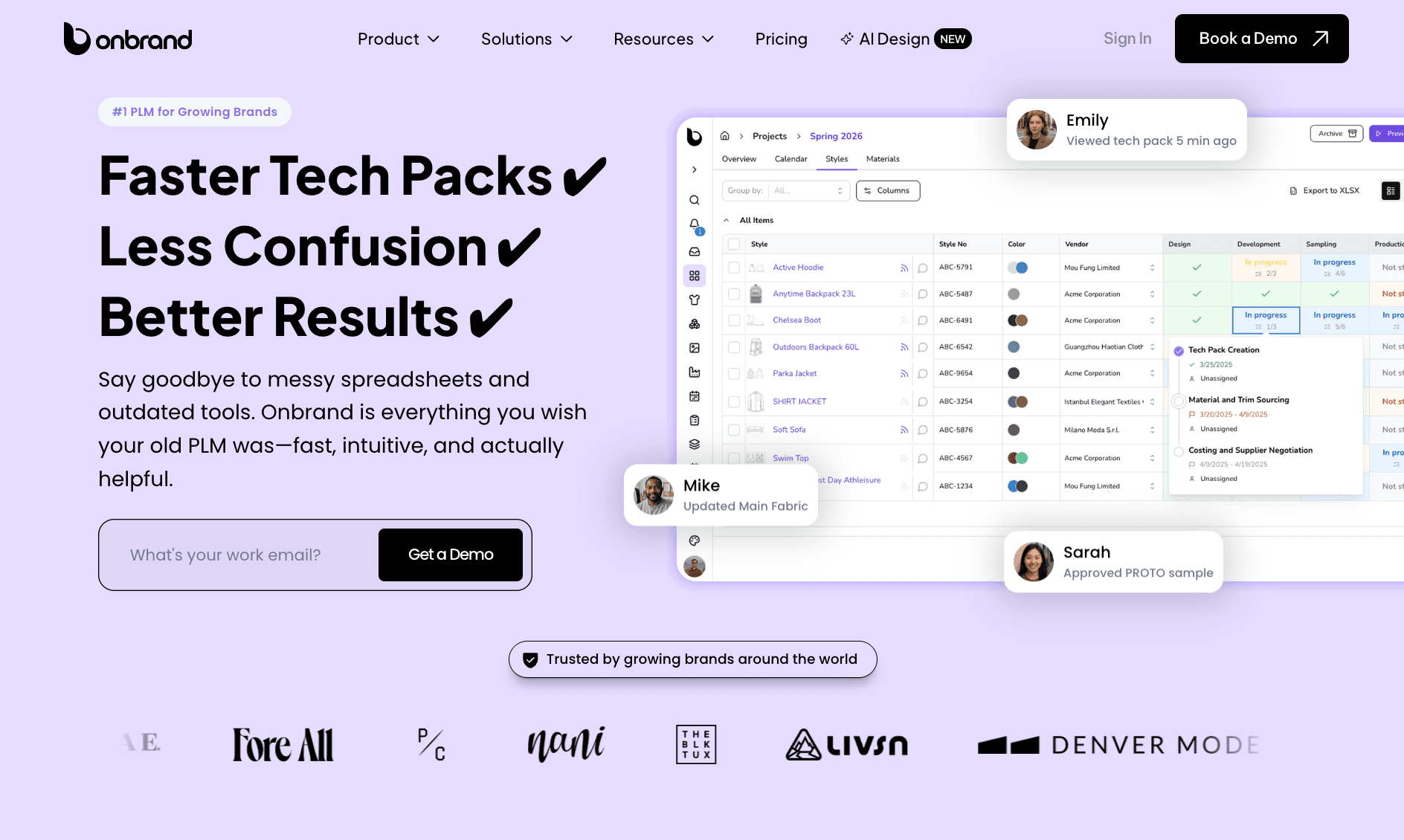
Teams can use Onbrand PLM to manage product data, tech packs, samples, approvals, timelines, and vendor communication in one place.
A strong visual is only the starting point. Teams still need accurate details, structured handoffs, and a reliable way to track updates throughout development.
Creative concepts often become difficult to track once updates start moving between PDFs, spreadsheets, folders, and disconnected feedback threads. That slows approvals, creates version confusion, and makes collaboration harder between design, merchandising, production, and supplier teams.
Onbrand replaces static tech pack files with live web-based tech packs, so teams, vendors, and factories always work from the latest product information instead of outdated versions sent through email.
For fashion teams managing multiple collections, vendors, and approvals at the same time, that visibility helps reduce manual work and keeps product decisions connected throughout fashion product development.
Turn Outfit Ideas Into Real Designs With Onbrand
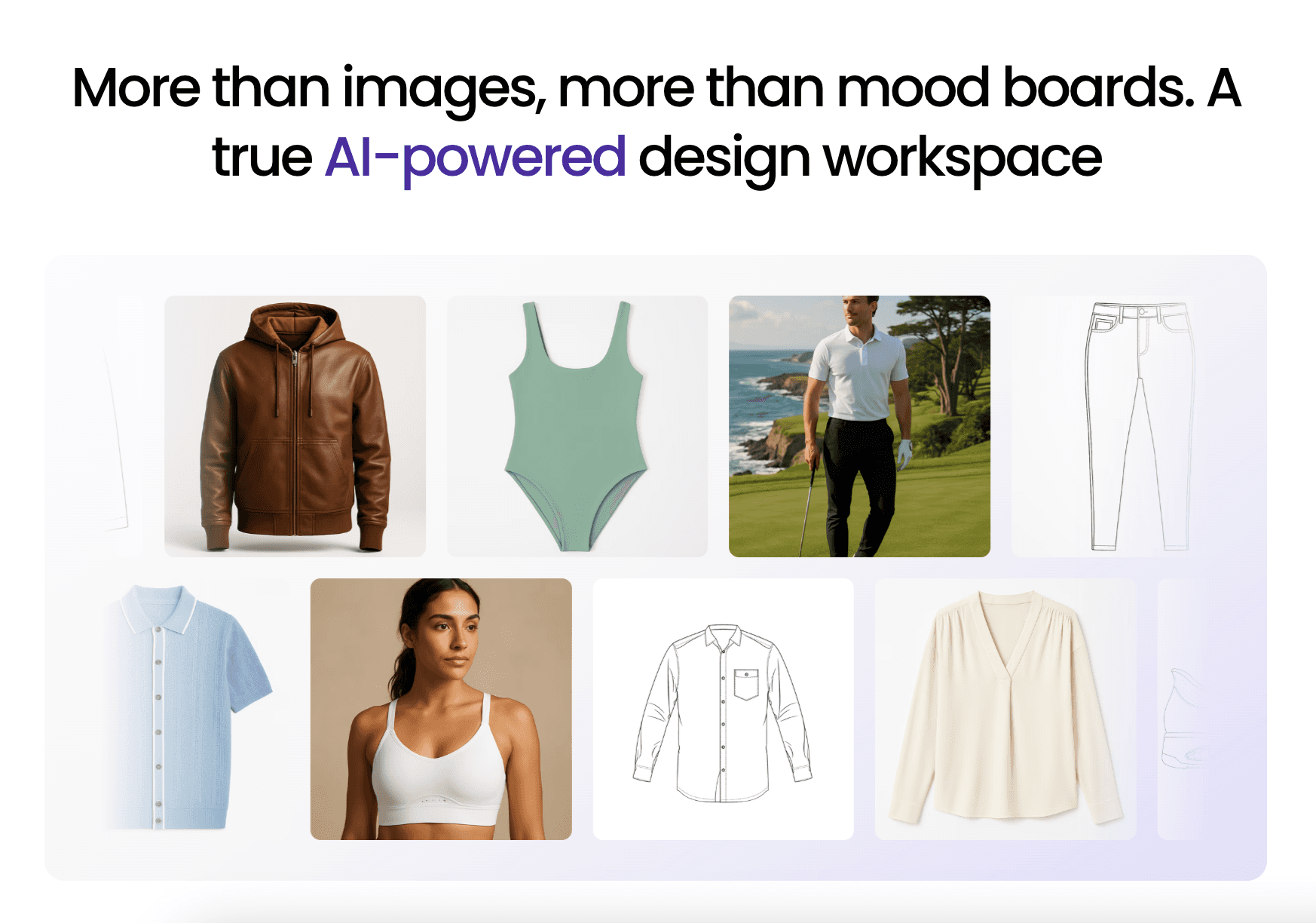
AI outfit generators make it easier to explore styling concepts, generate visuals, and test creative directions early in the process.
That works well for inspiration and visual exploration. But once a concept needs revisions, collaboration, approvals, or production planning, the workflow becomes more complex.
Fashion teams need tools that support more than image generation.
Onbrand helps teams move from early concepts to structured design work with shared workflows, visual collaboration, and connected product development tools.
FAQs About AI Outfit Generator
Are AI outfit generators accurate for business visuals and concepts?
AI outfit generators are useful for creating campaign visuals, styling concepts, and early design directions for fashion teams. However, they do not fully reflect real-world fit, fabric behavior, garment construction, or production requirements. The results are best used for visual exploration and concept development.
Can you use AI outfit generators for fashion design?
AI outfit generators can support early concept development, styling exploration, and visual ideation. They help teams generate and review directions quickly. However, they do not replace structured design workflows, technical development, or production tools.
Can AI outfit generators replace fashion creative workflows?
No. AI outfit generators can speed up concept creation, styling exploration, and visual production, but they do not replace full fashion creative workflows. Fashion teams still need designers, marketers, merchandisers, and product teams to review concepts, manage revisions, align collections, and move products toward production.
Are AI outfit generators free to use?
Many AI outfit generators are free online and allow quick use for testing concepts or generating sample visuals with no sign-up needed. More advanced tools often require a subscription account for higher-quality visuals, additional generations, collaboration features, or commercial usage rights.

